
Open almost any IT planning deck and you'll find MDM strategy sitting there as a single line item, wedged somewhere between security tooling and the endpoint budget. That framing hides the part that actually breaks. When we talk with IT leads running distributed teams, the friction almost never lives inside the management console. It shows up earlier. It shows up in the gap between a device leaving a warehouse and landing in someone's hands ready to enroll, and that's the piece nobody budgets for. The real work of it device management happens in a warehouse and a customs queue, places your MDM console can't see. Any MDM strategy that ignores those places is planning for half the problem.
TL;DR
- Most MDM strategy work focuses on enrollment and policy config, while the real breakage happens before and after that window.
- Pre-enrollment logistics (procurement, shipping, staging) directly determine whether zero-touch deployment actually works.
- Offboarding is the most neglected phase, and it creates the biggest compliance and cost exposure.
- Treating device management as a lifecycle discipline closes the gaps that config-first thinking leaves open.
- Global scale multiplies every weak point, so your strategy needs to account for local procurement, warehousing, and recovery.
Why We Keep Solving the Wrong Half of MDM
The industry has poured almost all of its attention into the middle of the device journey. Policies, profiles, restrictions, compliance baselines, all of it gets obsessed over while the two ends get labeled as someone else's job. What comes out the other side is an MDM strategy that reads beautifully in a slide deck and leaks everywhere the moment a real device moves through a real supply chain. A slide-deck MDM strategy rarely survives the first shipment.
I want to reframe the whole thing around the device lifecycle instead of the console. Management is one slice of a much longer sequence that starts at procurement and ends at recovery. When teams equate MDM with the software they log into every morning, they miss that the software only ever sees a device that already made it through several handoffs. Those handoffs decide whether the tool does anything useful at all. Your MDM strategy should start at procurement, not at enrollment.
Config-first thinking became the default because it's the part IT can touch directly. You can't control a customs queue. You can absolutely control a restriction payload, and controllable work feels like progress. That instinct makes total sense, and it's also why so many deployments look finished while the edges fray. If you want the full arc rather than the middle slice, our perspective on managing devices for remote teams lays out how the two ends connect to everything in between. Good policy design matters, but it's a fraction of what a working program actually demands. A complete MDM strategy has to cover both ends as well.
The Config-First Habit and Where It Came From
So many teams treat MDM strategy as a two-step exercise: pick a platform, write the policies. Vendor demos reward exactly that focus, because the console is what gets shown on screen. It's tangible, it's demonstrable, and it produces artifacts you can point to in a review. That is a demo, not an MDM strategy.
Solid policy design does matter. I'm not going to pretend restrictions and enforcement baselines are optional. But a flawless configuration profile means nothing if the device shows up late, in the wrong country, or with no clean path to enrollment. The best mdm tool on the market can't enroll a laptop that was never registered at the source. Registration is where MDM strategy actually begins.
Picture an IT admin who spends three weeks perfecting a macOS configuration profile. Restrictions, FileVault enforcement, app allowlists, all tuned down to the last detail. The profile is flawless. Then a new hire in São Paulo powers on a laptop that was never registered to Apple Business Manager at the source, and none of that work triggers on first boot. The admin ends up walking the hire through manual enrollment over a video call, which undoes the entire point of the config effort. The policy was never what went wrong here. If the source-registration gap sounds abstract, our overview of Apple Business Manager features makes concrete what has to happen upstream for that profile to fire automatically.
What "Managed" Actually Requires
Before any platform can do a single thing, a device has to clear a short list of conditions. Config-first planning skips every one of them:
- It exists in your inventory as a known asset, not a mystery box.
- It matches the right spec for the role and region.
- It reached the right person at the right address.
- It's in a state that supports enrollment, meaning registered upstream and powered on with the right credentials waiting.
Miss any of those and the console has nothing to manage. No vendor doc will tell you this. Your MDM strategy has to account for all four states.

The Pre-Enrollment Blind Spot Nobody Budgets For
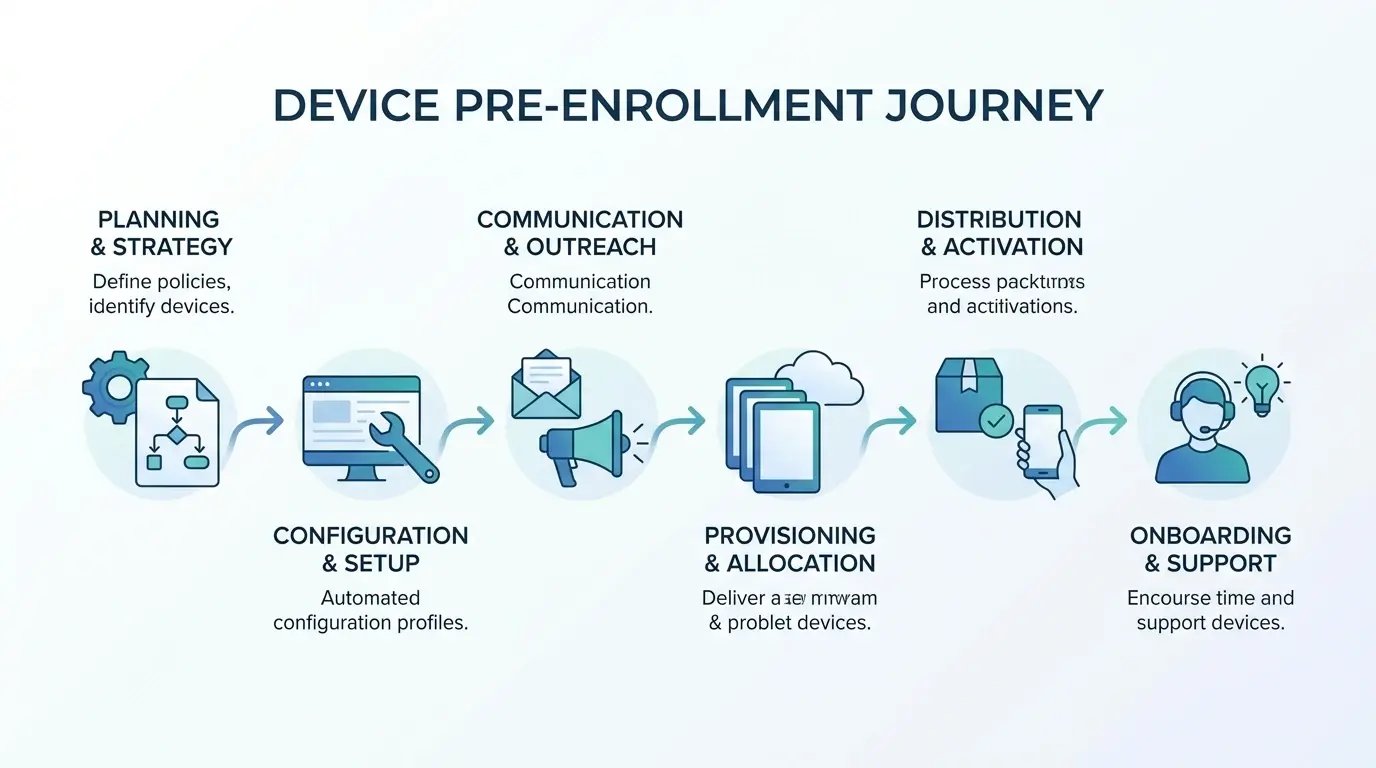
Everything that happens before enrollment is where I see the most avoidable pain. Sourcing the device, purchasing it in the correct region, staging it, physically getting it into someone's hands, all of it has to go right before the console ever enters the picture. When any of that slips, enrollment either fails outright or drags, and IT ends up doing the manual work the MDM strategy was supposed to eliminate. The scale of the problem is easy to underestimate: one analysis found that 43% of new hires wait more than a week for their workstation and tools, and 18% are still waiting after two months, stalled before they can contribute. No MDM strategy survives that kind of delay intact.
Distributed teams turn small logistics cracks into recurring drag. A single delayed shipment is an annoyance. Fifty hires a quarter across a dozen countries, each with its own customs and reseller quirks, and that annoyance becomes a slow bleed on your team's time. The console never shows you this cost because the console never sees it. An MDM strategy that stops at the console never sees it either.
Cross-border trade policy hasn't made any of this easier. Ongoing tariff adjustments and shifting import rules pushed regional hardware sourcing into volatile territory through late 2025, forcing IT teams to rethink where they buy and stage devices rather than defaulting to a single procurement hub. Coverage from Reuters Technology has tracked how supply routing and import costs keep reshaping hardware availability across regions, and that volatility lands squarely on the pre-enrollment window. A resilient MDM strategy now has to treat procurement geography as a real strategic decision, not a purchasing footnote, because the same forces that raise your costs also stretch the timeline before a device can enroll. Mapping the sourcing and staging steps in our guide to the international procurement process makes clear how much has to happen before enrollment is even possible. That upstream work is the part of an MDM strategy most teams never document.
Procurement Timing Sets the Ceiling for Everything Else
Procurement lead times cap how fast onboarding can move, and no amount of automation raises that ceiling. If a device takes eighteen days to arrive, your onboarding is an eighteen-day process, no matter how slick the enrollment flow is once it boots. Lead time is an MDM strategy constraint, not a procurement detail.
Buying hardware across borders drags in customs, reseller availability, and local compliance variables that most MDM strategy docs never mention. Ordering the right device in the right region is the first genuine management decision you make, even though it happens entirely outside the console. Get the region wrong and every downstream step inherits the delay. That single choice shapes more of your outcomes than any policy you'll write afterward. A sound MDM strategy treats sourcing region as a management control.
The Hidden Cost of "We'll Ship It From HQ"
Shipping everything from headquarters looks cheap on paper. One warehouse, one process, one team that already knows the drill. The real bill arrives later, in customs holds, damaged units, and the days a new hire spends staring at a laptop they can't enroll. Shipping choices belong in the MDM strategy conversation for exactly that reason.
The first time I ran a global rollout I shipped thirty MacBooks out of a Denver warehouse and lost four in Brazilian customs for the better part of two months. That's when I stopped pretending HQ shipping was free. Long international routes raise the odds of a battered box and a stalled shipment, and the practical guidance in our breakdown of how to ship a laptop shows just how much transit time and handling risk stack up on those routes. Here's how the two approaches compare once you account for the parts nobody puts in the budget:
| Cost Category | Ship From HQ | Regional Procurement + Staging |
|---|---|---|
| Customs and import duties | Charged per shipment, often unpredictable | Handled locally, priced into the source |
| Transit time to user | 7 to 21 days across borders | 2 to 5 days in-region |
| Damage and loss risk | Higher over long routes | Lower over short routes |
| Enrollment readiness on arrival | Manual, often incomplete | Pre-registered, zero-touch ready |
| Hidden IT labor | Chasing shipments, manual setup | Minimal intervention |

Staging Is Where Zero-Touch Lives or Dies
Staging is the step where a device gets prepared for the person who'll use it, and it decides whether zero-touch delivers or collapses. The critical part happens at the source. The device needs to be registered to your automated enrollment program, whether that's Apple Business Manager, Windows Autopilot, or Android Zero-Touch, ideally before it ever ships. Put that requirement in writing and your MDM strategy gets far more predictable.
When that upstream registration doesn't happen, you lose the entire promise of hands-off setup. The device arrives, the user powers it on, and nothing automatic happens. IT scrambles to enroll it manually, which is precisely the labor the whole system was meant to remove. This is the link between logistics and enrollment that most strategies leave unspoken, and our explainer on what zero-touch deployment is grounds why upstream registration is the make-or-break condition. Skip it and your tooling inherits a device it can't automatically claim. That is the single biggest gap in most MDM strategy documents.

Rethinking MDM as a Lifecycle Discipline, Not a Config Task
Widen the lens past pre-enrollment and a clearer model shows up. A working MDM strategy spans four continuous responsibilities: procurement, deployment, in-life management, and recovery. Not four separate projects with four separate owners. One arc that a single accountable function should be able to trace end to end. And yes, I know "lifecycle discipline" sounds like something a consultant scrawled on a whiteboard, but stay with me.
The pain almost never lives inside a phase. Procurement teams are good at procuring. IT is good at managing enrolled devices. Recovery vendors are good at recovery. What breaks is the space between them, the no-man's-land where a device gets handed off and nobody's quite sure who owns the next move. A mature data management strategy treats those transitions as deliberate steps rather than assumptions, because data follows the device through every one of them. Handoffs are where MDM strategy either holds together or quietly fails.
Thinking about it as a lifecycle also changes what you measure and what you fund. Instead of buying a console and calling the data management strategy done, you invest in the gaps between teams, which is where the leaks are. Our device lifecycle management guide goes deeper on the four-phase framing if you want the extended version. Funding the gaps is what separates an MDM strategy from a tool purchase.
The Four Phases and the Handoffs Between Them
The four phases are simple to name: procure, deploy, manage, recover. The handoffs between them are where ownership goes fuzzy and where your data management strategy either holds or falls apart. Who registers the device for enrollment? Who confirms it arrived in an enrollable state? Who wipes and recovers it when the person leaves? Those questions expose the gaps that a console-focused setup never surfaces. Naming an owner for each handoff is the practical core of an MDM strategy.
Run through this ownership audit and name an actual person or team for each line. If any answer is a shrug, you've found your risk. This is often the moment a team realizes their program had blind spots hiding in plain sight:
Who selects and orders the device in the correct region?
Who registers it to the automated enrollment program before it ships?
Who confirms it arrived in an enrollable state?
Who verifies first-boot enrollment actually succeeded?
Who triggers retrieval when someone leaves?
Who confirms the wipe and updates the fleet record?
Who decides whether the returned device gets redeployed or retired?
Which of those seven currently has no clear owner on your team? That question tends to surface the real problem faster than any platform audit.
Ownership Gaps Create Compliance Gaps
Unclear phase ownership turns straight into compliance exposure. A device that never fully enrolls, or one that leaves the fleet without a wipe, becomes the audit finding nobody wants to explain. That's an org-chart problem wearing a technical costume. A gap with no name attached to it.
Which is why a lifecycle view is a control requirement, full stop. A defensible MDM strategy has to prove every device is accounted for from purchase to disposal, and you can only prove what someone owns. Our overview of IT compliance standards maps common audit findings back to the specific controls that would have caught them. Auditors read your MDM strategy through those records, not your console.
Zero-Touch Only Works When Logistics Cooperate
"Zero-touch" gets tossed around in MDM strategy pitches like it's a switch you flip. Zero-touch enrollment is real and genuinely valuable, and I'd recommend it to almost any distributed team. The catch nobody puts on the slide is that it assumes a whole chain of upstream events already happened correctly.
Spell out that chain and you can audit your own setup honestly instead of blaming the platform when things stall. Most zero-touch failures I've seen trace back to something that happened days before the device was even switched on, which means the fix lives outside the console entirely. That gap between what the tool promises and what logistics delivers is where too many rollouts disappoint. Closing it is an MDM strategy problem, not a support ticket.
The Upstream Conditions Zero-Touch Assumes
For zero-touch to actually deliver, four things have to be true in sequence:
- The device is pre-registered to your automated enrollment program at the source.
- It's assigned to the correct enrollment profile for that user's role and region.
- It reaches the user powered by the right network on first boot.
- The user has valid credentials provisioned and ready before they power on.
Miss the order and the whole thing stalls. Here's a pattern I've watched play out more than once: a company rolls out Windows Autopilot for a remote sales team, and setup still fails for roughly a quarter of new hires. The devices were pre-registered correctly, so the platform side was fine. The hires simply powered them on before their Azure AD credentials existed, and enrollment froze at the login screen. The fix had nothing to do with the platform. It was a sequencing problem between HR provisioning and device delivery, one more handoff nobody owned. Getting that sequence right is exactly what our approach to automated device enrollment is built around, credentials and registration lined up before the box ships. Sequencing like that is what an MDM strategy is actually for.
When to Bring Staging Closer to the User
For distributed teams, staging devices near the user rather than centrally shortens delivery and keeps enrollment clean. Shorter routes mean fewer customs surprises and fewer damaged units, which means the device arrives in the enrollable state your program depends on. Regional staging is one of the highest-leverage moves in an MDM strategy.
The trade-off is coordination. Regional staging asks you to maintain relationships and inventory in multiple locations rather than one tidy hub. For a team hiring across three countries, that overhead is worth it. For a team hiring in one, it probably isn't. Decide based on where your people actually are, not where your warehouse happens to sit.
The Offboarding Problem That Quietly Wrecks Compliance
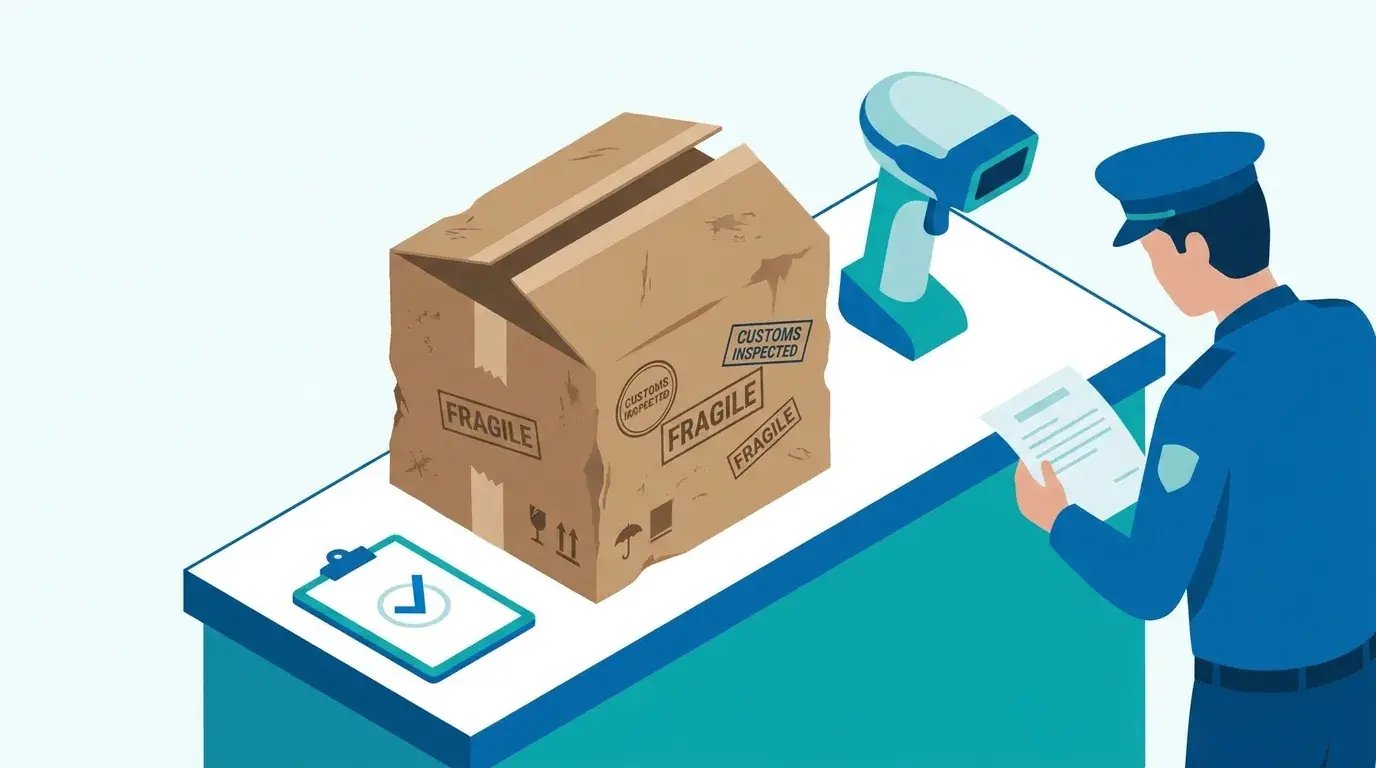
Offboarding gets even less attention than pre-enrollment, and the stakes run higher. A departed employee holding an unrecovered, still-enrolled device is a live security and licensing problem sitting somewhere you can't see. The console might show it as inactive while the physical machine hums along in someone's apartment. This is not an edge case: in one survey of HR workers, 71% said at least one departing employee failed to return company-owned equipment like a laptop or smartphone, with each walking away with nearly $2,000 of hardware on average. An MDM strategy that ends at enrollment leaves that hardware unaccounted for.
Distributed teams make this hard. The person is in another country, they've already moved on mentally, and there's no front desk to drop the laptop at on the way out. Remote arrangements compound it, since hybrid and remote employees are 17% more likely to keep company-owned equipment than in-office staff. A serious MDM strategy has to treat recovery as a first-class phase with the same rigor as enrollment, because the risk it carries is bigger.
Regulatory pressure has sharpened the point. Rising enforcement around data protection rules through 2025 raised the cost of leaving devices unrecovered after departures, since a still-active endpoint holding company data can qualify as a reportable exposure. Reporting from CSO Online has documented how endpoint and offboarding gaps keep showing up in breach investigations, and IBM's Cost of a Data Breach Report puts the 2025 global average breach at $4.44 million, with U.S. breaches at a record $10.22 million. That's why a recovery workflow has to be built into your operation rather than improvised per departure. Our breakdown of secure offboarding automation connects that security and licensing risk to an actual workflow you can run every time.
Retrieval Across Borders Is Where Plans Fall Apart
Getting a device back from someone in another country involves the same headaches as sending it, in reverse. Shipping labels, customs again, timing, and the uncomfortable fact that a former employee has close to zero incentive to hurry. They've been paid, they've left, and boxing up a laptop ranks pretty low on their list. The visibility gap is stark: research cited alongside a 2025 recovery study found that over 30% of endpoint devices remain untracked after offboarding.
Without a defined retrieval and redeployment path, devices either sit idle or vanish, and the record drifts further from physical reality with each departure. The fleet dashboard says one thing, the world says another, and the gap grows until an audit forces a reckoning. Lean operations prove this is solvable at scale; the story of how Vividly runs IT across six countries with a team of one shows what a tightly run lifecycle looks like when retrieval isn't left to chance. A retrieval process that runs on triggers instead of goodwill is what keeps your inventory honest.
Wipe, Recover, Redeploy, or Retire
Every offboarded device should reach one of four outcomes, and the console alone can't guarantee a single one of them without a logistics counterpart. Remote wipe handles the data. It does nothing about the hardware, which is exactly where teams assume the mdm tool did more than it did.
That distinction matters. Erasing mdm data off a device doesn't bring the device home, doesn't prep it for the next hire, and doesn't certify its disposal. Here's the split between what the console covers and what logistics has to finish:
| Outcome | What the MDM Console Handles | What Logistics Must Handle |
|---|---|---|
| Wipe | Remote data erasure, profile removal | Nothing, but only if the device is online |
| Recover | Marks device inactive in records | Shipping label, customs, physical return |
| Redeploy | Re-registers for next user | Cleaning, re-staging, delivery to new hire |
| Retire | Removes from fleet inventory | Certified disposal or resale, data destruction proof |
Idle Inventory Is a Strategy Failure, Not an Accident
Unrecovered and warehoused-but-forgotten devices are a direct symptom of a lifecycle-incomplete MDM strategy. Idle hardware ties up capital, keeps licenses spinning, and clutters the records your platform reports against. Every forgotten laptop is money you already spent and keep spending. The software side of that waste is enormous: Flexera's 2025 State of ITAM Report attributes up to 30% of IT budgets to underutilized or redundant software.
Here's the shape of a problem I've seen surface in more than one audit. A scaling SaaS company finds dozens of laptops unaccounted for across contractor exits, all still carrying active software licenses. Finance kept renewing seats tied to those devices because nobody closed the loop between HR departures and asset recovery. Reclaim and redeploy even half of them and you've covered a chunk of the next quarter's new-hire hardware without buying anything new.
Redeployment turns dead weight back into usable capacity, and that's where a real recovery process pays for itself several times over. Our walkthrough of the IT asset recovery process lays out how to make that loop repeatable. For a wider read on how these costs pile up across an entire fleet, the State of IT Lifecycle Management report puts real numbers behind the idle-inventory problem.

Building an MDM Strategy That Survives Global Scale
Pull the threads together and a practical set of principles emerges for an MDM strategy that holds up when your team spans many countries. The through-line stays the same: connect logistics and management instead of treating them as separate procurement and IT problems that meet occasionally in a shared spreadsheet.
Global scale multiplies every weak point I've described. A handoff with no owner is survivable at ten employees and catastrophic at a thousand. Same story whether you're running a lightweight tool or an enterprise platform like IBM MDM. At 50 people you can wing it. At 1,000, the cracks find you. The teams that stay sane are the ones who designed for the gaps before they hit that volume, and that discipline matters as much for an IBM MDM deployment as it does for a startup's first fifty laptops.
Principles That Actually Hold Up
A short set of principles does most of the work, and each one prevents a specific failure I've already walked through. Source and stage regionally so transit time and customs stop capping your onboarding speed. Register devices for enrollment upstream so zero-touch actually fires on first boot. Assign a clear owner to every handoff so ownership gaps stop becoming compliance gaps. Build recovery into onboarding from day one so idle inventory never accumulates in the first place. That's the backbone of any MDM strategy that survives a growing headcount.
Turn those principles into an mdm strategy roadmap you can actually work through, and the abstract becomes operational. This is the checklist I'd hand a team standing up an IBM MDM environment, or any other platform, tomorrow:
- Confirm regional procurement paths exist for every country where you hire.
- Require upstream enrollment registration as a purchasing condition, not an afterthought.
- Assign a named owner to each of the seven handoffs in the audit above.
- Sequence HR credential provisioning ahead of device power-on.
- Set a retrieval trigger tied to the offboarding date, not the exit interview.
- Track idle inventory monthly and route recoverable units back into redeployment.
- Reconcile the MDM fleet record against physical inventory on a fixed cadence.
Metrics Worth Watching
A handful of measures tell you whether the lifecycle is actually working or just looks good on a dashboard. Watch time-to-productive, meaning the days between "hire
Final Thoughts
Every failure mode in this guide lives in the same place: the gaps between logistics and management that a console-first MDM strategy never touches. Source in the wrong region and onboarding stalls. Skip upstream registration and zero-touch never fires. Leave offboarding to goodwill and your fleet record drifts into an audit finding.
Put plainly: MDM manages devices, not their lifecycle — every gap above happens in the part of the arc the console was never built to see.
The fix is not a better tool. It is treating the whole device lifecycle as one accountable arc, from procurement through recovery, with an owner on every handoff.
That is exactly the gap GroWrk was built to close. Rather than stitching together a procurement platform, a logistics provider, and an MDM tool that each work alone while the seams between them leak, GroWrk runs procurement, global shipping, pre-configuration, deployment, ongoing management, and retrieval on a single platform. Devices are sourced from local suppliers in 150+ countries to sidestep customs delays and import taxes, pre-configured with your MDM profiles and security settings before they ship, and recovered and wiped when someone leaves, all tracked from one dashboard.
The proof shows up in how real teams operate this way. Upwork's nine-person IT team rolled out GroWrk across more than 30 countries and swapped customs delays, spreadsheet tracking, and hours of offboarding follow-up for two-click collections and real-time asset visibility. Illumio faced a similar wall, stuck buying laptops only in the U.S. and wrestling with unresponsive vendors in markets like Japan; after partnering with GroWrk, the team ran zero-touch enrollment through ABM and Intune across Japan, Brazil, and the EU without adding headcount or new vendor relationships. Read the full Illumio case study to see how the bookends get handled when logistics and management sit on one platform.
The payoff is what a real MDM strategy promises but rarely delivers at scale: your IT team stops firefighting onboarding and starts focusing on what actually matters. If your program breaks at the bookends the way most do, see how GroWrk handles the touch before delivery and the recovery after departure so zero-touch finally lives up to its name. And for a wider view of where these lifecycle costs and gaps hide, download GroWrk's State of IT Lifecycle Management report, which digs into the five challenges distributed IT teams face across AI, sustainability, device lifecycles, security, and global logistics.