Here's what keeps me up at night: we're all arguing about which remote desktop tool is most secure while hemorrhaging money on the infrastructure nobody's tracking. Last month, our CFO asked why our "free" remote access solution somehow cost us $47,000 in Q3.
The software was free. Everything around it wasn't.
And before you think this is about buying expensive enterprise tools, it's not. It's about the stuff nobody tracks: the six-hour setup calls, the laptops stuck in Brazilian customs for three weeks, the devices you'll never get back from ex-employees, the compliance gaps you don't know exist until an auditor finds them. These costs pile up without anyone noticing until someone finally adds them up and realizes you could've hired two engineers with that money.

TL;DR
Too long? Here's the short version: Remote desktop software is free. Everything around it costs a fortune. Read on if you want to know where your money's actually going.
The Provisioning Paradox: Why Remote Access Starts Before Login
Remote desktop access costs begin at device ordering, not first login. You've got OS imaging, VPN setup, security certificates, protocol enablement, and every single one of these steps eats hours that don't scale. Configure one device, fine. Configure fifteen across eight countries, and you'll see exactly what I mean.
Provisioning one device feels manageable. Onboarding 15 people across eight countries reveals the true cost. Geographic distribution turns shipping into a nightmare. International shipping runs $200+ versus $30 domestic. Then you've got customs delays, import duties, voltage compatibility issues. Companies either maintain expensive buffer inventory in multiple regions or accept weeks-long delays that push back start dates.
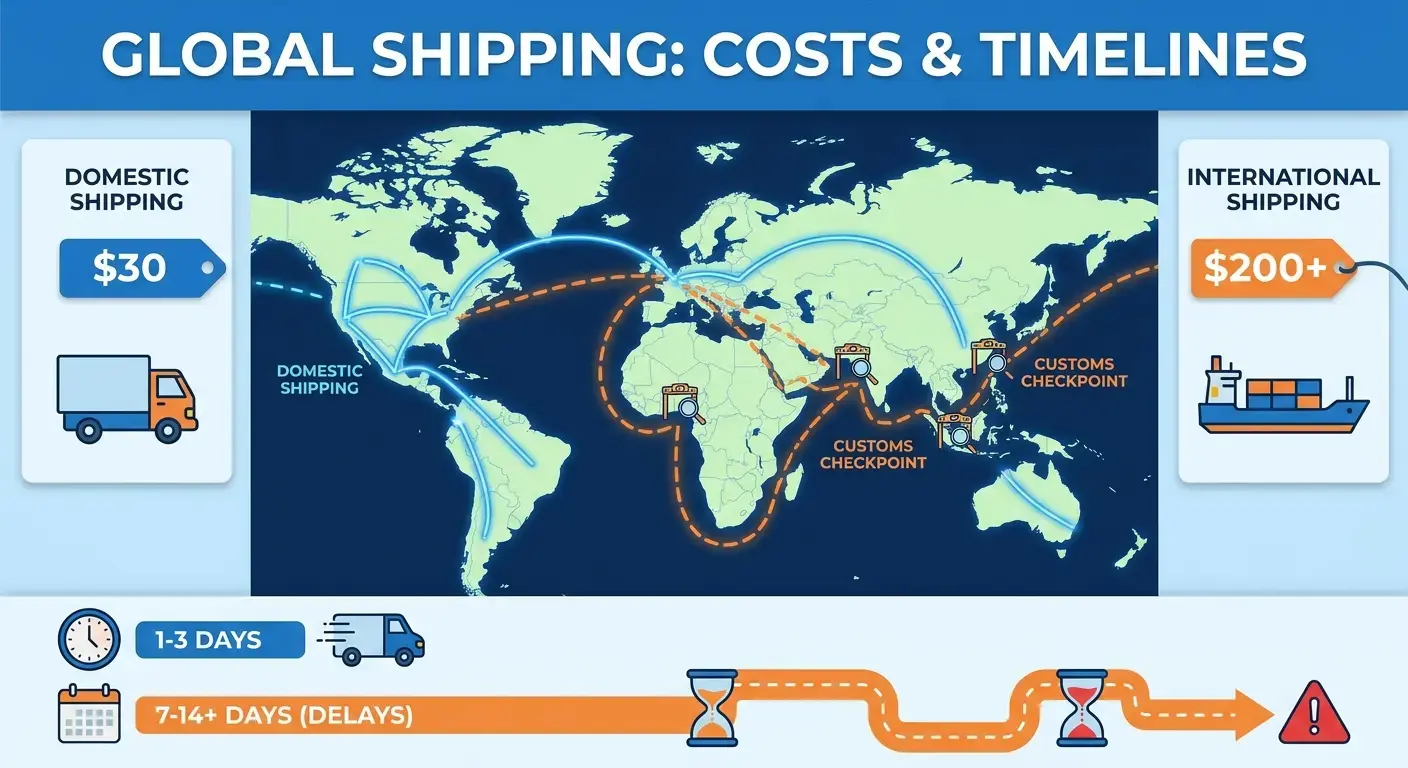
When setting up how to set up laptops for remote employees, you've got three bad options. Pre-configure and risk security issues during transit. Remote-walk employees through setup and waste IT hours. Or fly someone onsite at absurd cost.
Pick your poison.
Pre-configured devices fall behind on security patches during shipping, so you end up doing setup calls anyway. IT teams spend hours troubleshooting basic connectivity with Chrome Remote Desktop or Microsoft Remote Desktop, turning what should be a software question into a labor-intensive process that gets worse with every new hire. The remote desktop connection that seems simple in theory becomes a multi-hour ordeal when an employee in Manila can't get their VPN certificate to install properly.
| Provisioning Approach | Upfront Cost | Security Risk | Time to Productivity | Best For |
|---|---|---|---|---|
| Pre-configured devices | Low (bulk imaging) | High (patches outdated during transit) | 1-2 days | Domestic hires with standard setups |
| Remote setup assistance | Medium (IT labor hours) | Medium (depends on employee technical skill) | 3-5 days | Technical employees in any location |
| Onsite configuration | Very High (travel + labor) | Low (full IT control) | 1 day onsite | Executive hires or high-security roles |
| Regional staging centers | High (storage + insurance) | Medium (centralized but distributed) | 2-3 days | Companies with 50+ employees per region |
A fintech company in Singapore hired three developers across Singapore, Poland, and Brazil in the same week. Their Singapore developer received a pre-configured device that arrived with a two-week-old OS image. By the time she powered it on, 47 security patches were pending, and the VPN client version didn't match their updated server.
IT spent four hours on a video call walking her through manual updates before she could connect. The Poland-based developer received his device but lacked admin rights to install the required VPN client. Another three-hour troubleshooting session.
The Brazil hire's device sat in customs for three weeks because apparently "laptop" wasn't a specific enough description on the customs form. Their shipping company needed them to specify the exact model number, the processor type, and the screen size. For a laptop. That they'd already described as a laptop. Welcome to international shipping.
During those three weeks, the company paid his full salary while he worked from a personal laptop with limited access to company systems. Total cost for three hires: $8,347 in lost productivity plus 11 hours of IT labor, none of which appeared in their remote access budget. (Yes, we calculated it.)

Shadow Costs Living in Your Remote Desktop Stack
Pop quiz: How many different remote desktop tools is your company actually using? If you said "one," you're probably wrong. Most companies are running three, and nobody in finance knows it.
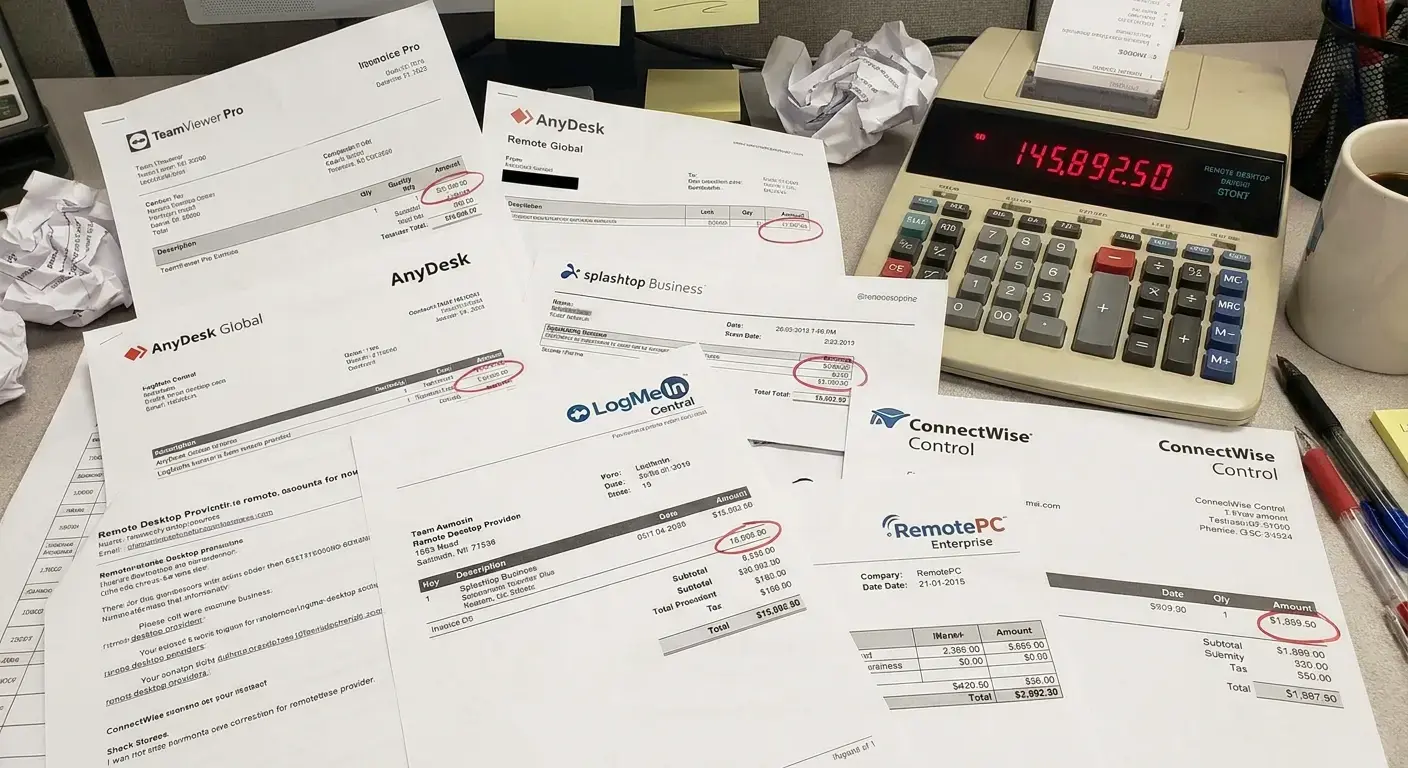
IT uses one platform, engineering adopts another for specific use cases, and customer success uses a third bundled with their CRM. This fragmentation creates redundant licensing costs hidden across budget lines. Security gaps emerge from unapproved tools. Compliance nightmares surface when audit trails don't exist. Someone in marketing downloaded Chrome Remote Desktop because the official solution felt too slow. Two developers installed Remote PC for after-hours access. Nobody tracked any of it.
Support overhead doesn't scale. Remote access tickets consume 260+ hours annually at mid-sized companies. Each ticket costs IT labor plus employee downtime, with a two-hour connection failure costing $150 in direct productivity loss before troubleshooting time.
Bandwidth costs remain invisible because they're distributed between employee home internet and corporate VPN infrastructure. As teams grow, VPN capacity requirements increment gradually, adding up to six-figure annual expenses that never trigger scrutiny because they're not capital purchases. Proper IT cost management requires visibility into all remote access tools across departments, not just officially sanctioned solutions.
Want to know if you have this problem? Check how many different remote access tools you're actually paying for. And I mean actually check. Don't just ask IT what they officially support. Go into your expense reports, search for anything with "remote" or "desktop" in the description, and see what comes up. I'll bet you find at least three tools you didn't know existed.
A 200-person SaaS company in Austin (they do marketing automation) discovered they were paying for five different remote desktop solutions after their new CFO (who came from banking and was horrified by their expense tracking) demanded an IT audit. IT officially supported TeamViewer ($12,000 annually). Engineering had expensed AnyDesk licenses ($4,800 annually) because they needed lower latency for server access.
Customer success used the remote support tool bundled with Zendesk. No separate line item, but $18,000 of their Zendesk contract. The design team bought Splashtop ($2,400 annually) for iPad access to their workstations, and nobody in finance knew what Splashtop was, so they just approved it every month. Three individual employees had active LogMeIn subscriptions ($1,500 total) on personal credit cards they were expensing monthly.
Total spend: $38,700 annually on redundant functionality, with zero visibility into the aggregate cost until someone specifically looked for it. The Chrome Remote Desktop app showed up on 47 employee machines during a security audit, none of which had been approved or reviewed for compliance.
Device Lifecycle Gaps That Remote Access Exposes
Your hardware refresh policy was written assuming you could walk over to someone's desk and swap their laptop. Try that when the laptop's in Manila and you're in Denver.
Three-year replacement cycles fall apart when shipping international replacements takes two weeks, leaving employees without working devices. Companies either extend refresh cycles and accept field failures or build complex proactive replacement processes. Neither option is cheap. Warranty economics change when shipping for repair costs more than the repair itself. International warranty coverage exists but you've got to deal with service networks that work completely differently in every country.
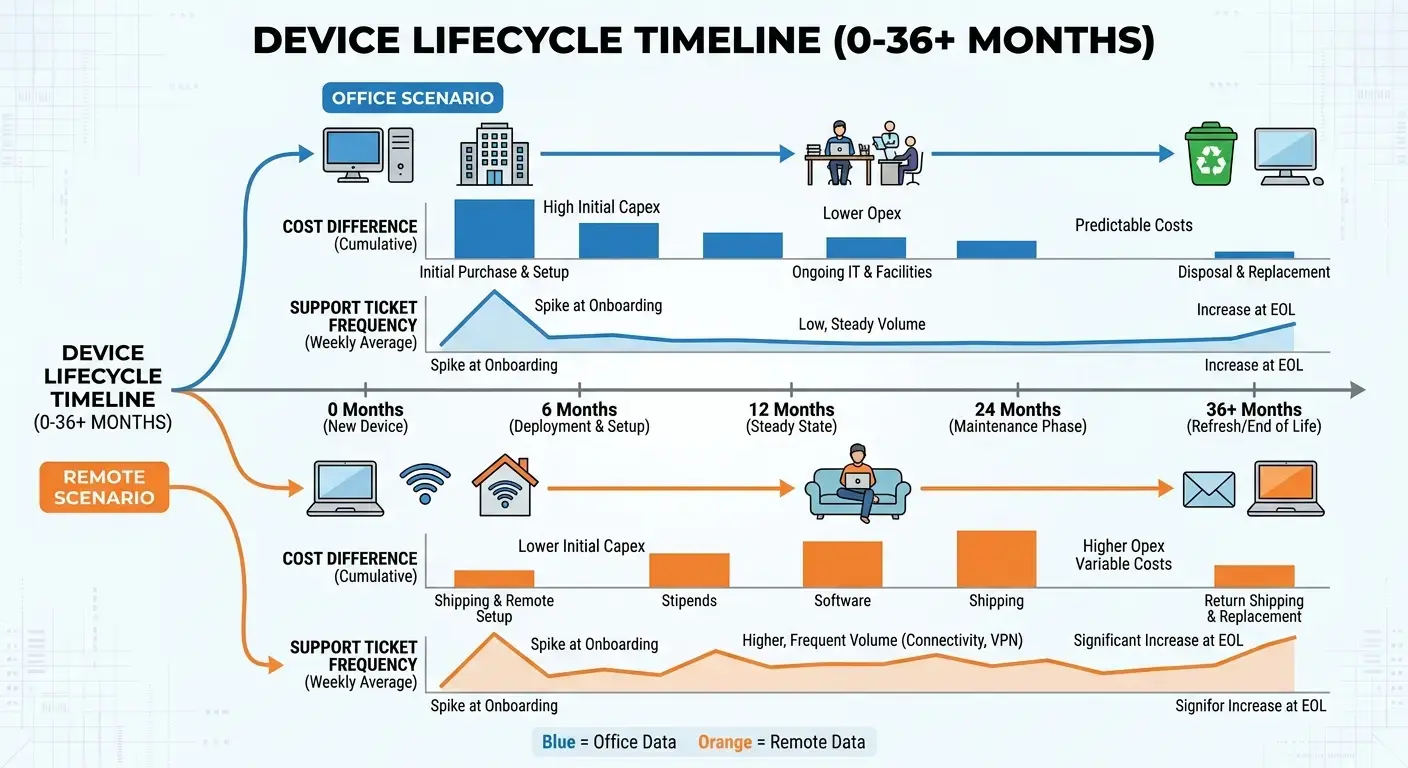
IT makes individual "cheaper option" decisions that add up to significant unplanned expenses that never get properly categorized. Software upgrades become complex across time zones, unreliable home internet, and devices that aren't powered on during update windows.
Forcing updates during work hours creates support tickets and damages employee relationships. Deferring updates creates security vulnerabilities that auditors love to find. Performance degradation goes unmonitored until employees complain, meaning productivity has already suffered for months. A device costing someone 30 minutes daily represents $4,700 in annual lost productivity, far exceeding replacement cost. Implementing effective device lifecycle management prevents costly gaps when hardware refresh cycles conflict with global distribution.
| Device Age | Office Environment | Remote Environment | Cost Difference |
|---|---|---|---|
| 0-12 months | Minimal support, under warranty | Same, but shipping for warranty repair costs $150-400 internationally | +$150-400 per warranty claim |
| 12-24 months | Occasional support, warranty expiring | Support tickets increase, remote diagnostics harder, warranty shipping prohibitive | +40% support time |
| 24-36 months | Planned refresh begins | Refresh delayed by shipping times, employees working on degraded devices for weeks | +$4,700 annual productivity loss per device |
| 36+ months | Devices retired, resold for $200-400 | Devices scattered globally, retrieval costs $300-500, often written off completely | -$500-900 residual value loss |
Know what's worse than paying for shipping? Paying for shipping twice because the first attempt got lost in customs.

The Remote PC software works great until the physical hardware underneath it starts failing. Then you're troubleshooting whether the connection issue is network-related or because the laptop's RAM is dying. From 4,000 miles away. On a Tuesday night. While the employee has a client presentation the next morning.
When Remote Desktop Access Becomes a Compliance Liability
Here's a fun way to discover compliance requirements: violate them first, then learn about them during the audit. This is how most companies approach cross-border data access, and it's exactly as expensive as it sounds.
Remote desktop access moves data across borders, triggering compliance requirements companies discover after violating them. GDPR, CCPA, and regional frameworks have specific data residency rules. An employee in Germany connecting to a Virginia server potentially violates regulations depending on data accessed and system configuration.
The fix? Legal review, technical reconfiguration, documentation updates, and new infrastructure in compliant regions. Understanding IT compliance standards becomes critical when remote access spans multiple jurisdictions with conflicting data residency requirements.

Audit trails often don't exist because detailed logging isn't enabled by default. Why? Storage costs and performance impact. Auditors require specific evidence in particular formats, and retroactive logging doesn't help when they show up asking questions about what happened six months ago.
Side note: I once sat in a meeting where our legal team spent 45 minutes debating whether a Slack message counted as "accessing" customer data for GDPR purposes. The answer, apparently, is "it depends." Everything in compliance law is "it depends." This is why compliance people make so much money. They've learned to be comfortable with ambiguity that would drive the rest of us insane. Anyway, back to remote desktop logs.
Jurisdictional conflicts emerge when employees in countries with strict labor laws access data from customers in countries with different privacy laws. Companies must comply with the most restrictive interpretation of each framework. Solutions either restrict remote access by geography (limiting hiring) or implement complex permission systems (increasing operational overhead and configuration errors).
Both approaches cost money in lost opportunities or compliance infrastructure. That free remote desktop software you downloaded? It probably doesn't log anything useful for compliance purposes. Chrome Remote Desktop is convenient until your legal team asks for session recordings during discovery.
A healthcare technology company with employees in 12 countries faced a GDPR audit after a data subject access request revealed their remote access logs were incomplete. Their remote desktop solution logged connection events but not what data was accessed during sessions.
When auditors asked for proof that their UK-based employee hadn't accessed patient records she wasn't authorized to view, the company couldn't provide it. The fix took seven months and cost $340,000: $85,000 in legal fees, $120,000 to set up and configure session recording software across their entire remote access infrastructure, $95,000 in consultant fees to document their new processes, and $40,000 in storage infrastructure to retain the session logs for the required seven-year period.
The original GDPR fine was waived because they demonstrated good faith efforts to fix it. Still, the cost of fixing a problem they didn't know existed exceeded their entire annual remote desktop software budget. Their IT director now jokes that their "free" remote desktop solution was the most expensive software decision they ever made.
I nearly choked when I saw the invoice.
The Procurement Bottleneck Nobody Sees Coming
Remember when you could order a laptop and have it ready in a week? Yeah, those days are gone. Now you're looking at months, and that's if customs doesn't decide to hold it hostage for reasons nobody can explain.
Supply chain disruptions combined with remote work extend lead times from weeks to months. Companies need specific configurations for specific roles in specific locations, all ready for remote access. Customization and geographic distribution delay hiring because devices can't reach new employees in time.
Start dates push back six weeks. Top candidates accept other offers while waiting for their laptop to clear customs in Buenos Aires. Companies that fix IT procurement delays for global teams avoid losing top candidates to competitors with faster onboarding processes.

Bulk purchasing economies of scale disappear when shipping individual devices to dozens of countries with different import requirements. Companies choose between higher unit costs (buying locally per region) or higher logistics costs (shipping from central inventory). Neither delivers traditional bulk savings.
Hiring plan unpredictability leaves inventory in wrong locations. Rebalancing costs and carrying costs on undeployed devices add up. Just-in-time ordering reintroduces lead time problems. You can't win this game with traditional IT procurement approaches.
Here's what actually happens: Your engineering team needs Ubuntu with specific kernel modules that only work with particular hardware. Design needs MacBooks because Adobe Creative Cloud barely functions on anything else, and your designers will riot if you try to make them switch. Sales needs Windows machines that can run your CRM's desktop app, which for some reason still requires a desktop app in 2024. Each configuration requires separate images, separate documentation, separate troubleshooting knowledge, and separate support procedures. The Chrome Remote Desktop app works differently across all three operating systems, so your support documentation needs three versions of every screenshot.
Microsoft Remote Desktop has its own quirks on each platform. Multiply this across 50 employees in 15 countries, and you've built an unsustainable mess that only two people in your organization understand. When one of them quits, you're in trouble. When both quit, you're in crisis mode.
Exit Strategies: The Retrieval Problem
Want to hear something insane? It cost us $400 to get back a laptop we originally shipped for $80. And that was one of the successful retrievals.
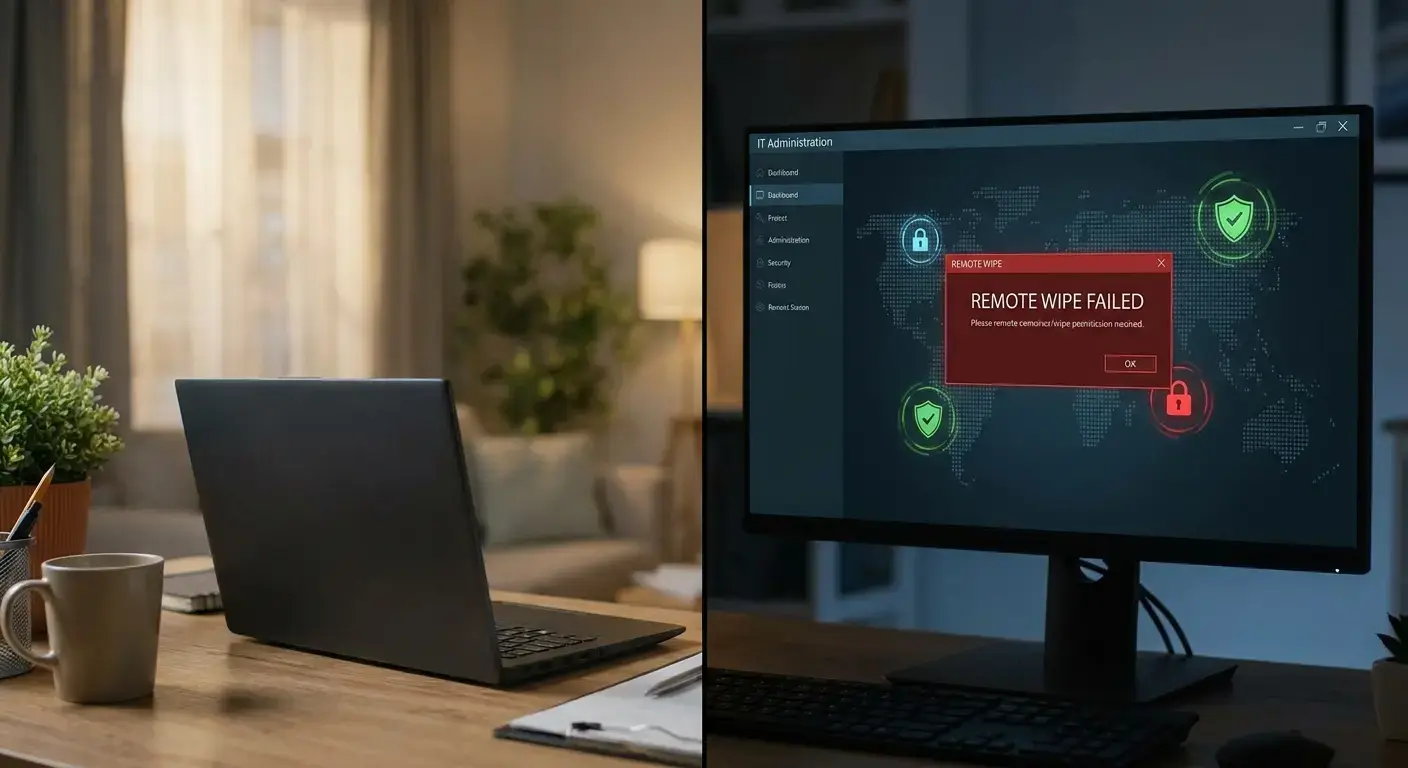
Device retrieval costs often exceed original delivery costs. International return shipping runs $400 for a $1,200 device, but data security risks make retrieval non-negotiable. Remote wipe sounds great until you realize it requires devices powered on and connected to the internet.
And ex-employees? They turn those things off and shove them in a closet. Now you've got unremediable security vulnerabilities sitting in apartments across the globe, and your compliance officer is having nightmares.
Equipment deposits work where legal but many jurisdictions prohibit withholding deposits or final paychecks for equipment recovery. Companies lose leverage exactly when needed most.
Accepting 10% non-return rates on 200 annual device deployments at $1,500 each means $30,000 in annual write-offs before labor costs of attempted recovery. Compliance frameworks require verified data destruction that's impossible to obtain for devices in employees' apartments across the globe.
Remote wipe logs show commands sent, not successful completion or whether devices were cloned first. This creates unresolvable compliance gaps most companies ignore until auditors ask. Third-party retrieval services exist but operate only in certain markets, leaving patchwork compliance with full liability. Implementing a laptop retrieval service reduces write-offs and ensures data security compliance during employee offboarding.
I'm going to tell you a story that still makes me angry.
A former employee in Argentina kept their laptop for eight months after termination. The company sent 23 emails requesting return. They offered to pay for shipping. They offered to have someone pick it up in person. Radio silence.
The device contained cached customer data that couldn't be remotely wiped because it never connected to the internet again. Their cyber insurance required proof of data destruction for coverage. They couldn't provide it. When they finally wrote off the device, their CFO asked why they spent $1,800 on a laptop they never got back and still had potential liability for the data on it. Nobody had a good answer. Understanding the IT offboarding process helps companies avoid the most expensive retrieval mistakes when employees leave.
The remote desktop connection that seemed so convenient during onboarding? Completely irrelevant when the device is powered off in someone's closet. (Or worse, powered on but connected to their home network where you can't reach it.) Your entire security model assumed you could reach these devices. That assumption was wrong.
Building a Sustainable Remote Access Model
Actually, let me back up. I'm making this sound like remote desktop software is the problem. It's not. Microsoft Remote Desktop works great. Chrome Remote Desktop is fine. The software is never the problem. The problem is everything you need to do before the software matters and everything that happens after it stops working.
Sustainable models start with total cost of ownership visibility. Track procurement, shipping, configuration labor, support overhead, compliance expenses, retrieval costs, and write-offs. This requires integrating data from purchasing, IT, HR, finance, and legal, which most companies can't do.
We've seen companies spend weeks building spreadsheets to track Chrome Remote Desktop usage across departments, only to discover they're missing half the data because finance categorized some licenses under "software" and others under "IT infrastructure."
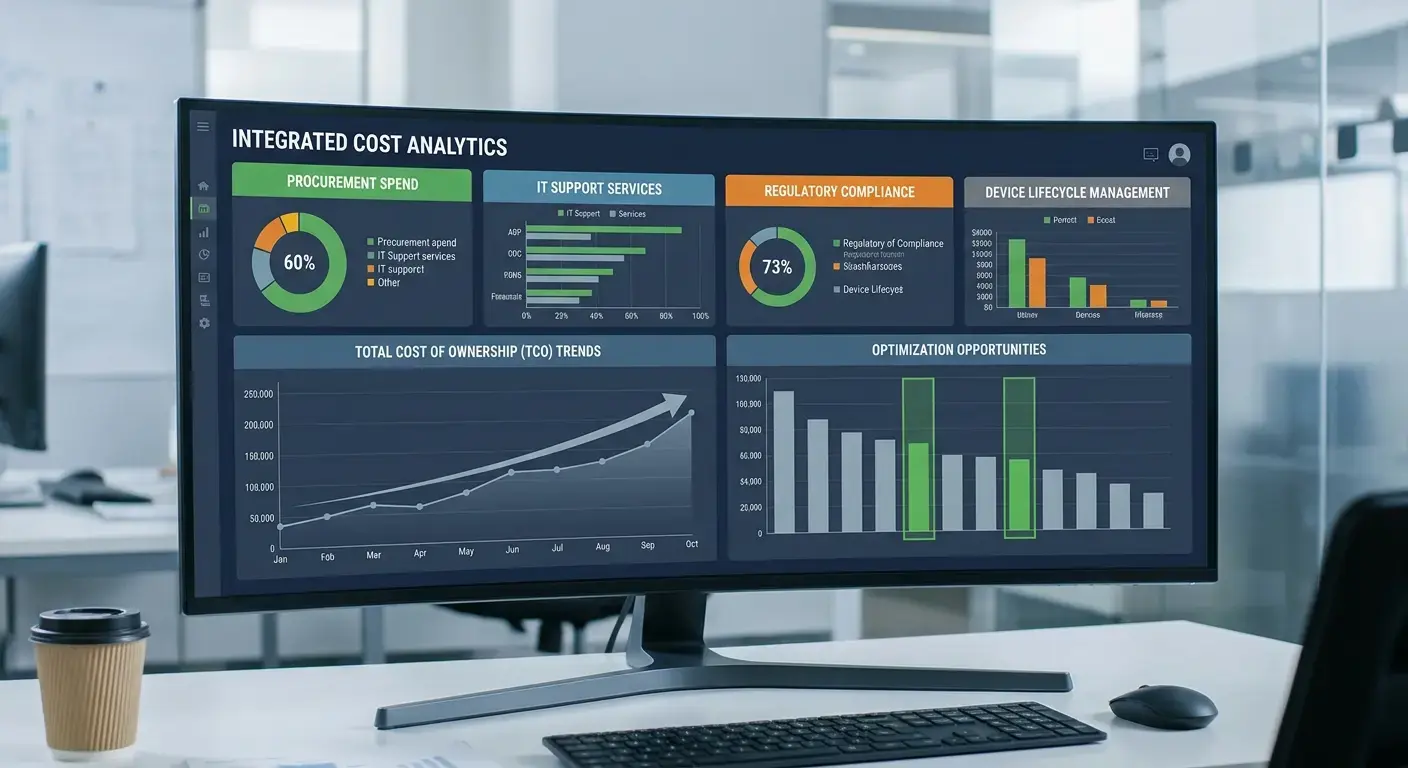
Visibility identifies inefficient spending and where investments reduce costs elsewhere. Pre-configured devices might cost more upfront but reduce IT support burden enough to offset higher unit costs. Vendor consolidation might reduce procurement complexity enough to shorten lead times and prevent losing candidates.
Intelligent trade-offs require the full picture of what this actually costs, and most IT teams lack capacity to gather it.
Look, I work for GroWrk, so obviously I'm biased here. But the reason I work for GroWrk is because I spent five years trying to solve these problems internally at other companies, and it was a nightmare. Lifecycle management as a service shifts complexity to specialists who achieve economies of scale individual companies can't. Moving from capital expenses to operational expenses changes budgeting but often reduces total spend. GroWrk handles the entire device lifecycle across 150+ countries, eliminating the need to build international logistics expertise, maintain regional inventory, or chase devices from ex-employees.
Predictable per-employee costs include everything from procurement to retrieval. Budgeting becomes straightforward. Hidden expenses disappear because they're already included in the model. Effective IT asset lifecycle management transforms fragmented remote access costs into predictable operational expenses.
If you want to keep doing it yourself, cool. But at least start tracking what it actually costs. Once you have those numbers, then decide whether building this expertise internally makes sense.
Policy changes help too. Standardized configurations reduce complexity. Clear retrieval policies with consequences improve return rates. Device maintenance requirements catch problems before they become emergencies. These policies reduce costs but require enforcement tools and processes most companies lack.
Regional strategies work better than one-size-fits-all approaches. Some markets favor local purchasing despite higher unit costs. Others have solid repair networks making extended warranties valuable. Import regulations in Brazil differ completely from those in Singapore. Developing these strategies requires local knowledge most companies don't have.
Your IT team shouldn't need to become experts in Brazilian import regulations just to ship a laptop to São Paulo. (Though if they do, they can probably make more money as import consultants.) Making specialists who operate in these markets daily more cost-effective than learning through expensive mistakes. The State of Global IT Hardware Procurement 2026 shows how companies are shifting from building internal expertise to leveraging specialized providers who already have it.
The remote desktop app you choose matters less than the infrastructure supporting it. Microsoft Remote Desktop works great when devices arrive on time, stay updated, and get retrieved properly. Chrome Remote Desktop is fine when you have the support capacity to troubleshoot connection issues across different operating systems and network configurations.
Free remote desktop solutions cost nothing until you add up everything else. The software license is never the expensive part. How Vividly Runs IT Across Six Countries With a Team of One demonstrates what's possible when you stop trying to build everything internally.
Final Thoughts
I've been managing IT infrastructure for distributed teams for eight years. I've shipped laptops to 47 countries, lost devices in customs in countries I can't pronounce, and once spent $600 to retrieve a $900 laptop from an ex-employee in Argentina who ghosted us for eight months. (Still angry about it, honestly.) So when I say remote desktop access is breaking your budget, I'm not guessing.
Remote desktop access enables distributed work but introduces costs companies radically underestimate. Software licensing is the visible part. Real money disappears into provisioning delays, support overhead, compliance gaps, retrieval failures, and lifecycle expenses that get worse as you scale. Those are the true costs of remote desktop access at scale.
You shouldn't need to become experts in international logistics, device lifecycle management, and multi-jurisdictional compliance just to give your team remote access. That expertise exists, and tapping into it is almost always cheaper than building it yourself. Buying remote desktop access as a service is usually the cheaper path.
I've made every mistake in this article. Some of them twice. The Argentina laptop thing? That was me. Learn from it before your own remote desktop access bill arrives.
Companies that recognize this early avoid expensive lessons from treating remote desktop access as purely a software decision rather than an infrastructure challenge touching every part of IT operations. Your remote access model either scales sustainably or breaks your budget.
There's not much middle ground. Remote desktop access is either an infrastructure decision or an expensive accident.