Buying technology for a growing company sounds simple until you're three quarters into the year, staring at a budget that somehow evaporated, and nobody can explain who approved those forty extra monitors. I spent years running IT operations for distributed teams, and that exact scenario, the forty monitors, actually happened to me. A regional lead had ordered them for a hardware refresh that got postponed, and they sat in a warehouse in Austin for eight months while I explained the line item to a very unhappy CFO.
IT procurement touches nearly every department, every hire, and every dollar you spend on tools, and yet it stays one of the most mismanaged functions inside most organizations. This guide walks through how I think about buying technology, why the old way keeps breaking, and what a working process actually looks like, with the right it procurement software doing much of the heavy lifting once your process is sound.
TL;DR
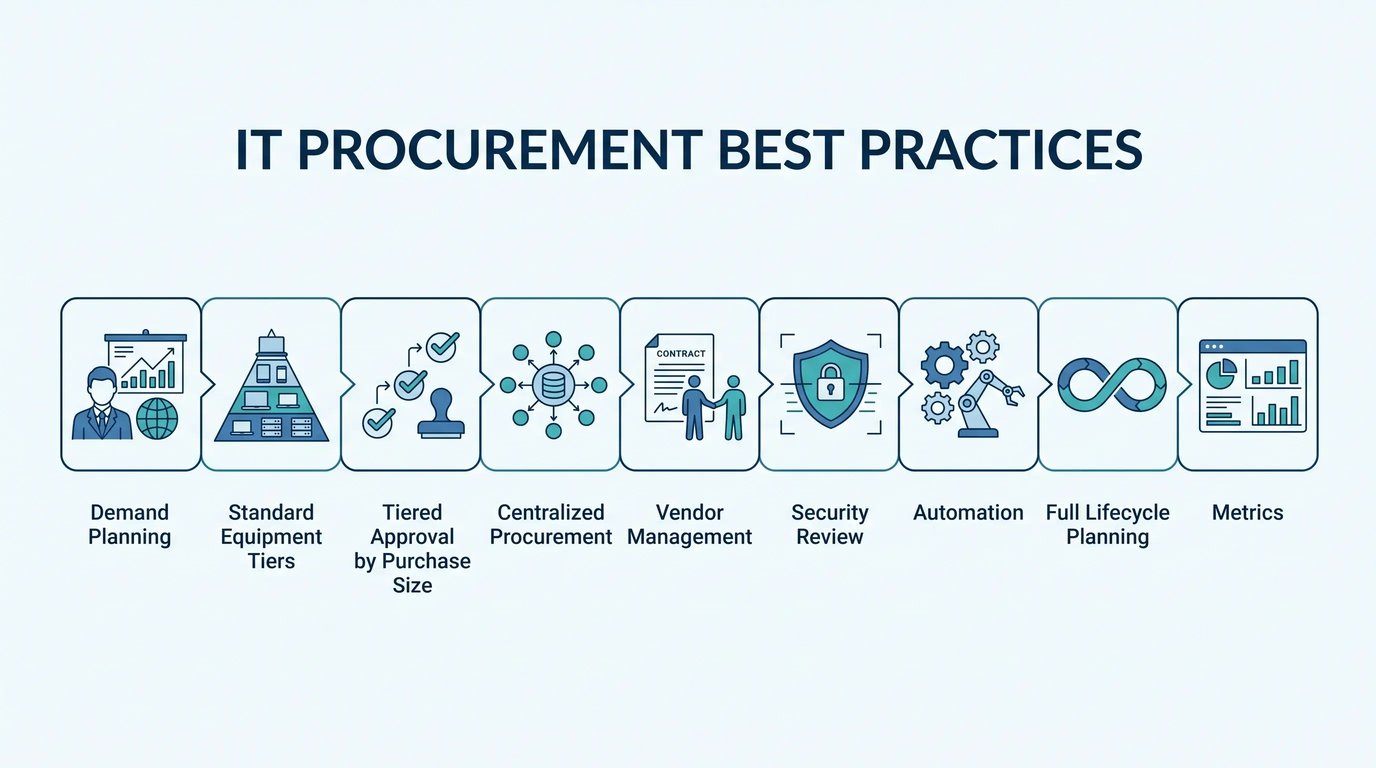
- IT procurement best practices start with a short strategy document, not more tooling. Define standard equipment tiers, approved vendors, budget ownership, a request workflow, and refresh rules before you buy anything.
- Match approval depth to purchase size so small requests move same day and large contracts get real scrutiny.
- Centralize decision making and visibility for distributed teams while keeping delivery local, so procurement doesn't collapse under customs, tax, and shipping differences.
- Treat vendors deliberately: consolidate spend for leverage, review every renewal 60 days out, and ask about end of life and buyback programs before signing.
- Bake security into procurement, because roughly 30% of software spend is wasted on unused or duplicate licenses and unmanaged endpoints create risk you never chose.
- Fix the process first, then automate it, and track a handful of metrics like time to fulfill, budget variance, utilization, and device recovery.
- A partner earns its keep when it removes the regional complexity, and GroWrk offers zero-touch deployment to 150+ countries so your IT team stops firefighting onboarding.
Why IT Procurement Feels Broken for So Many Teams
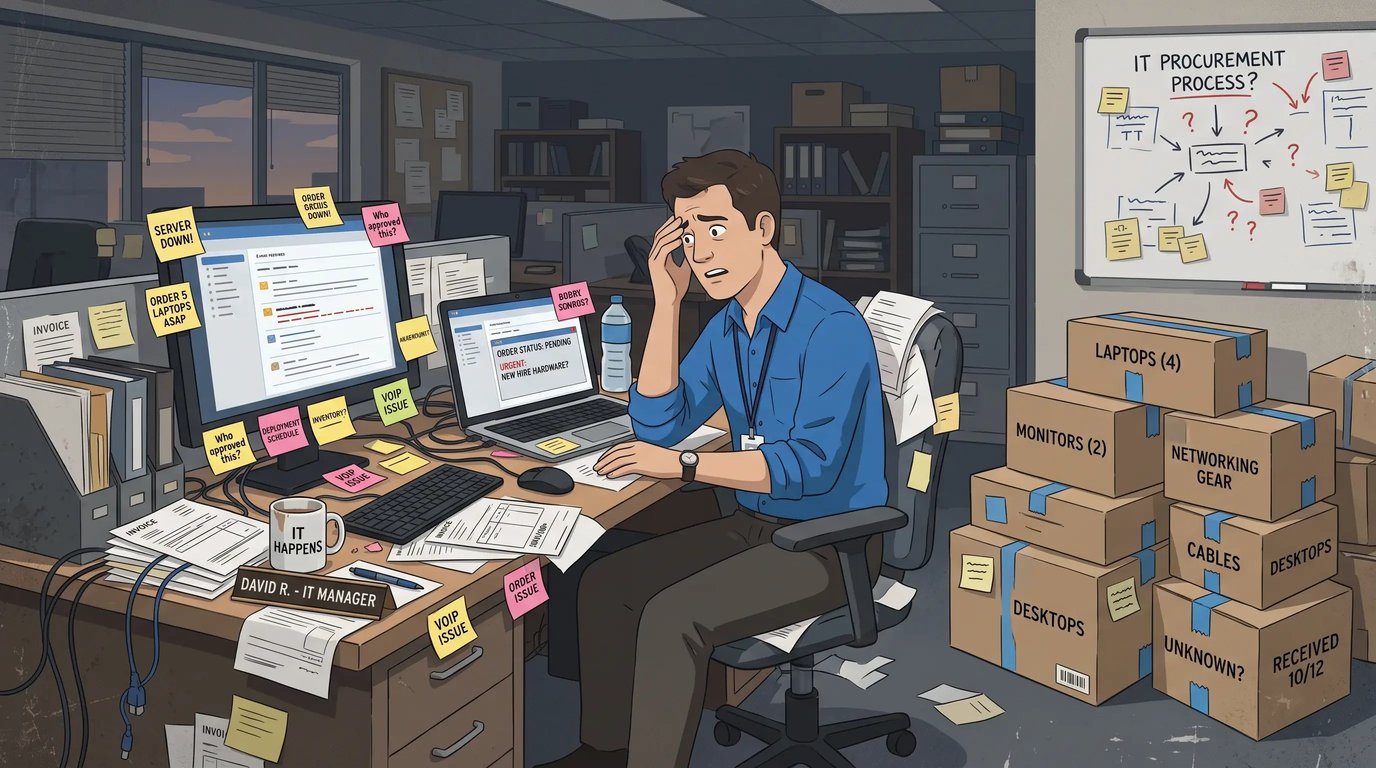
Most companies don't set out to build a messy purchasing process. It grows that way, one shortcut at a time. Someone needs a laptop, so a manager expenses one. A team lead signs a software contract without looping in finance. A new hire in another country waits three weeks for equipment because nobody knew who was supposed to order it. Multiply that across dozens of employees and a few funding rounds, and you get a system nobody designed but everybody suffers through.
The financial stakes are large and getting larger. Global IT spending is projected to reach $5.61 trillion in 2025, a 9.8% jump from the prior year, according to Gartner's forecast. When that much money moves through organizations, small inefficiencies stop being small. A 5% waste rate on a seven figure hardware budget is real money you'll never see again.
What frustrates me most is how avoidable most of it is. It's rarely bad people making bad choices. There's just no clear path, so everyone invents their own. Give teams a defined way to request, approve, and receive what they need, and the chaos settles down surprisingly fast. That clear path is what IT procurement best practices are really for.
The Real Cost of Skipping a Strategy
Reconciling a year of ad hoc purchases at audit time is genuinely miserable. Without a documented approach, you lose visibility into what you own, what it costs, and whether you're paying for licenses nobody uses anymore. Documentation is the least glamorous of the IT procurement best practices and the most useful.
I once helped a company discover they'd been paying for software seats for employees who had left eighteen months earlier. Fourteen seats, on a per-seat analytics tool that ran about ninety dollars a month each. Nobody had touched the admin console since the person who set it up moved on. I've also watched two departments buy nearly identical project tools because neither knew the other had already solved the problem. Roughly one third of software spend goes to waste on unused or underused licenses across many organizations, and that figure climbs when nobody owns the review process.
Here's the part people underestimate. The wasted money is only the visible cost. There's also the time your team burns chasing approvals, the delays that leave new hires staring at a blank desk, and the security gaps that open when equipment gets bought and configured outside any standard. Every device that enters your environment without oversight is one you can't fully account for later.
A working strategy makes the invisible visible. You know what's coming in, who approved it, and where it goes, and that clarity earns back the effort quickly. If you want a deeper look at how equipment moves through an organization from purchase to retirement, our guide to IT lifecycle management breaks down each stage and where the money tends to disappear.

What a Working Strategy Document Includes
A procurement strategy doesn't need to be a hundred pages nobody reads. The best ones are short enough that a manager can actually follow them and specific enough that they answer the questions people keep asking.
The strongest version I've seen fit on two pages, and it covered five things. First, standard equipment tiers: define what a laptop, monitor, and accessory kit looks like for each role. When an engineer, a designer, and a sales rep each have a known baseline, requests stop being negotiations. You order the tier, not a custom wishlist. Second, a list of approved vendors and tools you've already vetted, which cuts down on shadow purchases and hands your security and finance teams fewer surprises to untangle. Third, budget ownership, because ambiguity about who pays is where most approval delays live. Fourth, a request workflow that spells out how someone asks for something, who reviews it, and how long each step should take, so people plan around the timeline instead of firing off panicked messages. And fifth, refresh and retirement rules, decided upfront, so you're not running gear until it dies and then scrambling for replacements at the worst possible moment.
Most processes cover maybe two or three of those when you first look at them. That's fine. The point is to see the gaps clearly so you can close them one at a time.
Matching Approval Depth to Purchase Size
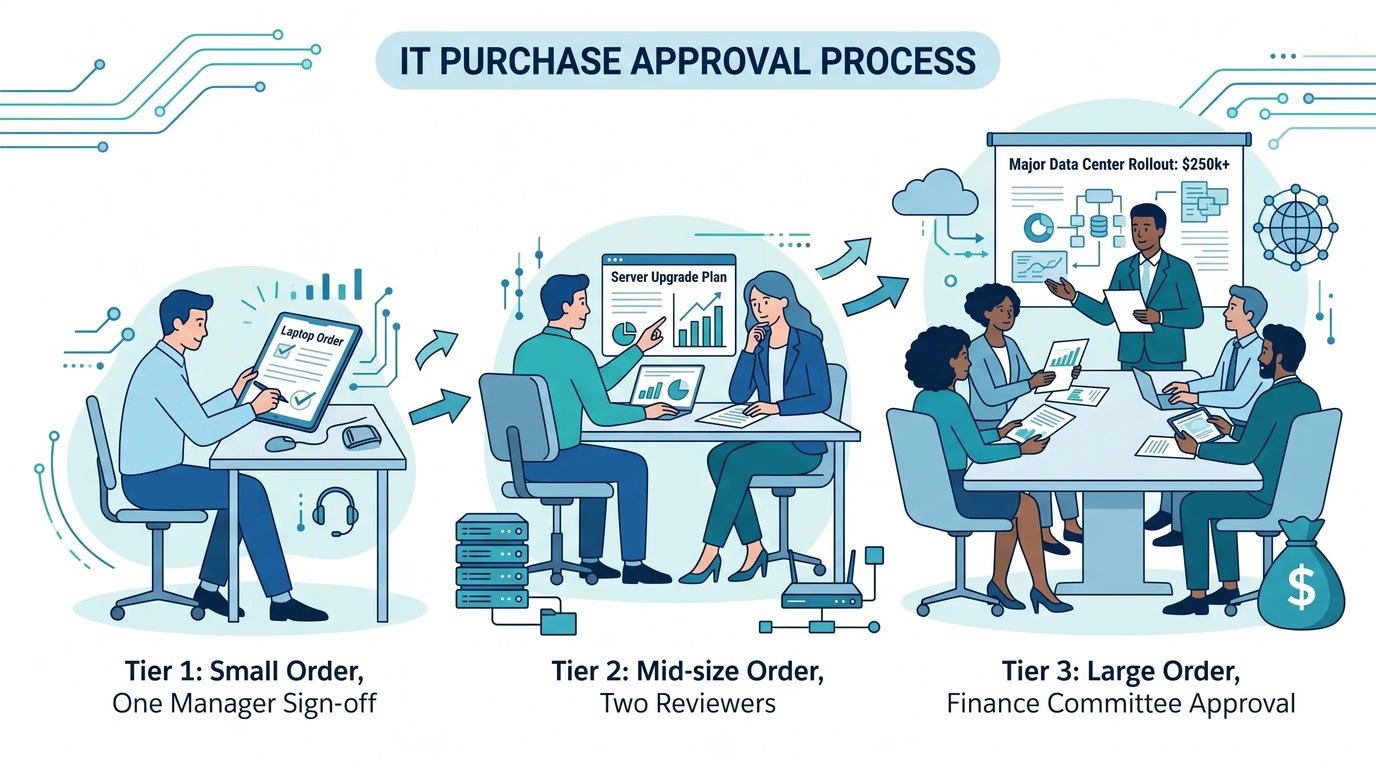
Not every purchase deserves the same scrutiny. Making someone route a $40 keyboard through three levels of sign off wastes everyone's afternoon. Letting a $200,000 software contract slide through on a single Slack thumbs up is how you end up explaining yourself to the board.
The fix is tiered approval, where the depth of review scales with the size and risk of the buy. Here's a structure that works for most mid sized teams:
| Purchase Size | Approval Level | Typical Timeline | Review Focus |
|---|---|---|---|
| Under $500 | Direct manager | Same day | Budget availability |
| $500 to $5,000 | Manager plus department head | 1 to 2 days | Budget, standard tier fit |
| $5,000 to $25,000 | Department head plus finance | 3 to 5 days | Vendor terms, alternatives |
| Over $25,000 | Finance plus executive sign off | 1 to 2 weeks | Contract review, security, ROI |
The numbers should shift to fit your company's size and cash position. A well funded company might set higher thresholds; a lean startup watching runway might tighten them. What matters is that the tiers exist and everyone knows which one applies before they start shopping.
When approval depth matches purchase size, two good things happen. Small requests move fast, which keeps people productive and happy. Large requests get the careful eyes they deserve, which protects your budget and your security. You stop treating a mouse and a data platform as the same decision.
Centralizing Procurement Across a Distributed Team
Remote and distributed teams break traditional procurement in ways nobody warns you about. When your people sit in twelve countries, the old approach of buying locally and expensing it collapses under customs rules, tax differences, and shipping timelines that swing wildly by region.
This is the part I keep coming back to, because it only gets harder as you scale. Vividly runs IT across six countries with a team of exactly one person, and the only reason that works is centralized, standardized procurement backed by a partner who handles the regional complexity. You can read the full breakdown in our Vividly case study, which shows what a lean operation can pull off when the process is built right.
Centralizing doesn't mean forcing every purchase through one overworked person. It means having one system of record, one set of standards, and one place where requests live. Local delivery still happens locally. The decision making and visibility stay unified. That's the trick that keeps a distributed team from turning procurement into an endless dig through old email threads and forgotten spreadsheets. Centralising without bottlenecking is one of the harder IT procurement best practices to get right.
Global hardware sourcing has its own moving parts right now. Supply chains have stabilized compared to a few years back, but regional availability, tariffs, and lead times still fluctuate enough to matter. Planning purchases against real availability data beats guessing. If you're sourcing across borders, our overview of the state of global IT hardware procurement for 2026 lays out where the market is heading and what to watch.

Building Vendor Relationships That Work in Your Favor
Vendors are businesses optimizing for their own margins, and that's perfectly fine as long as you show up prepared. The teams that get the best terms are the ones who consolidate spend, ask direct questions, and never treat a renewal as automatic. Treating vendors as partners is among the most underrated IT procurement best practices.
Consolidation gives you leverage. When you spread purchases across fifteen suppliers, no single one cares much about keeping you. Concentrate that spend among a few strong partners and suddenly your account matters. You get better pricing, faster support, and a real person who picks up when something breaks.
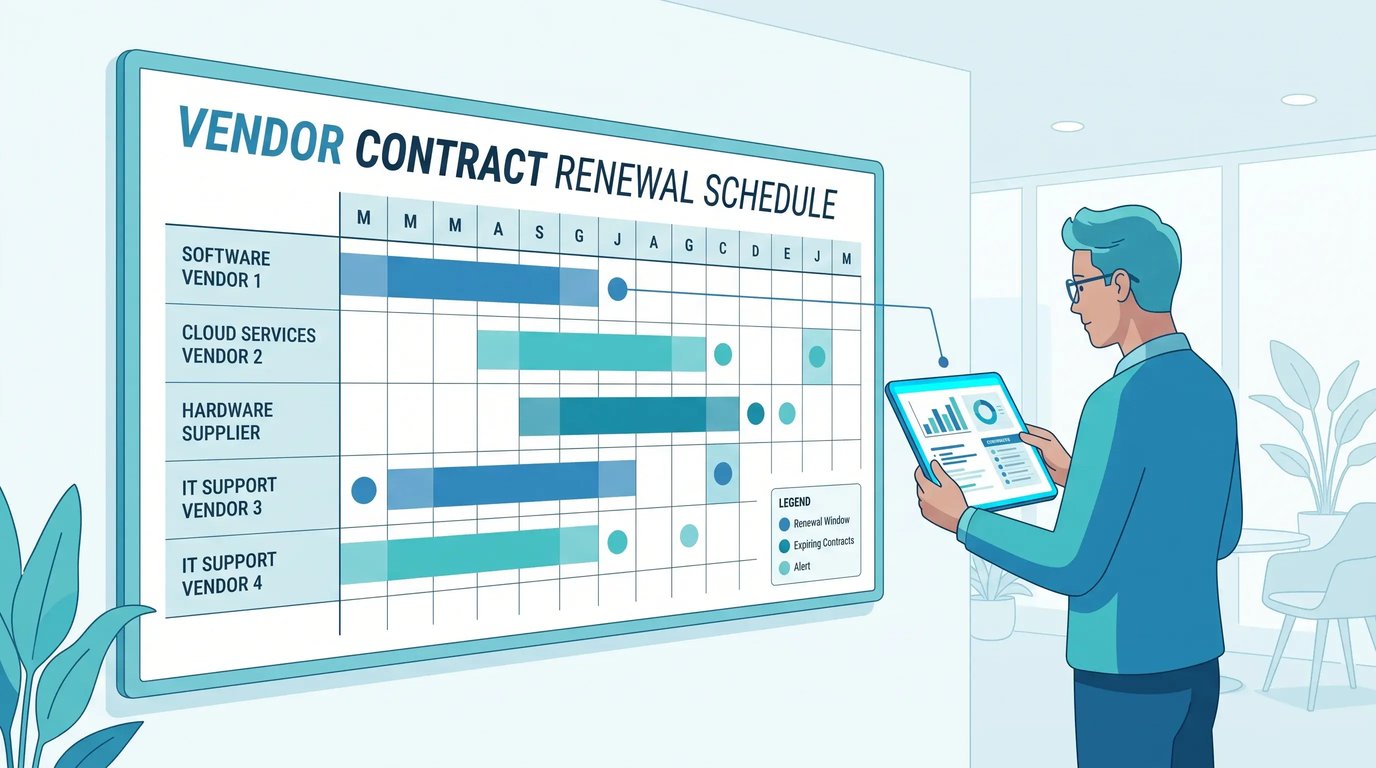
Renewals deserve a hard look every single time. Auto renewal clauses quietly lock companies into rates that drift upward year after year, and the pressure is real: 79% of IT leaders encountered a price increase at a SaaS renewal in the past 12 months, according to figures drawn from Zylo's 2026 SaaS Management Index. The last time I asked a client when their biggest contract renewed, they had to dig through three separate inboxes to find out, and by then they'd been auto-renewing at a bad rate for two years running. Put every renewal on a calendar with a review date at least sixty days out. That window gives you time to compare alternatives, renegotiate, or walk away without penalty.
One more thing on vendors, and it's the one people forget. Ask about their end of life and buyback programs before you sign, not after. Knowing what happens to equipment when you're done with it shapes the true cost of ownership, and negotiating that upfront is a lot easier than figuring it out when you've got two hundred aging laptops to offload.
The Security Layer People Forget Until It's Too Late
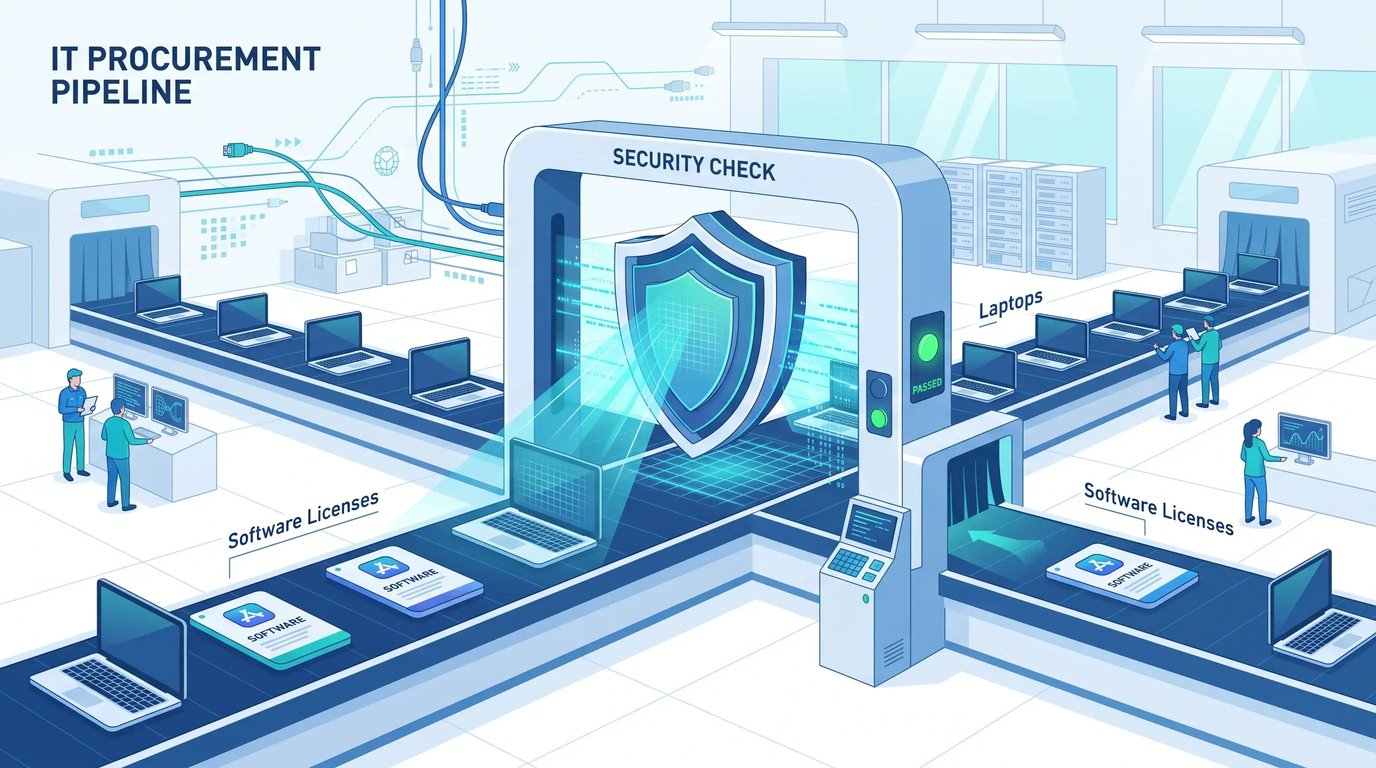
Procurement and security should sit at the same table, though they rarely do. Every piece of hardware and every software license introduces a potential access point into your environment. When purchasing happens outside a controlled process, you inherit risk you never chose.
Consider what happens with unmanaged devices. Someone buys a laptop, sets it up themselves, and skips your standard configuration. No disk encryption, no endpoint protection, no way to wipe it remotely if it's lost. That single device becomes a liability the moment it holds company data, and if you multiply that across a fast growing team, you've built a security problem out of pure convenience.
Baking security into procurement means every device arrives pre configured to your standards, every software purchase passes a security review, and every offboarding includes a clean retrieval and wipe. That's not extra bureaucracy so much as the difference between knowing where your risks live and hoping for the best.
The stakes keep climbing. Data breach costs continue setting records, and a meaningful share of incidents trace back to endpoints that were never properly managed: 41% of data breaches involve lost or stolen devices, so an unreturned laptop with active credentials is a disclosure waiting to happen. Fixing the source of those endpoints, your procurement process, is one of the most overlooked security moves a company can make. It's cheap, it's boring, and almost nobody does it.
Automating the Parts That Drain Your Time
Manual procurement eats hours your team could spend on work that matters. Someone fills out a form, emails it, waits, follows up, gets an approval, orders the item, tracks the shipment, and updates a spreadsheet. Repeat that a few hundred times a year and you've quietly dedicated a real chunk of headcount to clicking buttons.
Automation targets the repetitive, low judgment steps. Request routing, approval reminders, inventory updates, and asset tracking all run better when software handles them. Your people step in only where human judgment adds value, like evaluating a new vendor or approving an unusual request.
Beyond the time savings, automation hands you clean data. When every request, approval, and delivery flows through one system, you get an honest record of what you spend, where it goes, and how long each step takes. Suddenly your budget planning is grounded in something real instead of a room full of people guessing. You can see which departments consume the most, which vendors deliver on time, and where your process still drags.
A word of caution, though, and I mean this one. Don't automate a broken process. Speeding up a workflow full of holes just produces bad outcomes faster. Fix the strategy and the tiers first, then automate the clean version. The order is not optional.
Planning for the Full Lifecycle, Not Just the Purchase
Buying the equipment is only the opening move. The full cost of a device includes deployment, support, maintenance, and eventual retirement, and teams that budget only for the purchase price consistently underestimate what their technology actually costs them.
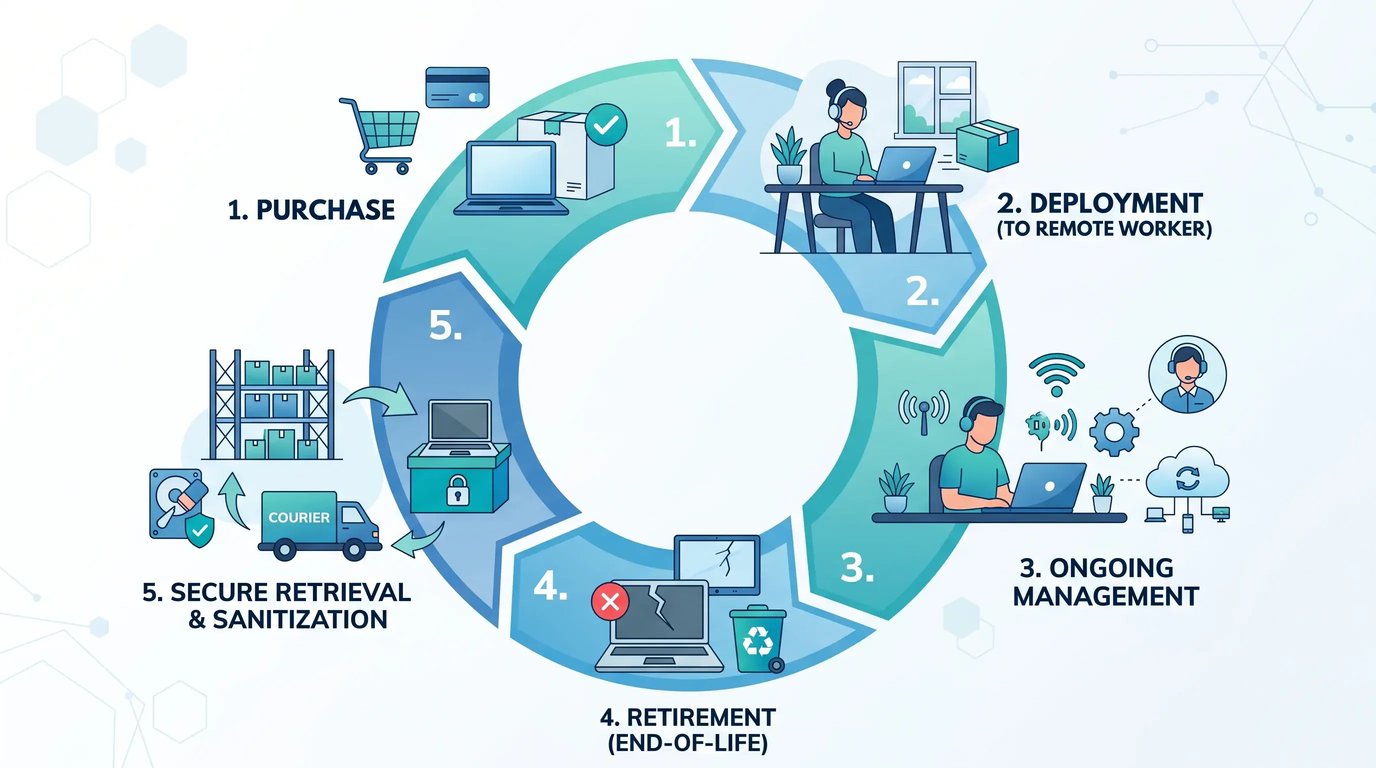
Think through the entire arc. A laptop gets ordered, configured, shipped, and set up. It needs support when things go wrong. It gets refreshed after a few years. Then it has to be retrieved, wiped, and either redeployed or responsibly retired. Each stage carries cost and effort, and each one goes smoother when you planned for it at purchase time.
Retirement is the one everyone ignores until it becomes a crisis. Companies pile old devices in closets, unsure whether to wipe them, sell them, or recycle them, and all the while that equipment still holds data and still represents value sitting idle. A clear retirement plan recovers some of that value and closes the security loop at the same time.
Distributed teams feel every one of these stages more acutely, because retrieving a device from an employee three countries away is never trivial. Building lifecycle thinking into your procurement from day one saves you these headaches later. For a fuller picture of how the market approaches each stage, our IT lifecycle management market overview covers where the industry is heading and what mature programs look like.
Measuring Whether Any of This Is Working
You can't improve a process you can't see, so once you've built standards, tiers, and automation, you need a handful of metrics that tell you whether the thing is actually helping.
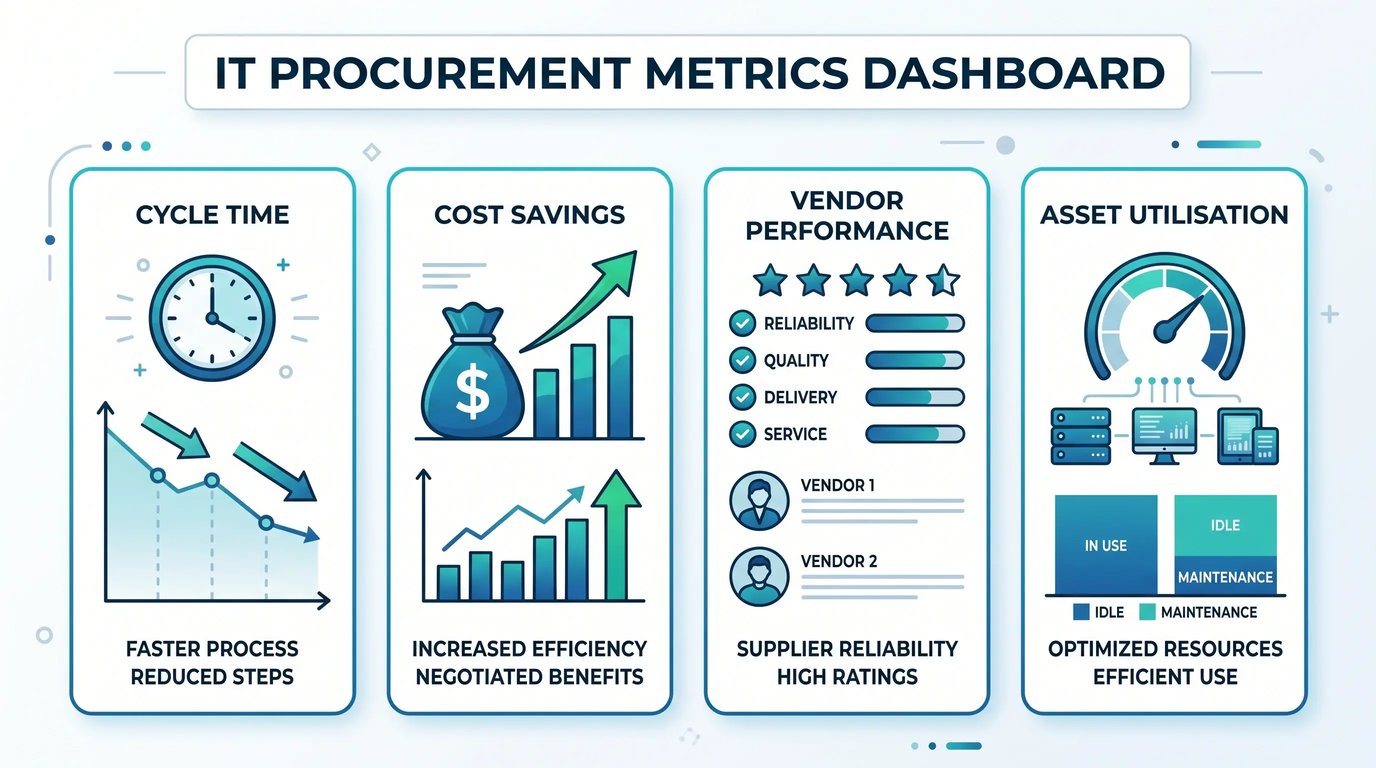
Start by tracking time to fulfill a request, measured from submission to delivery. A shrinking number means your process is tightening up. Watch budget variance too, how close actual spend lands to what you planned, because big gaps point to either poor planning or holes in the process. Keep an eye on software utilization, the percentage of licenses you pay for that actually get used, since low numbers are money you can reclaim. Approval cycle time tells you how long requests sit waiting at each tier, and bottlenecks show up there fast. Finally, device recovery rate: when employees leave, how much equipment do you actually get back? This one is worth watching closely, because 41% of companies fail to retrieve all company-owned devices during offboarding, and a low rate means value and data slipping out of your hands.
None of these require fancy tooling to start. A basic dashboard beats no dashboard. The goal is to catch problems while they're still small and to prove the value of the process to the people holding the budget.
Common Mistakes I See Companies Make
After watching a lot of teams build and rebuild their purchasing processes, the same errors keep surfacing. Naming them might save you some pain.
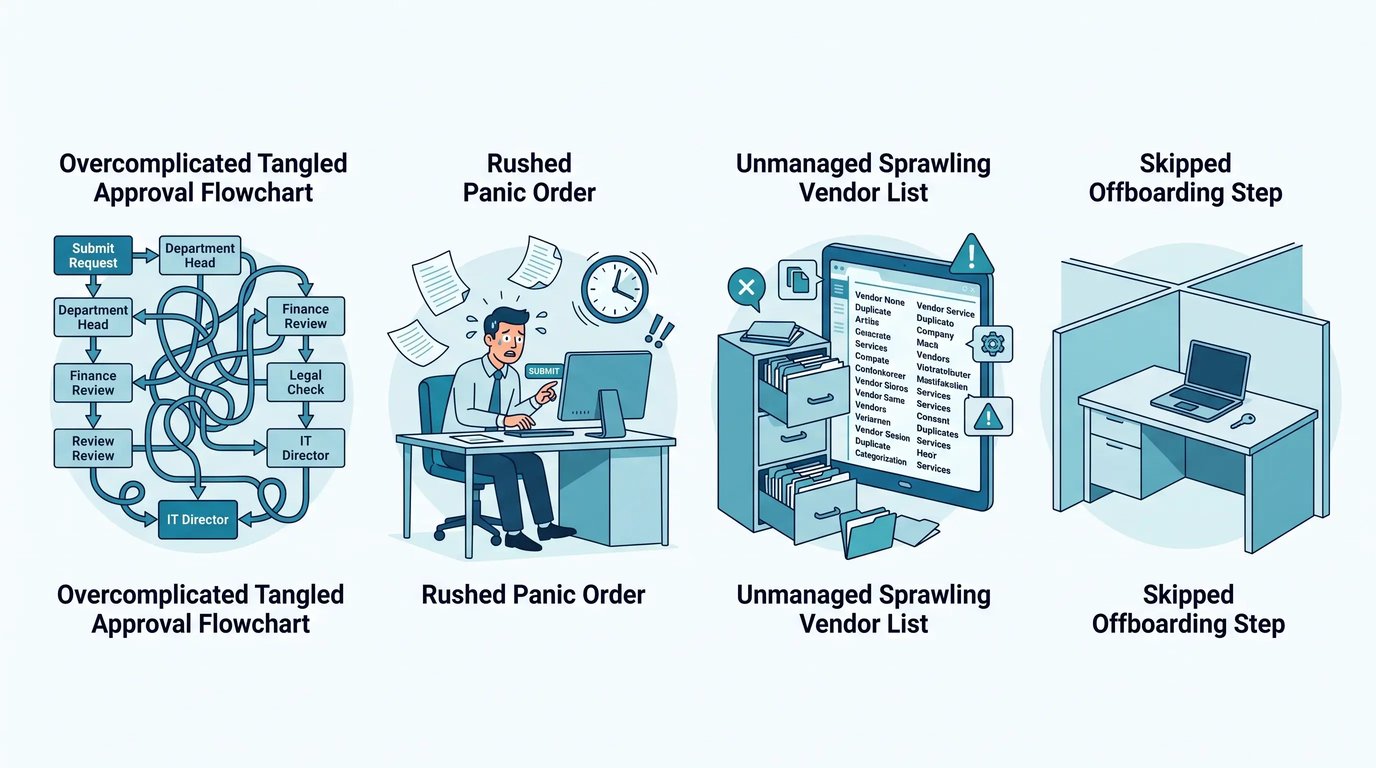
Overcomplicating early. Some teams try to build the perfect enterprise process before they have twenty employees. You don't need that yet. Start simple, tighten as you grow.
Ignoring the offboarding side. Everyone focuses on getting equipment to people and forgets about getting it back. That's where value and security both slip through the cracks.
Treating procurement as purely a finance function. It touches IT, security, HR, and operations. Wall it off inside finance and you lose the input that keeps it aligned with how people actually work.
Skipping the vendor review. Sticking with the same suppliers out of habit costs you leverage and usually costs you money. Revisit those relationships on a schedule.
Not documenting anything. A process that lives in one person's head disappears when that person leaves. Write it down, even roughly.
Most companies I talk to recognize at least two of these on the spot. That flash of recognition is the first step toward fixing them.
Where a Partner Makes Sense
Some organizations have the scale and internal talent to run all of this themselves. Many don't, especially distributed teams stretched across regions where local knowledge matters enormously. Deciding whether to build this capability in house or bring in a partner comes down to honest self assessment.
Ask yourself whether procurement is a strategic strength you want to develop or a function you'd rather offload so your team focuses elsewhere. There's no wrong answer, only the answer that fits your situation. A partner earns its keep when it handles the regional complexity, the vendor relationships, the logistics, and the lifecycle management that would otherwise pull your team away from higher value work.
The one thing I'll push back on is the notion that you have to choose between control and convenience. The right setup gives you both: full visibility into your assets and spending, without the operational grind of managing every shipment and configuration yourself. That's what's actually worth aiming for.
Bringing It Together
If I had to leave you with one idea, it's this: fixing how you buy technology is never a project you finish. It's a habit you build and keep sharpening as the company grows, and the companies that treat it that way pull steadily ahead of the ones chasing a one-time cleanup.
The money justifies the effort many times over. With global IT spending climbing past five trillion dollars and waste eating a third of software budgets at plenty of companies, the payoff for getting this right is hard to overstate. You reclaim wasted spend, close security gaps, hand your team back its time, and give your people the tools they need without the three week wait.
So pick the single biggest gap from this guide, the one that made you wince a little as you read, and close it this quarter. Then find the next one. That's how the chaos slowly turns into something you can actually trust.
Turn These IT Procurement Best Practices Into a Working System
Reading through these it procurement best practices is the easy part. Living them across a distributed team, with customs rules, tax differences, and shipping timelines fighting you at every turn, is where most IT teams stall. That's exactly the gap GroWrk was built to close.
GroWrk unifies global procurement, deployment, and retrieval into one SLA-driven platform, with device deployment in 7 days or less and coverage in 150+ countries. Zero-touch deployment means a new hire anywhere in the world gets a pre-configured device on day one, so your IT team stops firefighting onboarding and starts focusing on what actually matters. The lifecycle closes just as cleanly: retrieve, wipe, and either resell, redeploy, or recycle, with audit-ready records the whole way through.
If the biggest gap you spotted in this guide is the regional complexity, that's the one a partner removes fastest. Book a demo with GroWrk and see what centralized, standardized procurement looks like when someone else handles the logistics.