Three years ago, we lost $50,000 in equipment in about four months.
Not lost like "misplaced." Lost like gone. Vanished. Sitting in apartments in Buenos Aires and Bangkok and Berlin with ex-employees who'd moved on with their lives while we sent increasingly desperate emails about laptop returns.
We had no system. No tracking. No way to coordinate returns from twelve countries. Our CFO showed me the spreadsheet and I felt physically sick.
That's when I became obsessed with figuring this out. I've spent the last three years testing platforms, talking to IT leaders managing global teams, and learning the hard way what actually works versus what's just marketing copy. Most employee offboarding software looks identical in a demo and behaves very differently in production.
Here's what nobody tells you about offboarding in 2026: we're not just collecting badges and laptops from people walking out the door anymore. Your former employees retain access to critical systems. Company data sits on personal devices. Equipment disappears into international black holes. Good offboarding software? It actually protects your business from security breaches, compliance nightmares, and financial losses that can reach six figures, instead of just checking boxes. That is the bar employee offboarding software has to clear now. Offboarding is one phase of a longer arc, which we cover in our report on the state of IT lifecycle management.
I've spent months testing these platforms, talking to IT leaders managing global teams, and analyzing what separates genuinely effective solutions from glorified checklists. This guide cuts through the BS to show you which employee offboarding software actually delivers. For how these tools stack up against the wider market, see our IT lifecycle management market overview.
TL;DR: Quick Comparison of Top Employee Offboarding Software
Here's the quick version of what each platform does best: Each of these is employee offboarding software with a different centre of gravity.
GroWrk - If you've got distributed employees, start here. They actually get equipment back from 100+ countries. Not "we'll try." They have the logistics infrastructure to make it happen. Few employee offboarding software vendors own that last mile.
Workday Offboarding - You're already paying for Workday HCM? Then yeah, use their offboarding. Everyone else, the price tag will make you wince. Only worth it as employee offboarding software if you already own the suite.
BambooHR Offboarding - The "easy button" for SMBs. Your HR person will love it. Your IT person will wish it did more. That's the trade-off. HR-led employee offboarding software rather than IT-led.
Rippling Offboarding - Unifies HR, IT, and finance in one place. The app deprovisioning is genuinely excellent. Mid-market companies get the most value here. One of the more balanced employee offboarding software options.
Okta Lifecycle Management - Best-in-class for identity and access management across 7,000+ applications. But you'll need other tools for physical assets and HR workflows. Pair it with employee offboarding software that handles hardware.
ServiceNow HR Service Delivery - A beast of a platform. If you're running a 10,000-person company with workflows that make your head spin, this is your answer. Just budget months for implementation. Enterprise-grade employee offboarding software with an enterprise-grade rollout.
Tango - Solves exactly one problem (knowledge transfer) but solves it so well that I don't even care. Captures workflows automatically before employees leave. Narrow, but a genuinely useful piece of employee offboarding software.
Zluri - If you're drowning in SaaS subscriptions (and honestly, who isn't?), Zluri pays for itself fast through license reclamation across 800+ apps. A licence-first take on employee offboarding software.
Torii - Similar to Zluri but with stronger cost optimization features. Great visibility into SaaS spending while ensuring secure access removal. Strong on cost, lighter as full employee offboarding software.
Freshservice - It's fine. If you're budget-conscious and need solid ITSM features, it'll do the job. Just don't expect the polish of top-tier platforms. Budget employee offboarding software, and it shows.
Comparison Table
| Platform | IT Asset Recovery | Security & Access | Workflow Automation | Compliance | User Experience | Cost & Scalability | Best For |
|---|---|---|---|---|---|---|---|
| GroWrk | 5/5 | 5/5 | 5/5 | 5/5 | 4/5 | 4/5 | You've got people everywhere and need stuff back |
| Workday Offboarding | 3/5 | 4/5 | 5/5 | 5/5 | 4/5 | 3/5 | Already paying Workday's enterprise prices |
| BambooHR Offboarding | 2/5 | 3/5 | 4/5 | 4/5 | 5/5 | 4/5 | Small teams wanting simple HR workflows |
| Rippling Offboarding | 3/5 | 5/5 | 4/5 | 4/5 | 4/5 | 4/5 | Mid-market needing cross-functional automation |
| Okta Lifecycle Management | 1/5 | 5/5 | 4/5 | 5/5 | 4/5 | 3/5 | Security keeps you up at night |
| ServiceNow HR Service Delivery | 3/5 | 4/5 | 5/5 | 5/5 | 3/5 | 3/5 | Massive companies with complex processes |
| Tango | 1/5 | 2/5 | 3/5 | 4/5 | 5/5 | 4/5 | Knowledge walking out the door scares you |
| Zluri | 2/5 | 5/5 | 4/5 | 4/5 | 4/5 | 4/5 | Paying for SaaS licenses nobody uses |
| Torii | 2/5 | 4/5 | 4/5 | 4/5 | 4/5 | 4/5 | Want to optimize SaaS spending |
| Freshservice | 3/5 | 3/5 | 4/5 | 4/5 | 4/5 | 5/5 | Budget matters more than bells and whistles |
What Makes Employee Offboarding Software Worth Your Investment
The distributed work revolution created a massive gap in how companies handle departures. Traditional offboarding assumed everyone worked in the same building. You'd collect their badge, laptop, and keys in one fifteen-minute meeting. Done.
That world doesn't exist anymore.
Your employees work from Buenos Aires, Bangkok, and Berlin. They access dozens of SaaS applications you might not even know about. Company data lives on personal devices. Equipment costs have skyrocketed (a fully-loaded MacBook Pro setup now runs $3,500+). Security breaches from former employees retaining access cost companies an average of $4.24 million per incident.
Employee offboarding software addresses six real problems that directly impact your bottom line and risk profile.
Asset Recovery and Financial Protection: Without systematic tracking, devices simply vanish. I've seen companies write off hundreds of thousands in equipment because they had no process for retrieval. The right offboarding software automates pickup scheduling, provides real-time tracking, and handles international logistics including customs, shipping, and refurbishment. Understanding proper IT lifecycle management helps contextualize how offboarding fits into protecting your technology investments throughout the employee journey.
Security and Access Control: Every minute a former employee retains system access represents potential disaster. Automated deprovisioning across your entire tech stack happens instantly, not whenever IT gets around to it. This includes email, Slack, GitHub, cloud storage, VPNs, and those shadow IT apps nobody officially approved.
Compliance and Audit Trails: Regulations demand documented proof of proper offboarding. GDPR, CCPA, and industry-specific requirements aren't suggestions. Detailed audit logs showing exactly when access was revoked and how data was handled keep you legally protected when auditors come calling. Your employee offboarding software should produce that evidence automatically.
Workflow Coordination: Offboarding involves HR, IT, finance, facilities, and department managers. Software orchestrates these moving pieces automatically based on role, location, and departure reason rather than relying on email chains and forgotten tasks. That orchestration is the real job of employee offboarding software.
Knowledge Preservation: Departing employees take institutional knowledge with them unless you have structured processes to capture it. Documentation of critical procedures and responsibility transfers need to happen before someone walks out the door for the last time. Good employee offboarding software forces that capture to happen.
Cost Optimization: Beyond recovered equipment, proper offboarding reclaims unused software licenses, identifies redundant subscriptions, and prevents ongoing charges for former employees. One IT Director told me they discovered $200K in annual SaaS spending on accounts for people who'd left months earlier.
The ROI calculation isn't complicated. Prevent two equipment losses per year ($2,000), reclaim a handful of software licenses ($5,000 annually), and avoid one security incident (potentially millions). The software pays for itself many times over. Employee offboarding software rarely needs a complicated business case.
Criteria Breakdown Summary
I tested these platforms against six things that actually separate the good from the garbage. Not marketing promises but real capabilities that determine whether you'll successfully offboard someone or lose a laptop forever. Judge any employee offboarding software against these six.
IT Asset Recovery & Management (Rated 1-5): Can you get your stuff back? This is where most platforms completely fall apart. A 5 means full global capabilities with automated retrieval workflows, international logistics support, asset tracking, depreciation management, and disposition services. A 1 means you're on your own with a shipping label and prayers. This single criterion separates real employee offboarding software from a ticketing form.
Security & Access Deprovisioning (Rated 1-5): How fast does this person lose access to everything? And I mean everything, not just the apps you know about. This covers integrations with identity providers, automated revocation across applications, real-time deprovisioning, and audit trail creation. Security gaps here create massive liability.
Workflow Automation & Customization (Rated 1-5): Can you customize processes for different roles, departments, and scenarios? This includes HRIS integration, conditional logic, approval workflows, and task automation. Rigid systems that don't match your org structure fail quickly.
Compliance & Documentation (Rated 1-5): Does it create the paper trail you need? This covers audit logs, compliance reporting, data retention policies, and understanding of regional requirements. Critical for regulated industries.
User Experience & Integration Ecosystem (Rated 1-5): Will your team actually use it? The most powerful platform is worthless if it's so complex that it sits unused. This considers interface intuitiveness, learning curve, available integrations, and API access.
Cost & Scalability (Rated 1-5): Does the pricing make sense for your size and growth trajectory? This evaluates transparent pricing, scalability without platform migration, and total cost of ownership. Hidden fees and pricing jumps destroy budgets.
Each platform receives individual ratings across these six criteria, giving you a clear comparison framework. A platform might score 5/5 on security but 2/5 on asset recovery. Understanding these tradeoffs helps you choose based on your priorities.
1. GroWrk
GroWrk gets distributed teams. If you've got employees scattered across the globe, they've solved the hardest problem: actually getting your equipment back. We're talking 100+ countries with full logistics support.
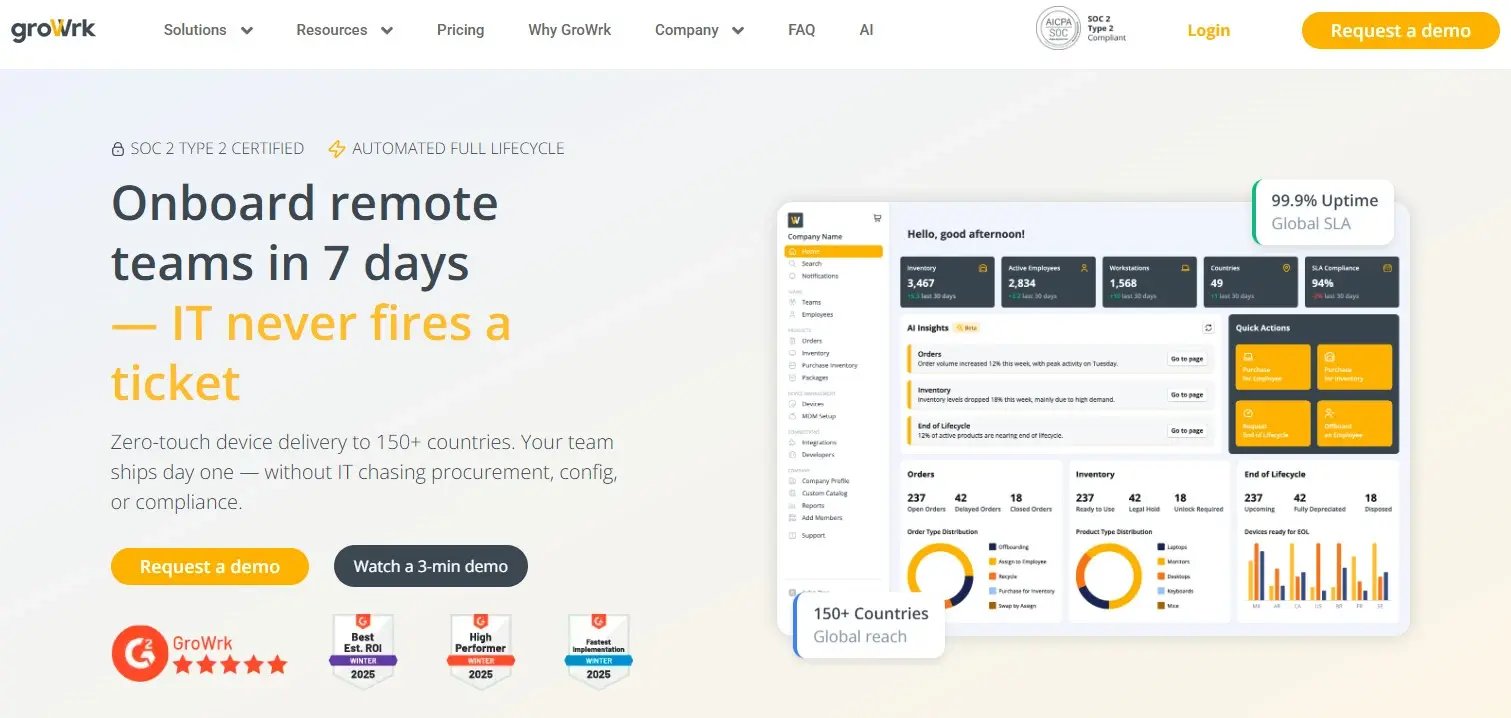
GroWrk built their platform specifically to solve the problem that costs companies the most money during offboarding. While most solutions focus narrowly on access deprovisioning or HR workflows, GroWrk addresses the complete offboarding lifecycle with particular expertise in the physical asset recovery that costs companies thousands per lost device.
The platform's global logistics network handles device retrieval across 100+ countries, managing everything from scheduling pickups to customs clearance to refurbishment. They don't stop there. GroWrk manages your entire IT asset lifecycle, from procurement and deployment through offboarding and disposition, creating a unified system that prevents equipment from falling through cracks.
For distributed teams, this approach eliminates the coordination nightmare of international returns. When an employee in Singapore leaves, GroWrk automatically triggers retrieval workflows, schedules pickup, tracks the device in real-time, and handles customs documentation. You get proof of pickup, transit tracking, and confirmation of receipt without chasing anyone.
Best Known For: Global IT Asset Recovery Excellence
GroWrk dominates the market for distributed team offboarding because they solved what others ignore. Getting a laptop back from Buenos Aires or Bangkok isn't about logistics alone. It's customs regulations, local carrier networks, secure handling, and asset tracking across borders. GroWrk's infrastructure handles this complexity automatically.
Features That Set GroWrk Apart
The automated retrieval is genuinely impressive. Someone's status flips to "terminated" in your HRIS, and GroWrk's already scheduling the pickup in Singapore. You get tracking updates, customs gets handled automatically, and the device shows up at your warehouse without you touching anything. It also manages the full lifecycle (procurement, deployment, the works) so nothing falls through the cracks between systems.
Native connections with BambooHR, Workday, and Rippling trigger offboarding workflows automatically. When someone's status changes to "terminated" in your HRIS, GroWrk starts the process immediately. No manual initiation required.
The identity provider integration connects with Okta, JumpCloud, and Azure AD for automated access deprovisioning. Security workflows run in parallel with asset recovery, ensuring you're covering all bases.
Integration with ServiceNow, Jira, Zendesk, and Freshservice means offboarding creates tickets automatically, assigns them to appropriate teams, and tracks completion. Everything flows through your existing systems.
After retrieval, GroWrk handles refurbishment, data sanitization, and remarketing of returned equipment. This recovers significant value from devices that would otherwise sit in storage collecting dust.
The AI support bot actually works. I'm as surprised as you are. It answers common offboarding questions instantly, reducing the burden on IT teams while ensuring employees get immediate help.
Asset tracking includes financial reporting and depreciation calculations. You know exactly what each device is worth at any point in time, which makes accounting much happier.
Build role-specific offboarding processes with conditional logic. Executive departures trigger different workflows than contractor offboarding. The customization accommodates organizational nuance without requiring separate systems.
Audit trails show exactly when devices were retrieved, how data was handled, and proof of proper disposal. Critical for regulatory compliance, especially when auditors start asking questions.
Pros: Why GroWrk Leads for Distributed Teams
GroWrk's global logistics capabilities are unmatched. If you have employees outside your headquarters city, you need this level of infrastructure. The platform prevents equipment losses that quickly exceed the software cost.
The integration ecosystem is genuinely solid. Native connections with major HRIS platforms, identity providers, and ticketing systems mean GroWrk fits into your existing workflows rather than requiring process changes.
Asset disposition services recover value from returned equipment through refurbishment and remarketing. This isn't about getting devices back alone. It's maximizing ROI on your IT investments.
The platform scales effortlessly from 50 to 5,000 employees without requiring migration or reconfiguration. Pricing grows with you rather than jumping at arbitrary thresholds.
Transparent pricing with clear ROI calculations makes budget approval straightforward. When you can demonstrate that recovered assets pay for the platform in months, CFOs listen.
Cons: Where GroWrk Might Not Fit
Small, fully co-located teams might find GroWrk's capabilities exceed their needs. If everyone works in one office and can physically return equipment, simpler solutions might suffice (though you'll lose that flexibility when you eventually hire remotely).
The platform's primary focus on IT asset management means HR-centric features are lighter. Exit interviews and culture surveys exist but aren't as robust. You might supplement with HR-specific tools for those aspects.
Maximum value requires a distributed workforce. The more spread out your team, the more GroWrk's logistics network justifies the investment.
The learning curve exists. It's powerful software with lots of capabilities, which means your team needs to invest time understanding how to use it effectively.
Criteria Evaluation: How GroWrk Scores
IT Asset Recovery & Management: 5/5 - Best-in-class global logistics with automated retrieval across 100+ countries, real-time tracking, and full disposition services. Nobody else comes close for distributed teams.
Security & Access Deprovisioning: 5/5 - Deep integrations with Okta, JumpCloud, and Azure AD enable automated access revocation. Full audit trails document every deprovisioning action.
Workflow Automation & Customization: 5/5 - Highly customizable workflows with conditional logic based on role, department, location, and departure reason. HRIS integrations trigger everything automatically.
Compliance & Documentation: 5/5 - Detailed audit logs, compliance reporting, and understanding of regional requirements for global operations. Particularly strong in IT asset disposal compliance.
User Experience & Integration Ecosystem: 4/5 - Intuitive interface with robust integrations across HRIS, identity management, and ticketing systems. API available for custom connections. There's a learning curve given the power, but it's manageable.
Cost & Scalability: 4/5 - Transparent pricing that scales with growth. ROI clearly demonstrated through asset recovery rates and reduced equipment losses. Not the cheapest option, but the value is there.
Community Reviews and Expert Recommendations
IT leaders consistently praise GroWrk's logistics capabilities and integration depth. One VP of IT Operations noted: "We went from losing 30% of equipment during offboarding to recovering 98% within three months of implementing GroWrk. The ROI was immediate and substantial."
Security-focused organizations appreciate the automated deprovisioning that runs parallel to asset recovery. A CISO at a fintech company shared: "GroWrk ensures we're not just getting devices back. We're removing access instantly while coordinating physical retrieval. That approach eliminated our biggest offboarding security gap."
Companies like Upwork use GroWrk to manage offboarding across their global workforce, demonstrating the platform's effectiveness at scale. Learn how Upwork manages IT for thousands of distributed employees.
Source: User reviews and case studies from GroWrk customers
Pricing and Where to Find It
GroWrk uses custom pricing based on company size, employee distribution, and specific needs. The investment typically includes platform access, integrations, and global logistics support.
ROI calculations factor in reduced equipment losses, recovered asset value, and prevented security incidents. Most companies find the platform pays for itself within months through improved asset recovery rates alone.
Get detailed pricing and ROI analysis from GroWrk.
2. Workday Offboarding
Workday's offboarding capabilities integrate deeply within their enterprise HCM platform, offering sophisticated workflow automation and compliance features that excel for large organizations already invested in the Workday ecosystem, though physical asset recovery requires supplementation.
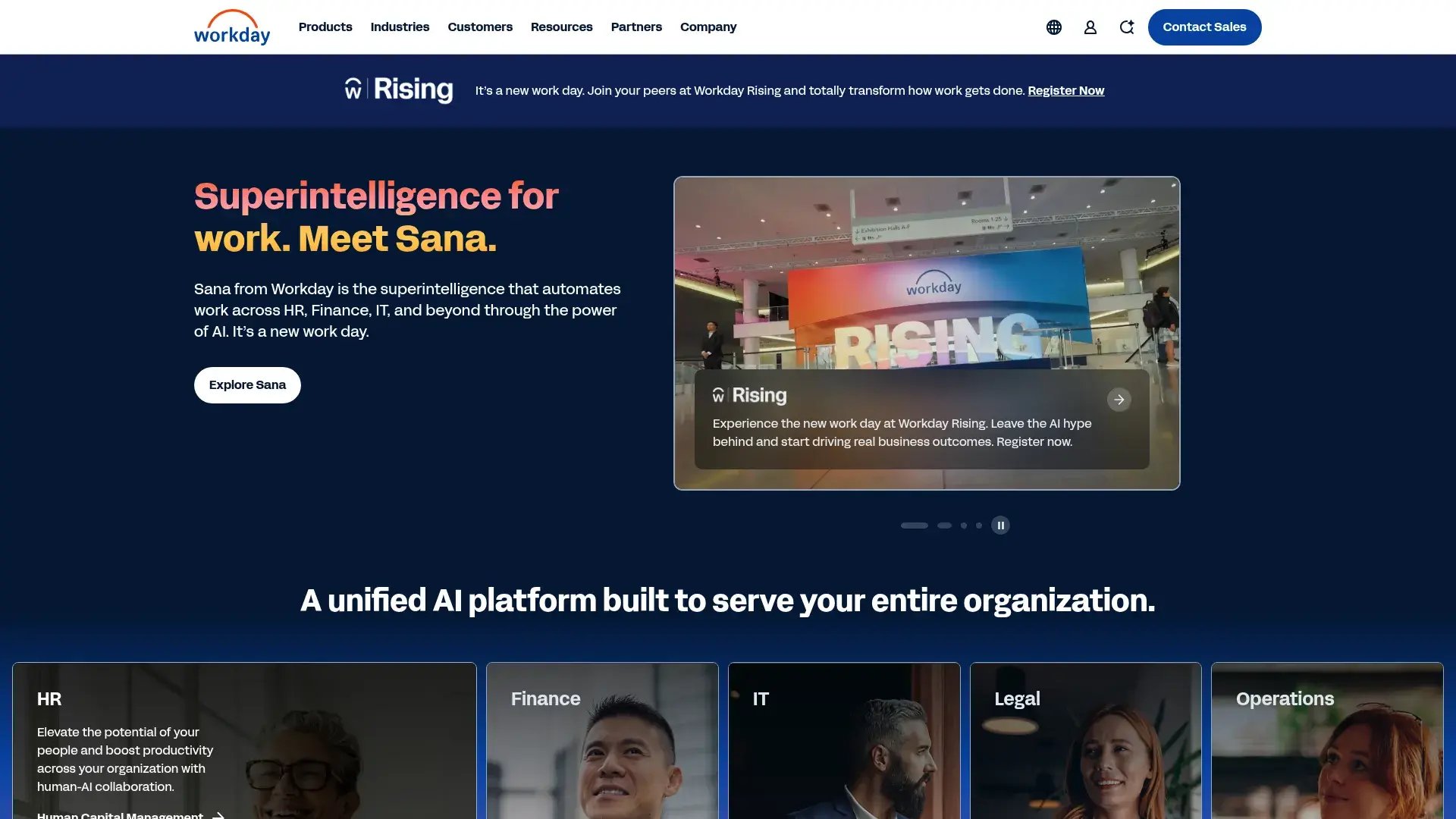
Workday embeds offboarding within their HCM platform, making it a natural fit for enterprises already running core HR functions through Workday. The platform's strength lies in coordinating complex, cross-functional processes across HR, IT, finance, and facilities with sophisticated workflow automation.
For organizations with Workday HCM, the integrated approach means employee data flows seamlessly through the entire lifecycle. Offboarding workflows access complete employment history, compensation details, benefits information, and performance records without requiring separate systems or data synchronization.
The platform's business process framework allows extensive customization for organizational requirements. You can build approval chains, conditional workflows, and role-based task assignments that reflect your company's structure and policies.
Best Known For: Enterprise HCM Integration Power
Workday dominates large enterprises seeking unified employee lifecycle management. The platform's offboarding capabilities leverage its broader HCM infrastructure to coordinate departures across every business function with enterprise-grade security and compliance.
Features That Define Workday Offboarding
Offboarding accesses complete employee records within the same system handling recruitment, onboarding, performance management, and compensation. This unified data eliminates information silos that plague companies using multiple disconnected systems.
Configurable workflows with sophisticated approval chains, conditional logic, and multi-step processes let you build department-specific offboarding procedures that trigger automatically. The business process framework is powerful but requires expertise to configure.
Assign and track tasks across HR, IT, finance, facilities, and department managers. Everyone sees their responsibilities within a unified system, which beats email chains and forgotten tasks.
Final compensation processing happens within the same platform, ensuring accurate calculations for unused PTO, bonuses, and severance. No data export/import between systems means fewer errors.
Structure knowledge transfer processes with task assignments, documentation requirements, and deadline tracking. Ensure critical information transfers before departure dates instead of discovering gaps after someone's gone.
Structured exit interview templates, survey distribution, and response tracking let you aggregate feedback for trend analysis and retention insights. Though honestly, most people won't be brutally honest in exit interviews anyway.
Enterprise-grade logging of all offboarding activities with detailed audit trails. Generate compliance reports for regulatory requirements without manual compilation.
Dashboards show offboarding metrics, turnover trends, and process efficiency. Identify bottlenecks and improvement opportunities, assuming you have time to actually review the data.
Centralized storage for offboarding documents, signed acknowledgments, and compliance records. Maintains data retention policies automatically, which saves you during audits.
Pros: Why Workday Works for Large Enterprises
The seamless integration with existing Workday HCM infrastructure eliminates duplicate data entry and synchronization headaches. Everything lives in one system, which is genuinely valuable at enterprise scale.
Enterprise-grade security and compliance features meet the strictest requirements. SOC 2 and ISO 27001 certifications provide assurance for regulated industries.
The workflow engine handles complexity that would break simpler platforms. Multi-level approvals, conditional branching, and role-based assignments accommodate organizational nuance.
Analytics provide visibility into offboarding patterns and trends. You can identify retention issues, process inefficiencies, and compliance gaps if you dedicate resources to analysis.
Scalability supports the largest organizations without performance degradation. The platform handles tens of thousands of employees across global operations.
Cons: Where Workday Falls Short
The cost structure targets large enterprises exclusively. Small and mid-sized companies find the investment prohibitive. We're talking serious money here.
Implementation complexity requires significant time and expertise. Expect months of configuration and substantial consulting fees. One HR Technology Director told me their implementation took nine months.
Physical IT asset recovery capabilities are basic. International device retrieval requires third-party logistics or manual coordination, which defeats part of the purpose.
The learning curve is steep. Users need training to navigate the powerful but complex interface effectively. Your team won't just "figure it out."
Distributed teams needing physical asset recovery will require supplementation with specialized logistics platforms like GroWrk.
Criteria Evaluation: How Workday Scores
IT Asset Recovery & Management: 3/5 - Basic asset tracking exists but physical device retrieval, especially internationally, requires manual processes or third-party tools.
Security & Access Deprovisioning: 4/5 - Strong integration with identity management systems and automated deprovisioning workflows, though IT teams often supplement with additional tools.
Workflow Automation & Customization: 5/5 - Top-tier business process framework with sophisticated customization capabilities. Handles complex organizational requirements.
Compliance & Documentation: 5/5 - Enterprise-grade audit trails, compliance reporting, and documentation. Meets stringent regulatory requirements.
User Experience & Integration Ecosystem: 4/5 - Powerful but complex interface requiring training. Strong integration within Workday ecosystem but more limited externally.
Cost & Scalability: 3/5 - Premium enterprise pricing prohibitive for smaller organizations. Excellent scalability for large enterprises.
Community Reviews and Expert Recommendations
Enterprise HR leaders appreciate Workday's unified approach. One HR Director at a Fortune 500 company noted: "Having offboarding integrated with our complete HCM system eliminates the data fragmentation we dealt with previously. Everything flows through one platform."
However, IT teams sometimes express frustration with asset recovery limitations. A Director of IT Operations shared: "Workday handles the HR and workflow aspects beautifully, but we still need separate solutions for getting laptops back from remote employees. That's a real gap."
The consensus? If you're already paying for Workday HCM, use their offboarding. Everyone else, the price tag will make you wince.
Source: Enterprise software review platforms and HR technology forums
Pricing and Where to Find It
Workday uses quote-based pricing for enterprise clients. Offboarding capabilities are included within the broader HCM platform investment. Expect significant licensing fees plus implementation and ongoing support costs.
Total cost of ownership includes consulting for implementation, training for administrators, and potential customization fees. Budget accordingly.
Contact Workday for enterprise pricing.
3. BambooHR Offboarding
BambooHR delivers user-friendly offboarding functionality integrated within their popular SMB-focused HR platform, excelling at HR workflows and people processes while requiring supplementation for complex IT asset management and security deprovisioning needs.
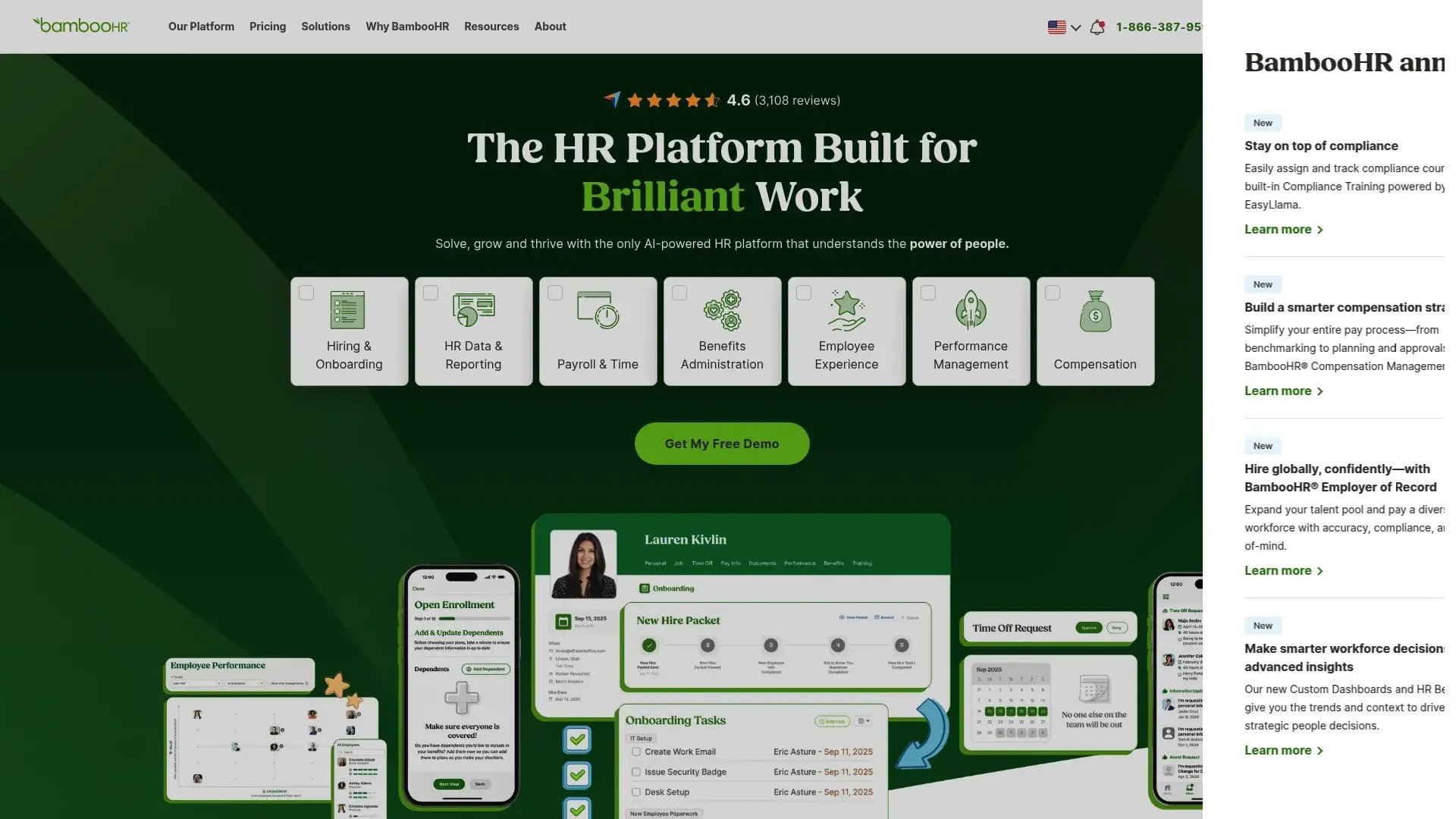
Let's talk about BambooHR. If you're a 200-person company and your IT team is basically one overwhelmed person, this is probably your answer. It's not trying to be everything. It's trying to be simple enough that your HR manager can handle departures without calling IT every five minutes.
BambooHR makes HR software accessible for small to mid-sized businesses, and their offboarding features continue that philosophy. The platform focuses on the people and process aspects of employee departures rather than complex IT infrastructure management.
For companies prioritizing HR workflows over technical complexity, BambooHR provides intuitive tools that any manager can use without extensive training. The emphasis is on maintaining positive relationships with departing employees, capturing feedback, and ensuring smooth transitions.
The platform integrates offboarding with the broader employee lifecycle, providing context from hiring through departure. This unified view helps identify patterns and improve retention strategies.
Best Known For: SMB-Friendly HR Simplicity
BambooHR built its reputation on making HR technology approachable for companies without dedicated HR technology teams. Their offboarding features maintain that user-friendly philosophy while covering essential HR processes.
Features That Make BambooHR Accessible
Create role-specific task lists for departing employees and managers. Track completion status and send automated reminders. It's straightforward, which is exactly what small teams need.
Pre-built survey templates capture feedback from departing employees. Aggregate responses to identify trends and retention opportunities. Though realistically, getting honest exit interview feedback is always challenging.
Request and store signed documents, acknowledgments, and final paperwork. E-signature integration streamlines the process without printing and scanning.
Pre-written communication templates for various offboarding scenarios. Customize messaging while maintaining consistency across departures.
Automatically calculate unused PTO and vacation time for final paycheck processing. Integrates with payroll systems to prevent manual calculation errors.
Analytics showing departure trends, reasons for leaving, and department-specific patterns. Identify retention challenges before they become crises.
View complete employee journey from hire to departure. Understand lifecycle patterns and improve processes based on actual data.
Automated reminders ensure offboarding tasks don't fall through cracks. Managers receive prompts for pending items, which saves you from awkward "did you get the laptop back?" conversations.
Pros: Why SMBs Choose BambooHR
The interface is exceptionally intuitive. Managers can initiate and manage offboarding without IT support or extensive training. This matters more than you'd think.
Affordable pricing makes it accessible for small to mid-sized companies. The investment aligns with SMB budgets without requiring board approval.
Quick implementation gets you operational in weeks rather than months. Minimal configuration required means you're not paying consultants for half a year.
Exit interview functionality captures valuable feedback that helps improve retention. Built-in analytics identify trends you might otherwise miss.
Integration with broader HR functions provides lifecycle context. You see patterns from hiring through departure, which helps with strategic planning.
Customer support is consistently praised. BambooHR's support team helps troubleshoot issues quickly instead of leaving you hanging.
Cons: Where BambooHR Shows Limitations
IT asset management capabilities are minimal. You'll track returns through checklists but lack logistics support or automated retrieval. If someone's in Singapore, you're coordinating that return manually.
Security deprovisioning requires manual coordination with IT. No direct integrations with identity providers for automated access revocation means more work for your IT team.
Physical device retrieval, especially internationally, isn't supported. You'll need separate solutions for distributed teams, which adds complexity.
Customization has limits compared to enterprise platforms. Complex organizational requirements may exceed capabilities.
Scaling beyond 500 employees often requires supplementation with more robust tools for IT and security aspects.
Criteria Evaluation: How BambooHR Scores
IT Asset Recovery & Management: 2/5 - Basic checklist functionality for tracking returns but no logistics support or automated retrieval capabilities.
Security & Access Deprovisioning: 3/5 - Can trigger notifications to IT for access removal but lacks direct integrations with identity providers, requiring manual work.
Workflow Automation & Customization: 4/5 - Good workflow customization within platform capabilities. Easy to set up department-specific checklists.
Compliance & Documentation: 4/5 - Solid documentation and reporting features. Maintains good audit trails of offboarding activities.
User Experience & Integration Ecosystem: 5/5 - Exceptionally user-friendly interface. Strong integration ecosystem for an SMB-focused platform.
Cost & Scalability: 4/5 - Reasonable pricing for small to mid-sized companies. May require supplementation as companies scale beyond 500 employees.
Community Reviews and Expert Recommendations
HR managers at SMBs consistently praise BambooHR's ease of use. One HR Manager at a 200-person company shared: "We implemented BambooHR in two weeks and our team was comfortable using it immediately. The offboarding checklists ensure we never miss steps."
However, IT teams note the limitations. A Systems Administrator commented: "BambooHR works great for the HR side, but we still manually coordinate all the IT aspects. It's not built for complex asset recovery or security deprovisioning."
The reviews are weirdly polarized. HR people love it. IT people are less enthusiastic. That split tells you everything. Know which side matters more to you.
Source: SMB HR software review sites and user forums
Pricing and Where to Find It
Pricing starts around $6-8 per employee per month, with offboarding included in core plans. Exact pricing varies based on company size and feature requirements.
The total cost remains predictable and accessible for SMB budgets.
Get pricing details from BambooHR.
4. Rippling Offboarding
Rippling unifies HR, IT, and finance functions within a single platform, delivering strong automated app deprovisioning and cross-functional workflows that excel for mid-market companies, though international physical asset recovery requires manual coordination.
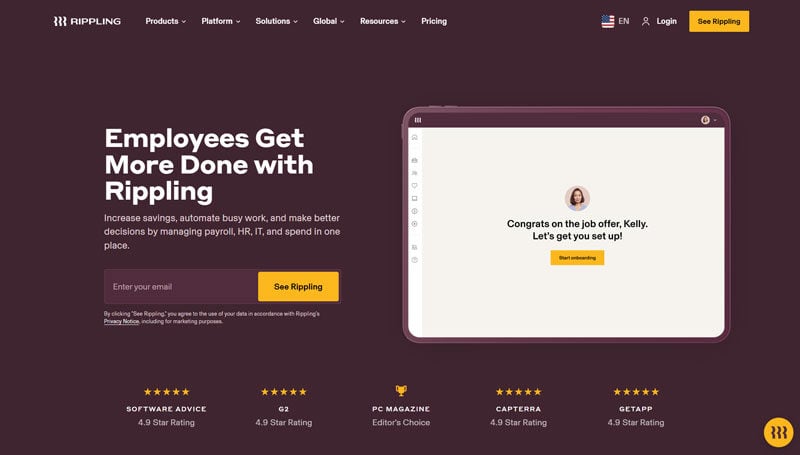
Rippling's unified approach combines HRIS, IT management, and finance functions, making offboarding workflows span across traditional departmental boundaries. When an employee leaves, Rippling can simultaneously handle final payroll, app deprovisioning, and device management through one platform.
The platform's strength lies in automation that touches multiple business functions. Offboarding triggers actions across HR systems, IT applications, and financial processes without requiring manual coordination between departments.
For mid-sized companies scaling up, Rippling provides enterprise-grade capabilities without enterprise-level complexity or cost. The modern interface and growing feature set appeal to organizations seeking unified workforce management.
Best Known For: Cross-Functional Automation Excellence
Rippling made its name by breaking down silos between HR, IT, and finance. Their offboarding capabilities leverage this unified approach to automate processes that traditionally required coordination across multiple departments and systems.
Features That Unify Rippling's Approach
Instantly revoke access across 500+ integrated applications when employee status changes. No manual ticket creation required. This is one of Rippling's strongest capabilities.
Remote lock and wipe capabilities for company devices. Track inventory and manage returns, though international logistics require manual coordination (which is a gap for distributed teams).
Trigger actions across HR, IT, and finance simultaneously. Final paycheck processing happens alongside access revocation, eliminating the coordination headaches.
Connect with 500+ business applications for deprovisioning. Growing integration library adds new apps regularly, which matters as your tech stack evolves.
Design department-specific offboarding processes with conditional logic. Different roles trigger appropriate workflows automatically without requiring separate systems.
Calculate final compensation including unused PTO, bonuses, and deductions. Integrates with payroll processing to prevent calculation errors.
Inventory management for company devices with return reminders. Track asset condition and location, though you're still coordinating international returns manually.
Generate audit trails showing deprovisioning actions and timing. Maintain records for compliance requirements.
Departing employees access information, complete tasks, and track their offboarding progress through dedicated portal. Reduces administrative burden on your team.
Pros: Why Mid-Market Companies Choose Rippling
The unified platform eliminates data synchronization between separate HR, IT, and finance systems. Everything updates automatically across functions, which prevents the errors that plague multi-system setups.
App deprovisioning automation is genuinely excellent. Access revocation across hundreds of applications happens instantly without IT intervention.
Modern interface feels intuitive compared to legacy enterprise platforms. The learning curve is manageable.
Workflow automation handles complexity well. Conditional logic accommodates different scenarios without requiring separate processes.
The platform scales effectively as companies grow. You won't outgrow capabilities quickly.
Frequent feature additions show active development. Rippling continues expanding functionality, which matters for long-term investment.
Cons: Where Rippling Shows Gaps
International device retrieval capabilities are limited. You'll coordinate physical asset returns manually for distributed teams, which is frustrating given the platform's otherwise strong automation.
The platform is younger than established competitors, meaning occasional feature gaps exist. Some integrations are less mature than you'd find in platforms that have been around longer.
Initial setup can be complex despite the modern interface. Configuring cross-functional workflows takes time and planning.
Some advanced features require higher-tier plans. Budget carefully for needed capabilities to avoid surprises.
Physical asset recovery beyond basic tracking requires manual processes or third-party logistics, which defeats part of the purpose for distributed teams.
Criteria Evaluation: How Rippling Scores
IT Asset Recovery & Management: 3/5 - Better device management than most HRIS platforms but limited international logistics support for physical retrieval.
Security & Access Deprovisioning: 5/5 - Excellent automated deprovisioning across apps, devices, and accounts. One of Rippling's strongest capabilities.
Workflow Automation & Customization: 4/5 - Strong automation with good customization options. Workflows span HR, IT, and finance functions.
Compliance & Documentation: 4/5 - Good audit trails and compliance reporting. Handles multi-state and some international requirements.
User Experience & Integration Ecosystem: 4/5 - Modern, intuitive interface. Growing integration ecosystem with some gaps compared to specialized platforms.
Cost & Scalability: 4/5 - Mid-market pricing that's competitive for the feature set. Scales well as companies grow.
Community Reviews and Expert Recommendations
Mid-market IT leaders appreciate Rippling's automation. One IT Director noted: "Rippling's app deprovisioning saves us hours per offboarding. Access revocation that used to take a full day now happens in minutes."
However, distributed teams note limitations. A VP of Operations shared: "Rippling handles the digital aspects beautifully, but we still struggle with getting laptops back from our international team. That's a manual nightmare."
Source: Mid-market technology review platforms and user communities
Pricing and Where to Find It
Pricing starts around $8 per employee per month for core platform, with additional costs for IT management features. Offboarding is included across plans.
Total cost depends on which modules and features you need. Contact Rippling for detailed pricing based on your requirements.
Get custom pricing from Rippling.
5. Okta Lifecycle Management
Okta delivers industry-leading identity and access management with automated deprovisioning across thousands of applications, excelling at security-focused offboarding while requiring supplementation for physical asset recovery and HR workflow aspects.
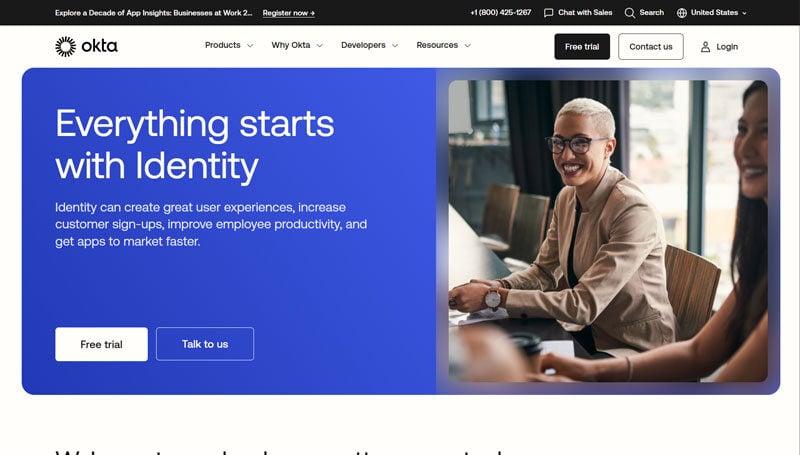
Okta focuses exclusively on identity and access management, making it the gold standard for ensuring departing employees lose system access immediately and completely. The platform doesn't handle HR workflows or physical assets, but for digital security, nothing matches Okta's depth.
Organizations prioritizing security choose Okta because orphaned accounts and lingering access represent massive liability. The platform's 7,000+ pre-built integrations mean you can deprovision across virtually every business application your company uses.
For companies with complex application ecosystems and stringent security requirements, Okta provides the foundation for secure offboarding even if supplementation is needed for other aspects.
Best Known For: Identity Security Dominance
Okta built its reputation on identity and access management. Their lifecycle management capabilities ensure that when someone leaves, they truly lose access to everything, immediately and verifiably.
Features That Define Okta's Security Focus
Pre-built connectors for virtually every business application. Automated deprovisioning across your entire tech stack, including the apps you forgot you're paying for.
Instant deprovisioning when employee status changes. No delays between termination and access removal, which matters when you're worried about security.
Build connectors for proprietary or niche applications. Ensure coverage beyond pre-built integrations so nothing falls through the cracks.
Revoke MFA devices and authentication methods. Prevent access through secondary authentication paths that companies often forget about.
Documentation of every access change. Prove exactly when and how access was revoked, which auditors love.
Connect with HR systems to trigger deprovisioning automatically when employee status changes. No manual initiation required means no human error.
SOC 2, ISO 27001, and other certifications. Meet stringent regulatory requirements without additional work.
Automated removal from groups and roles. Ensure no residual permissions remain after the main account is deactivioned.
Force logout from active sessions across all applications. Immediate access cutoff instead of waiting for session timeouts.
Pros: Why Security Teams Trust Okta
The integration ecosystem is unmatched. 7,000+ pre-built connectors cover virtually every application your company uses, including the shadow IT nobody officially approved.
Real-time deprovisioning eliminates the security window between termination and access removal. Protection is immediate, not "whenever IT gets to it."
Enterprise-grade compliance features meet the strictest requirements. Audit trails provide ironclad documentation for regulators.
Scalability supports organizations of any size without performance degradation. Handles tens of thousands of users effortlessly.
API capabilities enable custom integrations for unique requirements. You're not limited to pre-built connectors.
Reduces security risks dramatically by eliminating orphaned accounts and lingering access across your application portfolio.
Cons: Where Okta Requires Supplementation
No physical asset management capabilities whatsoever. Okta handles digital identity exclusively, which means you need other tools for equipment.
Doesn't address HR aspects of offboarding including exit interviews, knowledge transfer, or employee communications.
Requires other tools for complete offboarding. Okta is one piece (albeit critical) of the puzzle.
Premium pricing reflects enterprise-grade security. Smaller organizations may find the investment substantial. Okta's pricing made me choke on my coffee. Then I calculated what one security breach would cost us. Suddenly it seemed reasonable.
Technical complexity requires trained administrators. You'll need expertise to configure and manage the platform effectively.
Focused exclusively on identity and access, not holistic offboarding. Plan for a multi-tool approach.
Criteria Evaluation: How Okta Scores
IT Asset Recovery & Management: 1/5 - No physical asset management capabilities. Focused purely on digital access and identity.
Security & Access Deprovisioning: 5/5 - Best-in-class identity and access management. Automated deprovisioning across thousands of integrated applications.
Workflow Automation & Customization: 4/5 - Strong automation for identity-related workflows. Customizable rules for access revocation based on various triggers.
Compliance & Documentation: 5/5 - Exceptional audit trails and compliance reporting for access management. SOC 2, ISO 27001 certified.
User Experience & Integration Ecosystem: 4/5 - Technical interface requiring some expertise. Massive integration ecosystem with 7,000+ pre-built connectors.
Cost & Scalability: 3/5 - Premium pricing reflecting enterprise-grade security. Excellent scalability for large organizations.
Community Reviews and Expert Recommendations
Security professionals consistently rank Okta as essential infrastructure. One CISO commented: "Okta is non-negotiable for us. We can't risk former employees retaining access to critical systems. The audit trails alone justify the investment."
IT teams appreciate the coverage. A Director of IT Security noted: "Before Okta, we'd discover orphaned accounts months after people left. Now deprovisioning is instant and complete across our entire application portfolio."
Source: Enterprise security forums and identity management communities
Pricing and Where to Find It
Okta Lifecycle Management pricing is quote-based and typically part of broader Okta Workforce Identity packages. Expect enterprise-level investment.
Total cost includes licensing, implementation, and ongoing support. Contact Okta for specific pricing based on user count and requirements.
Request enterprise pricing from Okta.
6. ServiceNow HR Service Delivery
ServiceNow is a beast. If you're running a 10,000-person company with workflows that make your head spin, this is your platform. It'll handle complexity that breaks other tools. But you'll need months to implement it, a team that knows what they're doing, and a budget that doesn't flinch at enterprise pricing.
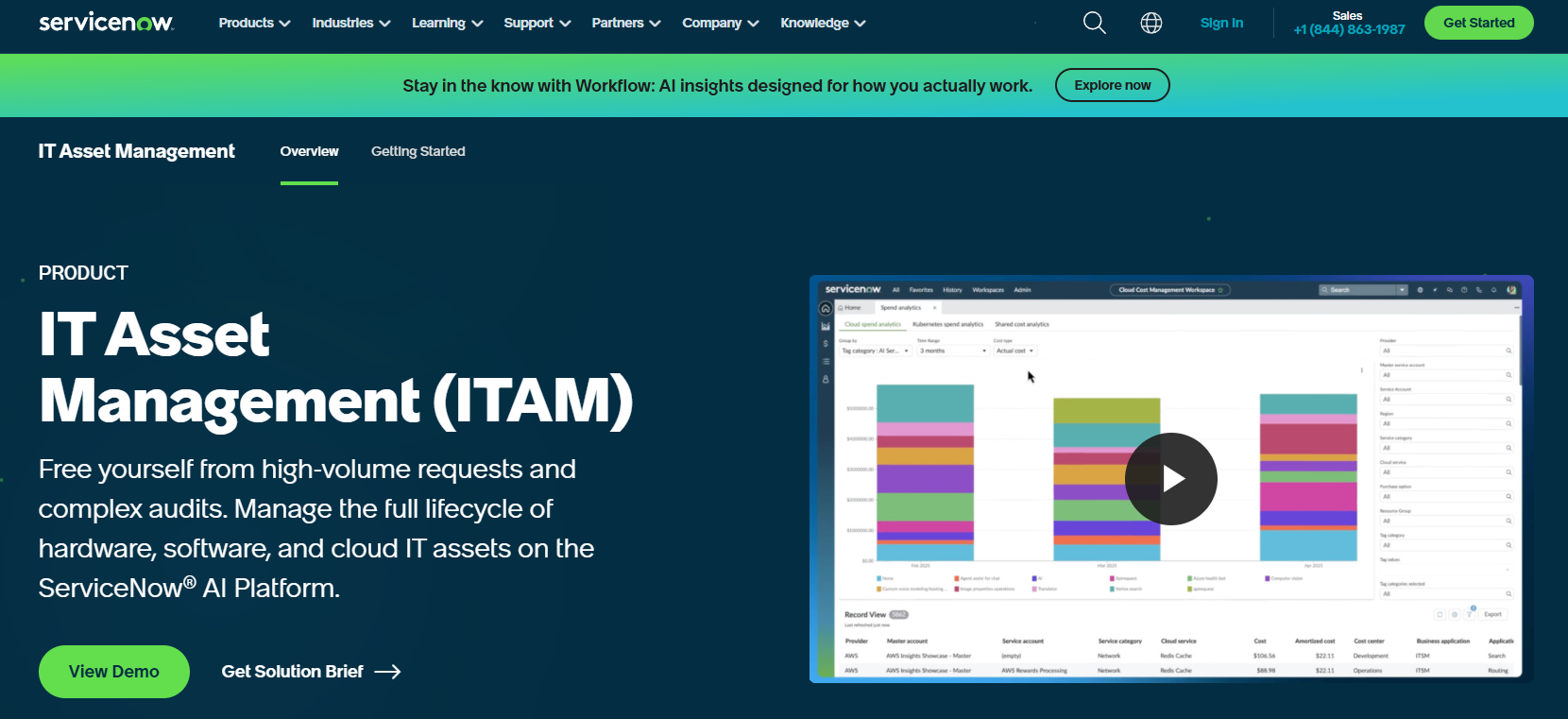
ServiceNow's HR Service Delivery module brings their renowned workflow automation capabilities to employee offboarding. For large enterprises with complex, multi-step processes spanning numerous departments, ServiceNow's engine handles coordination that would overwhelm simpler platforms.
The platform integrates with ServiceNow's broader IT Service Management ecosystem, creating unified visibility across HR and IT operations. Offboarding tasks flow through the same system managing incidents, changes, and service requests.
Organizations already invested in ServiceNow for ITSM find natural extension into HR service delivery, though the complexity and cost make it viable primarily for large enterprises.
Best Known For: Enterprise Workflow Mastery
ServiceNow dominates enterprise service management. Their offboarding capabilities apply that workflow expertise to coordinate departures across sprawling organizations with intricate approval chains and compliance requirements.
Features That Power ServiceNow's Approach
Top-tier automation capabilities with sophisticated conditional logic, parallel processing, and multi-level approvals. Handles organizational complexity that breaks other platforms.
Unified platform for HR and IT service management. Offboarding tickets flow through the same system handling other IT services, which creates visibility.
Integration with ServiceNow's asset management modules. Track equipment through complete lifecycle, though international retrieval still requires manual coordination.
Documented offboarding procedures accessible within the platform. Standardize processes across the organization.
Departing employees access information and complete tasks through dedicated portal. Reduces administrative burden.
Coordinate activities across HR, IT, finance, facilities, and department managers. Track progress in real-time across all functions.
Visibility into offboarding metrics, bottlenecks, and compliance status. Assuming you have resources dedicated to reviewing the data.
Connect with identity providers for automated access deprovisioning. Trigger security workflows automatically.
Build complex logic for different scenarios. Handle exceptions and special cases systematically instead of through email chains.
Pros: Why Large Enterprises Choose ServiceNow
Workflow capabilities are exceptionally powerful. Handle organizational complexity that breaks other platforms.
Integration with broader ServiceNow ecosystem provides unified service management. HR and IT operations coordinate seamlessly.
Customization accommodates unique enterprise requirements. Build processes matching your organizational structure exactly.
Compliance and audit features meet stringent regulatory demands. Documentation of all activities.
Scalability supports the largest organizations. Performance remains consistent at enterprise scale.
Analytics provide deep visibility into process efficiency and improvement opportunities.
Cons: Where ServiceNow Creates Barriers
Cost is prohibitive for small and mid-sized companies. This is enterprise-only pricing, and it shows.
Implementation complexity requires months and substantial consulting investment. Configuration demands expertise. One HR Technology Director told me their implementation took six months and required consultants the entire time.
Steep learning curve means dedicated administrators are essential. Casual users struggle with the interface.
Out-of-the-box offboarding features are limited. You're buying a platform to build on, not a ready-to-use solution.
Physical asset retrieval, especially internationally, requires manual coordination despite asset management integration.
Overkill for organizations without complex, multi-department coordination requirements.
Criteria Evaluation: How ServiceNow Scores
IT Asset Recovery & Management: 3/5 - Good integration with IT asset management modules but limited logistics support for physical device retrieval, especially internationally.
Security & Access Deprovisioning: 4/5 - Strong integration capabilities with identity providers and IT systems. Can automate much of the deprovisioning process.
Workflow Automation & Customization: 5/5 - ServiceNow's workflow engine is top-tier. Highly customizable with sophisticated automation capabilities.
Compliance & Documentation: 5/5 - Enterprise-grade audit trails, reporting, and compliance features. Excellent documentation of all activities.
User Experience & Integration Ecosystem: 3/5 - Powerful but complex. Steep learning curve and often requires dedicated administrators. Strong integration capabilities but complex to configure.
Cost & Scalability: 3/5 - Premium enterprise pricing. Excellent scalability but significant investment required.
Community Reviews and Expert Recommendations
Enterprise IT leaders value ServiceNow's power. One VP of IT Operations shared: "ServiceNow handles the complexity of offboarding across our 50,000-person organization. The workflow engine coordinates activities that would be impossible to manage manually."
However, implementation challenges are real. An HR Technology Director noted: "ServiceNow is incredibly powerful but required six months and substantial consulting fees to implement. Make sure you have the resources for that journey."
Source: Enterprise ITSM communities and ServiceNow user groups
Pricing and Where to Find It
ServiceNow uses enterprise quote-based pricing. HR Service Delivery is typically part of broader ServiceNow platform investments.
Expect significant licensing costs plus implementation, customization, and ongoing support expenses. Total cost of ownership is substantial.
Contact ServiceNow for enterprise pricing.
7. Tango
Tango solves exactly one problem (knowledge transfer) but solves it so well that I don't even care. When your senior developer or operations manager leaves, Tango ensures their processes are documented and transferable.
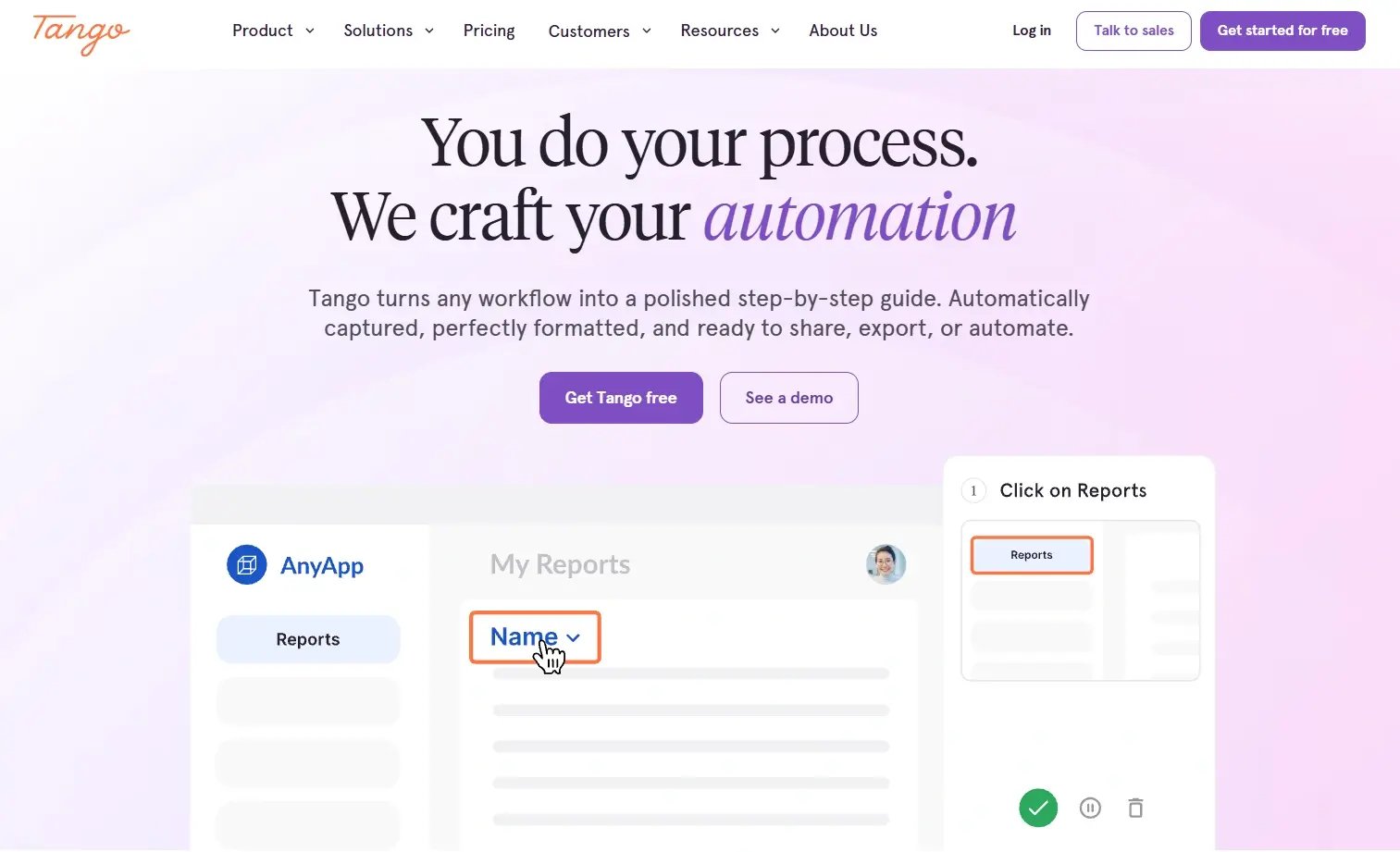
Tango addresses one of offboarding's most painful problems: knowledge walking out the door with departing employees. The platform automatically captures workflows and creates documentation, preserving institutional knowledge before it disappears.
Rather than competing with comprehensive offboarding platforms, Tango solves a specific challenge that others ignore. When your senior developer or operations manager leaves, Tango ensures their processes are documented and transferable.
For organizations concerned about knowledge loss, Tango provides affordable, easy-to-use documentation capabilities that complement other offboarding tools.
Best Known For: Automatic Knowledge Capture
Tango built its reputation on making documentation effortless. Their browser extension captures workflows automatically, creating step-by-step guides without manual screenshot-taking or writing.
Features That Preserve Knowledge
Browser extension records processes as employees perform them. Automatically generates step-by-step guides with screenshots. It's almost magical how well this works.
Capture screen recordings with narration. Document complex processes requiring visual demonstration.
Create libraries of documented workflows accessible to remaining team members. Transfer knowledge systematically instead of hoping someone remembers.
Team members can comment on, edit, and improve documentation. Build knowledge bases collectively.
Connect with Confluence, Notion, and other knowledge management systems. Documentation lives where your team already works.
Pre-built templates for common processes. Accelerate documentation creation.
Track which guides are accessed most frequently. Identify knowledge gaps and improvement opportunities.
Maintain documentation history as processes evolve. Track changes over time.
Pros: Why Teams Choose Tango
Solves the critical knowledge transfer problem that causes operational disruption after departures. One of our developers left last month. Thanks to Tango, we had his deployment process documented. Saved us probably 40 hours of reverse-engineering.
Exceptionally easy to use. The browser extension captures workflows without training or technical expertise.
Affordable pricing makes it accessible for teams of any size. Strong ROI through reduced knowledge loss.
Quick implementation gets you operational immediately. No complex configuration required.
Creates valuable documentation library beyond offboarding alone. Benefits the entire organization.
Works well for distributed teams. Document processes regardless of location.
Cons: Where Tango Shows Limitations
Not a complete offboarding solution. Handles only knowledge transfer, requiring other tools for asset management and security.
No IT asset recovery capabilities. Doesn't track or coordinate device returns.
No access deprovisioning automation. Can document the process but doesn't execute it.
Requires proactive use before departure. Reactive documentation after someone leaves is too late.
Limited workflow automation for offboarding tasks. Focused on documentation rather than process execution.
Must be supplemented with platforms for complete coverage.
Criteria Evaluation: How Tango Scores
IT Asset Recovery & Management: 1/5 - No asset management capabilities. Focused on knowledge capture.
Security & Access Deprovisioning: 2/5 - Limited security features. Can document access removal procedures but doesn't automate deprovisioning.
Workflow Automation & Customization: 3/5 - Automated workflow capture for documentation but limited offboarding workflow automation.
Compliance & Documentation: 4/5 - Excellent at documenting processes and procedures. Creates audit trail of knowledge transfer activities.
User Experience & Integration Ecosystem: 5/5 - Very user-friendly with simple browser extension. Limited but growing integration ecosystem.
Cost & Scalability: 4/5 - Reasonable pricing for the value provided. Scales well across company sizes.
Community Reviews and Expert Recommendations
Operations teams praise Tango's knowledge preservation. One Operations Manager shared: "Tango saved us when our DevOps lead left suddenly. We had documented workflows for critical systems that would have taken months to reverse-engineer."
However, users note it's not comprehensive. An IT Director commented: "Tango is fantastic for what it does, but you need other tools for the complete offboarding picture. It's one piece of the puzzle."
Source: Productivity software reviews and operations management forums
Pricing and Where to Find It
Free plan available for basic use. Paid plans start around $20 per user per month for business features including collaboration and advanced sharing.
Enterprise pricing available for larger organizations requiring additional security and administrative controls.
Explore Tango pricing options.
8. Zluri
If you're drowning in SaaS subscriptions (and honestly, who isn't?), Zluri pays for itself fast through license reclamation across 800+ apps. The platform discovers shadow IT that might otherwise remain accessible after departure.
Zluri focuses on SaaS operations and optimization, bringing particular strength to discovering and managing all SaaS applications during offboarding. For organizations drowning in SaaS subscriptions, Zluri ensures departing employees lose access to every application while reclaiming valuable licenses.
The platform's discovery capabilities uncover shadow IT that might otherwise remain accessible after departure. This visibility reduces security risks and recovers costs from unused licenses.
Mid-market companies with substantial SaaS portfolios find Zluri's combination of security and cost optimization compelling, though supplementation is needed for physical asset management.
Best Known For: SaaS Discovery and Optimization
Zluri made its name discovering and managing SaaS applications across organizations. Their offboarding capabilities leverage this visibility to ensure complete deprovisioning while optimizing license costs.
Features That Optimize SaaS Offboarding
Continuously scans for all SaaS applications used across the organization. Identifies shadow IT that manual tracking misses, which is where the real security risks hide.
Revoke access across 800+ integrated SaaS applications automatically. No manual ticket creation required.
Identify and recover licenses from departing employees. Reassign to remaining team members or cancel for cost savings. I talked to an IT Manager who found $47,000 in annual SaaS spending on former employees using Zluri.
Discover applications outside official approval. Ensure offboarding covers everything, not only known systems.
Pre-built connectors for 800+ SaaS applications. Coverage across major and niche platforms.
Customizable offboarding workflows triggered by employee status changes. Different roles trigger appropriate processes.
Track SaaS spending and identify cost recovery opportunities. Calculate ROI from license reclamation.
Generate audit trails showing application access removal. Document deprovisioning for compliance requirements.
Understand which applications employees use. Inform license allocation decisions.
Pros: Why SaaS-Heavy Organizations Choose Zluri
Discovers shadow IT that other platforms miss. Deprovisioning includes unofficial applications that create security gaps.
License reclamation generates immediate ROI. Recovered licenses often pay for the platform within months.
Modern, intuitive interface requires minimal training. Team adoption happens quickly.
Strong for organizations with extensive SaaS portfolios. More applications mean greater value.
Reduces security risks from forgotten application access. Coverage prevents gaps.
Good customer support helps with implementation and ongoing optimization.
Cons: Where Zluri Needs Supplementation
No physical device management or retrieval capabilities. Focused exclusively on SaaS applications.
Requires other tools for complete offboarding. Doesn't handle HR workflows or physical assets.
Limited functionality outside SaaS management. Narrow focus means gaps in offboarding coverage.
International asset retrieval not supported. Distributed teams need additional logistics solutions.
Newer platform with evolving features. Some capabilities less mature than established competitors.
Criteria Evaluation: How Zluri Scores
IT Asset Recovery & Management: 2/5 - Tracks software licenses but limited physical asset management. No device retrieval logistics.
Security & Access Deprovisioning: 5/5 - Excellent automated deprovisioning across SaaS applications. Discovers shadow IT and ensures complete access removal.
Workflow Automation & Customization: 4/5 - Strong automation for SaaS-related offboarding tasks. Customizable workflows for different roles.
Compliance & Documentation: 4/5 - Good audit trails for SaaS access. Compliance reporting for software licenses and access.
User Experience & Integration Ecosystem: 4/5 - Modern, intuitive interface. Growing integration ecosystem focused on SaaS applications.
Cost & Scalability: 4/5 - Mid-market pricing. Scales well with company growth.
Community Reviews and Expert Recommendations
IT leaders appreciate the license reclamation ROI. One IT Manager noted: "Zluri paid for itself in three months through recovered SaaS licenses. We were hemorrhaging money on unused subscriptions for former employees."
Security teams value shadow IT discovery. A Security Engineer shared: "Zluri found applications we didn't know existed. Offboarding now covers our complete SaaS footprint, not only officially sanctioned tools."
Source: SaaS management communities and IT operations forums
Pricing and Where to Find It
Custom pricing based on company size and number of applications managed. Typically priced per employee or per application.
ROI calculations often show positive return through license reclamation within months.
Contact Zluri for pricing details.
9. Torii
Torii delivers SaaS operations and cost optimization with strong offboarding workflows for application access removal, helping organizations manage the full SaaS lifecycle while requiring supplementation for physical asset management and HR-specific features.
Torii approaches SaaS management with emphasis on operations and optimization throughout the application lifecycle. Their offboarding capabilities ensure departing employees lose access while the platform identifies cost-saving opportunities from unused licenses.
The platform provides visibility into SaaS spending, renewal dates, and usage patterns, making offboarding part of broader SaaS governance. For organizations seeking to control SaaS sprawl while ensuring secure departures, Torii offers solid coverage.
Mid-market companies appreciate Torii's balance between functionality and accessibility, though physical asset management requires separate solutions.
Best Known For: SaaS Lifecycle Operations
Torii built its reputation on SaaS operations management, helping organizations optimize spending and governance while maintaining security through proper access controls during offboarding.
Features That Control SaaS Operations
Continuous scanning identifies all SaaS applications across the organization. Maintains up-to-date inventory automatically.
Trigger access removal workflows when employee status changes. Customizable rules based on role and department.
Track license allocation, identify unused seats, and optimize spending. Reclaim licenses during offboarding.
Monitor subscription renewals and contract terms. Prevent unnecessary renewals for departing employees.
Connect with popular business applications for automated provisioning and deprovisioning.
Assess SaaS security posture and compliance status. Identify risks from improper access.
Visibility into SaaS spending patterns. Calculate cost savings from offboarding optimization. One CFO told me Torii showed them $200K in annual SaaS spending on former employees.
Streamline access management throughout employee lifecycle. Offboarding is one component of broader automation.
Centralize SaaS vendor relationships and contracts. Coordinate offboarding with contract terms.
Pros: Why Organizations Choose Torii
Visibility helps control sprawl and spending. You know exactly what applications exist across the organization.
License reclamation generates measurable cost savings. Unused subscriptions are identified and recovered.
User-friendly interface makes adoption straightforward. Minimal training required for team members.
Strong customer support helps with implementation and optimization. Responsive team addresses issues quickly.
Good fit for mid-market companies seeking solid capabilities without enterprise complexity.
Security and compliance features reduce risks from improper access during and after offboarding.
Cons: Where Torii Shows Boundaries
Limited to SaaS applications exclusively. No physical asset management capabilities.
Requires supplementation for complete offboarding. Doesn't handle HR workflows or device retrieval.
No international logistics support for equipment returns. Distributed teams need additional tools.
Customization options are more limited compared to enterprise platforms. May not accommodate highly complex requirements.
Focused primarily on cost optimization rather than holistic offboarding coverage.
Criteria Evaluation: How Torii Scores
IT Asset Recovery & Management: 2/5 - Software asset tracking but no physical device management or retrieval capabilities.
Security & Access Deprovisioning: 4/5 - Strong SaaS deprovisioning automation. Good visibility into application access.
Workflow Automation & Customization: 4/5 - Automated workflows for SaaS offboarding. Customizable rules and triggers.
Compliance & Documentation: 4/5 - Good audit trails and compliance reporting for SaaS access and spending.
User Experience & Integration Ecosystem: 4/5 - Clean, modern interface. Strong integration ecosystem for SaaS applications.
Cost & Scalability: 4/5 - Competitive pricing for SaaS management. Scales reasonably with growth.
Community Reviews and Expert Recommendations
Finance teams appreciate the cost visibility. One CFO commented: "Torii showed us we were spending $200K annually on SaaS licenses for former employees. The platform paid for itself immediately."
IT managers value the operational efficiency. An IT Operations Lead shared: "Torii streamlined our SaaS offboarding from a multi-day manual process to automated workflows that complete in minutes."
Source: SaaS management review platforms and finance technology forums
Pricing and Where to Find It
Custom pricing based on company size and SaaS application count. Typically justified by cost savings from license optimization.
ROI often realized quickly through recovered spending on unused licenses.
10. Freshservice Offboarding Module
Freshservice is fine. If you're budget-conscious and need solid ITSM features, it'll do the job. Just don't expect the polish of top-tier platforms or the logistics infrastructure for international device retrieval.
Freshservice brings offboarding capabilities within their IT service management platform, making it accessible for organizations seeking affordable ITSM with employee lifecycle management. The platform balances functionality with ease of use, appealing to teams that need solid capabilities without enterprise complexity.
For IT teams managing offboarding as part of broader service delivery, Freshservice integrates these workflows into familiar ticketing and asset management processes. The platform scales from small businesses to enterprises while maintaining reasonable pricing.
Organizations already using Freshworks products find natural integration across the ecosystem, though international asset retrieval requires manual coordination.
Best Known For: Affordable ITSM Accessibility
Freshservice earned its reputation making IT service management approachable for organizations without massive IT budgets or dedicated ITSM teams. Their offboarding features continue that value-focused philosophy.
Features That Make Freshservice Accessible
Create automated workflows triggered by employee status changes. Customize for different departments and roles.
Track equipment throughout lifecycle including offboarding. Monitor asset returns and condition.
Standardized offboarding requests through service catalog. Consistent processes across the organization.
Connect with HR platforms to trigger offboarding automatically. Workflows start when employee status changes.
Distribute offboarding tasks to appropriate team members automatically. Track completion status.
Automated communications ensure tasks don't fall through cracks. Reminders for pending items.
Monitor equipment return status. Send reminders to departing employees and managers.
Visibility into offboarding metrics and process efficiency. Identify bottlenecks and improvement opportunities.
Connect with Freshdesk, Freshchat, and other Freshworks products for unified operations.
Pros: Why Teams Choose Freshservice
Affordable pricing makes it accessible for small to mid-sized organizations. Strong value for the features provided.
User-friendly interface requires minimal training. Teams become productive quickly.
Quick implementation gets you operational faster than enterprise platforms. Weeks rather than months.
Good IT-focused offboarding capabilities. Handles technical aspects effectively.
Scales from SMB to enterprise. You won't quickly outgrow the platform.
Strong customer support helps troubleshoot issues. Responsive team addresses problems.
Integration with broader ITSM platform provides context for offboarding within service delivery.
Cons: Where Freshservice Needs Enhancement
Limited international device retrieval capabilities. Manual coordination required for global teams.
Fewer integrations compared to specialized offboarding platforms. Some gaps in connectivity.
Physical asset recovery beyond basic tracking requires manual processes. No logistics infrastructure.
Less sophisticated than enterprise platforms for highly complex requirements. May not accommodate every nuance.
Some advanced features require higher-tier plans. Budget for needed capabilities.
HR-specific features are lighter. Focused more on IT aspects than people processes.
Criteria Evaluation: How Freshservice Scores
IT Asset Recovery & Management: 3/5 - Good IT asset tracking features but limited international logistics support for physical retrieval.
Security & Access Deprovisioning: 3/5 - Can create tickets and workflows for deprovisioning but limited direct integrations with identity providers.
Workflow Automation & Customization: 4/5 - Good workflow automation capabilities. Customizable for different departments and roles.
Compliance & Documentation: 4/5 - Solid audit trails and reporting. Good documentation of offboarding activities.
User Experience & Integration Ecosystem: 4/5 - Intuitive interface. Good integration ecosystem, particularly with Freshworks products.
Cost & Scalability: 5/5 - Very competitive pricing for the features offered. Scales well from small businesses to enterprises.
Community Reviews and Expert Recommendations
IT managers appreciate the value proposition. One IT Manager noted: "Freshservice gives us 80% of enterprise ITSM functionality at 30% of the cost. The offboarding features handle our needs without breaking the budget."
However, distributed teams note limitations. A Systems Administrator shared: "Freshservice works great for our headquarters staff, but coordinating equipment returns from our remote employees still requires manual effort."
Source: ITSM review platforms and IT management communities
Pricing and Where to Find It
Freshservice pricing starts at $19 per agent per month for the Starter plan. Offboarding features are available across plans with more advanced capabilities in higher tiers.
Enterprise pricing available for larger organizations requiring additional features and support.
Notable Mentions Worth Considering
Several specialized platforms deserve consideration for specific use cases, including Apple device management solutions and alternative identity management providers that excel in narrow domains while requiring supplementation for comprehensive offboarding.
While the top ten solutions represent the most solid employee offboarding software options, several platforms excel in specific domains worth considering based on your unique requirements.
JumpCloud
JumpCloud offers cloud-first directory services and identity management with strong offboarding capabilities for access deprovisioning. The platform serves as an Active Directory alternative with cross-platform device management.
Particularly valuable for companies seeking identity management without Microsoft dependencies, JumpCloud automates user deprovisioning across systems and applications. The platform excels at managing mixed device environments (Windows, Mac, Linux) with centralized control.
However, physical asset management and HR workflow features require supplementation. Explore JumpCloud's identity management capabilities.
Kandji
Kandji specializes in Apple device management with excellent offboarding features for Mac, iPhone, and iPad fleets. The platform provides automated device lock and wipe capabilities, compliance enforcement, and zero-touch deployment.
Organizations standardized on Apple devices find Kandji's focused approach delivers superior management compared to generalist platforms. Remote device security during offboarding is particularly strong.
The limitation to Apple devices means mixed environments need additional solutions. Learn about Kandji's Apple management.
Jamf Pro
Jamf Pro represents the enterprise standard for Apple device management with sophisticated offboarding workflows. The platform offers strong security features, automated compliance enforcement, and detailed inventory management.
Education institutions and creative organizations with large Apple deployments rely on Jamf for device lifecycle management including offboarding. The depth of Apple-specific features exceeds generalist platforms.
Similar to other Apple-focused solutions, mixed device environments require supplementation. Discover Jamf Pro's enterprise capabilities.
Mosyle
Mosyle delivers affordable Apple device management making it accessible for schools and small businesses. The platform provides automated device enrollment, security enforcement, and remote management features.
While more limited in enterprise features compared to Jamf, Mosyle offers excellent value for organizations focused on Apple devices with basic offboarding needs. The platform includes compliance reporting and automated workflows.
Budget-conscious organizations with Apple fleets find Mosyle's pricing compelling. Check out Mosyle's affordable Apple management.
FAQ: Your Employee Offboarding Questions Answered
The questions I get asked constantly about employee offboarding software, with practical guidance on implementation, ROI, and selection criteria based on company size and distribution.
What's the biggest mistake companies make with employee offboarding?
Treating offboarding as an afterthought rather than a critical business process. I get it. When someone quits, you're scrambling to redistribute their work, update clients, maybe hire a replacement. The last thing you're thinking about is the laptop they're sitting on in Argentina.
But here's what happens: That laptop costs $2,000 to replace. They still have access to your GitHub, your Slack, your customer database. And you've got no systematic way to track any of it.
The mistake isn't just "not having software." It's not recognizing that offboarding is where you're most vulnerable to expensive screw-ups. Companies lose an average of $1,000 per unretrieved device, and security breaches from former employees retaining access cost millions. The biggest financial and security risks happen during the gap between when someone leaves and when you properly secure access and recover assets.
For distributed teams, the mistake compounds because international equipment retrieval requires specialized logistics that manual processes can't handle at scale. Understanding IT lifecycle management helps contextualize offboarding's role in protecting your technology investments throughout the employee journey.
How do I calculate ROI for employee offboarding software?
Start with three primary cost categories: equipment losses, security risks, and operational efficiency. Calculate your current annual equipment losses (unretrieved devices multiplied by replacement cost). Add the time your IT team spends manually coordinating offboarding (hours multiplied by hourly cost). Factor in recovered software license costs from automated reclamation.
For example, if you lose 10 devices annually at $2,000 each ($20,000), spend 100 IT hours on manual offboarding at $75/hour ($7,500), and could reclaim $15,000 in unused software licenses, you're looking at $42,500 in annual recoverable costs. Software costing $10,000 annually delivers 4x ROI in the first year.
Security breach prevention is harder to quantify but potentially the largest factor. Even preventing one incident (average cost $4.24 million) justifies substantial investment.
Can small companies benefit from offboarding software or is it only for enterprises?
Honestly? It depends where your people are.
If you're 50 people in one office, you probably don't need specialized software yet. Someone quits, they drop their laptop on your desk, you manually remove their accounts. Takes an hour. Annoying but manageable.
But if you're 50 people across ten countries? You absolutely need this. I don't care if you're small. The logistics of getting equipment back internationally don't get easier just because you're a startup. If anything, it's harder because you can't absorb the losses.
The break-even point isn't company size. It's "do I have remote employees?" If yes, you need proper offboarding tools.
What's the difference between offboarding software and HRIS platforms with offboarding features?
HRIS platforms treat offboarding as one component of employee lifecycle management, focusing on HR workflows including final payroll, benefits termination, and exit interviews. They excel at people processes but often lack robust IT asset recovery and security deprovisioning.
Dedicated offboarding software (or IT lifecycle management platforms) prioritizes the technical aspects including device retrieval, access deprovisioning, and asset disposition. These platforms often integrate with HRIS systems to trigger workflows but focus on execution rather than record-keeping.
The best approach often combines both: HRIS handles HR processes while specialized software manages IT assets and security. Platforms like GroWrk integrate with HRIS systems to create unified workflows spanning both domains.
How long does it take to implement employee offboarding software?
Implementation timelines vary dramatically by platform complexity and organizational size. Simple solutions including BambooHR or Tango can be operational in days. Mid-market platforms like Rippling or Zluri typically require 2-4 weeks for basic implementation.
Enterprise platforms including Workday or ServiceNow demand months of configuration, often 3-6 months with substantial consulting support. These timelines include integration with existing systems, workflow customization, and team training.
For most mid-sized distributed teams, expect 2-4 weeks from contract signing to first offboarding execution. The key is choosing platforms with pre-built integrations for your HRIS and identity provider, which eliminates custom development time. Implementing secure offboarding automation becomes significantly easier when you have the right technology infrastructure supporting your processes.
Do I need different offboarding tools for different employee types?
Most solid platforms handle various employee types (full-time, contractors, executives) through customizable workflows rather than requiring separate tools. The key is conditional logic that triggers appropriate processes based on employment type.
Contractors might need streamlined offboarding focusing on access removal without extensive exit interviews. Executives require more thorough knowledge transfer and compliance documentation. Part-time employees might have minimal equipment to return.
Quality employee offboarding software accommodates these variations within one platform through role-based workflows. However, you might supplement with specialized tools for unique scenarios. For instance, remote employee offboarding presents distinct challenges that benefit from platforms with strong international logistics capabilities.
How do I ensure compliance during offboarding across different countries?
International compliance requires understanding regional regulations (GDPR in Europe, CCPA in California, country-specific labor laws) and maintaining detailed documentation of offboarding activities. The right software generates audit trails showing when access was revoked, how data was handled, and proof of proper equipment disposal.
Platforms with global capabilities typically include compliance features for major markets. However, you may need legal counsel for specific jurisdictions with unique requirements.
The biggest compliance risk isn't lacking features but inconsistent execution. Automated workflows ensure every departure follows the same documented process, creating the consistency auditors demand. Comprehensive IT offboarding practices combined with proper documentation protect you across jurisdictions.
What happens if an employee refuses to return company equipment?
This scenario highlights why proper offboarding processes matter. Clear policies established during onboarding (equipment agreements signed by employees) provide legal foundation for equipment recovery.
Most platforms can't force physical returns, but they enable several protective measures. Immediate access revocation prevents data breaches. Remote wipe capabilities protect company data on unreturned devices. Documentation of retrieval attempts supports legal action if necessary.
Some platforms including GroWrk offer white-glove services for difficult retrievals, working directly with employees to coordinate returns. Financial penalties (withholding final paychecks until equipment returns) provide motivation, though legal requirements vary by jurisdiction.
Prevention works better than remediation. Automated retrieval workflows initiated immediately upon departure, combined with clear communication about return expectations, minimize refusal scenarios.
Final Thoughts: Choosing Your Offboarding Solution
Look, someone's going to leave your company soon. Maybe this week, maybe next month. And you're either going to have a system in place or you're going to scramble.
Choosing employee offboarding software ultimately comes down to three questions: Where are your employees? What are your biggest offboarding risks? What's your budget reality?
Distributed teams need specialized logistics infrastructure for equipment retrieval, not digital workflows alone. Security-focused organizations should prioritize comprehensive access deprovisioning across all applications. Enterprise complexity requires powerful workflow engines that can coordinate across multiple departments. SaaS-heavy companies benefit from platforms that discover shadow IT and reclaim unused licenses. Budget constraints don't eliminate options but do require focusing on your highest-priority challenges.
Most organizations need multiple tools working together rather than one perfect solution. The shift to distributed work fundamentally changed offboarding requirements. Traditional approaches built for co-located teams simply don't work when employees span continents. You can't walk to someone's desk to collect equipment. Manual coordination of international returns becomes impossible at scale.
This is where GroWrk's approach delivers unique value. While other platforms excel at specific offboarding aspects, distributed teams face a challenge most solutions don't fully address: physically recovering IT assets from anywhere in the world. GroWrk's global logistics network across 100+ countries, combined with deep integrations into your existing HRIS and identity management systems, creates the unified solution distributed teams need. Very little employee offboarding software covers both halves of that problem.
Companies using GroWrk report recovering 98% of equipment compared to industry averages around 70%. That difference translates directly to your bottom line. Beyond asset recovery, the platform's automated workflows ensure security deprovisioning happens simultaneously with device retrieval, eliminating the gaps that create liability. Recovery rates are the honest scoreboard for employee offboarding software.
For organizations managing distributed teams, Illumio streamlined their global IT operations using comprehensive lifecycle management that addresses both digital and physical aspects of offboarding. The results speak to what's possible when you have proper infrastructure supporting your processes. Infrastructure, not just employee offboarding software, is what closed their gaps.
Your next departure is coming. The question isn't whether you'll need better offboarding processes but whether you'll have them in place before it costs you thousands in lost equipment and security risks. Understanding the complete employee offboarding process helps you build frameworks that protect your organization while maintaining positive relationships with departing employees. Choose employee offboarding software before the next resignation, not after.
If you're managing a distributed team and tired of equipment disappearing into international black holes, it's time to see how GroWrk transforms offboarding from a liability into a streamlined, cost-effective process. That is what employee offboarding software should deliver.
Start protecting your assets with GroWrk's comprehensive offboarding solution.