Last month, I watched a CTO spend $80K optimizing their AWS bill while their IT team manually tracked laptop shipments in Google Sheets. The irony was completely lost on them.
You've spent months evaluating cloud providers, negotiating SLAs, and mapping out your hybrid infrastructure. But here's what most IT teams miss: the real constraint isn't your tech stack. It's the operational chaos hiding between procurement, deployment, and employee experience. The unsexy stuff that eats budgets and burns out teams while everyone fixates on shiny infrastructure upgrades.
TL;DR
- Your procurement delays are costing you 30-40% more than you think, and that's before you count the productivity hit
- Remote laptops aren't just endpoints anymore. They ARE your infrastructure. Plan accordingly or suffer
- Multi-vendor strategies sound smart until you're burning 20 hours/week just coordinating shipments
- Nobody tracks decommissioning costs, which is why you're leaving six figures on the table every year
The Invisible Tax: How Operational Friction Compounds Infrastructure Costs
You know what's invisible? The $45K you lost last quarter because new hires waited three weeks for laptops. You tracked your AWS bill down to the cent. You negotiated SLAs. You optimized server utilization. And meanwhile, 30 people sat around with loaner equipment, getting set up twice, while your carefully optimized infrastructure sat there unused.
Cool. Cool cool cool.
I've seen companies invest six figures in infrastructure monitoring tools while their IT teams manually track device shipments in spreadsheets. It's absurd when you think about it. Every day a new employee waits for equipment represents lost productivity, but it also means your carefully optimized collaboration infrastructure sits idle. Your Slack licenses, your VPN capacity, your security tools are all provisioned and paid for, serving nobody.
The math gets worse when you account for workarounds. Way worse. Temporary device loans mean duplicate setups, duplicated security configurations, and eventual migration work when the permanent equipment arrives. Each workaround creates technical debt in your infrastructure, even if that debt doesn't show up in your cloud monitoring dashboards.
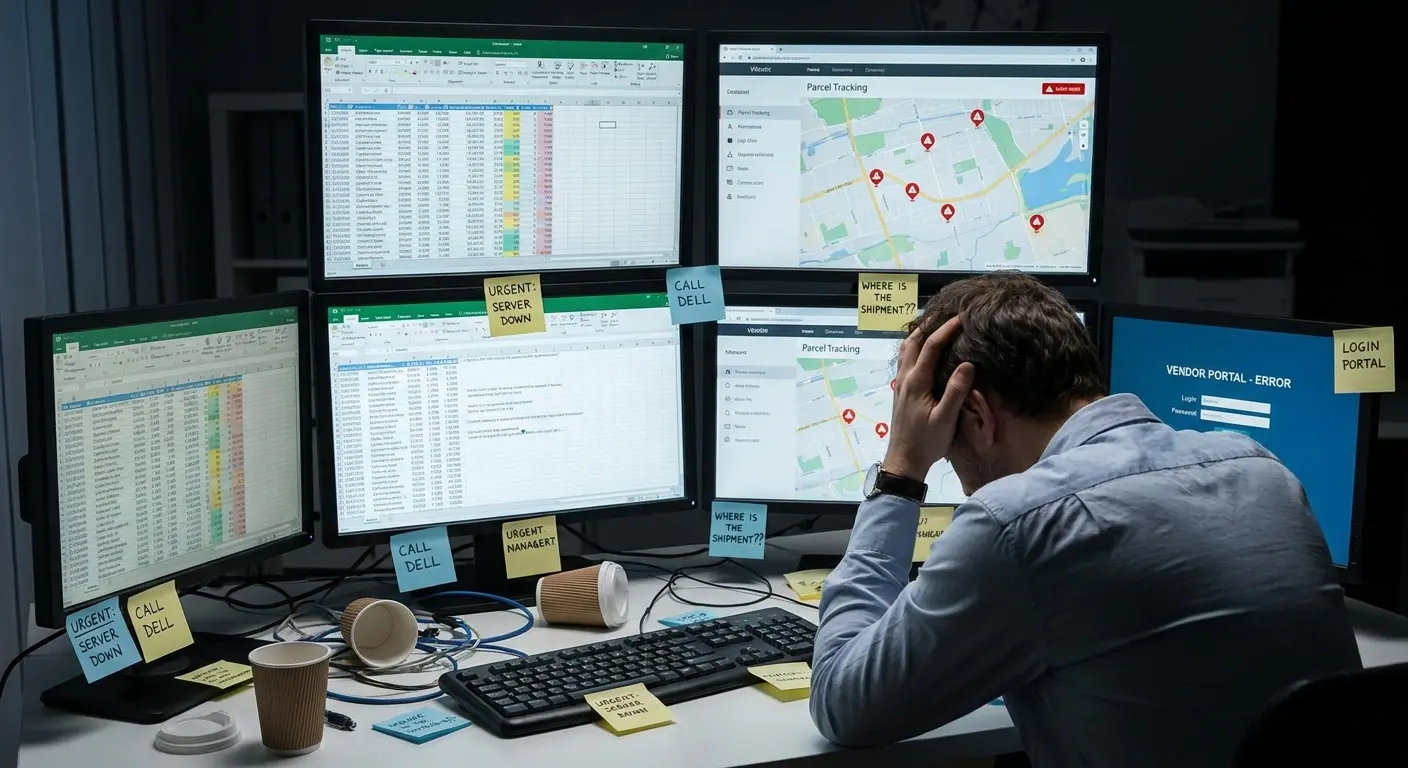
Real example: 200-person fintech (name redacted, but they're in your portfolio). Hired 30 people across five countries in Q3. Procurement averaged 18 days. Sounds bad but not catastrophic, right? Wrong. IT spent 120 hours unfucking the temp laptop configs once real equipment arrived. Software licenses sat unused. VPN capacity paid for, nobody using it. Total damage: $45K that quarter. None of it showed up in their infrastructure reviews because it was scattered across budget lines.
Quantifying What Gets Ignored
Here's what you measure: hardware costs, software licenses, cloud bills. Here's what you don't: all the operational chaos in between. Procurement delays? Not tracked. Configuration drift? Not measured. Time spent chasing shipments? Nobody's counting.
Procurement cycle time messes with your infrastructure efficiency in ways that don't appear in traditional metrics. When hardware procurement takes three weeks instead of three days, you're not just delaying employee productivity. You're extending the period where your infrastructure capacity is mismatched to your actual headcount. You're creating gaps where security policies can't be properly enforced because people are using personal devices or borrowed equipment.
Understanding the full cost of onboarding a new employee reveals how procurement delays compound beyond just hardware expenses.
Deployment consistency matters more than most teams realize. Every manual deployment introduces configuration drift. Every rushed setup to meet an urgent deadline creates a unique snowflake in your infrastructure that will require special handling later. The cost appears months down the line when you're troubleshooting why certain endpoints behave differently or when you're trying to roll out a security update that breaks on inconsistently configured machines.
(Yeah, I made a table. I hate tables too, but this needs to be visible:)
| Cost Category | Traditional Tracking | Hidden Operational Impact | Typical Annual Cost (200 employees) |
|---|---|---|---|
| Hardware Procurement | Purchase price, depreciation | Delayed productivity, temporary equipment costs, duplicate setups | $35,000-$50,000 |
| Software Licenses | License fees per seat | Unused licenses during procurement delays, orphaned licenses on decommissioned devices | $20,000-$40,000 |
| IT Labor | Salaries, benefits | Vendor coordination, shipment tracking, manual inventory updates, custom troubleshooting | $60,000-$90,000 |
| Security Tools | Tool licensing, implementation | Exceptions for inconsistent devices, extended vulnerability windows, compliance gaps | $15,000-$25,000 |
| Support Overhead | Help desk operations | Configuration drift issues, device-specific problems, workaround support | $25,000-$35,000 |
These are conservative estimates. Your actual costs are probably worse.
The Coordination Tax
And if you're distributed? Multiply everything by chaos. You're not managing one procurement cycle. You're managing twelve, across different vendors, different customs requirements, different shipping nightmares.
IT teams spend 15-20 hours per week just coordinating hardware logistics for distributed teams. That's half a full-time employee doing work that creates zero infrastructure value. Tracking shipments, managing vendor relationships, handling customs issues, coordinating with remote employees about delivery windows.
This coordination overhead compounds when you're trying to implement infrastructure changes. Rolling out a new security tool requires not just technical deployment but physical coordination. You need to ensure devices are updated, which means you need to know where devices are, what condition they're in, and whether they're even still in use. The IT optimization process breaks down when physical asset management can't keep pace with digital infrastructure evolution.
Procurement Latency Is Sabotaging Your Optimization Strategy
Pop quiz: How fast can you get a laptop to a new hire in Singapore? If the answer is anything longer than 48 hours, you're optimizing the wrong things.
Your infrastructure optimization strategy probably includes detailed plans for scaling compute resources, optimizing storage costs, and improving network performance. Does it include a plan for getting a laptop to a new hire in Singapore within 48 hours? If not, you're optimizing half the problem.
Procurement latency affects infrastructure in counterintuitive ways. Slow hardware procurement forces teams to over-provision software resources. You maintain more floating licenses because you can't predict exactly when new employees will actually get online. You keep excess VPN capacity because you're never sure when the next batch of devices will ship. You're essentially running hot spares in your digital infrastructure to compensate for cold gaps in your physical infrastructure.
When Software Moves Fast and Hardware Moves Like Molasses
Software provisioning happens fast. You can spin up a new user account, assign licenses, and configure access in minutes. Hardware provisioning takes days or weeks.
Software's instant. Hardware's slow. This mismatch means you're paying for stuff nobody can use. Licenses assigned to people waiting for laptops. VPN capacity for endpoints that don't exist yet. Your monitoring shows low utilization, but it's not because you over-provisioned. It's because half your users are still waiting for devices.
This mismatch also creates security gaps. When employees can't wait for official equipment, they find alternatives. Personal devices, borrowed equipment, temporary logins on shared machines. Each workaround creates an endpoint outside your standard security controls, an asset that isn't in your inventory, a potential vulnerability that won't show up in your security scans.
Learning how to avoid delays in IT procurement helps teams maintain the provisioning speed that modern infrastructure demands.
If you want to actually fix this, here's what to measure (I know, more homework, but this matters):
- Time from request to delivery across all regions, not just your HQ
- Where's the bottleneck? Vendor processing, shipping/customs, your own approval chains, address verification
- Count the wasted licenses sitting on people who can't log in yet
- How often are you issuing temporary devices or granting personal device exceptions?
- IT coordination hours: time spent tracking shipments, vendor communication, delivery coordination
- Security exceptions: devices operating outside standard policies during procurement delays
- Total hidden costs: combine productivity loss, license waste, IT overhead, and security risk
- Benchmark against industry standards: target 3-5 days domestic, 7-10 days international
Geographic Distribution Amplifies Everything
Procurement delays in one location? Annoying. Procurement delays across 15 countries? Existential crisis.
Each region has different vendor relationships, different import regulations, different logistics challenges. What works in Austin doesn't work in Amsterdam, and neither approach works in Auckland. Companies respond by maintaining regional inventory, which creates its own problems. You're now managing stock levels across multiple locations, dealing with capital tied up in undeployed devices, and handling the complexity of moving inventory between regions when demand shifts. We map how global teams are actually buying hardware now in the state of global IT hardware procurement.
Your infrastructure optimization strategy needs to account for these physical logistics challenges, or you'll optimize your cloud costs while bleeding money on inefficient hardware distribution. The challenge of optimizing IT infrastructure becomes exponentially more complex when geography enters the equation.
Take this SaaS company expanding into Latin America. Their Dell partnership worked great in the US. Five-day delivery, no drama. Brazil? Six weeks, thanks to import duties and customs. Argentina? Add another two weeks because currency controls made payments a nightmare.
They ended up with three regional vendors, local inventory in São Paulo and Buenos Aires, and custom tracking systems held together with duct tape and prayers. What started as "let's hire some people in LATAM" turned into a six-month operational project that needed dedicated IT resources. Nobody budgeted for that.
Why Device Lifecycle Management Belongs in Infrastructure Planning
Infrastructure planning focuses on servers, networks, cloud. Endpoints? That's someone else's problem, different team, different budget.
This separation is stupid, and it's costing you money.
Device age messes with infrastructure performance in ways that don't show up in your monitoring tools. An aging laptop doesn't just slow down for the user. It creates load on your infrastructure. Older devices take longer to sync, require more support tickets, generate more network traffic as they retry failed operations. Your infrastructure is working harder to compensate for hardware that should have been refreshed months ago. We break down how to manage that full arc in the state of IT lifecycle management.
Refresh Cycles and Infrastructure Load
Most companies have device refresh policies (usually 3-5 years), but few connect those policies to infrastructure planning. When a significant portion of your device fleet ages out simultaneously, you're not just facing a procurement challenge. You're facing an infrastructure challenge.
Mass refresh events create deployment spikes that stress your infrastructure. Your deployment servers, your software distribution tools, your support systems all face concentrated demand. If you haven't planned for this in your infrastructure capacity, you'll either face bottlenecks or you'll maintain excess capacity year-round to handle these periodic spikes.
The security implications are equally serious. Older devices can't support your latest security tools or policies. You end up maintaining legacy configurations, running older software versions, or creating exceptions in your security policies. Each exception is a potential vulnerability, and each legacy configuration is something else to manage and monitor. Proper IT infrastructure optimization requires treating device lifecycle management as a core component of your strategy, not an afterthought.
Here's what device age actually costs you (and why your 3-year refresh cycle might be too long):
| Device Age | Performance Impact | Security Risk Level | Support Burden | Annual Cost Premium |
|---|---|---|---|---|
| 0-1 years | Optimal performance, full feature support | Low - latest security features supported | Minimal - primarily user error | Baseline |
| 1-2 years | Normal performance, minor degradation | Low - security updates fully compatible | Low - occasional hardware issues | +15% |
| 2-3 years | Noticeable slowdown, sync delays | Medium - some security tools require workarounds | Moderate - battery replacement, storage issues | +35% |
| 3-4 years | Significant performance issues | High - incompatible with latest security policies | High - frequent repairs, compatibility problems | +60% |
| 4+ years | Basically a brick | You're asking for a breach | IT wants to quit | +120% (just replace it already) |
Decommissioning as Infrastructure Risk
Decommissioning gets even less attention than procurement, which is insane because this is where your security posture goes to die.
Every device that leaves your organization potentially contains sensitive data, active credentials, and configuration information about your infrastructure. Companies that lack structured decommissioning processes have devices in circulation long after employees have left. Those devices represent active security risks: they're configured with VPN access, they contain cached credentials, they have software with active licenses. Your infrastructure treats them as valid endpoints because nobody told it otherwise.
The cost implications extend beyond security. You're paying for licenses on decommissioned devices, maintaining VPN capacity for endpoints that no longer exist, and potentially violating compliance requirements by failing to properly wipe and track device disposal. Effective IT optimization demands rigorous decommissioning processes that close these gaps.
The Multi-Vendor Trap: Coordination Overhead Nobody Budgets For
Everyone loves vendor diversification until they actually have to manage it. Avoid lock-in! Best-of-breed solutions! Negotiate better pricing!
Great ideas, terrible execution.
Each vendor means different procurement processes, different support channels, different warranty terms, different repair procedures. Your IT team needs to maintain expertise across multiple systems, track different asset lifecycles, and manage relationships with multiple account teams. The cognitive load alone is brutal, but the operational impact is worse.
Integration Gaps and Manual Workarounds
Vendor systems don't integrate cleanly. You might have one vendor's asset management system, another vendor's procurement portal, and a third vendor's support ticketing system. Getting a complete view of your hardware infrastructure requires manual data aggregation from multiple sources.
This fragmentation creates gaps where assets fall through the cracks. A device ordered through one vendor doesn't automatically appear in another vendor's tracking system. Your IT asset management database requires manual updates from multiple sources. The risk of inventory drift increases with each additional vendor relationship.
Support complexity multiplies in distributed environments. When a device fails in a remote location, your IT team needs to identify the vendor, initiate a support ticket through that vendor's specific process, coordinate shipping and logistics, and track the repair through completion. Each vendor has different SLAs, different escalation procedures, and different expectations about what information they need. Infrastructure optimization efforts stumble when vendor complexity creates operational bottlenecks.
The Hidden Cost of Vendor Management
IT teams spend serious time managing vendor relationships, but this rarely appears as a line item in infrastructure budgets. Someone needs to review contracts, negotiate renewals, track performance against SLAs, and handle escalations when things go wrong. That someone is usually a senior IT person whose time could be spent on strategic infrastructure work.
Vendor management overhead increases with geographic distribution. Different regions require different vendors due to local support requirements, import regulations, or cost considerations. What started as a two-vendor strategy in your home market becomes a ten-vendor strategy globally, each requiring management attention and coordination.
Implementing IT vendor management best practices becomes critical as your vendor ecosystem expands across regions.
One healthcare company with 400 employees across 12 countries found themselves managing relationships with 8 different hardware vendors. Dell for US operations, Lenovo for European offices, local vendors in APAC markets for faster delivery. Each vendor had different ordering systems, different support portals, and different warranty processes. When their IT director calculated the actual overhead, the team was spending 35 hours per week just managing vendor coordination: checking order statuses across different portals, reconciling invoices with different formats, handling warranty claims through different processes, and maintaining separate asset tracking for each vendor's devices. That overhead represented nearly a full FTE whose salary wasn't counted in their vendor cost analysis.
Remote Endpoints as Infrastructure: A Shift in Thinking
Remote work flipped the script on endpoints. They're not devices that connect to your infrastructure anymore. They ARE your infrastructure. For remote employees, the laptop is the primary interface to every system, every application, and every resource your company provides.
This demands different thinking about endpoint management. When endpoints were primarily used in offices, you could rely on physical security, local IT support, and network-level controls. Remote endpoints need to be self-sufficient security nodes, capable of operating safely in hostile network environments without immediate IT support.
Endpoints as Security Perimeters
Your security perimeter used to be your office network. Now it's every endpoint, regardless of location. Each device needs to enforce security policies independently because you can't rely on network controls to catch threats before they reach the endpoint.
This distributed security model requires infrastructure thinking. You need consistent configuration across all endpoints, reliable software distribution mechanisms, and monitoring capabilities that work regardless of network location. You need to ensure that security updates deploy successfully even when devices are offline for days at a time.
The operational challenge is massive. You can't walk over to someone's desk to troubleshoot. You can't swap devices quickly when something fails. Every endpoint issue requires remote diagnosis, remote remediation, or complex logistics to ship replacement hardware. Your infrastructure needs to support this operational model, which means solid remote management tools, comprehensive logging, and self-service capabilities for common issues.
Performance and Reliability Requirements
Remote endpoints face different performance and reliability requirements than office-based devices. Network connectivity varies wildly. Remote workers might be on fast fiber connections, slow DSL, or unreliable mobile hotspots. Your infrastructure needs to handle this variability without creating a degraded experience.
Device reliability becomes critical when employees are remote. A hardware failure in an office means a quick swap from local inventory. A hardware failure for a remote employee means days of downtime while you ship replacement hardware. This reality should inform your device selection, your warranty terms, and your spare inventory strategy. IT infrastructure optimization must account for the unique demands of remote endpoints as critical infrastructure components.
Your infrastructure monitoring needs to extend to endpoints in ways it didn't before. You need visibility into endpoint performance, network connectivity, and application behavior from the user's perspective. Traditional infrastructure monitoring tools focus on server-side metrics, but those don't tell you when a remote employee is struggling with a slow device or unreliable connection.Security Posture Degrades at the Edges (And You're Probably Not Measuring It)
Everyone obsesses over runtime security. Antivirus, firewalls, intrusion detection, patches. Cool. But you're missing the most vulnerable moments: when devices are in transition.
Security discussions focus heavily on runtime protection, but they miss the security gaps that open during device transitions. The most vulnerable moments in a device's lifecycle are during deployment and decommissioning, when devices are in flux and normal security controls may not apply.
Deployment Security Gaps
New laptop ships from vendor. Goes through your deployment process. Eventually reaches the employee fully secured. Every step in between? Security gray zone.
Devices in transit aren't protected by your security infrastructure. They're not on your network, they're not checking in with your management tools, and they're not receiving security updates. If deployment takes two weeks from order to employee hands, that's two weeks where the device exists in a security limbo.
The initial setup process requires temporary security compromises. You might need to disable certain controls to complete deployment, or you might need to use temporary credentials that have elevated privileges. Each compromise is a potential vulnerability if the deployment process isn't tightly controlled and monitored. Effective IT infrastructure optimization requires closing these security gaps during transition phases.
If you actually want to close these gaps (and you should), here's your checklist:
Pre-Deployment Phase:
- Make sure the vendor's security baseline doesn't suck
- Confirm encryption enabled on all storage before shipment
- Document temporary credentials with expiration dates
- Establish secure channel for initial device authentication
Transit Phase:
- Track the damn thing and set maximum acceptable transit time
- Flag delays for security review
- Verify shipping method includes tamper-evident packaging
- Log all custody transfers
Initial Setup Phase:
- Time-box elevated privilege access (maximum 24 hours)
- Require multi-factor authentication before network access
- Force immediate password change from temporary credentials
- Verify all security agents installed and reporting before granting full access
Post-Deployment Validation:
- Confirm device appears in asset management system
- Verify security policy compliance scan completed successfully
- Check encryption status and backup configuration
- Revoke all temporary credentials and elevated access
- Document completion date for audit trail
The Decommissioning Blind Spot
Decommissioning is where security posture collapses entirely. Devices leaving your organization should go through a rigorous process: data wiping, credential removal, software license deactivation, and secure disposal. In practice, many organizations have inconsistent decommissioning processes or none at all.
The security risk is obvious but gets ignored anyway. A device that isn't properly wiped might contain sensitive data, cached credentials, or VPN configurations. If that device ends up resold, donated, or simply lost, you've potentially exposed your infrastructure to unauthorized access.
Tracking decommissioned devices is surprisingly difficult. You need to know when an employee leaves, retrieve their device, verify data wiping, and update your asset inventory. Each step requires coordination between HR, IT, and potentially shipping logistics. When any step fails, you have a security loose end that might not surface until much later. Infrastructure optimization must address these edge vulnerabilities that traditional security monitoring overlooks.
Cost Attribution Breaks Down When Hardware and Software Live in Silos
Infrastructure cost optimization focuses on software: cloud bills, SaaS licenses, API consumption. Hardware costs get tracked separately, by different teams with different budgets. This separation prevents you from seeing the true total cost of ownership for your infrastructure.
A laptop isn't just a hardware cost. It's hardware plus software licenses plus deployment time plus ongoing support plus eventual decommissioning. When these costs live in different budget lines managed by different teams, you can't accurately assess whether you're making cost-effective decisions.
The True Cost of an Endpoint
Calculate what you actually spend per endpoint over its lifecycle. Start with hardware acquisition cost, but don't stop there. Add software licenses (OS, productivity suite, security tools, VPN access, collaboration platforms). Include deployment costs (IT time, shipping, initial configuration). Factor in ongoing support (help desk tickets, repairs, replacements). Account for decommissioning (data wiping, logistics, disposal).
Most organizations can't produce this number accurately because the data lives in too many places. Hardware costs are in procurement systems, software licenses are in IT asset management, support costs are buried in help desk metrics, and decommissioning costs aren't tracked at all.
Without accurate total cost visibility, you can't make informed optimization decisions. You might choose cheaper hardware that requires more support, creating a false economy. You might maintain software licenses that aren't actually used because you can't connect license assignment to actual device deployment. You might delay hardware refresh cycles to save on acquisition costs while spending more on support for aging devices.
Cross-Functional Cost Visibility
Breaking down silos between hardware and software cost management is necessary for effective infrastructure optimization. You need systems that connect device procurement to software license assignment, that track support costs per device, that measure the full lifecycle cost from acquisition to disposal.
This visibility enables better decisions. You can identify which device models generate the most support tickets and factor that into procurement decisions. You can spot software licenses assigned to decommissioned devices and reclaim them. You can calculate the true break-even point for hardware refresh cycles by comparing acquisition costs against rising support costs for aging devices.
Geographic distribution adds another layer of complexity. Costs vary by region due to import duties, local vendor pricing, shipping logistics, and support availability. Without visibility into these regional variations, you can't optimize your global infrastructure strategy effectively. Optimizing IT operations requires unified cost visibility across all infrastructure components, physical and digital.
Automation Theater vs. Actual Operational Efficiency
Automation is a popular answer to operational efficiency challenges, but much of what passes for automation is really just digitized manual processes. You've replaced paper forms with digital forms, but you're still doing the same manual work in a different interface.
Real automation eliminates manual work entirely. It connects systems so that data flows automatically, triggers actions without human intervention, and maintains consistency without manual oversight. Most importantly, it integrates physical and digital workflows instead of automating them separately.
Where Automation Usually Stops
Software deployment automation is relatively mature. You can automatically provision user accounts, assign licenses, configure access rights, and deploy applications. These automations work well because they're entirely digital processes with well-defined APIs and integration points.
Hardware workflows are where automation breaks down. You can automate the purchase order creation, but someone still needs to manually verify shipping addresses, track deliveries, coordinate with remote employees, and update asset inventories. The physical world doesn't have APIs, so automation stops at the digital boundary.
This partial automation creates new problems. Your automated systems expect certain data inputs that require manual collection. Your asset management database should update automatically when new devices are deployed, but it requires someone to manually scan barcodes or enter serial numbers. The automation saves time in one area while creating manual work in another. True IT infrastructure optimization demands automation that spans both digital and physical workflows.
Integration as the Foundation
Effective automation requires integration across systems that traditionally don't talk to each other. Your HR system needs to communicate with procurement, which needs to integrate with asset management, which needs to connect to your security tools and software license management.
These integrations are difficult because the systems were built for different purposes by different vendors with different data models. Getting them to work together requires either custom integration work or a platform that can bridge these gaps.
The payoff comes when you can trigger a complete workflow from a single event. A new employee gets hired, and that automatically initiates device procurement, triggers software license assignment, creates user accounts, schedules deployment, and updates all relevant tracking systems. The entire process happens without manual intervention, and every system stays synchronized.
Measuring Real Efficiency Gains
Automation success shouldn't be measured by how many processes you've automated but by how much manual work you've eliminated. Track the metrics that matter: time from hire to full productivity, IT hours spent on device logistics, inventory accuracy rates, security compliance percentages.
Many automation initiatives fail to deliver expected benefits because they automate the wrong things or automate processes that still require manual intervention at key points. You've automated 80% of a workflow, but the remaining 20% still requires manual work, so you haven't actually reduced headcount or freed up time. Infrastructure optimization through automation only works when integration eliminates manual handoffs entirely.
Asset Recovery: The Optimization Phase Everyone Ignores
Everyone talks about buying and running infrastructure. Nobody talks about what happens at end of life. Decommissioning gets handled by whoever has time, which means it barely gets handled at all.
This neglect leaves money on the table and creates unnecessary risks.
Devices retain value at end of life, but capturing that value requires structured processes. You need to track devices as employees leave, retrieve them efficiently, verify data security, and either redeploy them internally or recover value through resale or trade-in programs.
The Economics of Recovery
A three-year-old laptop might retain 30-40% of its original value if properly maintained and securely wiped. Multiply that across hundreds or thousands of devices, and you're looking at serious capital recovery. Most organizations capture only a fraction of this value because they lack efficient recovery processes.
The costs of poor recovery processes extend beyond lost asset value. Devices that aren't recovered on time might be damaged, lost, or have their value depreciated further. Each month a device sits unretrieved is a month of value loss and potential security risk.
Understanding the IT asset recovery process helps organizations maximize value while minimizing security and compliance risks.
Geographic distribution makes recovery more complex and more costly. Shipping devices back from remote locations, handling customs for international returns, and coordinating with employees who've already left the company all create friction that reduces recovery rates and increases costs. IT infrastructure optimization must include recovery logistics as a core component, not an afterthought.
Compliance and Environmental Considerations
Asset disposal carries compliance requirements that vary by region and industry. You need to ensure data is properly wiped, track disposal methods, and maintain records for audit purposes. Failure to properly handle end-of-life devices can result in data breaches, regulatory violations, and environmental penalties.
Environmental impact is increasingly important from both regulatory and corporate responsibility perspectives. Proper e-waste disposal, recycling programs, and device refurbishment all require structured processes and vendor relationships. These can't be handled ad hoc; they need to be part of your infrastructure planning.
Building Recovery Into Lifecycle Planning
Effective asset recovery starts at acquisition. Device selection should consider resale value and refurbishment potential. Procurement terms should include trade-in or buyback options. Deployment processes should include tracking systems that make recovery easier later.
Recovery logistics need to be as structured as deployment logistics. You need clear processes for initiating returns, coordinating shipping, tracking devices in transit, and verifying receipt. You need systems that automatically trigger recovery workflows when employees leave or devices reach end of life. Infrastructure optimization requires treating recovery with the same rigor as deployment.
Building Infrastructure Strategy Around Employee Mobility
Most infrastructure strategy assumes people stay put. Office workers, remote workers, maybe some travel. This is outdated.
Employees move between locations, work from different devices, and shift between connectivity contexts throughout their day. Your infrastructure needs to support this mobility seamlessly, which requires different architectural decisions than infrastructure designed for static locations.
Mobility Patterns Inform Architecture
Understanding where and how employees actually work should drive infrastructure decisions. If 60% of your team works remotely full-time, your infrastructure priorities should reflect that. If employees frequently shift between home, office, and travel, your systems need to handle these transitions smoothly.
This understanding affects device selection. Employees who work primarily from home might benefit from desktop setups with multiple monitors, while frequent travelers need lightweight, long-battery-life laptops. Your infrastructure needs to support both use cases without creating management complexity.
Connectivity patterns matter too. Employees on reliable home internet have different needs than those working from cafes or mobile hotspots. Your applications, your VPN architecture, and your data sync strategies should account for these different connectivity contexts. Improving IT infrastructure means designing for actual work patterns, not theoretical use cases.
Supporting Transitions, Not Just States
Traditional infrastructure design focuses on supporting employees in specific states: in the office, working from home, traveling. The transitions between these states create friction that degrades the employee experience and creates support burden.
An employee taking a laptop from office to home shouldn't need to reconfigure anything, reconnect to different systems, or experience different application behavior. Your infrastructure should make these transitions invisible. That requires thoughtful architecture: VPN configurations that work anywhere, applications that sync seamlessly across connectivity changes, and security policies that adjust to context without requiring user action.
Device transitions create similar friction. Replacing a failed device shouldn't require days of manual setup and data migration. Your infrastructure should enable quick transitions where an employee can authenticate to a new device and have their environment restored automatically.
Measuring Infrastructure Success Through Employee Experience
Infrastructure performance metrics focus on technical measures: uptime, latency, throughput. These matter, but they don't directly measure what employees experience. You can have perfect uptime on your servers while employees struggle with slow devices, unreliable VPN connections, or applications that don't work well over high-latency connections.
Employee-centric metrics provide better insight into infrastructure effectiveness. Time to productivity for new hires, device issue resolution time, application performance from employee perspective, and support ticket volume all reflect how well your infrastructure actually serves its purpose.
These metrics also reveal optimization opportunities that technical metrics miss. High support ticket volume for a specific device model suggests a procurement problem. Long time-to-productivity for new hires points to deployment inefficiencies. Application performance complaints from remote workers indicate infrastructure that's optimized for office use but not for distributed teams.
Learning how to manage a distributed team reveals the infrastructure requirements that enable seamless collaboration across locations.
GroWrk handles the entire device lifecycle for distributed teams, from procurement through deployment to recovery. We've built our platform specifically to eliminate the operational friction that undermines infrastructure optimization. When you need to get devices to employees anywhere in the world within days instead of weeks, when you need consistent deployment regardless of location, or when you're losing track of devices across multiple vendors and regions, we solve those problems so your IT team can focus on strategic infrastructure work instead of logistics coordination. See how Pi Health scaled remote IT asset management with GroWrk.
Final Thoughts
Here's the thing: infrastructure optimization isn't about technology. Your tech stack is probably fine. The problem is operational chaos.
I've watched teams optimize cloud spending to the penny while losing $100K annually to procurement delays. I've seen security teams implement sophisticated threat detection while devices sit in transit for weeks without basic protection. I've talked to IT leaders who know their exact AWS spend but have no clue what they're spending on vendor coordination.
The fix requires integration. Hardware workflows need to connect with software systems. Procurement needs to sync with security policies. Asset recovery needs to feed back into cost optimization. This is hard, which is why most organizations haven't done it. But it's where the actual gains are hiding.
Start by measuring what you're ignoring. Real procurement cycle time across all regions. IT hours on vendor coordination. Security gaps during transitions. Devices that never get recovered. Once you can see these costs, you can fix them.
Your technology isn't the bottleneck. Your operational processes are.
Where IT infrastructure optimization delivers first
Most IT infrastructure optimization wins hide in operations, not architecture. Target procurement, deployment, and lifecycle bottlenecks first, and treat IT infrastructure optimization as an ongoing discipline rather than a one-off project. The teams that get the most from IT infrastructure optimization measure results in time saved and downtime avoided, not just hardware specs.