IT Asset Disposal (ITAD): What Happens to Company Devices at End of Life?
 GroWrk Team
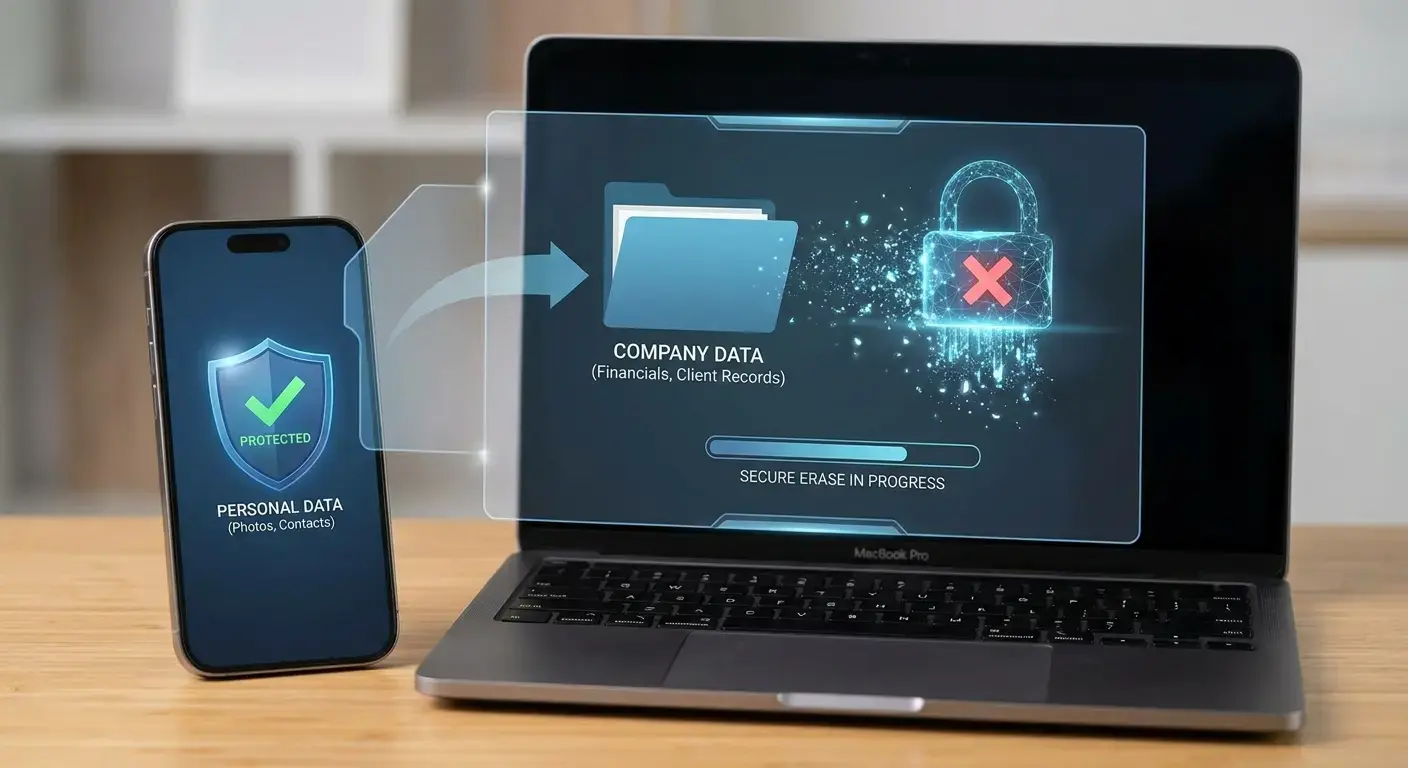
IT asset disposal (ITAD) is the controlled process for retiring company-owned technology at the end of its useful life — and it begins with device recovery, not recycling. A defensible ITAD process gets the physical device back, reconciles it against the asset register, assesses whether it can be repaired, redeployed or resold, sanitizes the data to an approved standard, routes whatever remains through a compliant recycling channel, and records the final outcome against the individual serial number. Recycling is one possible ending. It is not the process.
Key takeaways
- A retired device has four possible outcomes: repair and redeploy, resell, sanitize and recycle, or - the most common one in practice - nothing.
- ITAD is not e-waste recycling. Recycling is a final disposition inside the ITAD process, and assessment comes before it.
- The current U.S. reference for wiping data is NIST SP 800-88 Revision 2, published September 2025. It replaced Revision 1 and shifted emphasis toward organization-wide sanitization programs, validation and vendor assurance.
- Ordinary file deletion is not sanitization, and physical destruction is not automatically required for every retired laptop.
- The record that matters is serial-level, not pallet-level. If you cannot enter a serial number and prove the device’s final outcome, the lifecycle is not closed.
- Offboarding and device retrieval is one of the three most common topics distributed IT teams raise unprompted - 795 of 3,977 customer calls, or 22.6% (GroWrk Call Intelligence — analysis of 3,977 customer calls, April 2024 – August 2026).
What is IT asset disposal (ITAD), and how is it different from e-waste recycling?
IT asset disposal is the decision-and-control process that determines what should happen to a retired IT asset. A complete ITAD process can include device recovery, inventory reconciliation, technical assessment, repair, redeployment, resale, data sanitization, recycling, and final disposition documentation.
E-waste recycling is one possible final outcome. ITAD is the process that decides whether the device should get there at all.
That distinction matters commercially, because a laptop that is recyclable may also be repairable, reusable or resellable. Sending every refreshed device straight to a recycler destroys value the company has already paid for. It also matters for audit: a recycler can tell you a shipment was processed, but only your own IT asset management record can tell you what happened to a specific machine.
| ITAD | E-waste recycling | Certified data destruction | |
|---|---|---|---|
| What it is | The full retirement process for an IT asset | One possible final disposition | A documented method applied to data-bearing media |
| Scope | Recovery, assessment, disposition, evidence | Materials recovery and safe processing | Sanitization or destruction of a drive |
| Owner | IT, security, finance and operations together | A certified downstream processor | An internal team or a vendor |
| Evidence produced | Serial-level disposition history | Often a batch or shipment certificate | A sanitization or destruction record |
What should companies do with old laptops? The four end-of-life paths
At end of life, a company device should follow one of three managed paths: repair and redeploy, resell, or securely sanitize and recycle. In practice there is a fourth path that nobody chooses on purpose: the device stays in a drawer, in a warehouse, or with a former employee.
| Path | When it makes sense | Business outcome |
|---|---|---|
| Repair and redeploy | The device still has useful life or can be economically repaired | Extends useful life and avoids an unnecessary replacement purchase |
| Resell or buy back | The device has residual market value but is no longer needed internally | Recovers value after secure data sanitization |
| Sanitize and recycle | The device has reached true end of life | Protects data and sends hardware through an appropriate recycling channel |
| Do nothing | No owner or disposition process exists | Leaves an unresolved asset, an open data risk, and value you already paid for |
The important point is that recycling is not automatically the first step. Assessment comes before disposal, and recovery comes before assessment. A company cannot repair, redeploy, donate or resell a laptop it never gets back — which is why device lifecycle management and end-of-life outcomes are the same problem, not two adjacent ones.
What actually happens during the IT asset disposal process?
A strong IT asset disposal process has six steps, in this order.
1. Recover the device
Retirement should be triggered by an event: employee offboarding, a hardware refresh, device failure, lease expiration, or a security decision. For a distributed company, that trigger usually means retrieving a laptop from someone’s home before anything else can happen. Until the physical device is back under company control, it cannot be inspected, sanitized, redeployed, resold or recycled.
2. Reconcile the asset
Confirm exactly what was recovered. At minimum, match the physical device to its serial number, asset ID, assigned employee or location, manufacturer and model, and ownership or lease status. This is the step where asset records and physical reality reconnect — and where most inventories turn out to be wrong.
3. Assess the device before disposing of it
Inspect the device technically and cosmetically, then answer five questions: Does it work? Can it be repaired? Is it still under warranty? Is the repair economically sensible? Does it have resale value? A device that looks unusable may need only a battery, display or keyboard before returning to service and deferring a new laptop procurement cycle.
4. Choose the disposition path
The assessment should produce an explicit decision: redeploy it, sell it, or retire it permanently. For devices being redeployed or transferred internally, the data-handling requirement is set by company security policy and the sensitivity of what was stored. For devices leaving company control, secure sanitization happens before resale, donation, recycling or any other transfer.
5. Sanitize the data and validate the result
Deleting files, emptying a recycle bin or running an ordinary factory reset should not be assumed to constitute secure data sanitization.
The current NIST reference is NIST Special Publication 800-88 Revision 2, Guidelines for Media Sanitization, published in September 2025, which superseded Revision 1. NIST defines media sanitization as making access to target data infeasible for a given level of effort, and Revision 2 places greater weight on an organization-wide sanitization program, on validating results, and on assurance around methods and vendors. For specific techniques it points organizations to current technical standards such as IEEE 2883 or another organizationally approved standard.
The appropriate method depends on the media, the device, the sensitivity of the information and the organization’s approved security standard. Physical destruction is not automatically required for every retired laptop.
6. Record the final disposition
The process is not complete when the laptop leaves the building. It is complete when the organization can prove what happened to it. For defensibility, keep a disposition or sanitization record mapped to the specific device:
- serial number or unique asset ID
- sanitization or destruction method
- standard or procedure used
- date completed
- provider or responsible party
- validation result
- final disposition
- certificate or supporting record, where applicable
That record is the audit trail between the device in the asset register and its final outcome.
Is deleting files enough before disposing of a laptop?
No. Ordinary file deletion should never be treated as proof that data has been securely sanitized. Deleting a file normally removes the operating system’s reference to that information; it does not necessarily make the underlying data inaccessible to recovery techniques. A proper process uses an approved sanitization method appropriate to the storage technology and data sensitivity, validates the result, and records it. NIST SP 800-88 Rev. 2 defines sanitization around making access to the target data infeasible — not around making files disappear from a user interface.
What is certified data destruction?
Certified data destruction is a documented process showing that data-bearing media was destroyed or sanitized according to a defined method or standard. The distinction inside that phrase matters: a laptop that was securely erased and later resold was sanitized, not destroyed. A drive that was shredded, disintegrated or otherwise rendered unusable was destroyed. Records should describe what actually happened rather than using “data destruction” as a generic label for every disposition method.
The batch-versus-serial problem
A recycler may provide a certificate showing that a pallet or shipment of devices was processed. That answers the question “what happened to this batch?” It may not answer “what happened to laptop serial number XYZ123?”
That gap becomes expensive the moment a security team, auditor, customer or incident-response team asks about one specific device. Certified wipe, SOC 2 and destruction evidence came up unprompted in 425 of 3,977 customer calls (12.1%) in GroWrk’s call corpus — usually not as a philosophical question, but because someone had been asked for proof and could not produce it at the device level.
The useful test is simple: can you enter a serial number and prove that device’s final outcome?
What does ITAD compliance actually require?
ITAD compliance is not one certification. It is the combination of data-security controls, privacy obligations, environmental rules, internal policies, vendor controls and evidence that apply to a given device in a given jurisdiction. The exact requirements depend on where the device is, what data it holds, and how it will be disposed of.
Data sanitization
Use an approved media-sanitization program appropriate to the sensitivity of your information. NIST SP 800-88 Rev. 2 is the current U.S. reference point, and its shift toward enterprise sanitization programs, validation and vendor assurance is the part most organizations have not yet operationalized.
Information security
Information-security frameworks also shape how devices are controlled through end of life. ISO/IEC 27001 sets requirements for information-security management systems; ISO/IEC 27040 covers storage security across the life of storage devices, including after end of use. Neither framework should be read as requiring one specific disposal vendor or one specific destruction method.
Privacy
Devices carry personal data even when their purpose is ordinary employee work. For organizations subject to GDPR, the relevant principles include storage limitation, integrity and confidentiality, and accountability: personal data should not be kept longer than necessary, and organizations must implement appropriate safeguards against unauthorized processing, loss, destruction or damage. An uncollected laptop full of unnecessary personal data is a data-governance problem as much as an asset-management one.
E-waste and environmental rules
Electronic-waste requirements vary by jurisdiction. In the EU, the WEEE Directive sets the legal framework for waste electrical and electronic equipment, implemented through member-state regimes. The United States has no single federal electronics-recycling regime covering every device in every state; the Electronics Recycling Coordination Clearinghouse currently counts 25 states plus the District of Columbia with e-waste laws, and the requirements differ from state to state.
For a global organization the implication is short: a device end-of-life policy can be standardized centrally, but its execution has to be local.
Vendor and recycler certification
Third-party certification helps you evaluate downstream processors. The EPA identifies two accredited certification standards for electronics recyclers: the Responsible Recycling (“R2”) Standard and the e-Stewards Standard. R2v3 covers areas including data sanitization, testing and repair, and materials recovery; e-Stewards covers data security, environmental management and downstream processing.
Vendor certification is useful assurance. It does not transfer the company’s own responsibility to know which device was processed and what happened to it.
Can companies resell used laptops, and is reuse better than recycling?
Yes - company-owned laptops can usually be resold if the organization has the right to sell them and the devices are suitable for resale. Before resale, confirm five things:
- ownership, and any lease or financing restrictions;
- secure data sanitization, completed and validated;
- functional and cosmetic condition, graded honestly;
- applicable tax, export, environmental and local regulatory requirements; and
- documentation of the transfer and the final asset disposition.
A laptop can have little or no remaining accounting value while still carrying real market value. That is exactly why the technical and commercial assessment belongs before the recycling decision, not after it. Buyback terms are also a live sore point for IT teams: resale, buyback and disposal were raised unprompted in 375 of 3,977 customer calls (10.7%), often bluntly — a global talent-marketplace company told us the buyback option their existing vendor offered was “terrible.”
On sustainability, the hierarchy is not controversial: if a device is still safe and useful, extending its life beats treating it as waste. U.S. EPA electronics-stewardship guidance emphasizes reuse, refurbishment and product-life extension alongside recycling. Which makes recovery itself a sustainability control — the recycling vendor at the end of the chain matters far less than whether the device ever comes back.
Why device end-of-life management fails - and what a policy should define
Where ownership fragments
Usually because ownership fragments. IT knows the device exists. Finance has already depreciated it. Security cares about the data. Operations controls logistics. The employee or the warehouse physically holds it. The recycler only sees it once somebody ships it. Without a named owner and a defined trigger, the decision simply never gets made.
This is measurably where distributed IT teams live. In GroWrk’s analysis of 3,977 customer calls, the three most common topics buyers raised before anyone asked them were storage and warehousing (800 calls, 22.8%), offboarding and retrieval (795 calls, 22.6%) and MDM enrollment before shipping (773 calls, 22.0%). All three sit in the middle of the lifecycle — the part between one employee handing a laptop back and the next one receiving it. That middle is where end-of-life decisions either happen or quietly don’t.
For distributed organizations the problem compounds, because recovery, assessment, resale and recycling may each happen in a different country under different rules. The result is an inventory of retired devices with no confirmed final disposition — and a growing set of records that no HRIS integration can reconcile, because the physical devices were never recovered in the first place.
What should a device end-of-life policy include?
A practical device end-of-life policy defines nine things:
- Retirement triggers: offboarding, refresh, failure, lease expiration, security events.
- Recovery ownership: who is accountable for getting the device back.
- Assessment criteria: functionality, repairability, warranty status, age, condition, residual value.
- Disposition rules: when to redeploy, resell, donate, sanitize, destroy or recycle.
- Data-security requirements: approved sanitization methods and validation procedures.
- Local compliance requirements: environmental, privacy, export and e-waste obligations by jurisdiction.
- Required evidence: serial-level disposition records and applicable certificates.
- Exception handling: lost assets, unreachable employees, legal holds, damaged media, unsupported markets.
- Performance metrics: recovery rate, disposition rate, reuse rate, time to disposition, unresolved retired assets.
What is a good device disposition rate?
Device disposition rate is the percentage of retired devices that have reached a documented final outcome. The formula is: documented retired devices ÷ total devices retired in the period × 100.
A device counts as disposed only once its outcome is known — redeployed, resold or transferred, sanitized and recycled, or otherwise retired through an approved documented process. A device still sitting in storage or still with a former employee stays open. The target is 100% documented disposition, even though operational timing means some devices are always in progress.
The point of all of this is not to get rid of old laptops. It is to make a deliberate, secure, economically sensible and documented decision for every device. For each retired asset, IT should be able to answer six questions: Where is it? What condition is it in? What happened to the data? Was value recovered? What was the final disposition? Can we prove it? If any answer is missing, the lifecycle is not finished.
Frequently asked questions about IT asset disposal
What should companies do with old laptops?
Recover and assess them before deciding to dispose of them. Devices with useful life can be repaired and redeployed, or resold after appropriate data sanitization. Devices at true end of life should be securely sanitized or destroyed as required, then sent through an appropriate recycling channel.
What is the IT asset disposal process?
IT asset disposal typically involves six steps: recovery, inventory reconciliation, technical assessment, disposition selection, data sanitization, and documentation of the final outcome including resale or recycling.
Is deleting files enough before disposing of a laptop?
No. Ordinary file deletion should not be assumed to securely sanitize a storage device. Use an approved sanitization method appropriate to the media and data sensitivity, validate the result, and keep the record.
What is NIST 800-88?
NIST SP 800-88 is the U.S. National Institute of Standards and Technology’s guidance for media sanitization. The current version is NIST SP 800-88 Revision 2, published in September 2025, which superseded Revision 1.
Do laptops need to be physically destroyed?
Not always. The appropriate method depends on the storage media, data sensitivity, reuse plans, security policy and applicable requirements. Secure sanitization allows many devices to be safely redeployed or resold instead of destroyed.
What is a certificate of data destruction?
It is documentation showing that data-bearing equipment or media was processed using a defined destruction or sanitization procedure. For real auditability, the record should identify the specific device or media, the method, the date, the responsible party and the result.
What are the e-waste rules for company devices?
They depend on jurisdiction. The EU operates under the WEEE framework; in the U.S., 25 states plus the District of Columbia have e-waste laws with differing requirements. Global companies need local execution underneath one consistent global disposition policy.
How do distributed companies handle IT asset disposal across countries?
Either by managing individual vendors in each country, or by using a global device-lifecycle provider that coordinates recovery, assessment, sanitization, resale and recycling while keeping consistent asset-level records across every market.
What is the difference between ITAD and e-waste recycling?
ITAD is the complete process for deciding and documenting what happens to a retired IT asset. Recycling is one possible final disposition within that process.
What is the most important ITAD record to keep?
The serial-level disposition record: a history showing what happened to an individual device, when, who processed it, and what evidence supports the final outcome.
GroWrk manages device lifecycle operations for distributed teams across 150+ countries, including device recovery, technical assessment, redeployment, resale and end-of-life coordination. Specific sanitization, certification and disposal requirements vary by device, provider and market. Buyer data cited above comes from GroWrk Call Intelligence — analysis of 3,977 customer calls, April 2024 – August 2026.