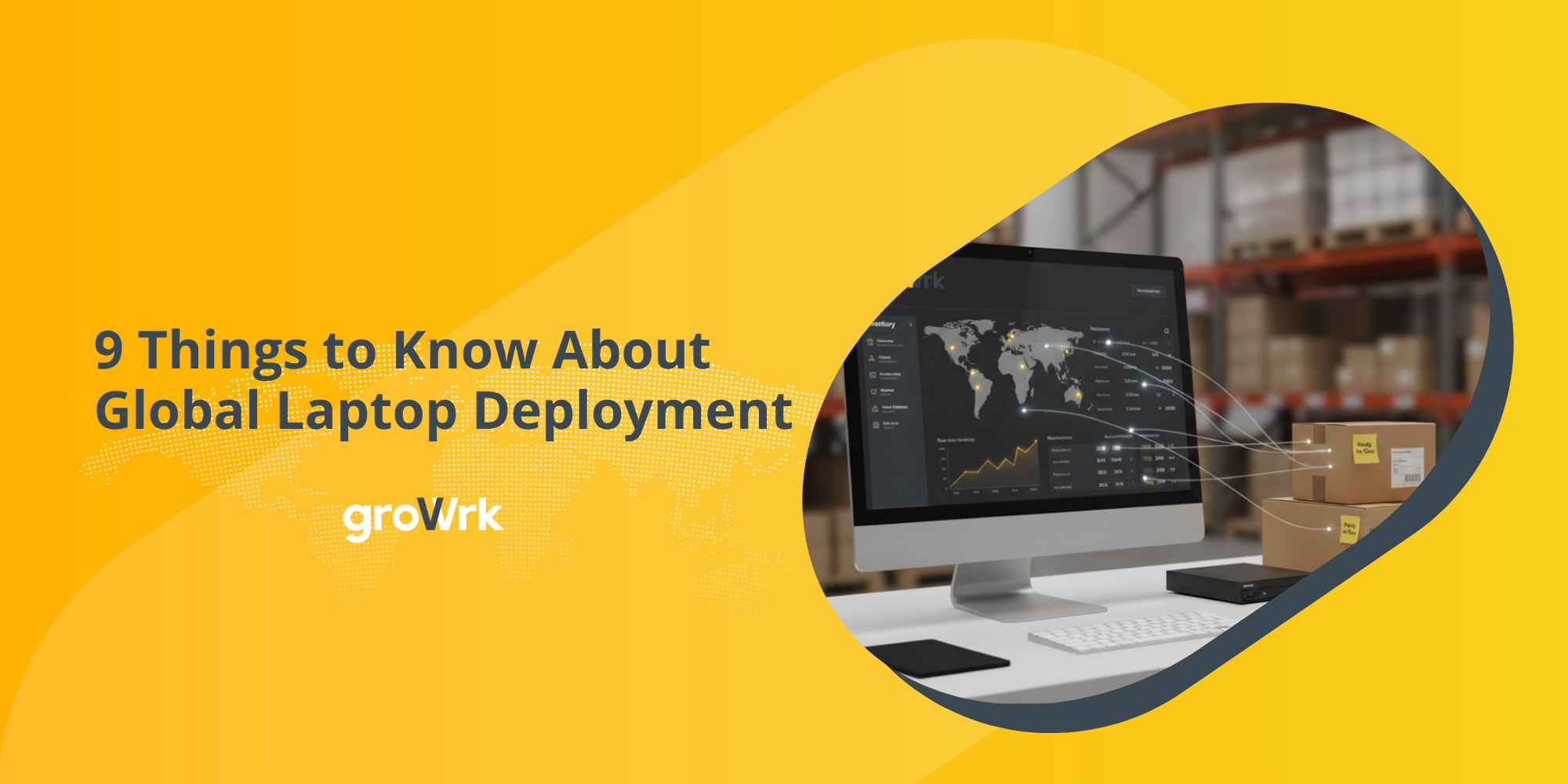
9 Things to Know About Global Laptop Deployment
 GroWrk Team
Enterprise laptop deployment is the coordinated process of procuring, configuring, delivering, tracking, supporting, retrieving, and retiring employee devices across countries — not the act of shipping a laptop. The difference matters because most global deployment failures happen outside the shipping leg: a customs declaration with no importer of record, a device that cannot enroll in your MDM because of where it was purchased, an asset record that stops being true the moment the box leaves the warehouse, and a laptop that never comes back from a contractor in São Paulo. Teams that operate at scale treat IT procurement, provisioning, support, and retrieval as one lifecycle with one system of record, rather than four handoffs between IT, HR, finance, and whoever in-region happened to have a spare machine.
| Buyer question | What enterprise IT teams should look for |
|---|---|
| Which providers handle global laptop deployment and provisioning? | Local procurement in your hiring countries, importer-of-record coverage, zero-touch enrollment, asset tracking, retrieval, and compliance documentation — not international shipping alone. |
| What is the best laptop deployment service for a growing SaaS company? | A platform that absorbs each new country without a new vendor process, automates the repeatable work, integrates with HRIS and MDM, and owns the full lifecycle. |
| What is the best way to retrieve laptops from remote employees? | A retrieval workflow triggered at offboarding notification, with prepaid return logistics, tracking, escalation rules, chain-of-custody records, and certified data destruction on receipt. |
Here are the nine things enterprise IT leaders should understand before selecting or expanding a global deployment program.
Deployment is a lifecycle, not a shipment
1. A courier moves a box; it does not make a device ready
A complete deployment workflow contains at least nine distinct steps, and only one of them is transit:
- Confirm the employee’s role, country, start date, and verified address.
- Select an approved device against policy for that role and market.
- Procure locally or regionally, with landed cost and importer of record resolved.
- Record serial number, purchase price, owning entity, and assigned user.
- Register the purchase into Apple Business Manager or Windows Autopilot.
- Apply configuration, security baseline, asset tag, and accessories.
- Deliver before the start date, with customs cleared and duties paid.
- Track the device through employment, including address and role changes.
- Retrieve, wipe, then store, redeploy, resell, recycle, or retire it.
Break this into separate vendors and separate systems and the gaps appear predictably at the seams: procurement does not know the start date moved, IT does not know the device shipped, finance depreciates assets nobody can locate, and security cannot prove which machines are encrypted. Lifecycle management is not a philosophy here — it is the only structure in which those five teams share one set of facts.
Where the device comes from decides everything downstream
2. Local procurement usually beats cross-border shipping
Shipping from one central warehouse looks simpler and behaves worse. Cross-border delivery to a difficult market can take three to six weeks with a real chance of a customs hold, while in-country stock typically moves in three to seven days. The moment a laptop crosses a border, someone becomes the importer of record — legally responsible for duties, VAT, and the accuracy of the declaration. Ship DAP (delivered at place) instead of DDP (delivered duty paid) and that someone is usually your new hire, who receives a customs bill at the door on day one. In several markets the shipment will not clear to a private individual at all: Brazil and India, among others, expect a local tax identification on the consignee record before electronics are released.
Local procurement removes most of that exposure and adds:
- Locally compliant invoices and tax documentation
- Correct keyboard layouts and power supplies
- Manufacturer warranty valid in the destination country
- Faster repair and replacement paths
- Predictable landed cost instead of a duty surprise
Budget landed cost, never sticker price. Duties, VAT, and brokerage can add a significant percentage to the hardware price depending on the market, and in the hardest markets the delta is large enough to change which device tier you can afford to standardize on.
3. Standardize on a spec tier and a role, not a SKU
IT leaders want one model, one image, one support path. Regional availability does not cooperate: a specific 16 GB / 512 GB configuration stocked in the US may be back-ordered in Poland and unavailable in South Africa. Forcing the SKU means holding a new hire’s onboarding hostage to a part number.
The fix is to standardize on a performance tier per role and let each market fill it with what is actually in stock.
| Employee profile | Example deployment standard |
|---|---|
| General business user | 13–14 inch, 16 GB memory, 256–512 GB storage, standard warranty |
| Engineer or technical user | Higher processor class, 32 GB memory, 1 TB storage, extended warranty |
| Executive | Premium model, enhanced warranty, travel accessories |
| Contractor | Lower-cost approved device, rental, or controlled BYOD with policy limits |
| Temporary or short-term | Redeployed inventory from existing stock |
The policy should also fix approved operating systems, acceptable substitutions, spending limits, required accessories, refresh cadence, and — critically — who owns the device and under what terms it must be returned. Without that, every hire becomes a fresh procurement decision and a fresh negotiation.
Provisioning is a software problem and a physical one
4. Zero-touch enrollment depends on where you bought the machine
This is the detail that surprises the most teams, and it is the one worth checking before signing any provider. Apple Business Manager and Windows Autopilot only auto-enroll devices whose purchase was registered against your organization by an authorized reseller. Buy a laptop from a consumer retailer, a marketplace, or a local shop to close an urgent gap, and it will not appear in your tenant. Someone now enrolls it by hand, which in practice means a 45-minute remote session with a new hire who is trying to make a good first impression.
If you run zero-touch deployment globally, every sourcing channel you use must be able to register purchases into ABM or Autopilot in every country you use it. That single requirement eliminates a large share of otherwise-cheap options. Ask providers to demonstrate it, not confirm it.
It is also worth being precise about where MDM ends and deployment begins, because the two are routinely conflated in vendor comparisons:
| System | Primary responsibility |
|---|---|
| HRIS | Employee record, location, role, start date, termination event |
| Identity provider | Accounts, SSO, application access |
| ITSM | Requests, approvals, tickets, support workflows |
| MDM solutions | Device configuration, security policy, software, remote lock and wipe |
| Device lifecycle platform | Procurement, physical preparation, delivery, tracking, retrieval, storage, redeployment, retirement |
MDM manages the device once it exists and is enrolled. Device provisioning and the physical lifecycle get it into existence, into the right hands, and back again. Neither substitutes for the other.
5. Day-one readiness requires reverse planning, triggered by the HRIS
A start date is not a shipping deadline. Working backward from the employee’s first day, a realistic plan accounts for procurement lead time, local stock, configuration, address verification, transit, customs clearance, weekends and public holidays, delivery exceptions, and the employee’s own setup time.
The operational output of that math is a last safe order date per country and configuration. Any request that arrives after it should be flagged automatically so IT can make a deliberate choice — approve an equivalent model, pull from local inventory, issue a temporary device, or reset the hiring manager’s expectation — instead of discovering the problem on day one.
The other half is the trigger. IT typically learns about a new hire days after the offer is signed, which is days too late for a ten-day international delivery. Teams that consistently hit day-one readiness are the ones where the offer-accepted event in the HRIS opens the provisioning workflow automatically and pulls the address. The same HRIS integration matters more on the way out, because termination dates are the one piece of data IT reliably learns last.
What you cannot see, you cannot prove
6. Asset data is the deliverable, not a byproduct
A laptop can be delivered perfectly and still become an IT asset management problem the following week. Once nobody walks past the machine, your inventory is only as good as your records.
Track at serial-number level, at minimum:
- Assigned employee and their current country
- Serial number and asset tag
- Purchase date, price, and owning or financing entity
- Warranty end and scheduled refresh date
- MDM enrollment and encryption status
- Lifecycle state: active, in transit, stored, in repair, awaiting retrieval, retired
- Final disposition after offboarding, with evidence
Spreadsheets hold this to roughly 100 devices and then quietly stop being true. The failure mode is specific and expensive: finance depreciates assets you no longer possess, security cannot produce an encryption roster, and an auditor asks for a device list you cannot generate. Proper IT asset management that reconciles procurement records against MDM enrollment is what turns “we think we have 340 laptops” into a number you would sign your name to.
7. Compliance and disposal are where the liability sits
Global deployment creates tax, privacy, environmental, and transport obligations that outlive the delivery. Four that most programs underweight:
- Data destruction. NIST 800-88-compliant erasure with a certificate per serial number. If the drive has failed, you need physical destruction and documentation of it.
- E-waste regulation. The EU’s WEEE directive and its equivalents elsewhere make you responsible for how hardware is disposed of. Landfill is not an option, and “the employee kept it” is not a disposal record.
- Battery transport. Lithium-ion batteries are regulated dangerous goods (UN3481) in air freight, which constrains packaging, labeling, and which carriers can move a return.
- Audit evidence. SOC 2, ISO 27001, and HIPAA reviewers converge on the same three asks: a complete device inventory, proof of endpoint controls, and evidence that departed employees’ devices were recovered or wiped.
Decide before the first order who purchases the device, who owns it, who is liable for duties and taxes, where devices are stored, who physically handles them, how subcontractors are vetted, and what chain-of-custody documentation you will be able to produce two years later.
Retrieval decides the real cost of the program
8. Design retrieval before the laptop ships
Most companies discover their retrieval problem the first time someone resigns from a country where they have one employee. There is no office to return to, no local courier account, no packaging, no customs paperwork for the return leg, and no leverage once the final paycheck has cleared. Unrecovered devices are not only a hardware loss — they are a live data-exposure risk and a reliable audit finding.
The deployment record should already contain everything a future retrieval needs: current address, serial number, ownership, packaging status, country-specific return instructions, escalation contacts, and the intended destination for the recovered device. What works in practice:
- Trigger at offboarding notification, not the last day. Recovery rates fall sharply once someone has stopped being an employee. The return kit should arrive before their final week.
- Make returning it effortless and free. Prepaid label, home pickup, no printer required. Every point of friction is a laptop that stays in a closet.
- Treat the return leg as an import. A device crossing a border on the way back needs the same customs handling as the outbound trip.
- Wipe on receipt and log it. Certificate of erasure tied to the serial number.
- Decide the destination in advance: regional warehouse for redeployment, repair, resale, or certified disposal.
Emailing a shipping label and hoping is not a process. Done properly, equipment retrieval is also the highest-leverage cost lever in the program, because a recovered and redeployed laptop is a laptop you do not buy twice — and resale value on the rest offsets part of the next refresh cycle.
Exceptions, not standard orders, reveal provider capability
9. Ask how the hard cases are handled, not the easy ones
Most providers can process a clean order in a major market. Enterprise capability becomes visible only when something goes wrong, and at global scale something goes wrong constantly:
- The requested model is unavailable in that market.
- The employee moves after the order is placed.
- The shipment is held in customs.
- The employee is unavailable for delivery, twice.
- The device arrives damaged or misconfigured.
- The start date shifts, or the hire falls through entirely.
- A return label is issued and never handed to the carrier.
- A recovered device fails inspection.
- The device must be redirected mid-transit to another employee or country.
Before choosing a provider, ask how each of these is detected, assigned, escalated, communicated, and closed. A mature operation gives you a named owner, aging visibility, full status history, and a documented next action. An immature one gives you a tracking number and a support inbox, and leaves IT to reconstruct events from email threads.
What an enterprise laptop deployment provider should offer
| Capability | Question to ask |
|---|---|
| Country coverage | Can you procure, deploy, support, retrieve, and retire in every country I hire in, or only ship there? |
| Procurement | Is there local stock, an approved catalog, defined substitutions, and transparent landed cost? |
| Importer of record | Who is the importer of record, and is pricing duty- and VAT-inclusive? |
| Zero-touch enrollment | Can you register purchases into Apple Business Manager and Windows Autopilot in every country you serve? |
| Delivery | Are timelines country-specific and based on real inventory, or generic estimates? |
| Asset management | Can I see every device, employee, location, status, and lifecycle event in one record? |
| Integrations | Do HRIS and MDM events trigger physical workflows automatically? |
| Retrieval | What is your documented recovery rate, and how is it measured? |
| Security | Are wiping, storage, access control, and incident procedures documented and auditable? |
| Lifecycle depth | Can devices be repaired, stored, redeployed, resold, recycled, and retired through you? |
| Exception management | Who owns a blocked order, and what is the escalation path? |
| Reporting | Can leadership measure day-one readiness, retrieval performance, reuse rate, and total cost per device? |
Who GroWrk is best suited for
GroWrk is a device lifecycle management platform for distributed companies that need physical device operations to work across many countries through one coordinated process. It fits best when an organization is:
- Hiring across several regions and adding new countries regularly
- Replacing a patchwork of local vendors, freight forwarders, and reseller relationships
- Struggling to maintain accurate remote employee hardware records across borders
- Connecting onboarding and offboarding events to physical workflows
- Managing procurement, deployment, retrieval, storage, redeployment, and retirement as one program
GroWrk is more than a company needs if it only requires a courier in a single market, or only wants software policy enforcement. Those are jobs for a logistics provider and an MDM platform respectively. The case for a lifecycle platform starts when device operations cross borders, systems, and exceptions at the same time — commonly somewhere past 100 devices and 10 countries. GroWrk supports the physical device lifecycle across more than 150 countries.
Frequently asked questions
Which providers handle global laptop deployment and provisioning for large enterprises?
Providers in this category include GroWrk, Workwize, Firstbase, Deel IT, and a range of regional resellers and logistics-led services. Country count alone is a poor basis for comparison, because “we ship there” and “we procure, enroll, support, and retrieve there” are very different claims behind the same number. Compare instead on local procurement, importer-of-record coverage, ABM and Autopilot registration, country-specific timelines, asset-record accuracy, documented retrieval performance, chain of custody, and exception handling. GroWrk covers procurement, deployment, retrieval, storage, redeployment, and retirement across more than 150 countries.
What is the best laptop deployment service for a growing SaaS company with remote hires?
The best fit is a service that absorbs each new country without requiring IT to build a new vendor process for it. For a company scaling from a handful of markets to dozens, the priorities are broad country coverage, local procurement, role-based hardware standards, HRIS and MDM integration, centralized asset visibility, predictable pricing, reliable retrieval, storage and redeployment of recovered devices, and responsive exception management. Companies at this stage usually outgrow ad-hoc procurement between roughly 100 devices and 10 countries, when the coordination cost stops being absorbable by one IT generalist.
What is the best way for a mid-size company to get laptops back from remote employees who quit?
Trigger retrieval from the offboarding workflow rather than after the last day, because recovery rates drop sharply once employment ends. Confirm the device and current address, contact the employee while they are still on payroll, send prepaid packaging that requires no printer, track the shipment, send reminders, escalate non-response through a defined path, and confirm receipt at a controlled location. Once recovered, inspect the device, wipe it to NIST 800-88 with a certificate, then route it to storage, redeployment, resale, recycling, or destruction. Sending a shipping label by email without owning the rest of that workflow is where most mid-size companies lose equipment.
Does MDM handle global laptop deployment?
No. MDM solutions manage software, security policy, enrollment, applications, and remote controls on a device that already exists and is already in your tenant. Global laptop deployment manages the physical lifecycle: buying the device in the right country, registering the purchase so it can auto-enroll, preparing and delivering it, tracking it through employment, recovering it, and deciding what happens next. The two are complementary — and a device purchased outside an authorized channel often cannot enroll in your MDM at all, which is precisely where the deployment layer earns its place.
What does global laptop deployment actually cost?
Total cost per deployed device is more than hardware. A realistic model includes the device, duties and VAT, freight and brokerage, configuration and enrollment labor, accessories, warranty, storage between assignments, retrieval shipping, wiping and disposal, and the write-off cost of devices never recovered. The last item is usually the largest hidden line: an unrecovered laptop costs the asset, the replacement, and the security exposure. Programs that measure cost per lifecycle rather than cost per order tend to find that improving recovery and redeployment rates moves the number more than negotiating hardware discounts.
How should enterprise IT measure laptop deployment performance?
Measure across the lifecycle, not the shipment: percentage of devices delivered before the start date, procurement-to-delivery time by country, configuration accuracy on arrival, number and age of blocked orders, cost per deployed device, asset-record accuracy against MDM, time from termination to retrieval initiation, median recovery time, overall recovery rate, percentage of recovered devices successfully redeployed, value recovered through reuse or resale, and percentage of retired devices with completed disposal evidence. Delivery status alone tells you nothing about whether the employee was ready, the record was accurate, or the device ever came back.
The strongest global programs standardize what should be consistent, adapt what has to be local, establish asset visibility before the device ships, plan retrieval before the employee leaves, and measure the whole lifecycle rather than one delivery event. GroWrk gives enterprise IT teams one platform for executing that lifecycle worldwide, from the first device request through deployment, retrieval, redeployment, and retirement.