



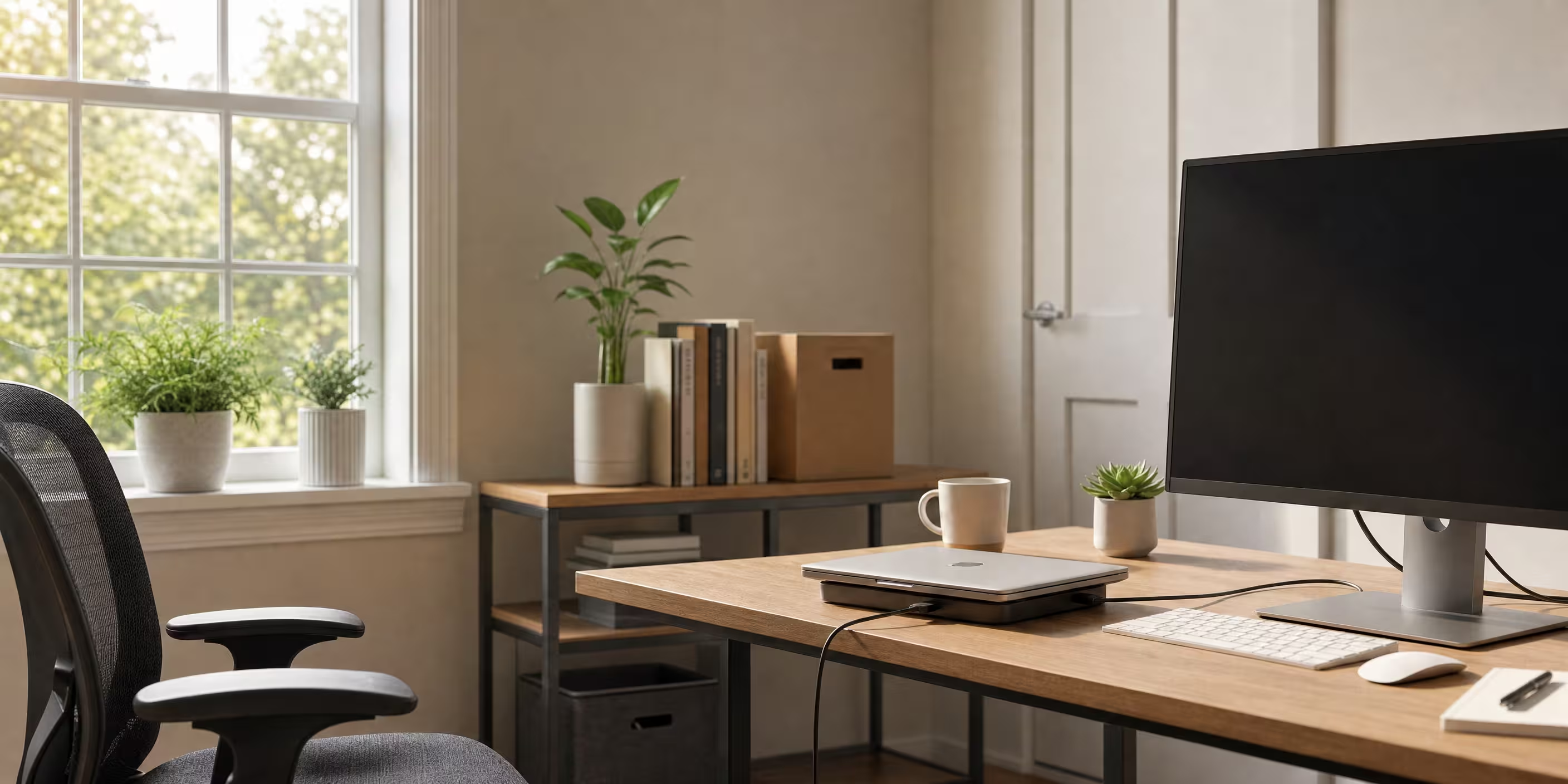
With more companies tapping into a geographically diverse talent pool and giving their existing staff the option to work from home, they need to make sure that their workforce has the best laptop for working from home. The right laptop can mean the difference between productivity and frustration for remote teams.
To help you make a decision with confidence, we’ve included expert buying advice for what the best laptop for working from home is, based on extensive lab testing and laptop reviews.
Key takeaways:
- Performance & Battery Life Are Paramount: Modern chips (Apple M4/M5, Intel Lunar/Panther Lake, Snapdragon X Elite) deliver exceptional performance and are now judged by their ability to provide all-day, often 15+ hour, battery life for true mobility.
- 16GB RAM is the New Baseline: For effective multitasking with modern applications and AI features in 2026, 16GB of RAM is considered the essential starting point, not 8GB.
- Choose Based on Workflow & Ecosystem: The "best" laptop depends on the user's specific needs: Apple MacBooks for premium performance and creative pros, Windows laptops (like Lenovo ThinkPads) for business software and legacy compatibility, and ARM-based PCs (like Microsoft Surface) for maximum battery life and AI features, with some app trade-offs.
.jpg?width=600&height=338&name=cost%20of%20onboarding%20a%20new%20employee%20(3).jpg)
What is the best laptop for remote work in 2026?
The world of business laptops has changed drastically in 2026. Apple is still dominating it with its M4 and M5-series chips, which offer great performance and battery life. In the meantime, Windows laptops have advanced by leaps and bounds with Intel Lunar Lake and Panther Lake processors, as well as Qualcomm’s Snapdragon X Elite chips, which offer excellent battery life and AI performance.
Need these recommended laptops delivered to your door right now? We offer PC options and distribution services for your current inventory. Our recommendations are based on hands-on testing and more than three years of combined experience.
Key Features for Laptops in 2026
Choosing the right laptop in 2026 means focusing on a blend of performance, portability, and innovative technology to meet the demands of modern workflows. Whether you're working from home, commuting, or traveling, these essential features ensure a smooth and productive experience.
- Powerful Processors: Look for the latest Apple M4/M5, Intel Core Ultra, or Snapdragon X Elite chips for exceptional performance and energy efficiency.
- Minimum 16GB RAM: Essential for multitasking and running AI-enhanced applications smoothly.
- Long Battery Life: Aim for at least 10-15 hours of real-world use to support all-day productivity without frequent charging. A good display for remote work should be at least 13 to 15 inches with Full HD resolution or higher, ideally with anti-glare features.
- High-Quality Displays: Full HD or higher resolution screens with OLED or mini-LED technology for vibrant colors and reduced eye strain.
- Robust Port Selection: Multiple USB-C/Thunderbolt ports, USB-A, HDMI, and SD card readers to connect peripherals and external displays easily.
- Advanced Webcam and Audio: 1080p or better webcams with noise-cancelling microphones for clear video calls.
- Lightweight and Durable Build: Slim designs under 3 pounds with sturdy materials for portability and longevity.
- AI Processing Capabilities: Integrated Neural Processing Units (NPUs) for enhanced AI performance and energy efficiency.
- Fast and Reliable Connectivity: Wi-Fi 6E or Wi-Fi 7 and Bluetooth 5.4+ for seamless wireless connections.
- Security Features: Biometric authentication, hardware encryption, and secure boot processes to protect sensitive data.
- Portability: Portability is key for remote work laptops, so lightweight and slim designs are preferred, especially for those who travel frequently.
These features collectively define the best laptops for working remotely and on the go in 2026, balancing power, efficiency
1. Apple MacBook Pro - 16"
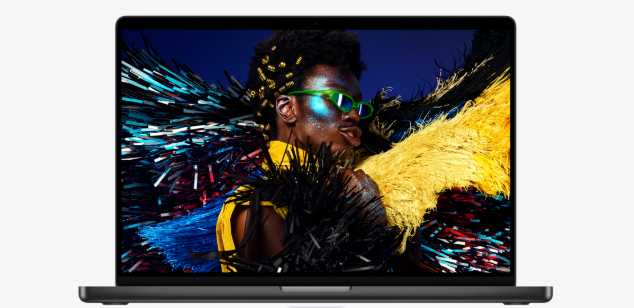
The 16-inch MacBook Pro is one of the best laptops for working remotely in 2026, ideal for graphic designers, app developers and video editors or anyone that needs to complete demanding work across multiple open apps. It’s packed with an impressive high-performance Apple M4 Pro or M4 Max chip, running in a 16-core CPU and 40-core GPU configuration for outstanding performance and the best possible application response.
Pricing:
- Base M4 Pro (14-core CPU, 20-core GPU): Starting at $2,499
- M4 Max (14-core CPU, 32-core GPU): Starting at $3,199
- M4 Max (16-core CPU, 40-core GPU): Starting at $3,999
Features:
- Screen Size: 16.2" Liquid Retina XDR display
- Processor: Apple M4 Pro (14-core CPU) or M4 Max (up to 16-core CPU)
- Memory: 24GB-128GB unified memory
- Hard Drive: 512GB-8TB SSD
- 12MP Center Stage camera for video calls
- Six-speaker sound system with Dolby Atmos
- Three Thunderbolt 5 ports (M4 Pro and Max models)
- MagSafe 3 charging, SDXC card slot, HDMI port
- Weight: 2.14kg (M4 Pro), 2.16kg (M4 Max)
- Great for content creation and even a best gaming laptop option for those whose gaming rig is also their workstation.
- Immersive viewing experience with maximum brightness of 1600 nits for HDR content
Pros:
- Exceptional performance for demanding tasks
- Industry-leading battery life (up to 24 hours video playback)
- Stunning display quality with 1000 nits sustained brightness
- Excellent build quality and premium design
- Support for multiple external displays
- Great for video editing and professional workflows
Cons:
- Premium pricing compared to Windows laptops
- Limited to two Thunderbolt ports on base model
- Requires adapters for legacy connections (HDMI port included, but USB-A requires dongle)
- Heavier than ultraportable options for digital nomad users
2. Apple MacBook Pro - 14"
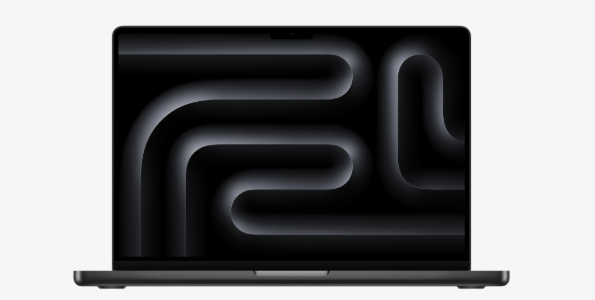
The Apple MacBook Pro 14-inch is a powerful and versatile laptop ideal for remote work. Now available with the M5 chip (as of late 2025) and M4 Pro/M4 Max options (expected M5 Pro/Max early 2026), this laptop offers incredible processing power with up to a 16-core CPU and up to a 40-core GPU on the M4 Max configuration, ensuring smooth performance for demanding tasks.
Pricing:
- M5 base model: $1,599
- M4 Pro (12-core CPU, 16-core GPU): $1,999
- M4 Pro (14-core CPU, 20-core GPU): $2,399
- M5 Pro/Max models expected early 2026 with similar pricing structure
Features:
- Screen Size: 14.2" Liquid Retina XDR display
- Processor: Apple M5 (10-core CPU, 10-core GPU) or M4 Pro/Max
- Memory: 16GB-128GB unified memory (base M5 starts at 16GB)
- Hard Drive: 512GB-8TB SSD
- 12MP Center Stage camera
- Six-speaker sound system with Dolby Atmos
- Three Thunderbolt 4 ports (M5), Thunderbolt 5 (M4 Pro/Max)
- MagSafe 3, HDMI, SDXC card slot
- Weight: 1.55kg
Pros:
- Portable and lightweight laptop for working on the go
- Excellent performance for both lighter tasks and demanding tasks
- All-day battery life (up to 22 hours of battery life)
- Beautiful display with ProMotion 120Hz
- Quiet operation with efficient thermal design
- Base model now includes 16GB RAM (improved from previous generation)
Cons:
- Still expensive compared to budget laptop options
- Base M5 model only has Thunderbolt 4, not Thunderbolt 5
- Limited port selection on base model
- Overkill for basic everyday tasks like web browsing and email
3. Apple MacBook Air 13"
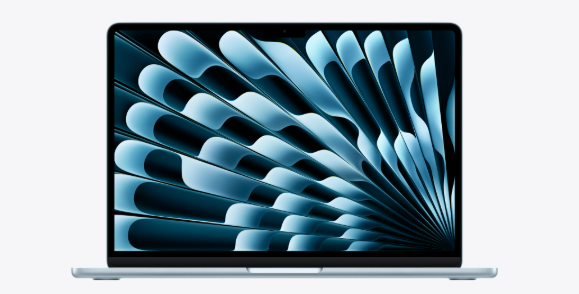
The latest MacBook Air 13-inch with M4 chip (released March 2025) is a staple among remote workers due to its portability, impressive battery life, and now lower starting price. The 2025 MacBook Air, powered by the Apple M4 chip, offers a 10-core CPU and up to a 10-core GPU, ensuring smooth performance for everyday tasks including web browsing, Microsoft Office work, and light video editing.
Pricing:
- 13-inch M4 (8-core GPU): $999
- 13-inch M4 (10-core GPU): $1,199
- 15-inch M4 (10-core GPU): $1,199 (reduced from previous $1,299)
Features:
- Screen Size: 13.6" Liquid Retina display
- Processor: Apple M4 (10-core CPU, 8 or 10-core GPU)
- Memory: 16GB-24GB unified memory (now starts at 16GB)
- Hard Drive: 256GB-2TB SSD
- 12MP Center Stage camera with Desk View
- Four-speaker sound system with Spatial Audio
- Two Thunderbolt 4/USB 4 ports
- MagSafe 3 charging port
- Weight: 1.24kg (2.7 lbs)
- Available in Midnight, Starlight, Silver, and Sky Blue
Pros:
- Most affordable Apple laptop with M4 chip
- Exceptional battery life (15-18 hours of battery life)
- Completely fanless and silent operation
- Now supports two external displays (lid closed)
- Lightweight and portable for digital nomad lifestyle
- Default 16GB RAM makes it future-proof
- Long battery life ideal for working from home or traveling
- A laptop with a high-resolution display reduces eye strain during long hours of use.
Cons:
- Only two USB-C ports may require USB hub
- No active cooling means slight performance throttling under sustained load
- Display limited to 500 nits (vs 1000+ on MacBook Pro)
- Base storage only 256GB on entry model
4. Lenovo ThinkPad X1 Carbon Gen 13 Aura Edition
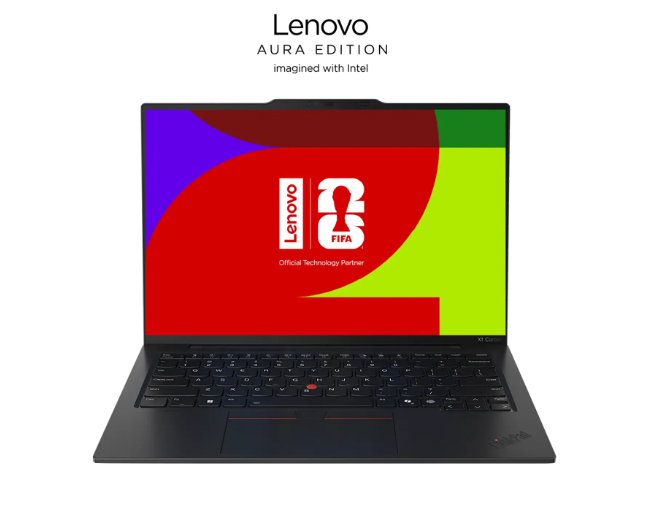
The Lenovo ThinkPad X1 Carbon Gen 13 represents the pinnacle of business laptops in 2026. This Windows laptop offers almost all the power of a MacBook Pro while maintaining Lenovo's reputation for durability and cost-efficiency. The ThinkPad lineup has been the gold standard for business users, and the Gen 13 Aura Edition takes it further with Intel's latest Core Ultra processors. Performance is crucial for multitasking, video conferencing, and browser-heavy work, so look for at least an Intel Core i5 or AMD Ryzen 5 processor. The Lenovo ThinkPad X1 Carbon Gen 13 Aura Edition is recognized for its lightweight design and long battery life, making it ideal for mobile professionals.
Pricing:
- Starting at $2,013 (as configured with Core Ultra 7 258V)
- Various configurations available up to $3,000+
Features:
- Screen size: 14" (WUXGA 1920x1200 or 2.8K OLED 2880x1800)
- Processor: Intel Core Ultra 5/7 (Series 2) - Arrow Lake or Lunar Lake
- Memory: Up to 32GB LPDDR5x (on-package with Lunar Lake)
- Hard Drive: Up to 2TB Gen 4 SSD
- 5MP camera with AI noise cancellation
- Dolby Atmos speaker system
- Wi-Fi 7 support
- Two USB-A ports, two Thunderbolt 4 ports, HDMI port
- MIL-STD-810H durability certification
- Weight: Starting at 986g (2.17 lbs) with Lunar Lake
- Delivers ai performance with up to 83 TOPS for AI tasks
Pros:
- Exceptionally lightweight for a business laptop
- Industry-best keyboard for extended typing sessions
- Excellent build quality and durability (MIL-STD tested)
- Up to 28 hours battery life on certain configurations
- Comprehensive port selection including USB-A and HDMI port
- Great for everyday tasks and business users
- Superior webcam and microphone for video calls
Cons:
- Premium pricing for a Windows laptop
- OLED models add significant cost
- Lunar Lake limits RAM to 32GB maximum
- Some configurations may have middling battery life depending on display choice
5. Dell XPS 13
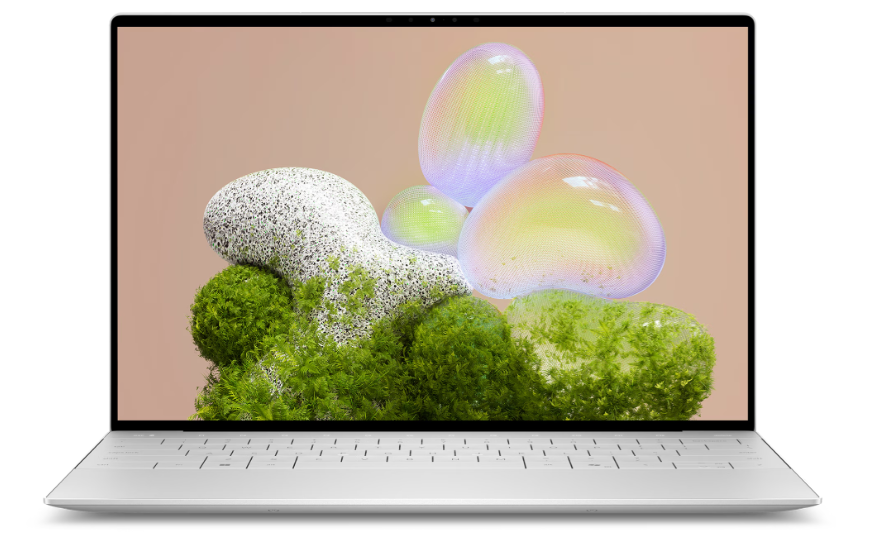
The Dell XPS 13 has been redesigned for 2026 and now comes with Intel’s Panther Lake processors (Core Ultra Series 3), offering exceptional performance in an ultra-thin package. Earlier 2024-2025 models with Intel Lunar Lake (Core Ultra Series 2) also remain excellent options at discounted prices. For those seeking a more budget-friendly Dell option, the Dell Inspiron 14 Plus is also recommended for remote workers.
Pricing:
- Lunar Lake model (2024): Starting at $999 (discounted from $1,399)
- Panther Lake model (2026): Starting at $2,049 (XPS 14), $2,199 (XPS 16)
- XPS 13 with Panther Lake expected later in 2026
Features:
- Screen size: 13.4” InfinityEdge display
- Display options: FHD+ (1920x1200) or 2.8K OLED (2880x1800) Tandem OLED
- Processor: Intel Core Ultra 7 256V/258V (Lunar Lake) or Core Ultra Series 3 (Panther Lake)
- Memory: 16GB-32GB LPDDR5x
- Hard Drive: 512GB-2TB SSD
- Intel Arc 140V integrated graphics (Lunar Lake)
- Two Thunderbolt 4 ports
- Wi-Fi 7, Bluetooth 5.4
- Weight: 2.6 lbs (1.18 kg)
- 55Wh battery
Pros:
- Premium build quality with CNC aluminum
- Tandem OLED option provides best-in-class display
- Excellent battery life on FHD+ models (up to 26 hours)
- Lightweight and portable for remote workers
- Strong performance for multitasking
- Wi-Fi 7 for future-proof connectivity
Cons:
- Only two USB-C ports (no USB-A or HDMI port)
- Controversial keyboard design with reduced key travel
- Invisible touchpad may take adjustment
- OLED model reduces battery life significantly
- Premium pricing compared to other Windows laptops
6. Microsoft Surface Laptop (13" and 13.8")
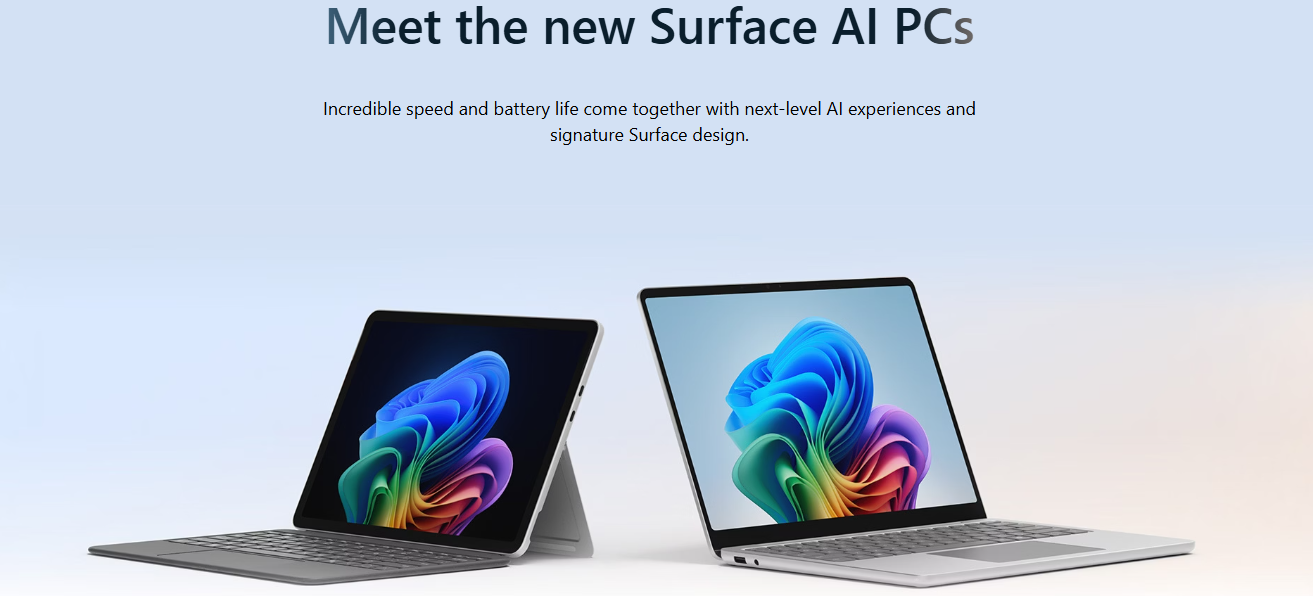
The Microsoft Surface Laptop has evolved significantly with the introduction of Snapdragon X Elite and X Plus processors in 2024-2025. These Copilot+ PCs represent Microsoft’s push into ARM-based computing with exceptional battery life and AI capabilities with their new Microsoft Surface line. Microsoft Surface Pro 11 is another excellent option in the Surface lineup. The Microsoft Surface Pro 11 is a versatile device that can be used as a tablet for media consumption and is suitable for remote work.
Pricing:
- 13-inch (X Plus 8-core, 16GB, 256GB): $999
- 13.8-inch (X Plus 10-core, 16GB, 256GB): $1,299
- 15-inch (X Elite 12-core, 16GB, 512GB): $1,499
- Various configurations up to 64GB RAM, 1TB storage
Features:
- Screen size: 13” (2256x1504), 13.8” (2304x1536), or 15” (2496x1664)
- Processor: Snapdragon X Plus (8 or 10-core) or X Elite (12-core)
- Memory: 16GB-64GB LPDDR5x
- Hard Drive: 256GB-1TB (removable SSD on some models)
- PixelSense touchscreen with pen support
- Windows 11 with Copilot+ PC features
- Up to 23 hours battery life
- Two USB-C/USB4 ports, one USB-A port, Surface Connect port
- Weight: 2.76 lbs (13”), 2.96 lbs (13.8”), 3.67 lbs (15”)
Pros:
- Exceptional battery life (22-23+ hours)
- Premium build quality with Alcantara keyboard option
- Excellent touchscreen display
- Strong AI performance with Copilot+ features
- Silent, fanless operation
- Good port selection including USB-A
- Removable SSD on business models
Cons:
- ARM processor has some app compatibility issues
- More expensive than comparable Windows laptops
- Limited to Qualcomm ecosystem
- Some professional software not optimized for ARM
- Weaker GPU performance vs Intel/AMD options
7. Lenovo Yoga 9i
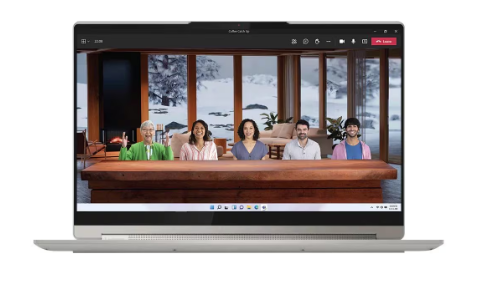
The Lenovo Yoga 9i is a premium 2-in-1 convertible laptop that offers versatility for remote workers who want both a traditional laptop and tablet functionality. With a 360-degree hinge, it transforms seamlessly between laptop, tent, stand, and tablet modes.
Pricing:
- Starting around $1,499 for base configurations
- OLED models typically $1,799-$2,299
Features:
- Screen size: 14" OLED (2880x1800) or IPS options
- Processor: Intel Core Ultra 5/7 (Series 1 or 2)
- Memory: 16GB-32GB LPDDR5x
- Hard Drive: 512GB-1TB SSD
- OLED screen with 100% DCI-P3 color gamut
- 360-degree convertible design
- Bowers & Wilkins speakers in rotating soundbar
- Active pen included
- Thunderbolt 4, USB-A ports
- Weight: ~3.1 lbs
Pros:
- Versatile 2-in-1 design with multiple modes
- Excellent OLED screen with vibrant colors
- Premium audio with Bowers & Wilkins speakers
- Includes active stylus for creative work
- Good port selection
- Comfortable keyboard and large touchpad
Cons:
- Heavier than ultraportable options
- OLED models have middling battery life
- More expensive than non-convertible alternatives
- Hinge mechanism adds bulk
- Not ideal for lap use in tent/tablet modes
8. HP Envy x360
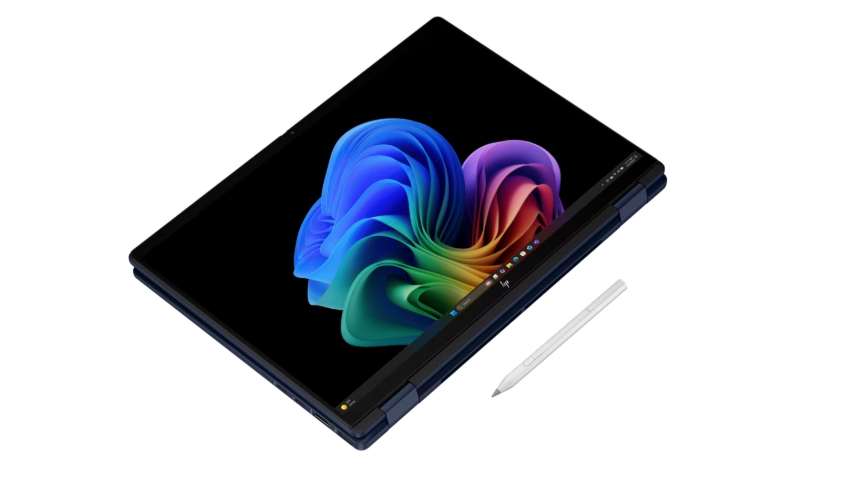
The HP Envy x360 offers a great balance of features, performance, and value for remote workers. Available in both 13.3-inch and 15.6-inch sizes, this 2-in-1 convertible provides flexibility for different work styles and preferences
Pricing:
- Starting at $799-$999 for base models
- Higher-end configurations $1,299-$1,699
Features:
- Screen size: 13.3" or 15.6" touchscreen
- Display: FHD or OLED options
- Processor: Intel Core Ultra 5/7 or AMD Ryzen 5/7
- Memory: 8GB-32GB DDR5
- Hard Drive: 256GB-1TB SSD
- 360-degree hinge for convertible use
- Optional OLED display
- USB-C, USB-A, HDMI ports
- Fingerprint reader
- Weight: ~3 lbs (13.3"), ~4.5 lbs (15.6")
- Decent laptop setup with good battery life
Pros:
- Affordable for a premium 2-in-1
- Good build quality with metal chassis
- Versatile convertible design
- Decent brightness and display quality
- Good port selection
- Includes stylus with some models
- Solid performance for everyday tasks
Cons:
- Not as premium as Surface or Yoga lines
- Battery life varies significantly by configuration
- Heavier than dedicated ultrabooks
- OLED option adds significant cost
- Thermal management can be loud under load
9. ASUS Zenbook 14 OLED
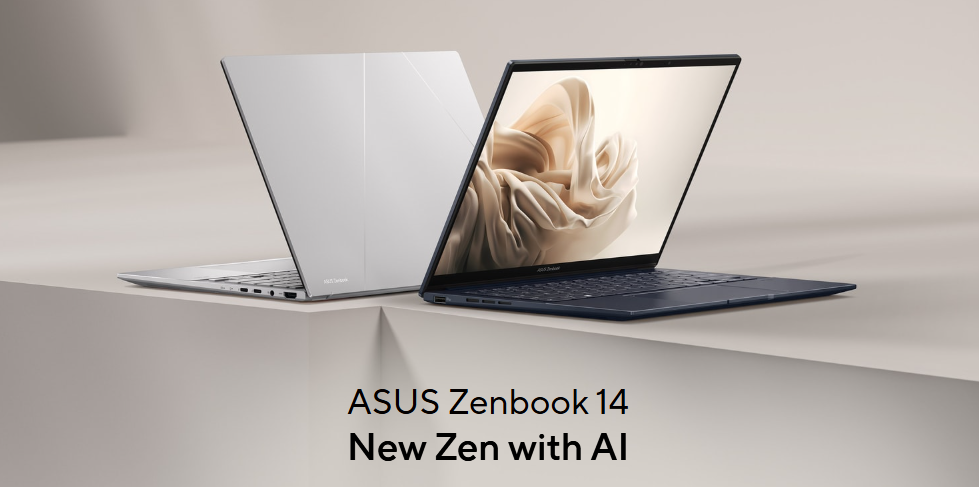
The ASUS Zenbook 14 OLED represents excellent value for remote workers who want premium features without the premium price tag. With its stunning OLED screen, lightweight design, and solid performance, it’s become a popular choice for professionals. The Zenbook 14 OLED is also a strong contender for the best cheap laptop for remote work. Another excellent option is the Acer Aspire Go 15, which is one of the best budget laptops priced under $500.
Pricing:
- Starting at $799-$999
- OLED configurations typically $1,099-$1,499
Features:
- Screen size: 14” OLED (2880x1800)
- Processor: Intel Core Ultra 5/7 or AMD Ryzen 5/7
- Memory: 8GB-32GB LPDDR5
- Hard Drive: 512GB-1TB SSD
- OLED display with 100% DCI-P3, 400-500 nits
- 70Wh battery for long battery life
- Thunderbolt 4, USB-A, HDMI port, microSD reader
- NumberPad (touchpad doubles as numeric keypad)
- Weight: ~2.9 lbs
- Responsive touchpad, and a comfortable keyboard for extended typing sessions
Pros:
- Excellent OLED screen at competitive price
- Good value for features offered
- Lightweight and portable
- Comprehensive port selection
- NumberPad feature adds functionality
- Solid performance for price
- Good battery life (8-10 hours typical use)
Cons:
- Build quality not quite at premium tier
- Webcam quality is average
- Some bloatware pre-installed
- Not as powerful as higher-end options
- OLED reduces battery vs non-OLED models
Things to consider before buying a laptop for remote work in 2026
When searching for the perfect laptop for working remotely, keep these categories in mind:
a) Weight and size
Anything above 1.5 kilograms (or about 3.3 pounds) and it starts to feel downright heavy for a carry around machine. This weight range is also below the lower tiers for most shipping providers, and taxes when passing through customs. Our modern laptops can go down to like 2.2 pounds, as light as the most recent MacBook Air or Lenovo ThinkPad X1 Carbon, and are suitable for being carried around as portable devices.
b) Battery life
Most laptops available in 2026 have an average battery life between 8-24 hours. Apple M4/M5 or Intel Lunar Lake or Snapdragon X Elite based machines give you the best battery life, often 20+ hours of video playback, and 12-15+ hours of real work use.
c) Processor
The question is: What do my employees need? If they’re using resource-intensive graphic design programs, doing video editing or developing software, a more powerful processor with additional cores will serve them well.
If all they do is a little data entry, web browsing and Microsoft Office then mid-range processors are more than enough.
d) Functionality
Think about what you are willing to spend on a reliable laptop. You might also need to consider if a touch screen and 2-in-1 factor are important. For a few, the middle ground of convertible laptops that can transform into laptop or tablet is the right choice. Such designs come with the advantages generally for all kinds of work that support remote working, but may be limited when compared to clamshell designs. And also consider that A laptop with a good webcam and microphone is essential for video calls when working from home.
e) Price
Budget tiers in 2026:
- Entry-level ($700-$1,000): Suitable for basic tasks, may struggle with demanding applications
- Mid-range ($1,000-$1,500): Best value for most remote workers, handles multitasking well
- Premium ($1,500-$2,500): Professional-grade performance, excellent for demanding tasks
- High-end ($2,500+): Maximum performance for specialized workflows, content creation
Latest trends in laptops for remote work
The landscape of laptops for remote work is continuously evolving to meet the demands of modern professionals. In 2026, several key trends are shaping the design, performance, and features of laptops tailored for remote and hybrid work environments. Here are the latest trends to watch for when choosing your next remote work laptop:
- Integration of AI Processing Hardware: Many new laptops feature dedicated Neural Processing Units (NPUs) that enhance AI performance, enabling faster and more efficient execution of AI tasks such as chatbots, text generation, and intelligent automation.
- Extended Battery Life: Laptops now commonly offer 15+ hours of battery life, with some models reaching up to 20+ hours on a single charge, supporting true mobility and flexibility for remote workers.
- Lightweight and Portable Designs: There is a strong focus on ultra-thin, lightweight laptops under 3 pounds, making it easier for remote workers and digital nomads to carry their devices between locations.
- High-Resolution OLED and Mini-LED Displays: Enhanced display technology is becoming standard, providing vibrant colors, better contrast, and reduced eye strain during long hours of use.
- Advanced Connectivity Options: Wi-Fi 6E and Wi-Fi 7 support, along with multiple Thunderbolt 4/5 and USB-C ports, ensure fast and reliable connections to peripherals, external monitors, and networks.
- Enhanced Security Features: Biometric authentication, hardware encryption, and secure boot processes are increasingly integrated to protect sensitive data when working remotely.
- Improved Webcam and Audio Technology: With video calls being essential, laptops now include 1080p or higher webcams, noise-cancelling microphones, and high-quality speakers for clear communication.
- Customization and Upgradeability: Modular designs, such as those seen in the Framework Laptop, allow users to customize and upgrade components like RAM and storage, extending the laptop’s lifespan and adaptability.
- Sustainability and Eco-Friendly Materials: Manufacturers are incorporating recycled and sustainable materials into laptop construction to reduce environmental impact.
- Focus on Comfort and Ergonomics: Keyboards with better travel, responsive touchpads, and improved thermal management contribute to a more comfortable remote working experience.
These trends reflect the growing importance of versatile, powerful, and efficient laptops that keep remote workers productive, connected, and comfortable wherever they choose to work.
.jpg?width=600&height=338&name=cost%20of%20onboarding%20a%20new%20employee%20(5).jpg)
Optimizing your work-from-home laptop setup
Choosing the best laptop for working from home is only part of the equation. Remote workers also need the right memory configuration, security protections, accessories, and software tools to stay productive and secure. Here’s what to consider beyond just picking the right laptop.
How much RAM do you need?
In 2026, 16GB of RAM is the new baseline for most laptops. Both the latest MacBook Air models and modern Windows laptops now commonly ship with 16GB as standard.
- 8GB RAM: Suitable only for lighter tasks like web browsing and basic Microsoft Office use
- 16GB RAM: Ideal for most remote work, video calls, multitasking, and everyday tasks
- 32GB+ RAM: Recommended for demanding tasks, AI tasks, large datasets, or creative workloads
If you want flexibility, modular options like the Framework Laptop allow upgrades over time. For most business users, however, 16GB ensures smooth performance and longer device lifespan.
Laptop security for remote work
When working remotely, protecting sensitive information and business data is critical. The best laptop for remote work should include built-in security features.
Look for:
- Biometric authentication (fingerprint reader or facial recognition)
- Hardware-level encryption
- Secure boot processes
- Regular security updates across operating systems
- Reliable antivirus and firewall protection
Strong security features help prevent data breaches, protect critical data, and ensure compliance—especially when working across home networks or public Wi-Fi environments.
Essential laptop accessories for remote workers
The right accessories can significantly improve comfort and productivity.
- External monitor: Adds a larger screen for multitasking, video calls, and complex workflows
- Noise-canceling headphones: Improve focus in shared spaces or coffee shops
- External keyboard and mouse: Enhance ergonomics during long work sessions
- USB-C hubs or HDMI adapters: Expand connectivity for external displays and other devices
For remote workers, these additions often deliver a greater productivity boost than upgrading to a more expensive laptop alone.
Must-have remote work tools and software
Even the best laptop for working remotely needs the right software stack.
Core tools include:
- Video conferencing software (Zoom, Microsoft Teams) for virtual meetings
- Collaboration tools for file sharing and team communication
- Cloud storage solutions for seamless access across devices
- Project management and ticketing systems to manage tasks and workflows
These tools support remote work by enabling communication, workflow automation, and collaboration across distributed teams.
Why businesses choose GroWrk for global laptop deployment
For companies hiring remote workers across regions, selecting the best laptop for working from home is only part of the challenge. Coordinating procurement, configuration, shipping, monitoring, and retrieval at scale requires centralized control and global infrastructure. GroWrk helps businesses streamline global laptop deployment across 150+ countries while maintaining visibility, security, and operational efficiency.
GroWrk supports global laptop deployment by enabling:
-
Global procurement and standardized device sourcing
Consistent laptop models and pricing across regions to reduce vendor fragmentation and simplify management.
-
Zero-touch deployment and configuration
Pre-configured laptops shipped directly to remote workers, ready for secure setup on day one.
-
Centralized asset visibility
Real-time tracking of laptops, device health, warranty status, and lifecycle stage from a single dashboard.
-
Integrated device management workflows
Seamless integration with MDM platforms, ticketing systems, and IT management tools for ongoing maintenance.
-
Secure device retrieval and redeployment
Coordinated recovery and reuse of laptops when employees depart, reducing waste and unnecessary costs.
-
24/7 AI-powered IT support
Always-on assistance to help remote workers resolve issues quickly, reduce downtime, and keep teams productive.
-
By combining global logistics, lifecycle management, and continuous support, GroWrk helps businesses deploy and maintain work-from-home laptops efficiently—without building complex internal infrastructure.
See how GroWrk simplifies global laptop deployment for distributed teams.

Frequently Asked Questions
Is 8GB of RAM still enough for remote work in 2026?
The answer is no, 16GB is the new baseline for smooth multitasking, because with modern browsers, background apps, and AI capabilities of chipsets that require more memory now than ever.
Should I prioritize a Mac or a Windows PC for my distributed team?
Opt for Macs in creative roles, for security and resale value, but go with Windows if your operations depend on legacy enterprise software or particular applications that aren’t macOS-compatible.
Do I really need an "AI PC" with a Neural Processing Unit (NPU)?
Yes, and because these efficient processors (think Intel Core Ultra and Snapdragon X) actually do provide the huge boosts in battery life and cool operation that mobile productivity demands, outside of marketing sound bites.
What is the minimum battery life I should accept for a remote work laptop?
Go for a device with 10 to 18 hours of battery life to get through a full workday unplugged without experiencing “range anxiety.”