




Managed service providers and IT teams are always wrestling with the same issues, how to manage their IT infrastructure across multiple locations without breaking the bank. Atera claims to have the answer with its all-in-one platform, but what do users really think?
We collected hundreds of Atera reviews across major platforms, chatted to IT pros, and took a close look at real-world implementations to get the lowdown on what Atera's customers are really like. In this piece, we dive deep into the Atera platform, breaking down its features, performance, and security, as well as the strengths and weaknesses users have reported.
Key takeaways:
-
What You Get For Your Money: Atera is widely praised for combining remote monitoring and management with professional services automation in one neat package, making life a whole lot simpler for IT teams.
-
Easy Peasy: Users rave about the platform's intuitive interface, which means new team members can get up and running in no time.
-
A Few Issues But Still Love It: While users generally adore Atera, they also report the odd technical hitch like the occasional slowdown, a bit of intermittent remote access trouble or network discovery woes.
Introduction to Atera and IT management
.jpg?width=600&height=300&name=atera%20reviews%20(3).jpg)
Atera is an all-in-one IT management platform built for MSPs & IT teams. It brings together remote monitoring, remote access, and PS automation under one unified dashboard, letting you manage your entire IT estate with way less hassle.
The platform offers a range of features that enable you to automate tasks such as patch management, software deployment, and routine maintenance, freeing up time for the big-picture work. Plus, the advanced reporting and script generation tools provide deep insights into system health & performance, while network discovery ensures all devices and endpoints are accounted for.
Atera's designed to simplify complex IT processes and give you real-time visibility into system resources - whether that's resolving issues on the fly or automating routine maintenance. For MSPs and IT teams, this means less time spent on manual tasks and more time spent delivering value to clients.
Real-time monitoring and maintenance on Atera
Atera’s real time monitoring and remote access capabilities are designed to help IT teams identify issues quickly and perform remote maintenance without relying on on-site visits. This approach reduces downtime, lowers operational cost, and allows teams to deliver consistent support across distributed environments.
Remote access and issue resolution
Atera enables IT teams to connect to devices instantly and resolve issues from anywhere.
-
Launch secure remote sessions directly from the management platform
-
Use remote control tools to troubleshoot and resolve issues in real time
-
Reduce reliance on on-site visits through centralized remote access
-
Support distributed teams and devices across multiple locations
-
Improve response times while minimizing disruption to end users
Maintenance, automation, and system health
The platform combines automation and monitoring to streamline routine IT operations.
-
Run scripts for common maintenance tasks across managed devices
-
Perform uninstalling applications and updates remotely
-
Execute remote maintenance tasks without interrupting users
-
Access a shared script library with pre-built automation options
-
Automate tasks to standardize workflows and reduce manual effort
-
Monitor system health and system resources through continuous monitoring
By combining real time monitoring, automation, and remote maintenance in one platform, Atera helps IT teams manage devices more efficiently while focusing on higher-value initiatives instead of repetitive operational work.
Overall user ratings and review summary
.jpg?width=600&height=300&name=atera%20reviews%20(1).jpg)
Based on Atera reviews across major platforms, the platform maintains strong ratings and a strong reputation, with users consistently highlighting its ease of use and comprehensive feature set. On G2, the platform has a 4.6/5 rating based on over 800 reviews, while Capterra shows a 4.5/5 rating based on more than 400 user reviews.
The pattern across these atera reviews reveals several consistent themes. Users frequently praise the intuitive interface, responsive customer support, and the pay-per-technician pricing model that allows unlimited device monitoring. However, reviewers also consistently mention operational challenges, including occasional software bugs, performance slowdowns during peak usage, and intermittent remote access connectivity issues.
Users should expect that, like any monitoring and automation technology, Atera has inherent limitations and should not expect fundamentally different or perfect performance compared to similar platforms.
What users love about Atera
Based on atera reviews from managed service providers and internal IT teams, several strengths consistently stand out across the platform.
Intuitive user experience and fast onboarding
Users frequently highlight how easy it is to get started with the Atera management platform, even for less experienced techs.
-
Clean, intuitive interface designed for day-to-day IT management
-
New team members can begin running scripts, using remote control, and managing devices within their first hour
-
Short learning curve supports faster productivity across the team
-
Straightforward onboarding process for deploying agents and setting up remote monitoring
-
Built-in network discovery automatically identifies most system resources, with minimal manual setup
-
Quick access to remote access, remote session, and remote maintenance tools from one dashboard
This ease of setup helps IT teams manage more devices without increasing their overall IT workload.
Predictable and scalable pricing model
The pricing model is one of the most praised aspects in Atera reviews, especially among growing service providers.
-
Per-technician pricing instead of per-device billing
-
Ability to manage unlimited or more devices without added cost
-
Predictable monthly cost that simplifies budgeting and forecasting
-
Especially attractive for managed service providers scaling their customer base
-
Supports long-term planning without unexpected billing increases
Many users note that this all in one, one platform approach allows teams to reinvest savings into better tools, training, and automation.
Strong automation and proactive IT management
Atera offers extensive automation capabilities designed to reduce manual work and improve proactive monitoring.
-
Tools to automate tasks across endpoints and environments
-
Shared script library for common workflows and maintenance jobs
-
Custom script generation and profiles for standardized processes
-
Automated installing patches, uninstalling applications, and cleanup routines
-
Real time monitoring of system health, performance, and alerts
-
Proactive tracking of system resources to resolve issues before they escalate
-
Built-in software inventory for better visibility and reporting
-
Supports autonomous IT workflows that reduce reactive support
These key features help IT teams focus less on repetitive tasks and more on delivering reliable service to customers.
Support, accessibility, and day-to-day operations
Support quality and accessibility also receive consistent praise across reviews.
-
24/7 live chat support with knowledgeable technicians
-
Faster issue resolution without multiple escalation layers
-
Mobile app enables remote access and monitoring from anywhere
-
Ideal for teams supporting distributed or remote environments
-
Helps manage support ticket activity and ongoing maintenance on the go
For many users, Atera offers the only platform they need to combine monitoring, automation, reporting, and support into a single management platform.
Common user complaints and issues
.jpg?width=600&height=300&name=atera%20reviews%20(4).jpg)
While most atera reviews describe the platform as a solid IT management solution, users also point to recurring limitations that cause some managed service providers and IT teams to evaluate alternative tools.
Network discovery and agent management challenges
Issues around network discovery and agent reliability are among the most frequently mentioned complaints.
-
Network discovery may fail to consistently identify certain devices, requiring manual configuration
-
Some teams report repeated agent reinstalls to restore monitoring
-
Extra effort needed to stabilize remote monitoring across environments
-
Manual intervention increases overall IT workload instead of reducing it
-
Inconsistent device management, with devices occasionally disappearing from the platform
-
Uncertainty around what is actively being monitored impacts trust in system health data
These reliability gaps can slow proactive monitoring and create friction for teams managing large or growing environments.
Patching and update management limitations
Several users flag challenges with installing patches and maintaining update consistency.
-
Automated OS patching does not always complete successfully
-
Failed patch attempts may lack clear error messages
-
Admins often revert to manual update process for critical systems
-
Mixed environments (multiple OSs or legacy software) increase complexity
-
Some teams rely on external tools for patching while using Atera mainly for remote access and monitoring
This limits how much teams can rely on the automation layer for fully autonomous IT workflows.
Interface usability and performance concerns
User feedback on usability and performance is mixed, especially following recent interface changes.
-
Long-time users report usability challenges after the UI redesign
-
Lower contrast ratios make alerts harder to interpret at a glance
-
Navigation changes add friction to day-to-day management tasks
-
Difficulty distinguishing alert severity affects response prioritization
-
Slower response times reported during peak usage
-
Performance lag when accessing remote sessions or running scripts
-
System responsiveness improves during off-peak hours
For teams operating at scale, these issues can impact efficiency when resolve issues quickly is critical to delivering reliable service.
Top Atera alternatives for 2026
While Atera works well for remote monitoring, remote control, and ticket-driven IT management, some organizations need platforms that go beyond monitoring and support into lifecycle, logistics, or deeper automation. Below are commonly evaluated alternatives, each serving different operational needs.
GroWrk
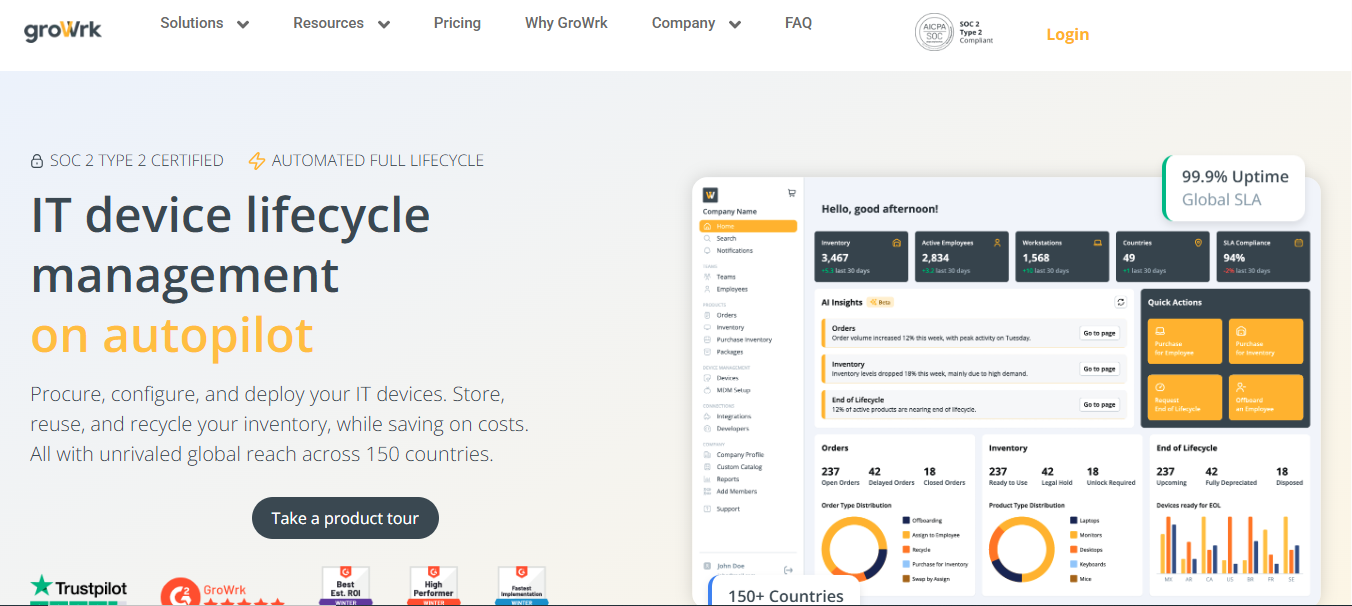
GroWrk is a global IT asset management and logistics platform designed for companies operating across multiple countries. Instead of focusing on remote monitoring or PSA workflows, GroWrk manages the entire device lifecycle, from procurement to retrieval, through a single management platform built for distributed teams.
What GroWrk offers
-
Global device procurement, deployment, and retrieval across 150+ countries
-
End-to-end device lifecycle management (shipping, storage, redeployment, recycling)
-
Centralized dashboard to manage physical IT assets at scale
-
Pay-as-you-go pricing model with no per-device or per-technician commitments
-
Rapid device delivery for new hires, regardless of location
-
AI-powered IT help desk for support, order tracking, and issue resolution
-
Designed to reduce vendor sprawl and manual process overhead
Best suited for companies managing physical devices across regions where logistics, compliance, and speed matter more than remote monitoring depth.
NinjaOne
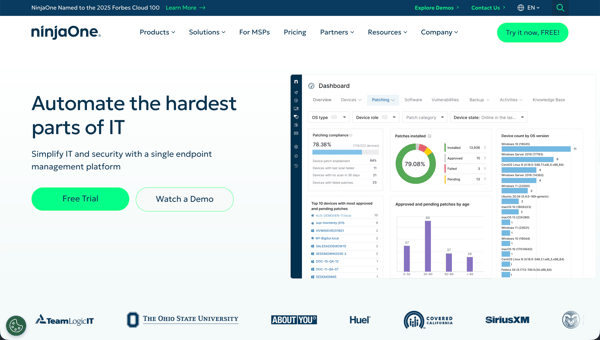
NinjaOne focuses on endpoint monitoring, patching, and automation, positioning itself as a stronger option for teams that prioritize update reliability over pricing flexibility.
What NinjaOne offers
-
Granular OS patching and update controls
-
Strong remote access and remote session capabilities
-
Endpoint-focused real time monitoring and alerting
-
Per-endpoint pricing that can scale costs quickly
-
Emphasis on automation for routine maintenance tasks
Often chosen by teams frustrated with unreliable patching but comfortable managing higher cost as device counts grow.
ConnectWise
ConnectWise delivers enterprise-grade RMM and professional services automation tools, built for MSPs with complex workflows and large customer bases.
What ConnectWise offers
-
Advanced PSA and ticketing workflows
-
Deep customization and integrations
-
Strong reporting and SLA management
-
Powerful automation and scripting capabilities
-
Steep learning curve and longer setup time
Best suited for mature MSPs with dedicated tech resources and structured service operations.
Kaseya
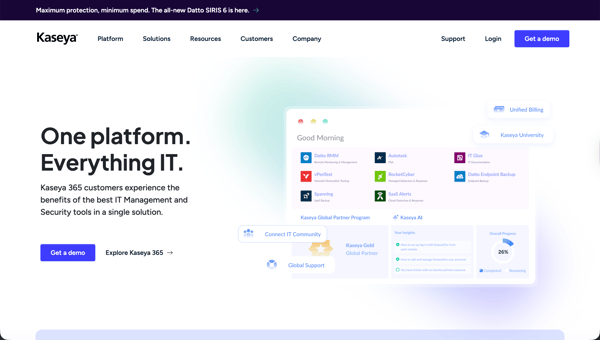
Kaseya provides a broad all in one IT management ecosystem, combining automation, security, and monitoring tools under one umbrella.
What Kaseya offers
-
Extensive automation and scripting tools
-
Integrated security and compliance features
-
AI Copilot capabilities for ticket summarization and response drafting
-
Strong monitoring and patch management
-
Requires more technical expertise to configure effectively
Appeals to teams seeking depth and control, but less ideal for those prioritizing simplicity and fast onboarding.
Datto RMM
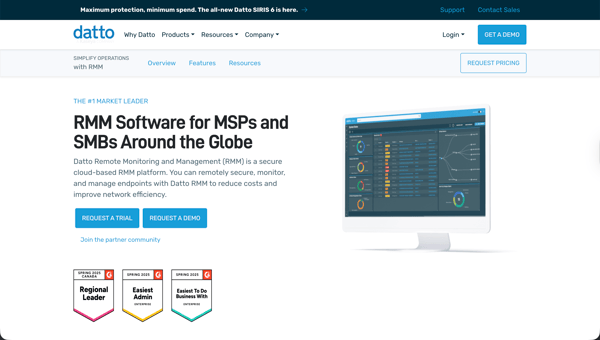
Datto RMM emphasizes security, backup, and business continuity alongside traditional monitoring functions.
What Datto RMM offers
-
Integrated backup and disaster recovery tools
-
Endpoint monitoring and alerting
-
Remote maintenance tasks such as uninstalling applications
-
Strong fit for MSPs focused on resilience and uptime
-
Higher cost compared to lighter-weight platforms
Often selected by teams where continuity planning is as important as day-to-day IT operations.
Pricing feedback from users
Feedback from Atera reviews shows that the platform’s pricing model is a major differentiator in the IT management space, especially for smaller teams and growing managed service providers.
Atera pricing tiers at a glance
Atera offers three main plans, priced per technician rather than per device.
-
Professional: $149 per technician/month
-
Core RMM and professional services automation functionality
-
Designed for smaller teams and solo tech operators
-
-
Expert: $189 per technician/month
-
Adds unlimited remote sessions
-
Includes enhanced reporting and monitoring tools
-
-
Master: $219 per technician/month
-
Custom reporting capabilities
-
Extended audit and compliance features
-
Atera positions itself as the only platform combining a full all in one management platform with pay-per-technician pricing.
What users like about the pricing model
Many users highlight cost predictability as a key benefit.
-
Unlimited endpoints regardless of fleet size
-
Easier budgeting as more devices are added
-
Strong fit for single-admin IT teams and small MSPs
-
Supports growth without immediate cost spikes
-
Simplifies long-term cost planning and forecasting
Where users see pricing limitations
While the model works well for small teams, some limitations emerge at scale.
-
Costs rise linearly as the team grows
-
Larger IT departments may find per-endpoint pricing more economical
-
Less cost-efficient for organizations with many technicians managing fewer devices
-
Requires careful evaluation based on IT workload and staffing model
Free trial and evaluation experience
The free trial is frequently mentioned as a positive part of the onboarding experience.
-
30-day free trial with full feature access
-
Time to deploy agents and configure monitoring
-
Opportunity to test remote access, automation, and support ticket workflows
-
Helps teams validate fit before committing to a paid plan
Overall, users note that Atera’s pricing delivers strong value for smaller teams but may require comparison against alternatives as organizations scale.
Industry-specific user reviews
.jpg?width=600&height=300&name=atera%20reviews%20(5).jpg)
Feedback from atera reviews varies by company size and operating model. Below is how different teams experience the platform in real-world environments.
Small IT teams and solo administrators
Small IT teams and solo admins frequently highlight how Atera simplifies day-to-day IT management without adding operational overhead.
-
Centralized management platform for servers, laptops, desktops, and mobile devices
-
Fast agent deployment for onboarding new hardware
-
Single dashboard view across multi-location offices and remote staff
-
Clear visibility into monitoring and system health across environments
-
Strong remote access and remote session capabilities for distributed support
-
Automation tools that reduce manual tasks and repetitive maintenance
-
Helps teams manage larger environments without increasing headcount or cost
Many users report that the platform enables them to focus on strategic initiatives rather than routine support work.
Managed service providers (MSPs)
Managed service providers, especially growth-stage firms, often view Atera as a strong operational foundation.
-
Per-technician pricing model that scales predictably during growth
-
Multi-client dashboard for managing multiple customer environments
-
Built-in reporting tools to demonstrate value through maintenance and system health insights
-
Automation features that reduce repeat tasks across client networks
-
Supports proactive monitoring and standardized service delivery
However, some more established MSPs report limitations as their needs become more complex.
-
Advanced analytics and custom reporting may fall short for larger client portfolios
-
Auditing depth may not match enterprise-focused platforms
-
Better suited for MSPs prioritizing simplicity over deep customization
Overall, users describe Atera as a strong fit for smaller teams and growing MSPs, while larger organizations may eventually expect more advanced reporting and analytics capabilities.
Comparison with other IT asset management competitors
Based on Atera reviews, users often compare Atera with platforms such as GroWrk, ConnectWise, NinjaOne, and Kaseya when evaluating IT management and automation tools.
Where users feel Atera stands out
Many users favor Atera for its simplicity and rapid deployment compared to other management platforms.
-
Faster setup and shorter onboarding process than many competitors
-
Intuitive interface that reduces training time for new team members
-
Pay-per-technician pricing model instead of per-device billing
-
Cost-effective for small teams managing more devices
-
Strong appeal for organizations with lean IT staffing models
-
Consolidated all in one approach combining RMM and professional services automation
Users often note that prior past experiences with complex tools and slow support from other vendors shape their positive perception of Atera.
Benefits of the all-in-one platform approach
The one platform strategy resonates with teams looking to reduce operational complexity.
-
RMM and PSA tools managed from a single platform
-
Fewer third-party integrations to maintain
-
Lower administrative overhead and simpler workflows
-
Easier coordination between monitoring, ticketing, and reporting
-
Reduced cost from eliminating overlapping tools
Some users report retiring multiple software tools after switching, improving focus and day-to-day efficiency.
Where competitors may offer deeper capabilities
While Atera performs well for general use, users also recognize its limitations.
-
Less advanced network discovery and network monitoring than specialized tools
-
Limited depth in compliance and audit reporting
-
Automation and scripting features may not match enterprise-grade platforms
-
Complex environments may require more specialized technology
For organizations with advanced requirements, competitors such as ConnectWise or Kaseya may offer deeper customization, while others like GroWrk focus on physical asset lifecycle management rather than monitoring.
Support and customer service reviews
.jpg?width=600&height=300&name=atera%20reviews%20(6).jpg)
Feedback from Atera reviews shows that support quality is a key factor shaping long-term user experience with the platform, with both strengths and recurring concerns highlighted.
What users like about Atera support
Many users point to accessibility and self-service resources as major benefits.
-
24/7/365 live chat support available across regions and time zones
-
Fast initial access to help without multi-level escalation
-
Knowledge base for troubleshooting common tasks
-
Shared script library supporting self-service automation and maintenance
-
Helpful resources for resolving routine issues without opening a ticket
-
Supports IT teams working in distributed or global environments
These resources help reduce dependency on direct support for day-to-day management needs.
Where users report support challenges
Some long-term users note changes in support consistency over time.
-
Longer response times compared to earlier experiences
-
Less technical depth in first-response interactions
-
Variability in account management quality
-
Limited proactive guidance unless issues are escalated
-
Resolution quality often depends on reaching the right tech specialist
Despite these concerns, many users report that once escalated, issues are typically resolved effectively, reinforcing Atera’s reputation for competent technical service when needed.
Final verdict: Is Atera worth it based on user reviews?
Based on Atera reviews, Atera delivers a solid all in one IT management platform focused on monitoring, automation, and simplified operations. Its software inventory and device-level visibility support broader IT asset management efforts, while features like remote monitoring, remote access, and automation help teams manage day-to-day workloads more efficiently.
Where Atera performs best
Atera is most effective for small to mid-sized IT operations that value simplicity over deep specialization.
-
Centralized management platform for monitoring and maintenance
-
Strong automation capabilities supporting autonomous IT workflows
-
Built-in software inventory for tracking hardware and software assets
-
Predictable pricing model for teams managing more devices with fewer technicians
-
Reduces tool sprawl by consolidating multiple tools into one platform
Where users recommend caution
User feedback also highlights areas where expectations should be set carefully.
-
Occasional software bugs and performance slowdowns during peak usage
-
Less suited for large enterprises with advanced compliance requirements
-
Limited depth in complex network monitoring and reporting
-
May require supplementary technology for specialized use cases
Who Atera is (and isn’t) best for
Atera is a strong fit if you’re looking to simplify IT management, reduce manual tasks, and consolidate workflows into a single platform. It works particularly well for small teams, solo admins, and growth-stage managed service providers.
However, organizations with highly complex environments or strict regulatory needs may find more value in pairing Atera with additional software or exploring more specialized alternatives.
In short, Atera delivers on its core promise, as long as teams understand its focus, plan around its limitations, and align the platform with their operational priorities.
Why teams choose GroWrk as an alternative when device logistics matter
Atera is built for remote monitoring, automation, and support workflows. But many IT teams hit a different bottleneck: getting laptops and hardware to the right people, in the right country, on time, and then getting those devices back securely when roles change. GroWrk supports the physical side of IT operations by managing global device logistics and lifecycle workflows end to end.
GroWrk helps teams:
-
Deploy devices globally (150+ countries): Ship laptops, monitors, and essential peripherals to employees anywhere without stitching together regional vendors and couriers.
-
Manage the full device lifecycle: Procure, configure, deploy, track, retrieve, store, redeploy, and recycle hardware through one platform built for distributed teams.
-
Reduce vendor sprawl: Consolidate procurement, shipping, storage, and recovery operations so hardware management doesn’t depend on a patchwork of providers.
-
Keep inventory accurate across locations: Maintain clear records tied to device assignments and hardware history so devices don’t get lost as teams scale or move.
-
Run secure offboarding and retrieval workflows: Trigger returns automatically, track chain of custody, and confirm devices are recovered and processed properly.
-
Use regional storage for faster turnaround: Store devices in local hubs and redeploy quickly for new hires, replacements, or refresh cycles.
-
Add operational automation: Standardize approvals, notifications, and status updates for deployments and recoveries to cut manual coordination.
-
Get AI-powered support + a dedicated CSM: Combine fast AI assistance with a Customer Success Manager who helps keep global device operations running smoothly.
-
Choose flexible pricing: Use pay-as-you-go options like GroWrk A La Carte when you want predictable hardware logistics costs without long-term commitments.
If Atera covers the “monitor and support endpoints” side of IT, GroWrk covers the “get the hardware where it needs to be, and keep it accounted for” side. For teams managing distributed devices across regions, GroWrk is often the missing operational layer.
Request a demo today!