



Your onboarding is buttoned up. Provisioning workflows, security protocols, maybe some automation if you're fancy. But when someone quits? IT panics. You're revoking access in a frenzy, hoping you didn't miss anything, knowing you probably did.
The way we approach IT offboarding is reactive at its core, and that reactive stance creates more vulnerabilities than it prevents. We've built entire offboarding frameworks around the assumption that departing employees are threats to be neutralized rather than transitions to be managed. This mindset burns out your IT team and leaves gaps that compromise security while creating friction that damages your employer brand. According to research from SHRM, companies spend an average of $15,000 per employee on turnover-related costs, with poor offboarding practices accounting for a significant portion of that expense through lost productivity, security incidents, and operational inefficiencies.
TL;DR
Your offboarding process is reactive security theater that misses the actual risks. You're disabling Okta while orphaned API keys and service accounts run wild. Device recovery without proper asset lifecycle planning creates hardware graveyards and budget waste. Access revocation only works when you know what access exists in the first place. Knowledge transfer needs to start weeks before someone's last day, not during a rushed exit interview. Standard checklists miss elements specific to distributed teams and SaaS ecosystems. Compliance documentation serves as your legal protection only if it's complete, timestamped, and retrievable. Poor offboarding costs companies an average of $15,000 per employee in lost productivity and security incidents. Fix your asset tracking and access management before someone leaves, not after.

The Offboarding Paradox: How Overreacting Creates Blind Spots
Security Theater vs. Actual Security
We've all seen it happen. Someone gives notice, and IT immediately goes into lockdown mode. Disable the account. Revoke all access. Get that laptop back before they walk out the door. It feels proactive. Feels secure.
What happens in that scramble: you're so focused on the obvious access points that you completely miss the ones that matter. That Zapier integration they set up six months ago? Still running. The API key they generated for that one-off project? Still active. The Slack channel they created with external contractors? Still sharing company data.
The offboarding paradox works because urgency creates tunnel vision. When you're racing to tick boxes before someone's last day, you default to what's visible and documented. You revoke their Okta access, wipe their laptop, disable their email. You feel like you've secured everything.
You've secured the front door. Meanwhile, twelve windows are wide open.
The Shadow IT Problem Nobody Wants to Acknowledge
Research from Gartner found that shadow IT accounts for 41% of enterprise technology spend, with employees using an average of 8-12 unauthorized SaaS applications that IT departments have no visibility into during offboarding processes.
Your employees are using tools that IT doesn't know about. Some studies put that number closer to 20 for technical roles. These aren't necessarily unauthorized or malicious. Someone needed to solve a problem, found a tool, signed up with their work email, and started using it.
When they leave, that account doesn't appear on any offboarding checklist. It sits there, often with access to company data, sometimes with payment information still attached to corporate cards.
The aggressive approach to IT offboarding makes this worse. When you treat departures as security emergencies, employees get defensive. They're less likely to volunteer information about tools they were using, especially if they think they might get in trouble for it.
We need IT offboarding processes that create space for discovery, not just revocation. That means conversations, not just checklists. Asking "what tools did you use to get your job done?" instead of assuming you already know the answer.
Real story: Marketing manager leaves for a competitor. IT disables everything within hours. Google Workspace, Slack, the works. Six months later? Her Canva account is still active with unreleased product designs. The Buffer account is still auto-posting to social. The Typeform is still collecting customer data into a spreadsheet she can access from her personal laptop. IT never knew these existed because she signed up with her work email when she needed to move fast, and the approved tools were too slow. Nobody asked, she didn't volunteer, and now there's a problem.
The Timing Problem That Breaks Everything
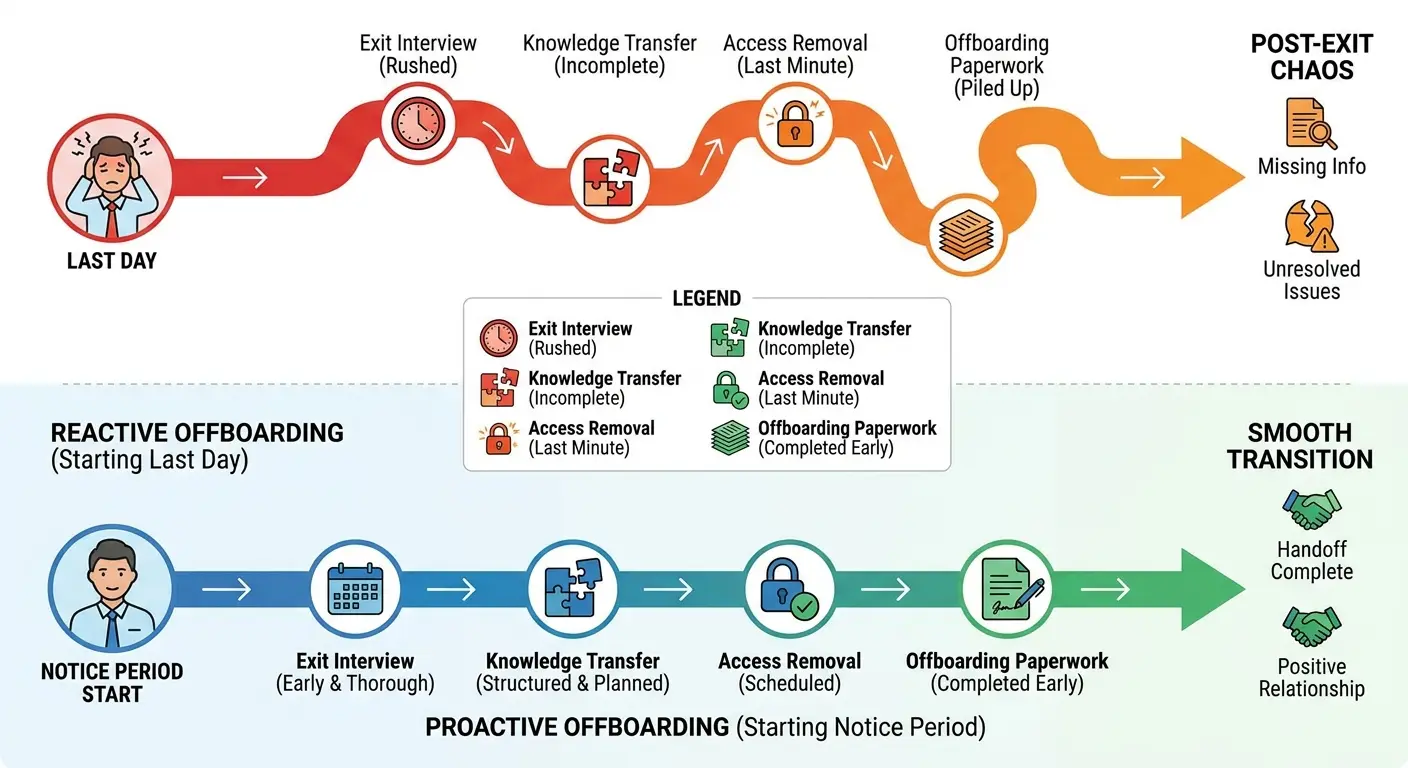
Most companies trigger their IT offboarding process when HR files the termination paperwork. For voluntary departures, that's usually two weeks before the last day. For involuntary ones, it's often the same day as termination.
This timing guarantees you'll miss things. Two weeks isn't enough time to properly document processes, transfer knowledge, or even get a complete picture of what someone was working on. Same-day terminations make it impossible.
The companies getting this right start offboarding the moment someone gives notice (or earlier, for planned departures). They're having conversations about access and tools throughout the notice period, not just on day one and day fourteen. They're treating offboarding as a transition, not an event.
Device Recovery Is Not the Same as Asset Management
What Happens to Recovered Devices
You get the laptop back. Great. Now what?
For most companies, "now what" means the device sits in a storage room for six months before someone decides whether to wipe it, refurbish it, or throw it away. I've talked to IT teams managing hundreds of recovered devices with no clear plan for any of them.
And it's costing you money. Every device sitting unused represents capital that could be redeployed. Every delayed decision means buying new hardware when you could be using existing inventory.
Device recovery needs to include immediate assessment. Is this device suitable for reuse? Does it need repairs? Is it due for replacement anyway? These questions need answers within days of recovery, not months. Treating recovery as one stage of a managed asset lifecycle is the focus of the state of IT lifecycle management.
Data Sanitization That Works
Wiping a device sounds straightforward. In practice, it's where most companies cut corners.
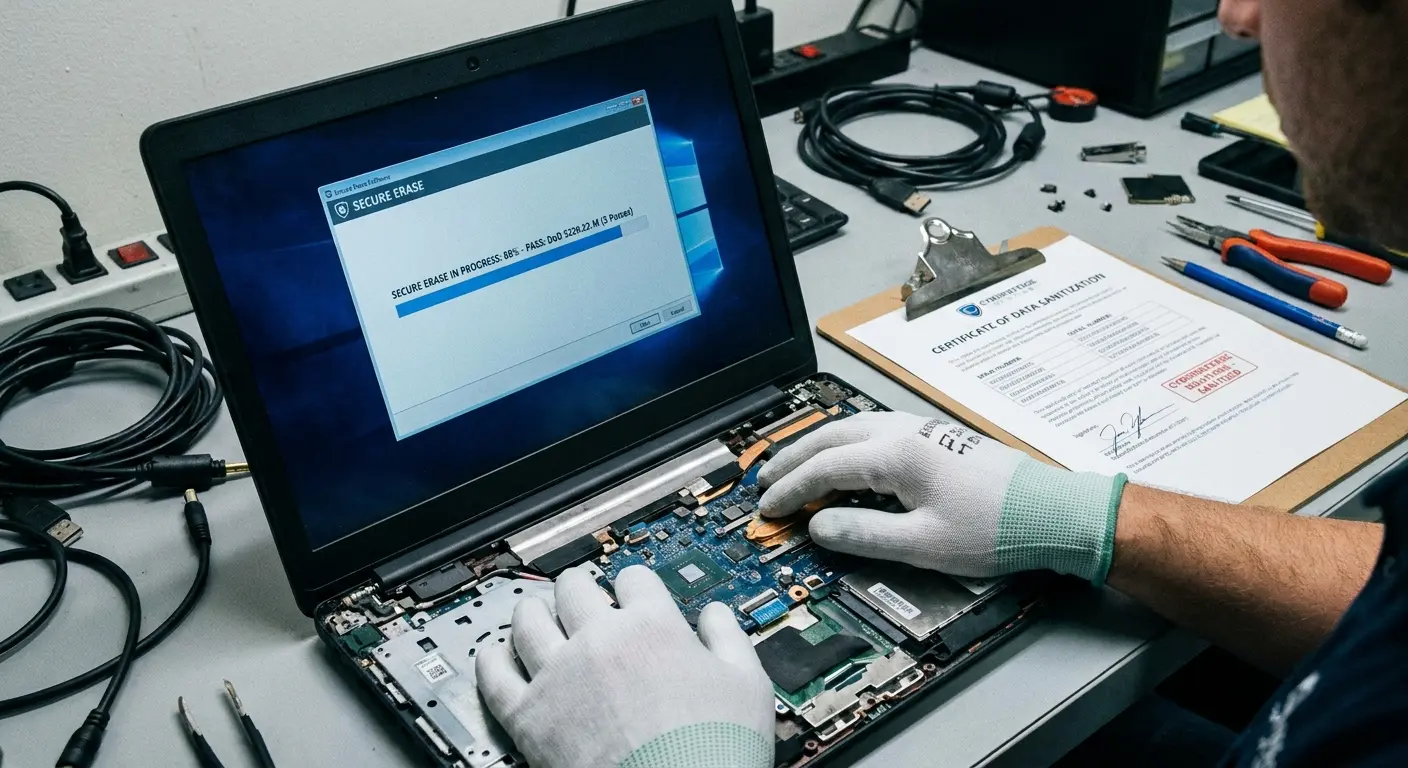
A factory reset isn't enough for devices that handled sensitive data. You need verified data destruction that meets compliance standards for your industry. That means documented processes, sometimes certified tools, and always a paper trail proving the wipe happened.
Different devices require different approaches. Macs have different secure erase procedures than Windows machines. Devices with encrypted drives need specific handling. Phones and tablets have their own requirements.
Most IT teams don't have standardized procedures for all of these scenarios. They're making it up as they go, which means sometimes they're doing more than necessary and sometimes they're doing less than required.
| Device Recovery Stage | What Most Companies Do | What Needs to Happen | Time Lost Without Process |
|---|---|---|---|
| Initial Recovery | Send shipping label, wait for device | Send detailed wipe instructions, tracking confirmation, damage assessment form | 2-3 weeks of uncertainty |
| Data Sanitization | Factory reset when IT gets around to it | Certified wipe within 48 hours with documented proof | 1-6 months in storage limbo |
| Hardware Assessment | Visual inspection if someone remembers | Full diagnostic, battery health check, component inventory | Device sits unused indefinitely |
| Refurbishment Decision | No formal decision process | Age, condition, cost analysis within 1 week of receipt | Ongoing capital waste |
| Redeployment | Buy new equipment for next hire | Cleaned, updated, and ready for provisioning within 2 weeks | $1,200-2,500 per unnecessary purchase |
The Remote Recovery Challenge
Shipping labels solve the logistics problem of getting devices back from remote employees. They don't solve any of the other problems. Managing equipment for remote workers requires more than shipping labels.
How do you verify that an employee wiped their local files before shipping? How do you ensure they didn't keep a backup drive with company data? How do you handle devices that arrive damaged in transit?
Remote device recovery requires explicit instructions, not just a shipping label. Employees need step-by-step guidance on backing up personal files (yes, people store personal data on work devices), removing company data, and preparing the device for shipment.
You also need a receiving process that checks for damage, verifies the correct device was returned, and immediately begins the sanitization workflow. Devices that sit in receiving for weeks waiting for someone to process them are security risks and operational failures.
A financial services company with 200 remote employees sent shipping labels to departing workers with no additional instructions. Over 18 months, they received back 87 laptops. Forty-two arrived with cracked screens or liquid damage from improper packaging. Nineteen were the wrong devices entirely (employees sent back personal laptops by mistake). Eight contained backup drives with unencrypted financial data that employees assumed were personal storage. The company spent $31,000 replacing damaged devices and another $18,000 on forensic data recovery to ensure no regulated data remained on returned drives. They had no documentation proving data was properly sanitized before devices left employee possession.
When Recovery Isn't Worth It
Sometimes the right answer is not to recover a device at all.
Older hardware, devices in poor condition, or equipment located internationally might cost more to recover and refurbish than they're worth. The shipping costs alone can exceed the residual value of a three-year-old laptop.
Most companies don't have clear policies on when to write off devices instead of recovering them. IT teams waste time and money shipping back hardware that's going straight to e-waste.
You need thresholds. Device age, condition, location, and current market value should all factor into recovery decisions. Sometimes the right move is to have the employee wipe the device, provide proof of data destruction, and dispose of it locally.
The Access Revocation Illusion
The SSO False Sense of Security
Single sign-on is supposed to make offboarding easier. Disable one account, revoke access everywhere. That's the promise.
The reality is messier. Not every tool in your stack is connected to SSO. Some services don't support it. Others were set up before you implemented SSO and never migrated. Some employees created accounts with personal emails because they needed access immediately and didn't want to wait for IT provisioning.
When you disable SSO access, you've secured the tools that are properly integrated. Everything else? Still wide open. And "everything else" is often where the most sensitive work happens, because it's where people go when they need to move fast. Comprehensive identity and access management goes beyond single sign-on to address the full access lifecycle for distributed teams.
Service Accounts and API Keys
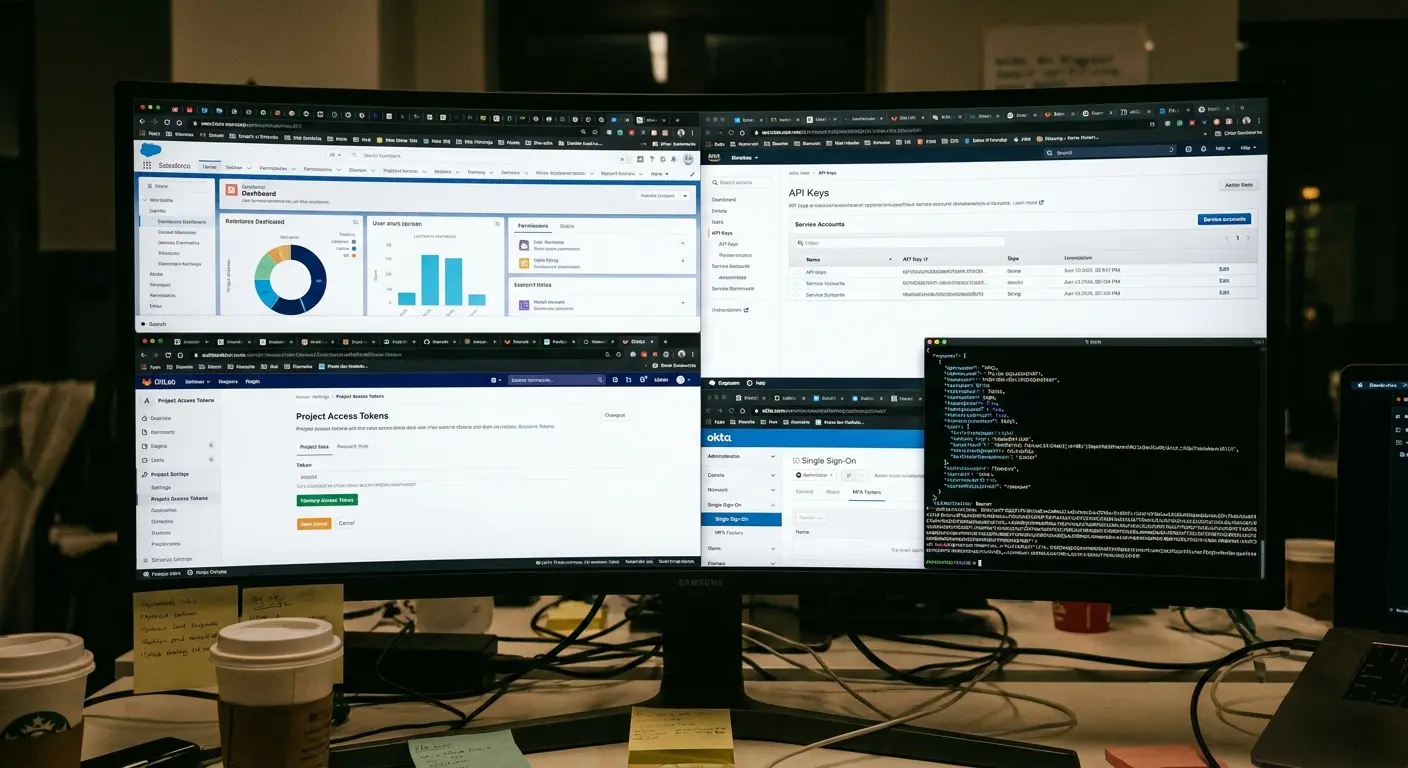
Developers create service accounts and API keys. It's just how modern dev work happens. These credentials usually have elevated permissions (because automation needs them to actually work), and nobody tracks them.
When someone leaves, their personal account gets disabled. The service accounts they created? Those keep running. The API keys they generated? Still active. The webhook integrations they set up? Still firing.
You can't revoke what you don't know exists. Most companies have no inventory of service accounts, no tracking of API key creation, and no process for discovering these access points during the IT offboarding process.
Service accounts with excessive permissions are a common attack vector. When they're orphaned because the person who created them has left the company, they become especially dangerous.
Service Account Discovery Checklist
Use this during the first week of an employee's notice period to identify orphaned access:
- Schedule a 30-minute technical access review with the departing employee
- Request a list of all service accounts they created (name, purpose, systems accessed)
- Document all API keys generated (platform, scope, expiration date if applicable)
- Identify all automation workflows they built (Zapier, IFTTT, custom scripts)
- List all webhook integrations pointing to or from company systems
- Review all GitHub/GitLab personal access tokens and deploy keys
- Check for any OAuth apps they registered with company data access
- Identify shared credentials they have access to (to be rotated post-departure)
- Document all scheduled jobs, cron tasks, or automated processes running under their identity
- Create a transition plan for each service account (transfer ownership, deprecate, or document for monitoring)
Shared Credentials and Team Accounts
Some tools don't support individual user accounts well (or at all). Teams end up sharing credentials. Marketing shares the social media account passwords. Sales shares the CRM login. Development shares the deployment credentials.
When someone with access to shared credentials leaves, you have two options: change all the shared passwords (and update them everywhere they're used), or accept the risk that a former employee still has access.
Most companies choose option three: pretend the problem doesn't exist and hope for the best.
Shared credentials should be temporary solutions at most, but they become permanent because changing them is painful. Offboarding forces you to confront this technical debt, usually at the worst possible time.
OAuth and Third-Party Integrations
OAuth tokens are the thing everyone forgets. Employee connects Slack to Google Drive, Notion to GitHub, Airtable to Zapier. Each connection creates an access token that keeps working after you disable their main accounts. You'd need to know these integ
rations exist to revoke them. You don't. There's no dashboard showing "here are all the ways your employees connected your tools together." So these tokens just live forever.
Revoking OAuth tokens requires knowing they exist. Most companies have no visibility into what integrations employees have created. There's no central dashboard showing all the connections between your tools.
This means IT offboarding checklists include "disable Slack account" but not "revoke all OAuth tokens associated with this user across all connected services." The first is easy to check off. The second is where security lives.
Knowledge Transfer Happens Before the Exit Interview
Why Exit Interviews Are Already Too Late
Exit interviews happen on someone's last day, maybe their last week if you're lucky. By then? They're gone. Mentally, they're already at the new job, or on a beach, or anywhere but here documenting the seventeen weird workarounds they built to make your broken systems function.
Even if they wanted to help, there's not enough time. You can't capture months or years of institutional knowledge in a single conversation. You can't document complex processes while wrapping up final projects and saying goodbye to colleagues.
According to McKinsey research, employees spend 1.8 hours every day searching for information, and when institutional knowledge walks out the door with departing employees, that search time increases by 30-40% for teams that lose experienced members without proper knowledge transfer processes.
Knowledge transfer needs to start the day someone gives notice. That gives you two weeks (or more, if you're lucky) to capture what matters. It transforms knowledge transfer from a checkbox into a process.
What Needs to Be Documented
Most knowledge transfer focuses on the obvious: current projects, key contacts, where files are stored. Necessary but not sufficient.
The knowledge that's hardest to replace is the stuff nobody thinks to document. Why certain decisions were made. Which stakeholders have strong opinions about what. What's been tried before and didn't work. The informal processes that make the formal ones function.
You need structured prompts to capture this. "What are you working on?" gets surface-level answers. "What context would you want if you were starting this role fresh?" gets closer to useful. "What do people always ask you about?" gets closer still.
The goal isn't documenting everything someone knows. That's impossible. The goal is capturing the knowledge that's most expensive to lose, the things that will cause problems when they're gone.

Documentation Formats That Get Used
Written documentation is great when someone has time to read it. Most people don't.
Video walkthroughs capture nuance better than written docs. Seeing someone navigate a process, hearing them explain their thinking, watching where they pause or speed up communicates information that's hard to write down.
Recorded Loom videos or Slack huddles where someone talks through their workflows take minutes to create and can save hours of confusion later. They're not polished. Don't need to be. They just need to exist.
The best knowledge transfer combines formats. Written documentation for reference, video walkthroughs for context, and live handoff meetings for questions. Each format serves a different purpose.
Two-Week Knowledge Transfer Template
Here's a template that assumes everything goes perfectly and your departing employee is cooperative and organized. In reality, you'll get about 60% of this done and that's fine. Focus on the video walkthroughs, those are the highest ROI.
Week 1: Discovery and Documentation
- Day 1-2: Create comprehensive tool and access inventory
- Day 2-3: Record 15-minute video walkthrough of daily workflows
- Day 3-4: Document all recurring processes (monthly reports, quarterly reviews, annual tasks)
- Day 4-5: List all key relationships (internal stakeholders, external vendors, cross-functional partners)
- Day 5: First live handoff meeting with replacement or manager (if replacement hired)
Week 2: Context and Transition
- Day 6-7: Record context videos for top 3 most complex processes
- Day 7-8: Write decision history for major projects (why choices were made, what was considered, what failed before)
- Day 8-9: Create troubleshooting guide for common issues
- Day 9-10: Final live handoff session, Q&A, and loose ends
The Replacement Timeline Problem
Common scenario: someone gives two weeks notice. The company starts looking for a replacement. The replacement starts a month after the original employee leaves.
That month gap means all knowledge transfer has to happen through documentation, because there's no overlap. The departing employee can't hand off directly to their replacement. Everything has to be captured in a format that survives the gap.
Companies that plan for this build knowledge transfer into regular workflows, not just the IT offboarding process. Team documentation, recorded demos, process wikis exist before anyone gives notice. When someone leaves, the documentation already exists. Offboarding is just about updating it and filling gaps.
Why Your Offboarding Checklist Is Probably Incomplete
The SaaS Sprawl Problem
Your IT offboarding checklist was probably created when you had 15 core tools. You now have 60. The checklist hasn't been updated.
Every new SaaS tool you adopt should trigger a checklist update. It doesn't. Tools get added to your stack constantly. Marketing tries a new analytics platform. Sales adopts a new outreach tool. Engineering starts using a new monitoring service. IT provisions access.
Employee offboarding checklists don't automatically update when new tools are added. They update when someone remembers to update them, which is almost never. Your IT employee offboarding checklist is always out of date, and the gap between what's on the list and what needs to be revoked grows over time.
Role-Specific Access That Generic Checklists Miss
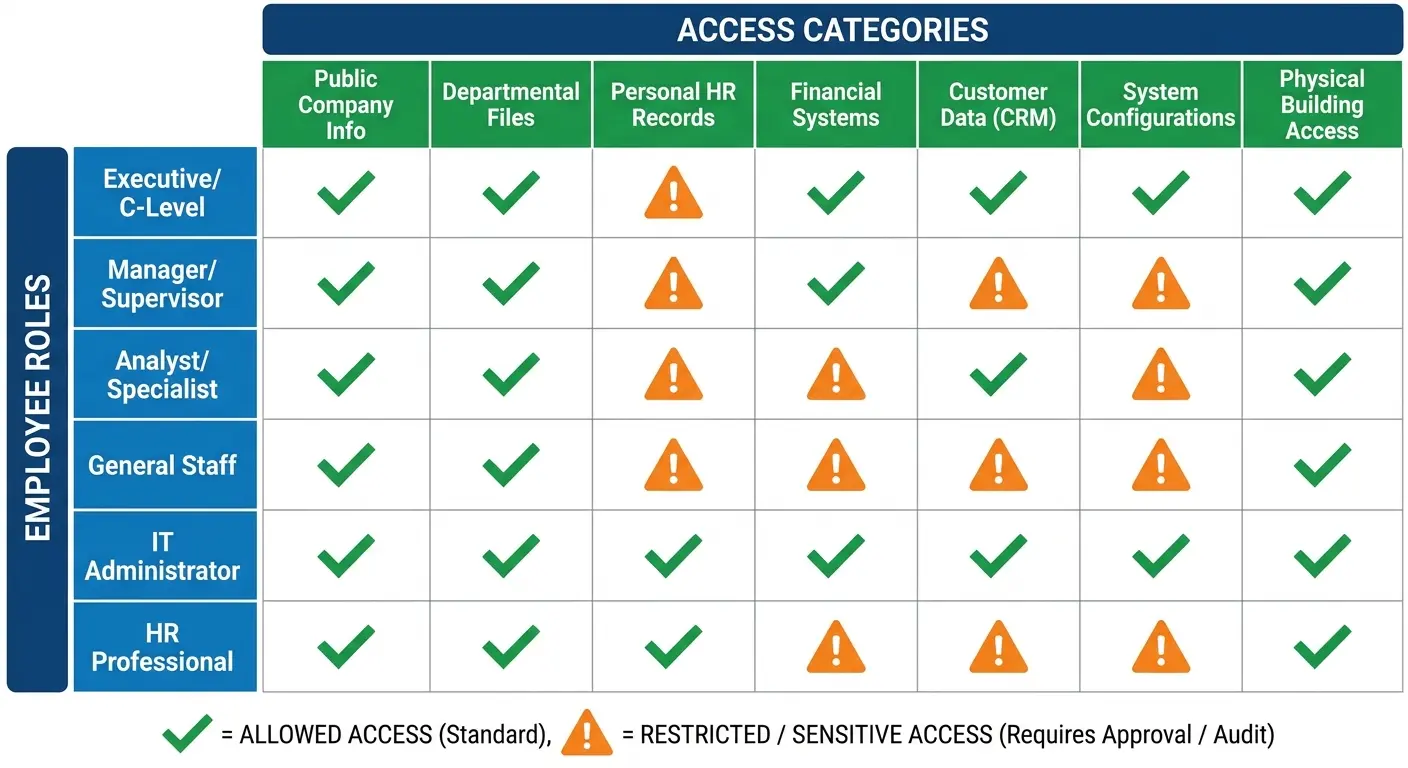
A software engineer has different access than a sales rep, who has different access than a finance manager. Generic offboarding checklists treat everyone the same.
You're either over-revoking (wasting time on access someone never had) or under-revoking (missing access they definitely had). Neither is good.
Role-specific checklists solve this, but they create a maintenance problem. Now instead of one IT offboarding checklist to keep updated, you have ten. Every new tool needs to be evaluated for which roles use it, and multiple checklists need updating.
The alternative is dynamic checklists that pull from your actual access management system. If you know what access someone has, you can generate their offboarding checklist template automatically. This requires infrastructure that most companies don't have, but it's the only approach that scales.
| Role Type | Commonly Missed Access Points | Why They're Missed | Impact If Not Revoked |
|---|---|---|---|
| Software Engineers | GitHub personal access tokens, AWS IAM users, production database credentials, CI/CD pipeline access, container registries | Created outside formal provisioning, often for "temporary" projects | Unauthorized code deployment, data exfiltration, infrastructure compromise |
| Sales Team | CRM data export permissions, prospect database logins, sales intelligence tools, LinkedIn Sales Navigator, demo environment admin access | Provisioned by sales ops not IT, shared team credentials | Competitive intelligence leaks, customer data exposure, continued prospecting with company data |
| Finance/Accounting | ERP system access, banking portals, payroll systems, expense management admin rights, accounts payable vendor portals | High-privilege access granted outside standard workflows | Fraudulent transactions, financial data theft, regulatory violations |
| Marketing | Social media account access, advertising platform admin rights, marketing automation tools, analytics platforms, content management systems | Multiple team members share credentials, personal emails used for sign-ups | Brand damage, budget waste on continued ad spend, customer data in marketing databases |
| Customer Success | Support ticketing system, customer data platforms, feedback tools, community forum admin access, customer communication channels | Direct customer-facing access often bypasses IT provisioning | Continued customer contact, data privacy violations, reputational damage |
Vendor and Partner Access
Your employees aren't just accessing your internal systems. They're accessing vendor portals, partner platforms, client systems, and external tools where your company has accounts.
These access points rarely appear on offboarding checklists because they're managed outside your primary IT systems. Someone has admin access to your AWS partner account. Someone else manages your relationship with a key vendor and has access to their portal. A sales engineer has credentials for demo environments hosted by partners.
When these people leave, their external access often stays active because nobody remembers it exists. You need a process for discovering and documenting external access before it becomes an offboarding problem.
Physical Access in Hybrid Environments
Office badges, building access, parking passes, gym memberships get forgotten when your primary focus is digital security.
Hybrid work makes this worse because physical access is inconsistent. Someone might have a badge they haven't used in six months. The badge still works. The access still exists. It just doesn't feel urgent because they weren't using it anyway.
Physical access revocation needs to be on the IT offboarding checklist template, even for fully remote employees. You'd be surprised how many "remote" employees have office access they never use but that remains active indefinitely.
Compliance-Specific Requirements
Different roles have different compliance obligations. Finance employees might need specific documentation around their offboarding for SOX compliance. Healthcare roles need HIPAA considerations. Anyone handling payment data needs PCI DSS documentation.
Standard checklists don't account for these role-specific compliance requirements. You need separate workflows for roles with heightened compliance obligations, and those workflows need to include documentation that proves compliance, not just actions taken.
Compliance Documentation That Actually Protects You
Audit Trails That Mean Something
You disabled an account. Great. Can you prove when you disabled it, who disabled it, and what access was revoked? Can you prove this six months from now when an auditor asks?
Most companies can't. They know they disabled the account because it's disabled now. They don't have timestamped records of the action, who performed it, and what the account state was before and after.
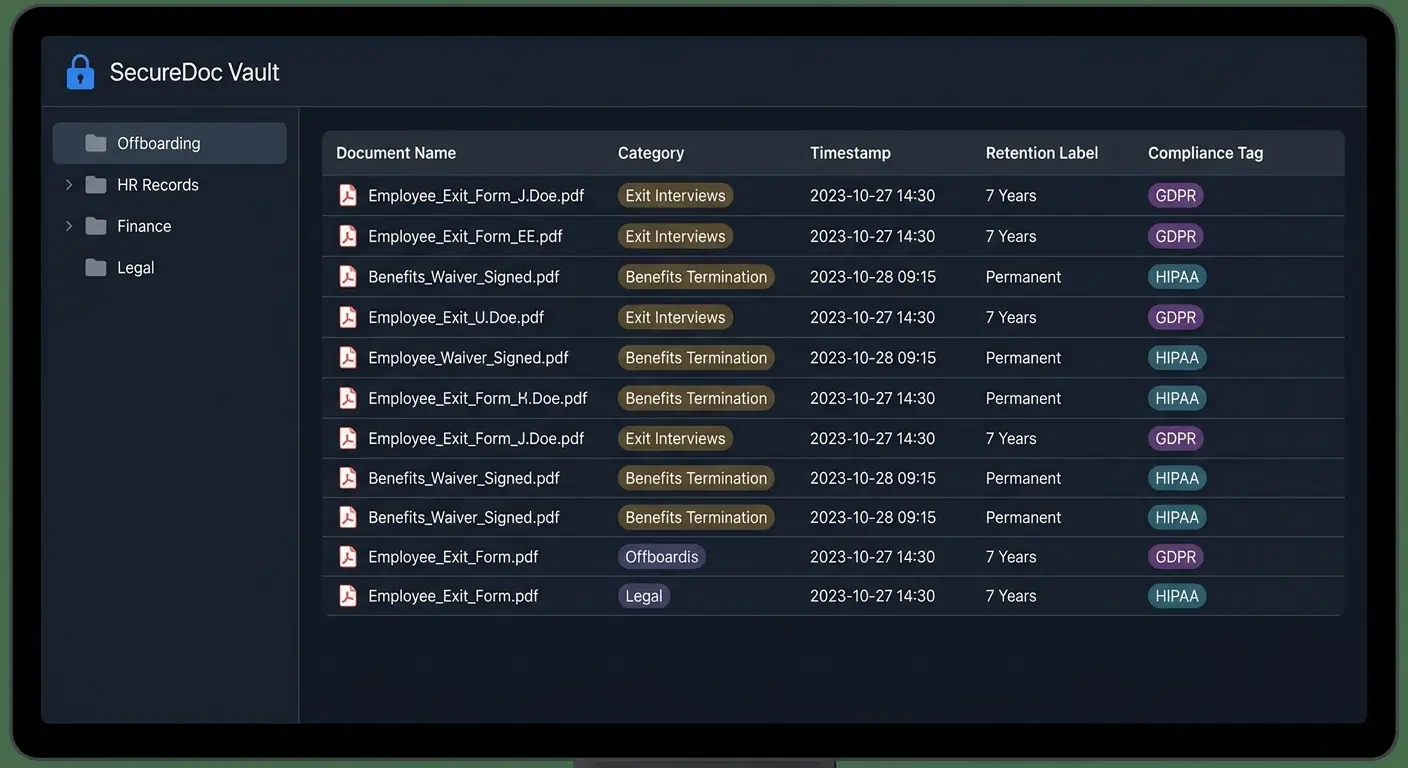
Audit trails need to be automatic, not manual. If you're relying on someone to remember to document their actions, documentation won't happen consistently. Your IT offboarding system needs to create audit logs automatically, with timestamps, user attribution, and before/after states.
Retention Policies That Match Your Risk Profile
How long do you keep offboarding documentation? Most companies don't have a clear answer.
Different types of documentation have different retention requirements. Some compliance frameworks specify minimum retention periods. Some legal risks require longer retention. Some data should be deleted after a certain period for privacy reasons.
You need a retention policy that accounts for all of these factors. Financial records might need seven years. HR records might need different timelines. Access logs might have their own requirements.
Without clear retention policies, you end up keeping everything forever (expensive and risky) or deleting things too soon (compliance problems and legal exposure).
Documentation Retrieval When You Need It
Compliance documentation is useless if you can't find it when an auditor asks for it.
I've seen companies with comprehensive offboarding records that are completely unretrievable. They're scattered across email threads, ticketing systems, shared drives, and individual laptops. When someone asks "can you show me the offboarding documentation for this employee who left 18 months ago," the answer is "probably, give us a week to find it."
That's not acceptable. Compliance documentation needs to be centralized, searchable, and immediately retrievable. You should be able to pull complete offboarding records for any former employee within minutes, not days.
The Difference Between Checked Boxes and Evidence
Saying you revoked access isn't the same as proving you revoked access.
Auditors and lawyers don't care that your offboarding template has a checkmark next to "disable Okta account." They care about evidence that the action happened. Screenshots, system logs, timestamped records are evidence. Checkmarks are not.
Your IT offboarding process needs to generate evidence automatically. When an account is disabled, capture a screenshot or log export showing the disabled state. When a device is wiped, save the sanitization report. When access is revoked, export the audit log showing the change.
This feels like overkill until you're in a legal dispute or compliance audit. Then it's the only thing that matters.
A healthcare tech company faced a HIPAA audit over a year after a sysadmin left. Auditor wanted proof that database access was revoked within 24 hours. The company had a checkmark on their offboarding list. They had a ticket marked 'complete.' What they didn't have was logs, screenshots, or any actual evidence from the database itself. Couldn't prove compliance. The investigation cost six figures and they probably did everything right, they just couldn't prove it.
The Real Cost of Getting Offboarding Wrong
Security Incidents You Could Have Prevented
Former employee access is consistently among the top causes of security incidents. Someone leaves, their access isn't fully revoked, and months later that dormant account becomes an entry point. Proper secure offboarding automation can prevent the costly breaches that result from incomplete access revocation.
These incidents are expensive. The average cost of a data breach is over $4 million. Even smaller incidents cost hundreds of thousands in investigation, remediation, and notification costs. When the root cause is "we didn't revoke access properly during IT offboarding," that's a preventable expense.
The worst part is that these incidents are often discovered months after the offboarding happened. By then, you're trying to reconstruct what access existed, what was revoked, and what was missed. The investigation is harder, the damage is greater, and the costs are higher.
The Productivity Tax of Poor Handoffs
When knowledge transfer fails, the replacement employee spends weeks or months figuring out things their predecessor already knew. They make mistakes that could have been avoided. They reinvent solutions that already existed. They bother colleagues with questions that should have been documented.
This productivity loss is hard to measure but easy to feel. New hires take longer to ramp up. Projects stall because context is missing. Decisions get revisited because nobody remembers why they were made the first way.
We estimate this costs about $15,000 per employee in lost productivity, but that's probably conservative. For senior or specialized roles, the cost is much higher.

Hardware Waste and Unnecessary Purchases
Poor device recovery creates a cycle of waste. Devices aren't recovered, or they're recovered but not processed. IT doesn't know what inventory they have available. When a new hire starts, IT buys new equipment because they can't quickly assess and deploy existing hardware.
You're constantly buying new devices while old ones sit unused. The average company has thousands of dollars in recoverable hardware sitting in storage because there's no process to get it back into circulation. The buying side of that waste is something we examine in the state of global IT hardware procurement.
The environmental impact matters too, but even if you only care about the financial cost, this is money being wasted on purchases you don't need to make.
The Employer Brand Impact Nobody Talks About
How you treat people on their way out affects how they talk about you afterward. Former employees become candidates again, they refer friends, they influence perception of your company in their networks.
Offboarding that feels punitive or chaotic damages your employer brand. When someone's last experience with your company is IT treating them like a security threat, that's what they remember. That's what they tell people.
This matters more in tight talent markets and specialized industries where reputation spreads quickly. You can't afford to have every departing employee telling people that your IT offboarding process was a nightmare.
Building Offboarding That Scales With Remote Work
Device Recovery Across Geographies
Shipping a laptop back from across the country is straightforward. Shipping one back from another country is complicated. Retrieving remote company equipment requires specialized processes that account for geography, shipping logistics, and data security.
International shipping has customs implications, import/export restrictions, and costs that can exceed the device's value. You need to understand the regulations for each country where you have employees, and those regulations change.
International device recovery is a nightmare. Customs, import/export restrictions, shipping costs that exceed the laptop's value. I've seen companies spend $400 to ship back a three-year-old MacBook worth $300. Some companies use global IT asset vendors. Others just write off devices in certain countries and have the employee wipe and dispose locally. Both work. Trying to figure it out case-by-case doesn't.
Access Management Without Network Perimeters
Traditional offboarding assumed employees were accessing resources from inside your network. You could revoke network access and be confident they couldn't reach internal systems.
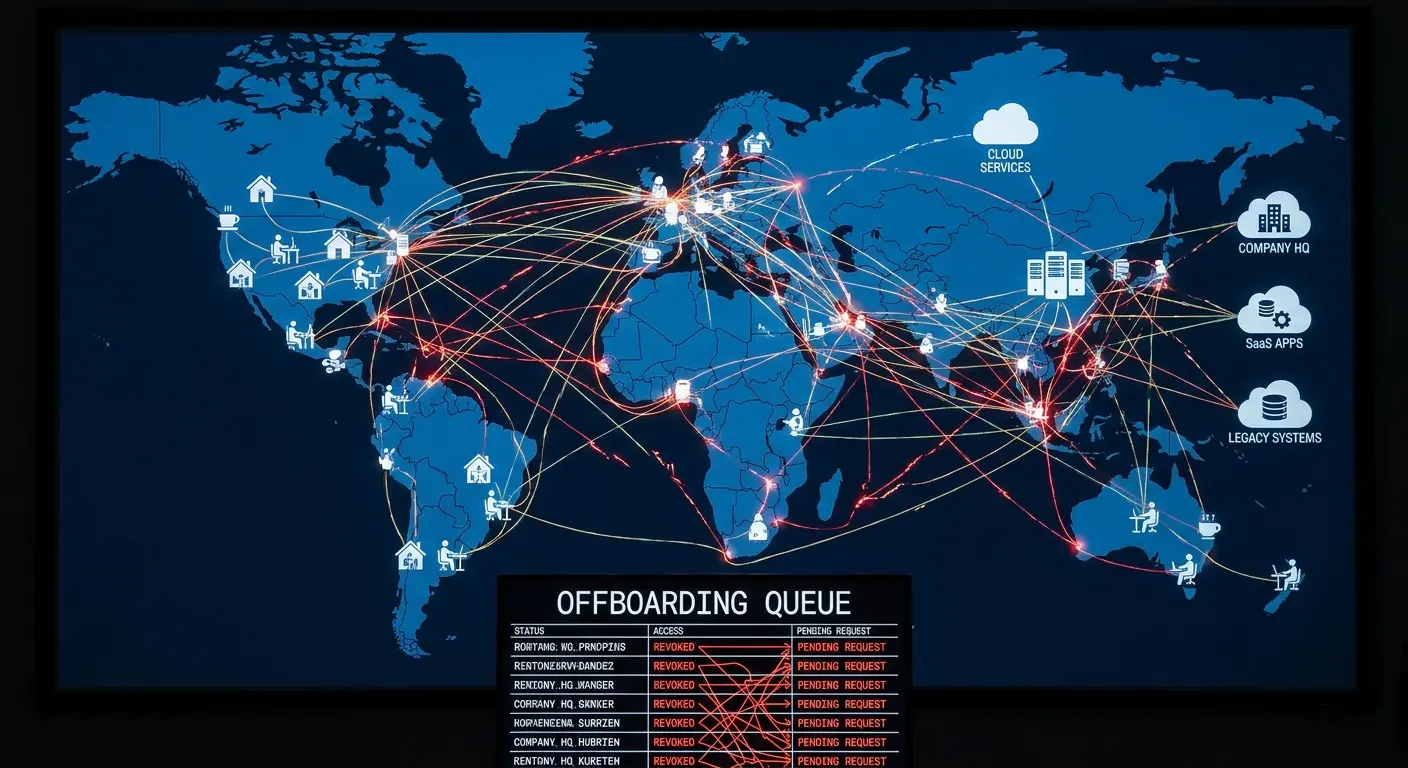
Remote employees access everything through the internet. There's no network perimeter to revoke. Security depends entirely on identity and access management, which means your IT offboarding checklist needs to be comprehensive about access revocation in a way that office-based processes could be sloppy about.
You can't rely on "they're off the VPN" as a security measure. You need to know every system they can access and revoke each one explicitly.
Knowledge Transfer in Async Environments
When your team is distributed across timezones, you can't rely on real-time handoff meetings. The departing employee might be in Europe, their replacement in Asia, and their manager in North America. Finding time for synchronous knowledge transfer is difficult or impossible.
This forces better documentation practices, which is good. Async knowledge transfer requires writing things down, recording videos, creating artifacts that persist. These artifacts are more useful than meetings anyway because they can be referenced later.
Remote IT offboarding should lean into async by default. Live meetings are for questions and clarification, not for primary knowledge transfer.
The Home Office Equipment Problem
Remote employees have company equipment mixed with personal equipment in their home offices. Monitors, keyboards, webcams, adapters all need to be tracked and recovered.
Most companies are terrible at tracking peripheral equipment. They know about the laptop. They might know about the monitor. They definitely don't know about the USB hub, the standing desk, or the ergonomic keyboard.
You need clear policies about what equipment is company property and what employees can keep. You need tracking systems that include peripherals, not just primary devices. You need return processes that account for multiple shipments, not just one laptop box.
Security Implications of Personal Networks
Office employees accessed company resources from managed networks. Remote employees access them from home networks you don't control, often shared with family members and personal devices.
When someone leaves, you can't revoke their network access because they were never on your network. You can only revoke their authentication credentials and hope you got everything.
This makes comprehensive access revocation even more important for remote employees. You can't fall back on network security. Identity is your only control layer.
GroWrk and the Offboarding Gap
Full disclosure: This is where I tell you about GroWrk, because that's what we do. We handle device lifecycle management for distributed teams, including the offboarding piece everyone treats as an afterthought.
When someone leaves, you're not scrambling to figure out what devices they have or where to ship them. It's automated, tracked, integrated with your workflows. Companies cut their offboarding time in half and stop buying equipment they already own but can't find. See how Pi Health scaled remote IT asset management with GroWrk.
If you're managing equipment for distributed teams and offboarding feels chaotic, talk to us. If you're not, the rest of this article still applies.
Final Thoughts
Offboarding reveals everything broken about how you manage IT infrastructure. Your asset tracking gaps, your access management holes, your missing documentation. All of it becomes visible when someone leaves.
Most companies treat this as damage control. Running around revoking access, hoping they didn't miss anything. It's exhausting and incomplete.
The alternative is treating offboarding as a diagnostic. Every difficult offboarding points to a systemic problem. Fix those problems and offboarding becomes straightforward.
The companies getting this right aren't doing anything magical. They track their equipment. They document access. They build knowledge transfer into regular workflows instead of saving it for exit interviews. They start the offboarding process before someone gives notice, not on their last day.
This requires infrastructure. But the alternative is paying for the lack of infrastructure every single time someone leaves, in security incidents, lost productivity, wasted hardware. Those costs add up faster than you think.