
I pulled up a procurement plan last week. Forty-seven pages. Forty-two of those pages covered vendor selection. Three pages on budget allocation. Two pages of compliance checkboxes. You know how many pages covered what happens after you actually buy the laptops? Zero. Not a single paragraph about getting devices through customs, or what to do when your new hire in Vietnam gives you an address that doesn't match any format your shipping carrier recognizes. Just nothing. And then everyone acts surprised when the equipment sits in a warehouse while employees wait for three weeks.
Equipment sits in warehouses. Employees wait weeks for basic tools. IT teams drown in logistics they never signed up for. I've watched companies nail their procurement strategy on paper only to watch it crumble during execution because nobody planned for the messy reality of getting devices into people's hands across different countries, time zones, and regulatory environments.
Table of Contents
- Your Procurement Plan Stops Too Early
- The Deployment Gap Nobody Wants to Acknowledge
- Reverse Engineering Your Procurement Plan from Employee Experience
- Regional Compliance as a Procurement Constraint, Not an Afterthought
- Everything Takes Longer Than You Think
- The Hidden Costs Living Between Purchase and Productivity
- When Centralized Procurement Meets Distributed Teams
- Vendor Relationships Beyond Contract Negotiation
- Measuring Procurement Success by Time-to-Productivity, Not Purchase Completion
- Creating Feedback Loops That Actually Improve Your Next Cycle
TL;DR
Procurement plans end at purchase. The real disasters happen during deployment. That's where you lose weeks and thousands of dollars.
That laptop stuck in Brazilian customs? It's costing you $600 per day in developer salary. Your $100 discount doesn't matter anymore.
Measure time-to-productivity, not purchase completion. Nobody cares that you saved money if your new hire can't work for three weeks.
Regional compliance requirements should shape your procurement decisions upfront, not create bottlenecks later when you're scrambling to find tax certificates at midnight.
Your Procurement Plan Stops Too Early
Procurement departments close their tickets when the invoice gets processed. Finance celebrates staying under budget. Meanwhile, a new hire in Singapore sits at home for their third week waiting for a laptop that's stuck in customs because nobody verified import documentation requirements during the planning phase.
Here's the thing though. Every day without proper equipment costs you in lost productivity, delayed project timelines, and frustrated employees who start questioning their decision to join your company. Yet most procurement plans still treat deployment as someone else's problem.
The typical procurement plan reads like a purchasing checklist. Identify needs, check. Evaluate vendors, check. Submit purchase orders, check. Track delivery to a central location, check. Full stop.
What happens after that central delivery? The plan goes silent.
You're left with a warehouse full of equipment and no clear process for getting it to the people who need it.

This gap exists because procurement teams inherited their frameworks from an era when everyone worked in offices. You could order 50 laptops, receive them at headquarters, and have IT configure them in a room down the hall. Deployment was a non-issue because physical proximity solved most logistics problems.
That world doesn't exist anymore. Your new hires work from apartments in Buenos Aires, co-working spaces in Berlin, and home offices in Manila. The procurement plan that worked when everyone came to the same building five days a week completely falls apart when your team spans 30 countries.
I see companies invest months in vendor selection, debating whether Dell or HP offers better specs for the price point, while spending zero time planning how those devices will actually reach employees in countries where they have no legal entity. The vendor debate matters, but it's meaningless if the device never makes it to the person who needs it. Understanding how to avoid delays in IT procurement requires rethinking where your procurement plan actually ends.
Last quarter, a SaaS company hired a senior developer in Brazil with a $150,000 salary. They spent three weeks negotiating a 5% discount on a $2,000 laptop. Saved $100. Great. The device shipped from their US warehouse without proper customs documentation. It sat in Brazilian customs for 18 days while they scrambled to provide required tax certificates and import licenses. The developer spent those 18 days unable to access development environments or contribute to sprint cycles. At roughly $600 per day in salary costs alone, the customs delay cost $10,800 in pure productivity loss.
The $100 they saved in vendor negotiations was irrelevant.
The Metrics That Hide Procurement Failures
Cost per unit sounds like an objective measure of procurement success. You negotiated a 12% discount off list price, so clearly you did well. Except that discount means nothing if the device arrives three weeks late and you lose $8,000 in productivity from a developer who can't write code without a computer.
Procurement teams track what's easy to measure. Purchase price? Check. Delivery time to warehouse? Check. Vendor response rates? Check.
Great metrics. Clean spreadsheets. Completely useless for understanding what actually happens after the device leaves the warehouse, which is where everything goes sideways.
The real cost of procurement includes customs delays, incorrect shipping addresses, devices that arrive configured for the wrong region, and the IT team's time spent troubleshooting problems that could have been prevented during the planning phase. None of this appears in traditional procurement metrics.
You can't improve what you don't measure. When procurement success is defined by purchase completion rather than employee enablement, your planning process will continue optimizing for the wrong outcomes.
| Traditional Procurement Metric | What It Actually Measures | What It Misses |
|---|---|---|
| Cost per unit | Purchase price negotiation success | Total cost of ownership including shipping, customs, productivity loss |
| Delivery time to warehouse | Vendor shipping performance | Time from warehouse to employee, customs clearance, configuration delays |
| Budget adherence | Spending control | Hidden costs in IT time, productivity loss, employee frustration |
| Vendor consolidation rate | Number of supplier relationships | Quality of vendor support, regional coverage gaps, replacement speed |
| Purchase order completion time | Internal process efficiency | Employee wait time, time-to-productivity, business impact |
The Deployment Gap Nobody Wants to Acknowledge
Deployment is the no-man's-land of corporate operations. Procurement doesn't own it because their mandate ends at purchase. IT doesn't own it because they focus on configuration and support, not logistics. Operations might own it in theory, but they usually lack the authority to change procurement processes upstream.
Nobody owns this mess. Procurement says it's IT's problem. IT says they just configure devices, not ship them. Meanwhile, your new hire in Manila is still using their personal laptop three weeks in.
I've watched companies spend $3,000 on a high-spec laptop for a senior engineer, then lose $15,000 in productivity because nobody planned for the two-week customs clearance process in Brazil. The procurement plan accounted for device cost but completely ignored deployment realities in different markets.
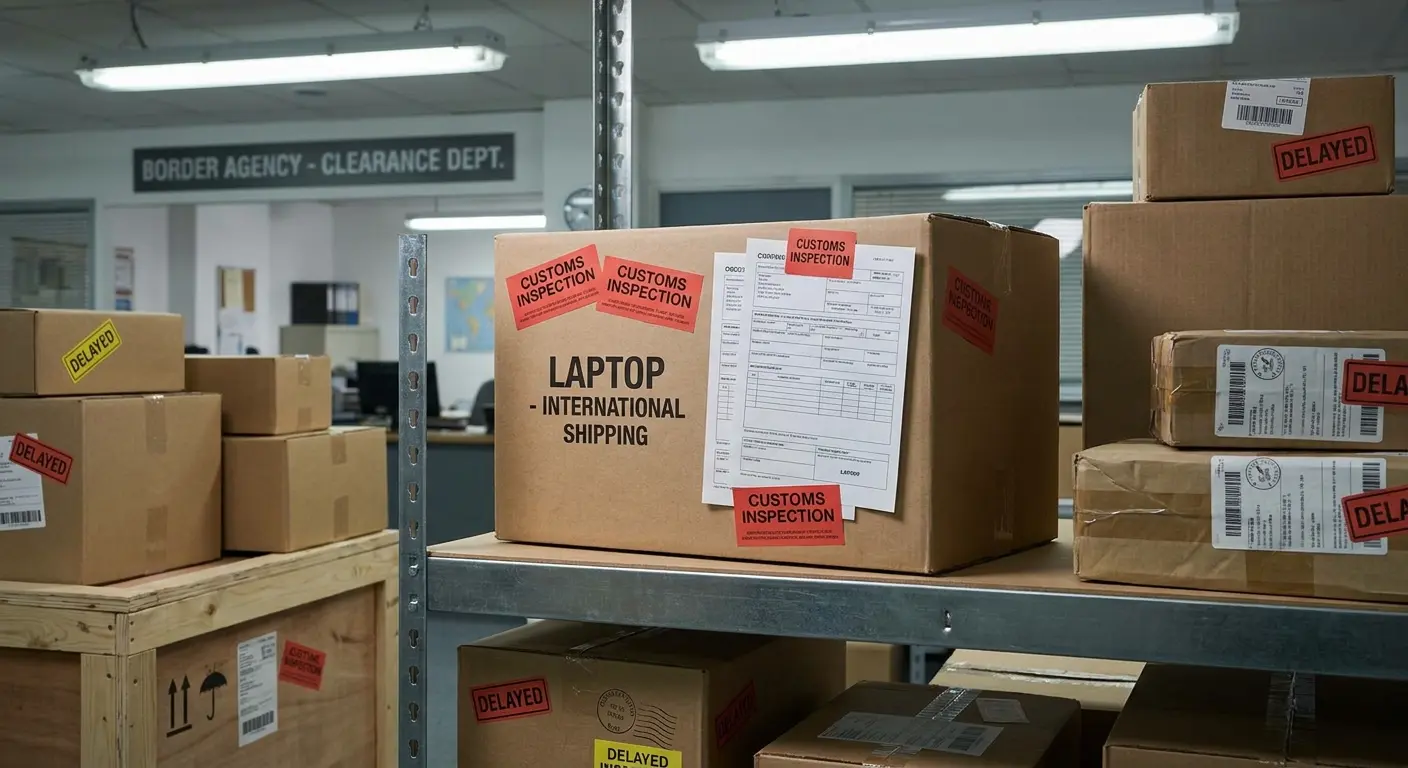
The deployment gap widens when you operate globally. Domestic shipments within the US might arrive in three days with minimal friction. Ship that same device to an employee in India and you're dealing with import duties, tax documentation, customs brokers, and local delivery services that may or may not understand business addresses.
Your procurement plan needs to account for these variables upfront, not discover them when an angry new hire emails asking where their equipment is. That means researching import requirements for every country where you have employees, building relationships with logistics providers who understand local regulations, and creating buffer time that reflects actual delivery timelines rather than wishful thinking. The challenges of international procurement processes become most visible during the deployment phase.
When New Hires Start Without Equipment
First impressions stick. A new hire who spends their first week on a personal laptop, unable to access company systems or contribute meaningfully, starts forming opinions about your organizational competence. Those opinions don't change.
You can't recover from a bad onboarding experience. The new hire might eventually get their equipment and settle into their role, but that initial disappointment colors their perception of the company. They remember that you weren't prepared for their arrival despite having weeks or months of notice.
The procurement plan should work backward from the employee's start date. If someone begins on March 15th, your plan needs to ensure equipment arrives by March 13th at the latest, accounting for every potential delay between purchase order and doorstep delivery. That might mean initiating procurement six weeks in advance for certain countries, which sounds excessive until you've dealt with customs delays in Jakarta.
Some companies try to solve this with loaner equipment or temporary devices. This creates more problems than it solves. The new hire wastes time setting up a temporary machine, then wastes more time migrating everything to their permanent device when it finally arrives. You've doubled the configuration work while still delivering a subpar experience. A comprehensive IT onboarding checklist should trigger procurement processes weeks before an employee's start date.
Last year, a fintech startup hired a product manager in Argentina. Let's call her Ana. Their procurement process triggered two weeks before the start date, which worked fine for US hires. The laptop shipped from Miami on a Friday. Argentine customs requires specific tax identification numbers for electronics imports, which the shipping label lacked. The package sat in Buenos Aires customs for 12 days while the company's local accountant obtained the necessary documentation.
Ana started her role on Monday with no computer. She spent her first week in video calls using her personal laptop from 2016, unable to access internal tools, product roadmaps, or customer data. Her screen kept freezing during meetings. She was basically useless. By the time her company laptop arrived, she'd already formed a lasting impression of the company as disorganized and unprepared.
She quit after five months. In her exit interview, she mentioned the laptop thing first. "I figured if they couldn't get me a computer, what else would they screw up?"
Reverse Engineering Your Procurement Plan from Employee Experience
Most procurement planning starts with budget allocation and vendor catalogs. You decide how much to spend, evaluate what's available at that price point, and figure out deployment later. This approach optimizes for purchasing convenience rather than employee needs.
Flip that sequence. Start by asking what your employees need to be productive in their specific roles and locations. A graphic designer in Mexico City has different requirements than a sales rep in Stockholm. Your procurement plan should account for these differences rather than forcing everyone into standardized equipment packages.
This reversed approach immediately surfaces questions that traditional procurement planning never asks. What's the realistic timeline for getting a device to someone in Vietnam? Which configurations are available in different markets? What happens when someone needs a replacement device urgently?
These questions are uncomfortable because they reveal how little control you have over the deployment process. That discomfort is useful. It forces you to build realistic plans rather than aspirational ones that look good in presentations but fail in execution.
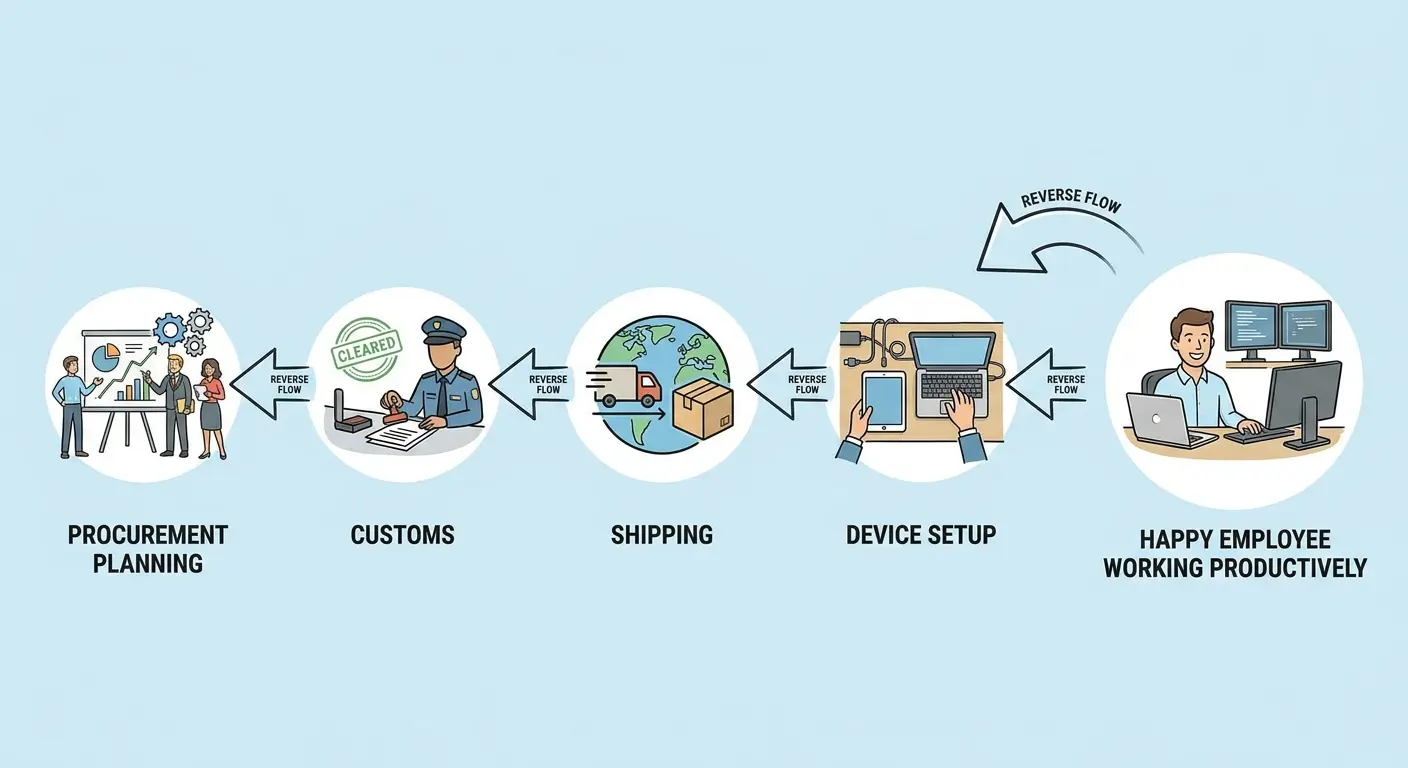
I've seen procurement plans that specify exact device models without checking whether those models are available in all the countries where employees work. The plan looks thorough on paper but becomes useless the moment someone in South Africa needs equipment and the specified model isn't sold there.
Employee-First Procurement Planning Checklist
Look, I know checklists are boring. But I've seen too many procurement plans fail because someone forgot to verify that Dell actually sells that specific model in Indonesia. So here's the checklist I actually use (and yes, I've screwed up every single one of these at some point):
Before finalizing any procurement decision, verify:
- ☐ Device model is available for purchase in all countries where you currently have employees (seriously, check this, I once standardized on a laptop that wasn't sold in 8 of our 12 markets)
- ☐ Power adapters and keyboard layouts match regional requirements for each market
- ☐ Import/export restrictions have been researched for every target country
- ☐ Realistic shipping timelines documented for each region (including customs clearance, not just carrier estimates)
- ☐ Local warranty and support infrastructure confirmed in each market
- ☐ Replacement device availability and timeline verified for each country
- ☐ Configuration requirements mapped to specific roles, not just generic "employee" category
- ☐ Address verification process tested for international formats
- ☐ Backup vendors identified for markets where primary vendor has limited coverage
- ☐ Total cost calculated including duties, taxes, and shipping (not just device price)
Mapping the Employee Journey from Offer Acceptance to Full Productivity
The employee journey starts when they accept your offer, not when they start working. That gap between acceptance and start date is your procurement window. Waste it and you're already behind.
Calculate backward from the start date. If you need six weeks for international shipping and customs clearance, your procurement process needs to trigger immediately after offer acceptance. Waiting until two weeks before the start date guarantees failure for distributed team members.
Your procurement plan should include specific triggers tied to hiring stages. When a candidate moves to the offer stage, the system should automatically flag their location and role to determine equipment needs and procurement timeline. This removes the manual coordination that causes most delays.
Configuration requirements vary by role and team. Developers need local admin rights and specific development tools pre-installed. Sales teams need CRM access and communication tools. Your procurement plan should account for these configuration differences, not just deliver generic devices that require hours of IT setup after arrival.
The first week is when most equipment problems surface. Devices arrive with wrong power adapters for the local region. Software licenses don't activate properly. Peripherals aren't compatible with the main device. Your procurement plan needs contingency processes for these inevitable issues, including rapid replacement options and local support resources.
| Journey Stage | Timeline | Procurement Action Required | Common Failure Point |
|---|---|---|---|
| Offer acceptance | Day 0 | Trigger equipment procurement based on location and role | Nobody tells procurement the person accepted |
| Pre-shipment | Days 1-3 | Verify shipping address, confirm import documentation, validate device configuration | Incomplete address data, missing customs paperwork |
| International shipping | Days 4-14 | Track shipment, monitor customs clearance, coordinate with local delivery | Customs delays, incorrect import codes, lost packages |
| Local delivery | Days 15-17 | Confirm delivery window with employee, arrange signature requirements | Wrong address format, employee unavailable, building access issues |
| Device configuration | Days 18-19 | IT completes role-specific setup, activates software licenses | Wrong OS version, missing pre-installed tools, license activation failures |
| First week usage | Days 20-26 | Monitor for hardware/software issues, provide rapid support | Power adapter incompatibility, peripheral connection problems, regional software restrictions |
Regional Compliance as a Procurement Constraint, Not an Afterthought
Compliance isn't paperwork you handle after buying equipment. It's a fundamental constraint that should shape which devices you buy, how you buy them, and where you source them from.
Brazil requires local warranty support for electronic devices. Or at least I think it's a requirement? Every vendor I've worked with says it's mandatory, but I've never actually read the statute. Either way, you can't just ship devices from a US warehouse and hope for the best. You need vendor relationships that include local support infrastructure or partnerships with Brazilian suppliers who can handle warranty claims.
China restricts VPN usage and has specific requirements for device encryption and data storage. These regulations affect which devices you can deploy and how they need to be configured. Your procurement plan should account for these requirements during vendor selection, not discover them when devices get held at customs.
GDPR affects procurement planning for European employees. Data residency requirements influence which cloud services you can use, which in turn affects device configuration and management tools. Your procurement plan needs coordination with your privacy and legal teams to ensure compliance before devices reach employees.

Some countries require companies to use local suppliers for government contracts or regulated industries. Your procurement plan should identify these requirements early and build relationships with approved vendors rather than trying to force your preferred global supplier into markets where they can't operate.
Import duties and tax requirements vary dramatically by country. These costs can add 30-50% to device prices in some markets. Your procurement budget needs to account for these additions rather than treating them as unexpected expenses that blow up your financial planning. When developing a global procurement strategy, compliance requirements should drive vendor selection and budget allocation from day one.
Building Vendor Relationships That Include Local Support Infrastructure
Vendor selection typically focuses on product specifications and pricing. You compare processor speeds, RAM configurations, and warranty terms. These factors matter, but they're useless if the vendor can't support devices in the countries where your employees work.
Support infrastructure means more than a phone number employees can call. It includes local repair facilities, replacement device availability, and technicians who understand regional variations in hardware and software configurations.
Your procurement plan should include vendor support audits for each country where you operate. Which vendors have authorized repair centers in Vietnam? Who can deliver replacement devices in Argentina within 48 hours? These questions should inform vendor selection as much as device specs.
Service level agreements need geographic specificity. A vendor might promise 24-hour replacement in the US but take two weeks for the same service in the Philippines. Your procurement plan should document these variations and set realistic expectations rather than assuming global consistency.
Some markets require local legal entities to handle warranty claims and repairs. Your procurement plan needs to verify that vendors have proper local registration and business licenses, not just shipping capabilities. Discovering these requirements after a device fails creates weeks of delay while you sort out legal paperwork.
Everything Takes Longer Than You Think
Procurement plans that assume perfect execution are guaranteed to fail. Shipping delays happen. Customs holds packages for inspection. Devices arrive damaged. Employees move to new addresses between order placement and delivery. Your plan needs buffers that absorb these inevitable disruptions.
Time buffers should reflect actual delivery timelines, not carrier estimates. If FedEx says five days for international shipping, your plan should assume seven to ten days. Customs clearance might take 24 hours or it might take two weeks depending on inspection queues and documentation accuracy.
Inventory buffers make sense for common configurations in high-volume markets. Keeping five ready-to-deploy laptops in a warehouse near your largest employee concentrations means you can respond to urgent needs without waiting for international shipping. This costs money upfront but saves far more in productivity loss when someone needs immediate equipment.
Process buffers provide alternative vendors and shipping routes when primary options fail. Your procurement plan should identify backup suppliers in key markets who can fulfill orders when your primary vendor runs out of stock or faces shipping restrictions.
Address verification buffers catch problems before they cause delivery failures. Employees often provide incomplete or incorrect addresses, especially in countries where address formats differ from what they're used to. Your procurement plan should include verification steps that confirm deliverability before shipping expensive equipment. Effective IT vendor management best practices include maintaining backup vendor relationships for critical markets.
A consulting firm hired 12 people across Southeast Asia in one month. Their procurement plan assumed standard seven-day shipping for the region. Three laptops shipped to Indonesia got held in customs for certificate of conformity documentation. Two devices bound for Thailand arrived during a national holiday when customs offices were closed for four days. One shipment to Malaysia was returned because the address format didn't include the required postal code structure.
The firm had no buffer inventory in the region and no backup shipping options. Five employees started work without equipment.
The firm eventually established a small inventory hub in Singapore with ten pre-configured devices. When they hired their next Southeast Asian employee, the device shipped from Singapore and arrived in two days instead of two weeks.
Calculating the True Cost of Speed vs. the False Economy of Delay
Expedited shipping costs $200 more than standard delivery. That sounds expensive until you calculate what a developer's time is worth. At $100,000 annual salary, each day without equipment costs roughly $400 in lost productivity. The expedited shipping pays for itself in half a day.
Procurement teams often batch orders to get volume discounts or reduce per-unit shipping costs. This makes financial sense for office supplies or furniture, but it's counterproductive for equipment that directly enables work. Waiting two weeks to accumulate enough orders for a bulk shipment costs thousands in aggregate productivity loss.

Your procurement plan should separate time-sensitive equipment from items where delays don't impact productivity. Monitors and peripherals can wait for batch shipping. Laptops and phones cannot. This distinction seems obvious but gets lost when procurement processes treat all hardware the same way.
The false economy of delay extends beyond shipping decisions. Choosing vendors based solely on lowest price without considering delivery speed or support responsiveness creates downstream costs that dwarf any initial savings. A device that costs $100 less but arrives two weeks later is actually more expensive when you account for the productivity impact.
Procurement Speed vs. Cost Decision Template
Use this framework to evaluate whether to expedite procurement or accept standard timelines:
Employee Information:
- Role: _______________
- Annual salary: $_______________
- Daily productivity value: $_____________ (salary divided by 260 working days)
- Start date: _______________
Procurement Options:
Option A (Standard):
- Shipping cost: $_______________
- Estimated delivery: _______________ days
- Total cost: $_______________
Option B (Expedited):
- Shipping cost: $_______________
- Estimated delivery: _______________ days
- Total cost: $_______________
Cost Analysis:
- Days saved with expedited: _______________ days
- Productivity value of saved days: $_______________ (daily value times days saved)
- Additional cost of expedited: $_______________
- Net savings/loss: $_______________ (productivity value minus additional cost)
Decision: Choose expedited if net savings are positive. Standard shipping only makes sense when productivity value of saved days is less than expedited shipping premium.
The Hidden Costs Living Between Purchase and Productivity
Purchase price is the most visible cost in any procurement process. It's also one of the smallest. The real expenses accumulate in the gap between buying equipment and employees using it productively.
IT time spent coordinating deployments rarely appears in procurement cost calculations. Your IT team spends hours tracking shipments, troubleshooting delivery issues, coordinating with employees across time zones, and handling configuration problems that could have been prevented with better planning. At $75,000 average IT salary, even a few hours per deployment adds up quickly across dozens or hundreds of employees.
Opportunity costs hit hardest with revenue-generating roles. A sales rep who starts three weeks late because of equipment delays misses quota contribution for that entire month. A customer success manager who can't access support systems loses client trust during critical onboarding periods. These costs never show up in procurement reports but they directly impact business outcomes.
The compounding effect of repeated failures destroys more value than individual incidents suggest. Employees talk to each other. When multiple people experience procurement problems, it becomes part of your company's narrative. New hires arrive expecting delays. Teams build cynicism about operational competence. This cultural damage persists long after you fix the immediate procurement issues.
Replacement costs multiply when devices fail during the first month. You've already paid for shipping, customs, and configuration once. Doing it again because the device arrived damaged or with defects doubles your per-employee cost. Your procurement plan should include quality verification steps and vendor accountability for devices that fail quickly after deployment. Understanding the true cost of onboarding a new employee requires accounting for equipment deployment delays and their productivity impact.
The IT Team's Invisible Procurement Workload
IT teams inherit every procurement failure. Device arrives at the wrong address? IT coordinates with shipping to redirect it. Employee needs urgent equipment? IT scrambles to find alternatives. Vendor ships wrong configuration? IT spends hours reconfiguring or arranging replacement.
This unplanned work displaces strategic IT initiatives. Your IT team should focus on security improvements, system upgrades, and infrastructure projects. Instead, they're tracking FedEx shipments and explaining to frustrated employees why their equipment hasn't arrived.

At this point, I've spent more time tracking packages than I spent getting my college degree. I'm not proud of this.
Procurement plans should include IT capacity as a planning constraint. If your IT team can handle five device deployments per week without disrupting other work, your hiring plan and procurement timeline need to respect that limit. Throwing 20 new hires at IT in a single week because procurement didn't plan for staggered delivery creates chaos.
Configuration standardization reduces IT workload but requires procurement planning. If every device arrives with slightly different specs because procurement optimized for individual purchase prices rather than standardized configurations, IT spends exponentially more time on setup and support. Your procurement plan should prioritize configuration consistency even when it costs slightly more per unit.
Vendor coordination shouldn't fall entirely on IT teams. Procurement should maintain ongoing vendor relationships that include defined escalation paths for deployment issues. When IT needs urgent replacement of a failed device, they should have direct contacts and established processes rather than starting from scratch each time.
When Centralized Procurement Meets Distributed Teams
I used to think centralized procurement was always better. Economics of scale, standardization, all that. Then I watched a company with 200 employees try to manage all procurement from their San Francisco office. They were ordering laptops for someone in Bangalore through a US vendor, shipping to California first, then reshipping to India. It took 6 weeks and cost twice as much as just buying locally.
Sometimes the "best practice" is actually the worst practice.
Approval processes designed for centralized operations create bottlenecks for distributed teams. Requiring physical sign-off from a VP in San Francisco delays equipment orders for employees in Singapore by days or weeks. Your procurement plan needs approval workflows that function asynchronously across time zones.
Standardization becomes complicated when different markets have different product availability. You might standardize on a specific Dell model, but that model isn't sold in certain countries or ships with different keyboard layouts and power adapters. Your procurement plan needs regional flexibility within overall standardization guidelines.
Centralized inventory works against distributed teams. Storing all equipment at headquarters and shipping to employees worldwide creates unnecessary delays and shipping costs. Regional inventory hubs reduce delivery times and costs while maintaining some centralization benefits.
Budget allocation in centralized procurement often assumes consistent costs across locations. The same laptop might cost $1,200 in the US and $1,800 in Brazil after import duties and taxes. Your procurement budget needs geographic multipliers rather than assuming flat costs globally.
I've seen companies try to force distributed teams into centralized procurement processes designed for office-based work. The result is constant friction, workarounds that bypass official processes, and procurement plans that exist on paper but don't reflect how equipment actually gets deployed. Learning how to manage a distributed team effectively requires reimagining procurement processes that were built for centralized operations.
Regional Procurement Authority Without Losing Oversight
Regional procurement authority speeds deployment without sacrificing control. You can empower regional managers or IT leads to make equipment decisions within defined parameters while maintaining central oversight of overall spending and vendor relationships.
Spending thresholds determine which decisions require central approval. Equipment purchases under $2,000 might be approved regionally while larger purchases or bulk orders require central review. This lets regional teams respond quickly to individual needs while preventing major procurement decisions from happening without proper evaluation.
Approved vendor lists give regional teams flexibility within boundaries. Rather than specifying exact device models, your procurement plan can list approved vendors and configuration requirements. Regional teams choose from approved options based on local availability and specific employee needs.
Reporting systems should provide visibility without creating approval bottlenecks. Regional teams can make procurement decisions immediately while central teams receive automated reports showing spending patterns, vendor usage, and compliance with procurement guidelines. This enables oversight without slowing deployment.
Budget allocation to regional teams creates accountability and planning discipline. Each region receives quarterly equipment budgets based on headcount and role mix. They manage procurement within those budgets, eliminating the back-and-forth of individual purchase approvals while maintaining overall cost control.
Vendor Relationships Beyond Contract Negotiation
Here's what vendor relationships actually look like. You negotiate a contract. They promise amazing support. Everything's great until you need them to ship a replacement laptop to Paraguay on a Friday afternoon. Suddenly, their "global support team" doesn't work weekends, Paraguay isn't in their "standard coverage area," and the fastest they can do is 3 weeks.
I'm not saying vendors are bad. I'm saying the gap between what they promise in sales calls and what they deliver when you're in crisis mode is significant. Your procurement plan needs to account for this gap.
Vendors who serve distributed companies deal with the same deployment challenges across multiple clients. They've solved customs problems in Indonesia and figured out delivery logistics in remote Brazilian cities. Your procurement plan should tap into this expertise rather than reinventing solutions.
Joint problem-solving sessions with vendors reveal opportunities you might miss. When you explain that delivery to certain countries consistently takes twice as long as expected, vendors might suggest alternative shipping routes or local partners who can speed the process. These insights only emerge through ongoing dialogue beyond contract negotiations.
Vendor accountability should extend to deployment outcomes, not just product delivery. Your contracts should include service level agreements for delivery to employee doorsteps, not just to your warehouse or a local distribution center. This shifts responsibility for solving last-mile logistics to vendors who have more expertise and pull with shipping carriers.
Performance reviews with vendors should happen quarterly, not just at contract renewal. Regular check-ins let you address emerging problems before they become systemic issues. You can discuss delivery failures, quality concerns, or support gaps while there's still time to improve performance within the current contract period.
Vendors can provide deployment data that improves your procurement planning. They know which device models have higher failure rates, which configurations cause the most support tickets, and which markets present consistent delivery challenges. Your procurement plan should incorporate this intelligence rather than relying solely on internal data. Implementing a comprehensive IT procurement strategy means treating vendors as strategic partners rather than transactional suppliers.
Building Service Level Agreements Around Employee Experience
Service level agreements typically measure vendor performance by delivery to your receiving dock. That metric is meaningless for distributed teams where the receiving dock is an employee's home address in Warsaw or Bangalore.
Your SLAs should specify delivery times to individual employee addresses, with different targets for different markets based on realistic logistics constraints. Three days for domestic US delivery, seven days for European delivery, ten days for Asia-Pacific. These targets should reflect actual achievable timelines, not aspirational goals that vendors consistently miss.
Replacement device SLAs matter more than initial delivery SLAs. When a device fails two weeks after an employee starts, you need replacement within 48 hours regardless of location. Your vendor contracts should guarantee rapid replacement with financial penalties for delays, because a two-week replacement timeline costs you more in lost productivity than any penalty would cost the vendor.
Support availability should match employee time zones, not vendor business hours. If you have employees across Asia-Pacific, your vendor needs support staff available during APAC business hours, not just US East Coast hours. Your SLA should specify support availability windows that cover your employee distribution.
Quality guarantees should include failure rates within the first 90 days. Devices that fail quickly after deployment create disproportionate costs and frustration. Your vendor contracts should specify acceptable failure rates and provide remedies when vendors exceed those thresholds.
Measuring Procurement Success by Time-to-Productivity, Not Purchase Completion
Time-to-productivity measures what matters: how quickly employees can do their jobs after you identify an equipment need. This metric starts when someone accepts a job offer or an existing employee requests new equipment, and ends when they're fully productive with that equipment.
Traditional procurement metrics would show success when a purchase order is submitted or when a device ships from the warehouse. Time-to-productivity shows success only when the employee is working productively. This shift in measurement changes everything about how you plan procurement.
Measuring time-to-productivity requires tracking across departments. You need data from HR on offer acceptance dates, from procurement on order placement, from logistics on delivery, from IT on configuration completion, and from managers on when employees reach full productivity. Most companies don't connect these data points, which is why procurement problems remain invisible.
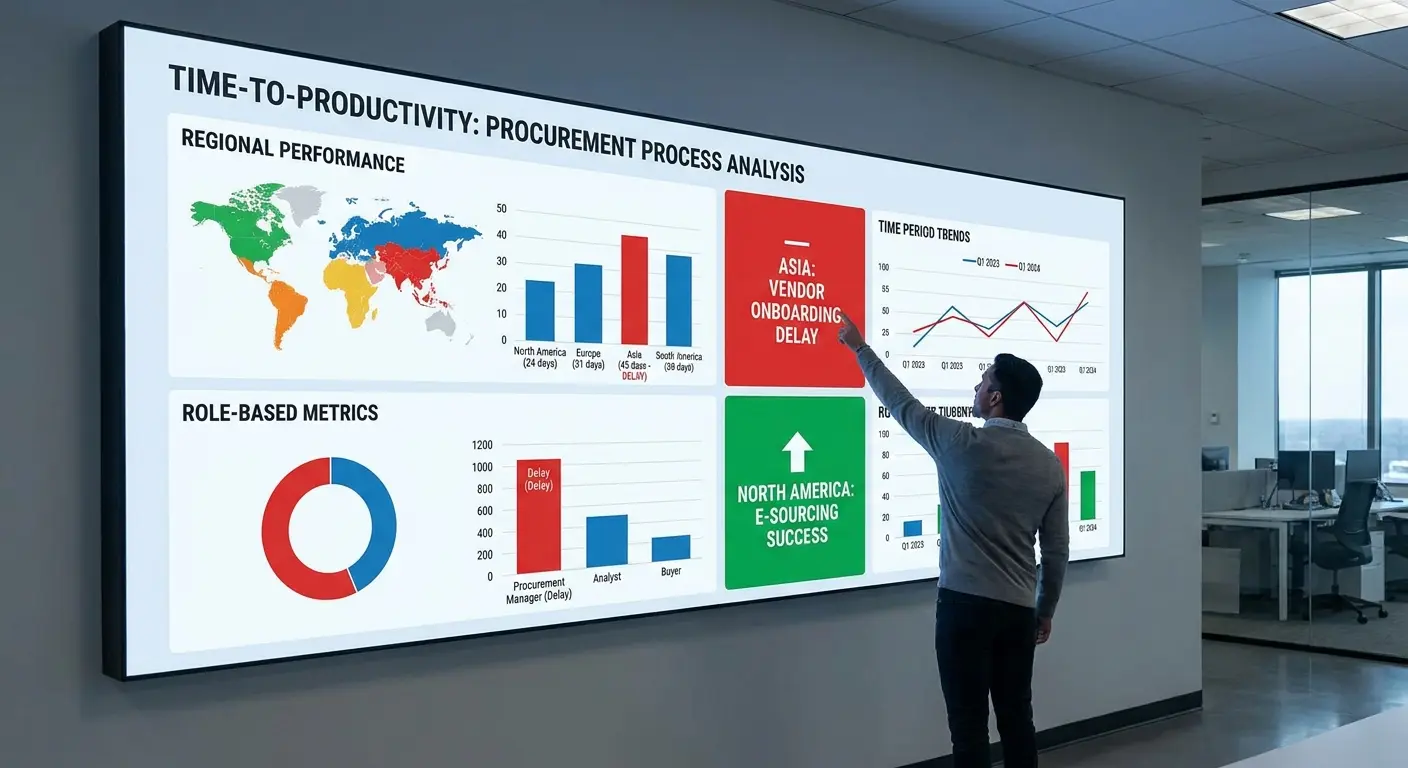
Your procurement plan should include mechanisms for capturing time-to-productivity data. This might mean adding fields to your HRIS system, building dashboards that aggregate data from multiple sources, or implementing regular surveys asking employees when they received equipment and when they felt fully productive.
Baseline metrics reveal where your procurement process currently stands. Calculate average time-to-productivity for different regions, roles, and equipment types. These baselines show where problems concentrate and where improvements would have the biggest impact.
Improvement targets should be specific and measurable. Reducing average time-to-productivity for European employees from 21 days to 14 days gives your procurement planning a clear goal. You can evaluate every process change based on whether it moves you toward that target. Effective IT asset management for distributed teams requires tracking equipment from procurement through full employee productivity.
Leading Indicators That Predict Procurement Failures
Leading indicators let you fix procurement problems before they impact employees. Waiting until someone complains about missing equipment means you've already failed. You need metrics that predict problems while there's still time to intervene.
Vendor delivery performance trends show deterioration before it becomes critical. If a vendor's average delivery time increases from five days to seven days over a month, that's a signal to investigate. Maybe they're experiencing capacity constraints or shipping route disruptions. Your procurement plan should include weekly vendor performance reviews that catch these trends early.
Customs clearance times vary by country and change based on regulatory updates or inspection priorities. Tracking clearance duration by country reveals when specific markets are experiencing delays. You can adjust procurement timelines for affected regions before missing employee start dates.
Address verification failure rates indicate data quality problems. If 15% of addresses require correction before shipping, you're creating unnecessary delays. Your procurement plan should include address validation tools and clearer instructions for employees providing shipping information.
IT ticket volume related to equipment issues predicts broader procurement problems. A spike in tickets about wrong configurations or missing peripherals suggests systematic issues in your procurement or deployment process. These patterns let you fix root causes rather than just handling individual incidents.
Creating Feedback Loops That Actually Improve Your Next Cycle
Procurement plans should evolve based on actual deployment experience, but most organizations repeat the same mistakes because they don't capture or act on feedback. You need structured mechanisms that turn deployment experience into procurement improvements.
Employee feedback immediately after equipment arrival reveals problems your procurement team never sees. Simple surveys asking about delivery timing, device condition, configuration accuracy, and missing items provide data you can act on. These surveys need to be brief (three minutes maximum) and sent within 24 hours of delivery confirmation while the experience is fresh.
IT team retrospectives after major hiring waves surface systematic issues. Your IT team handles deployment problems firsthand and knows exactly where procurement planning falls short. Monthly sessions reviewing recent deployments create space for this knowledge to influence future planning.
Manager feedback about employee productivity ramp time connects procurement decisions to business outcomes. Managers observe when new hires become productive and can identify equipment issues that slow onboarding. Quarterly check-ins with hiring managers should include questions about equipment readiness and its impact on team productivity.
Vendor feedback sessions reveal problems from their perspective. Vendors see patterns across their customer base and can identify where your processes create unnecessary friction. Quarterly reviews with key vendors should include open discussion about what's working and what's creating problems.
Procurement planning cycles should explicitly incorporate feedback review. Before planning equipment needs for the next quarter, review feedback from the previous quarter. Which countries experienced consistent delays? Which device models generated support tickets? Which vendors missed delivery commitments? This review should directly influence procurement decisions.
Turning Feedback Into Process Changes
Collecting feedback accomplishes nothing if you don't act on it. I've seen companies run detailed post-deployment surveys, compile results into reports, and then file those reports away without changing anything. The feedback loop isn't complete until you implement improvements.
Ownership matters for feedback implementation. Someone needs clear responsibility for reviewing feedback and driving process changes. This might be a procurement manager, operations lead, or IT director depending on your organization structure. Without explicit ownership, feedback becomes everyone's responsibility, which means it's nobody's responsibility.
Feedback review should happen on a fixed schedule with documented outcomes. Monthly review meetings examine recent feedback, identify patterns requiring action, and assign specific improvement projects with owners and deadlines. The meeting notes should track what changed as a result of previous feedback to create accountability.

Prioritization helps when feedback reveals more problems than you can address simultaneously. Impact and frequency determine priority. Issues that affect many employees or cause significant productivity loss get addressed first. Problems that occur rarely or have minimal impact can wait.
Quick wins build momentum for larger process changes. Some feedback reveals problems you can fix immediately with minimal effort. Updating an address verification form or adding a checklist to vendor communications might solve issues that have frustrated employees for months. Implement these quick fixes fast to demonstrate that feedback matters.
Communicating changes back to feedback providers closes the loop. When employees provide feedback that leads to process improvements, tell them. This reinforces that their input matters and encourages continued participation in feedback mechanisms. Mastering device lifecycle management requires feedback mechanisms that connect procurement decisions to long-term equipment performance.
Things That Shouldn't Be This Hard But Somehow Are
Getting a straight answer about customs requirements from literally anyone. I once spent 45 minutes on hold with a customs broker who insisted we needed a "certificate of origin" for a MacBook. Sir, it's from Apple. The origin is Cupertino. We all know this.
Explaining to finance why the laptop costs $1,200 in the US but $1,800 in Brazil. No, the vendor isn't ripping us off, that's just how import duties work.
Tracking packages across three different carrier websites because the shipment changed hands twice.
The fact that "business address" means completely different things in different countries.
Vendors who say they ship internationally but really mean "we ship to 5 countries and everywhere else is your problem."
What I'd Do Differently
Knowing what I know now? I'd start with a map of where our employees actually are, not where we think we'll hire. I'd call customs brokers in those countries before talking to vendors. I'd budget 30% more than the device costs to account for shipping, duties, and the inevitable surprises.
I'd also stop trying to standardize everything. Yeah, it's cleaner to say "everyone gets a MacBook Pro." But if MacBooks take 6 weeks to clear customs in Indonesia and Lenovo laptops take 3 days, maybe the Indonesian team gets Lenovos. Consistency is nice. Employees having computers is nicer.
Look, I'm not going to pretend this is easy. Procurement for distributed teams is messy, complicated, and full of problems you won't anticipate until they're actively on fire. You'll order the wrong power adapters. You'll discover new customs requirements the hard way. You'll have a laptop sitting in a warehouse somewhere while you frantically Google "certificate of conformity Indonesia."
But you can get better at it. Track what goes wrong. Ask employees what their experience was like. Build in buffers for the stuff you know will be slow. And for the love of god, start the procurement process more than two weeks before someone's start date.
The goal isn't perfection. The goal is getting your people the equipment they need to do their jobs without making them wait three weeks while you figure out Brazilian import regulations. That's it. That's the whole game.
Equipment deployment challenges are particularly complex for distributed companies managing global teams. GroWrk specializes in solving these exact problems by handling the entire lifecycle from procurement through deployment, configuration, and ongoing support across 150+ countries. If your procurement plan consistently fails at the deployment stage, or if you're spending more time managing equipment logistics than building your business, we can help you build a system that works. Learn how other companies solved their global equipment deployment challenges: GroWrk case studies.
Full disclosure: this is what we do at GroWrk, and yeah, I'm biased. But even if you don't work with us, at least stop treating procurement like it ends when you click "submit purchase order." It doesn't. It ends when your employee is actually working.
For deeper insights into how leading companies are transforming their IT procurement and lifecycle management approaches, explore our comprehensive research in The State of Global IT Hardware Procurement 2026. Companies like Illumio have successfully navigated these challenges by reimagining their procurement processes from the ground up.