Everyone's obsessed with H-1B lottery odds. Will your candidate get picked? What about the wage requirements? These are the details the latest H-1B visa changes have made impossible to ignore.
But here's what actually kills these hires: logistics.
You win the visa lottery. Legal does their job. Then you realize you have maybe six weeks to get a laptop, monitors, and security clearance to someone in a state where you've never shipped equipment before. And if you miss that window? The approval expires. The candidate walks. All that effort, gone. That is the hidden cost of treating H-1B visa changes as purely an HR problem.
I've watched this exact scenario play out multiple times this year alone. The h 1b visa changes have created operational bottlenecks that most organizations only discover when they're already behind schedule. It's completely avoidable, and yet companies keep getting blindsided by it. The pace of H-1B visa changes is exactly why operations teams keep getting caught flat-footed.
Table of Contents
- Your Legal Team Won the Visa. Now What?
- The 90-Day Window (Or: How to Fail Before You Start)
- Remote Work Rules Just Made Equipment Tracking Your Worst Nightmare
- Wage Thresholds and Why Your IT Budget Suddenly Matters for Compliance
- When Immigration Audits Start Asking About Serial Numbers
- Building Systems That Don't Collapse When Status Changes
- What Actually Works
Your Legal Team Won the Visa. Now What?
Everyone prepares for the legal hurdles. Immigration attorneys get hired, paperwork gets filed, companies cross their fingers during lottery season. That part has a playbook. It is the downstream H-1B visa changes that catch companies without one.
The chaos starts after approval.
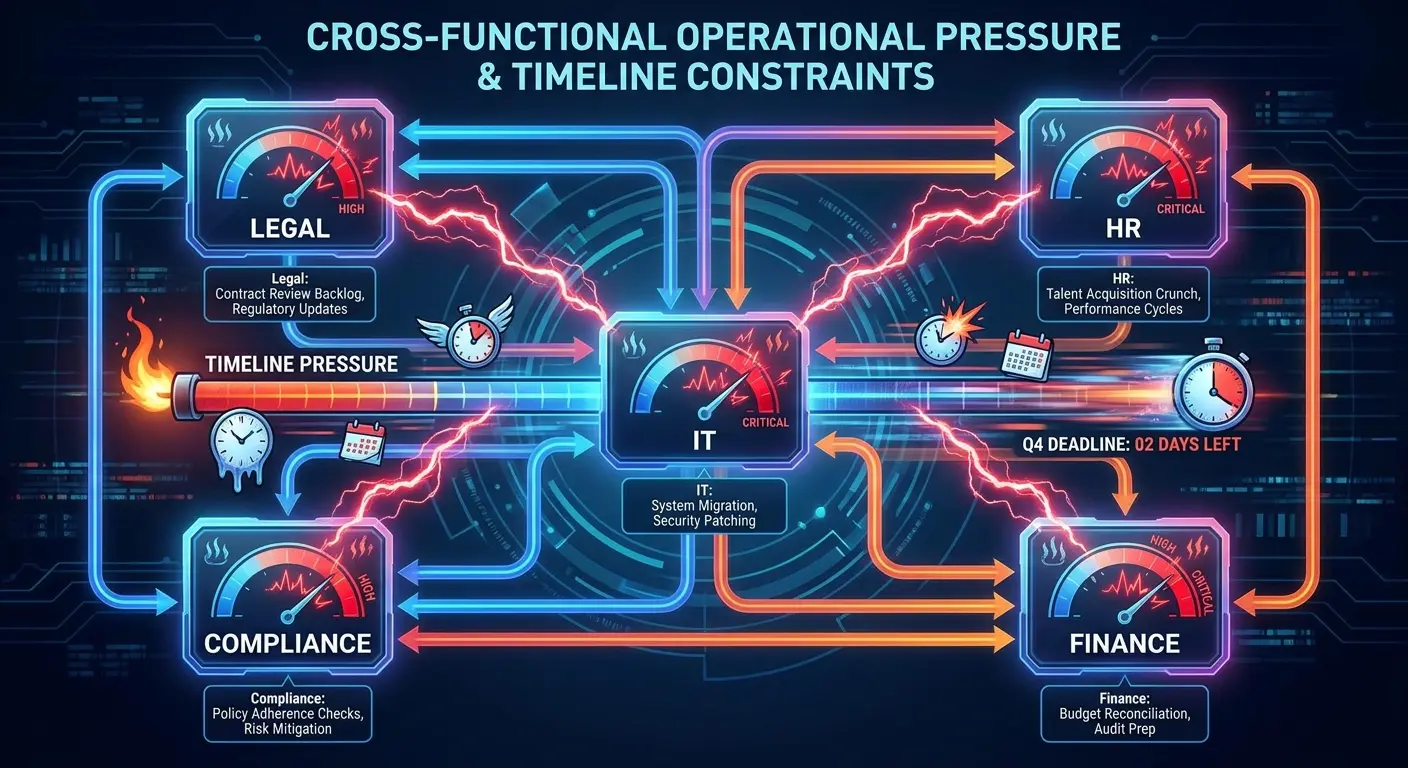
Your legal team celebrates a successful petition. Your new hire has 90 days to start work. HR scrambles to finalize onboarding. IT suddenly needs to ship equipment to an address in a state where you might not have established vendor relationships. Finance realizes the approved wage level requires restructuring the compensation package. Compliance wants documentation of every asset assigned to this employee for the next three years. H-1B visa changes can reshape that timeline overnight.
Your legal team and IT team probably haven't even had a conversation yet.
Recent modifications to h-1b visas have tightened timelines, expanded documentation requirements, and introduced new restrictions on remote work arrangements. These aren't abstract policy changes. They translate directly into operational pressure points that surface when you're already behind schedule. Companies managing global hiring challenges need to connect immigration compliance with operational readiness from day one, not after approvals arrive. Getting ahead of H-1B visa changes means equipping people before the paperwork clears.
| Regulatory Change | Legal Impact | Operational Impact |
|---|---|---|
| 90-day employment start window | Petition approval timeline | Compressed procurement, shipping, and onboarding coordination |
| Remote work authorization requirements | LCA worksite documentation | Equipment tracking by residential address across state lines |
| Updated prevailing wage calculations | Wage level compliance | Mid-contract compensation reviews, equipment value documentation |
| 60-day grace period modifications | Status change procedures | Immediate equipment retrieval and data security protocols |
| Worksite location clarifications | Amended petition triggers | Asset management system updates for every employee relocation |
The 60-day grace period modifications mean employees who lose h1b visa status need immediate equipment retrieval and data security protocols. The updated prevailing wage calculations force mid-contract compensation reviews that impact budget allocations. The clarified rules around worksite locations require tracking employee movements with a precision that most IT asset management systems weren't designed to provide (and honestly, why would they be?).
I've watched companies nail the visa approval only to lose candidates because they couldn't deliver a laptop to their home address within the required timeframe. I've seen HR teams manually tracking equipment across state lines because their systems can't generate the reports compliance now demands. Finance departments scrambling to quantify the value of provided equipment for wage level justifications.
Last spring, a SaaS company (let's call them TechCorp because they're still dealing with the fallout) got 12 H-1B approvals. Their legal team was celebrating. Their IT director was in my inbox at 11 PM on a Saturday asking if we could somehow provision equipment for 9 different states in 6 weeks.
We couldn't. Nobody could.
They ended up paying something like $30K in rush fees and still had two people starting with personal laptops, which their security team is probably still having nightmares about. The whole thing was a disaster that could've been avoided with literally one conversation between legal and IT before the approvals came through.
The regulatory changes created these problems. Your operations infrastructure has to solve them. That is the real work H-1B visa changes leave on operations teams.
The 90-Day Window (Or: How to Fail Before You Start)
Visa approval letters arrive with a countdown clock attached. Your new employee must begin work within 90 days, or the approval becomes worthless. Tight windows like this are precisely what recent H-1B visa changes created.
Standard IT procurement takes 3-4 weeks under normal conditions. International shipping adds another 2-3 weeks. Customs delays are unpredictable. Suddenly, you're trying to compress a 6-week process into a window that might already be half-closed by the time HR receives the approval notice.
Do that math.
Companies face an impossible choice: rush equipment orders and pay premium shipping costs, or risk missing the start date entirely. Some try to have employees begin work using personal devices while they wait for company equipment (which creates its own security and compliance headaches). Others delay the start date and hope USCIS doesn't flag the gap as non-compliance.
Both approaches carry risk. Neither is ideal.

90-Day Window Equipment Provisioning Checklist (that you'll probably deviate from but at least you'll know what you're skipping)
- Day 1-3: Receive visa approval notice and confirm employee start date
- Day 4-7: Submit equipment requisition with expedited processing flag (then follow up because it'll get buried)
- Day 8-10: Finalize shipping address and verify state-specific requirements (double-check it, seriously)
- Day 11-14: Complete procurement approvals and vendor order placement (chase people, send polite but increasingly desperate emails)
- Day 15-21: Equipment configuration, testing, and security protocol implementation
- Day 22-28: Ship equipment with tracking and delivery confirmation requirements
- Day 29-35: Coordinate delivery timing with employee availability
- Day 36-42: Verify receipt, document serial numbers, and complete asset assignment records
- Day 43-45: Conduct remote setup support and system access verification
- Day 46-50: Finalize compliance documentation and submit to HR/Legal
This timeline assumes everything goes smoothly. It won't.
The 90-day window becomes even more constrained when you factor in background checks, onboarding documentation, and system access provisioning. IT teams that normally have weeks to prepare suddenly have days. Security protocols that require multi-step approvals get compressed or skipped entirely. Equipment that should go through proper testing and configuration gets shipped straight from the vendor.
This isn't just about inconvenience. Starting an employee without proper equipment documentation creates compliance gaps that can surface during audits years later. The rushed provisioning process often means missing serial numbers, incomplete asset tags, or unclear assignment records. When USCIS or DOL requests proof of provided resources as part of wage level justification, these gaps become serious problems.
The time pressure also impacts employee experience in ways that affect retention. Your new hire's first impression of your company is chaos and scrambling. They spend their first week waiting for equipment, unable to access systems, watching their new team work around their absence. The h-1b visa lottery winners deserve better than this, but here we are. Remote teams deserve a smoother answer to H-1B visa changes than improvised logistics.

Some companies have started pre-provisioning equipment before visa approval, gambling on successful outcomes. This creates its own challenges: what happens to the equipment if the visa gets denied? How do you track assets that are purchased but not yet assigned? What's the financial impact of having expensive hardware sitting in inventory?
Personally, I think pre-provisioning is a gamble most companies shouldn't take. But I understand why they're considering it.
The 90-day window isn't getting longer. Your provisioning process needs to get faster.
Getting global hardware provisioning right under that kind of time pressure is a discipline of its own, which we break down in the state of global IT hardware procurement.
Remote Work Rules Just Made Equipment Tracking Your Worst Nightmare
Petitions now require specific worksite locations. Remote work is possible, but it needs explicit authorization and documentation.
And this is where I want to flip a table.
That home address in the petition becomes your official worksite for compliance purposes. You need to track equipment at that location. You need to maintain records showing the employee actually works from that address. You need to ensure the hardware and software you provide comply with any state-specific regulations.
If the employee moves? You're filing an amended petition and updating all your tracking systems.
Most IT asset management systems track equipment by office location or department, not by individual home addresses. They're not built to generate reports showing that specific hardware remained at a specific residential address for the duration of employment. They don't automatically flag when an employee's work location changes and trigger the compliance notifications that amendments require. Implementing comprehensive IT asset management for distributed teams helps companies maintain the location tracking that compliance now demands.
You're probably managing this through spreadsheets right now. That works until you have 50 employees working remotely across 15 states, each with their own equipment assignments and location requirements. The complexity of managing h-1b visas increases exponentially with remote work provisions.
| State | Sales Tax on Provided Equipment | Remote Work Registration | Equipment Service Requirements |
|---|---|---|---|
| California | Complicated and expensive, as usual. Sometimes counts as taxable comp. | Required for employers | Local vendor relationships needed for warranty service |
| Texas | Pretty straightforward, surprisingly. | Not required | Can ship for repairs, extended timelines |
| New York | Taxable if the equipment value is high enough. The thresholds change. Good luck. | Required above certain thresholds | Local service providers required for compliance |
| Florida | Not considered taxable compensation | Not required | Flexible service arrangements |
| Washington | Complex rules based on usage (I've heard different interpretations) | Required for employers | Local support recommended |
The remote work provisions also complicate equipment retrieval. When an employee leaves (voluntarily or otherwise), you need documented proof that all company assets were returned. For office-based employees, IT can collect equipment on the last day. For remote workers, you're coordinating shipping, tracking return packages, and hoping nothing gets lost in transit.

The 60-day grace period adds urgency to this process. If status changes, you have a narrow window to secure company data and retrieve equipment. The logistics of shipping, the employee's cooperation level, and the condition of returned assets all become compliance considerations. Every h visa situation requires careful coordination between legal, IT, and HR teams.
State tax implications create another layer of complexity. Some states consider provided equipment as taxable compensation. Others don't. I'm not a tax expert (you need one of those), but your finance team needs accurate records of what equipment is located in which state to calculate tax obligations correctly.
There's this company (I think they were series B, maybe C?) that hired a data engineer who worked remotely from Colorado. They shipped a high-performance workstation, dual monitors, and specialized software licenses worth approximately $8,000 total. Six months later, the employee relocated to California for personal reasons.
The company filed an amended petition for the new worksite location, but their IT asset management system still showed the equipment at the Colorado address. During a DOL audit 18 months later, investigators requested proof that the employee had actually worked from the California address as stated in the amended petition.
The company couldn't produce equipment location records matching the petition timeline. The discrepancy triggered additional scrutiny of their entire program and resulted in a finding of inadequate worksite documentation. They're still dealing with the fallout.
Remote work authorizations also affect your vendor relationships. If you have employees working from home addresses in states where you don't have established IT vendors, who handles on-site repairs? Shipping equipment back and forth for repairs isn't practical, but finding local service providers who can work with your security protocols and compliance requirements isn't simple either.
Wage Thresholds and Why Your IT Budget Suddenly Matters for Compliance
The prevailing wage levels keep climbing. Meeting these thresholds while staying within budget requires creative thinking about total compensation.
Equipment provisions matter more than you might think.
USCIS considers the value of employer-provided resources when evaluating whether compensation meets required wage levels. That laptop, monitor, software licenses, and home office equipment aren't just operational necessities. They're part of your compensation justification for h-1b visas.
But here's the catch: you need documentation. You can't vaguely claim you provide "standard IT equipment" worth some estimated value. You need itemized lists with specific costs. You need proof of what was actually provided to each employee. You need records showing when equipment was issued and what its fair market value was at that time.
Most companies don't track this information with the precision that wage level justifications now require.
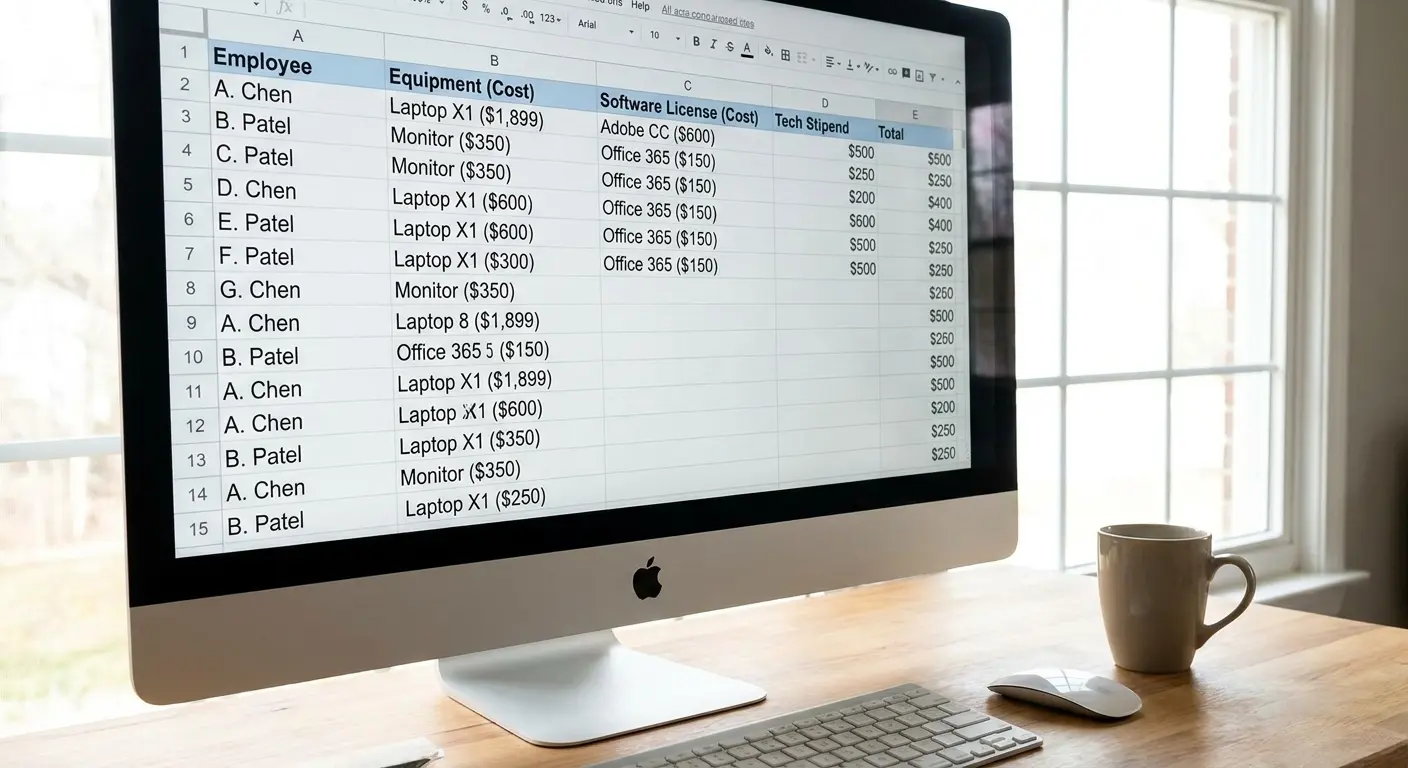
The increased thresholds are pushing companies to optimize their technology provisions strategically. Instead of generic equipment packages, some are tailoring hardware and software to specific roles, then documenting the enhanced value. A data scientist might receive high-performance computing equipment worth significantly more than standard issue laptops. Companies need to balance providing equipment for remote workers with the documentation requirements that wage threshold compliance demands.
This only works if your IT provisioning process can accommodate role-specific equipment requests and track the associated costs accurately.
Equipment Value Documentation Template for Wage Level Justification
Employee Information:
- Name: [Employee Name]
- Position: [Job Title]
- Wage Level: [I/II/III/IV]
- Start Date: [MM/DD/YYYY]
Provided Equipment:
- Laptop Model: [Brand/Model] | Purchase Date: [MM/DD/YYYY] | Fair Market Value: $[amount]
- Monitor(s): [Brand/Model/Quantity] | Purchase Date: [MM/DD/YYYY] | Fair Market Value: $[amount]
- Peripherals: [Keyboard, mouse, webcam, etc.] | Purchase Date: [MM/DD/YYYY] | Fair Market Value: $[amount]
- Software Licenses: [List with annual/perpetual costs] | Assignment Date: [MM/DD/YYYY] | Annual Value: $[amount]
- Mobile Device: [If applicable] | Purchase Date: [MM/DD/YYYY] | Fair Market Value: $[amount]
- Home Office Equipment: [Desk, chair, etc.] | Purchase Date: [MM/DD/YYYY] | Fair Market Value: $[amount]
Technology Stipends:
- Internet Stipend: $[monthly amount] × [months] = $[annual total]
- Phone Stipend: $[monthly amount] × [months] = $[annual total]
- Software/Tools Stipend: $[monthly amount] × [months] = $[annual total]
Total Annual Equipment/Technology Value: $[total amount]
Documentation Attached:
- Purchase orders and invoices
- Asset assignment records with serial numbers
- Stipend payment records
- Equipment delivery confirmations
Technology stipends have become another tool in the compensation toolkit. Some companies provide monthly allowances for home internet, phone service, or software subscriptions. These stipends count toward total compensation, but they require documentation showing the stipend was actually paid and used for its intended purpose. The h-1b visa fee represents just one component of the total investment companies make in international talent.
The documentation burden extends beyond initial provisioning. If you're justifying compensation based on provided equipment, you need to maintain records for the duration of employment. Equipment upgrades, replacements, and additions all need to be tracked and valued.
This creates tension between IT operations and compliance requirements. IT teams want flexibility to swap equipment, upgrade systems, and respond to technical needs without bureaucratic overhead. Compliance teams need detailed records of every change. Understanding work from home stipend best practices helps companies structure technology allowances that satisfy both employees and compliance requirements.
The wage threshold pressure also affects equipment quality decisions. Providing premium hardware increases your documented compensation value, which helps with wage level justifications. But it also increases upfront costs and creates higher expectations.
Some companies have discovered their equipment provisioning was inadvertently creating compliance gaps. They were providing expensive hardware but not tracking it properly, so they couldn't use it for wage level justification. The financial implications extend to equipment lifecycle management. When you're using provided technology as part of compensation justification, the equipment's age and value matter. Your asset management needs to track not just what equipment exists, but its current value for compensation purposes.
When Immigration Audits Start Asking About Serial Numbers
Immigration audits used to focus on wage records and employment verification. Equipment tracking wasn't part of the conversation.
Not anymore.
When the worksite is a home address and remote work has to be explicitly authorized, the equipment becomes evidence. A laptop at a specific address, assigned to a specific person, on a specific date, is one of the cleanest ways to demonstrate that the employee actually worked where the petition says they did. Auditors have figured this out. Now they ask for it.
And it's not just worksite verification. Remember that the value of provided equipment can factor into wage level justification. The moment you've used a $3,000 workstation and a stack of software licenses to help clear a prevailing wage threshold, that hardware stops being an IT detail and becomes part of your compliance record. If you claimed it, you have to be able to prove it.
Here's the uncomfortable part: most asset management systems were never designed to answer immigration questions. They can confirm a device exists. They struggle to show it sat at one residential address for the full duration of employment, who it was assigned to, what it was worth at issue, and when it changed hands.
What auditors are increasingly asking for:
- Serial numbers and asset tags tied to a named employee
- The physical location of each device and how long it stayed there
- Issue dates and fair market value at the time of assignment (for wage level justification)
- Proof of delivery to the authorized worksite
- Records showing equipment moved (or didn't) when the employee's location changed
- Retrieval and data-destruction documentation when employment ended
If you can produce that in an afternoon, you're fine. If producing it means cross-referencing three spreadsheets, a shipping inbox, and one person's memory, you have a problem you just haven't been billed for yet.
A healthcare startup I know got a routine-looking DOL inquiry. Nothing dramatic, just a request to substantiate a few wage level claims. Their compensation packages leaned on provided equipment to clear the threshold, which was fine, except they couldn't tie specific serial numbers to specific employees with issue dates and values. Purchase invoices lived in one system, assignments in another, and the two never reconciled. What should have been a paperwork exercise turned into a months-long scramble to reconstruct records, and the gaps invited closer scrutiny of everything else they'd filed.
The lesson isn't that audits got scarier (though they did). It's that the documentation auditors now want is documentation you should already have for your own sake. Serial numbers, assignments, locations, values, retrieval. None of this is exotic. It's just rarely maintained with the discipline that h-1b visas now demand.
The auditors caught up to remote work faster than most companies' systems did. Closing that gap is the whole game.
Building Systems That Don't Collapse When Status Changes
Status changes are the part nobody plans for. Everyone preps for the hire. Almost nobody preps for what happens when the employee's situation shifts mid-employment.
But it shifts constantly. Someone moves states. Someone gets promoted into a new wage level. Someone loses status and the 60-day grace period clock starts ticking. Each of these events triggers paperwork, and each piece of paperwork now expects your asset records to back it up.
Here's the problem: most companies build their systems around the happy path. New hire arrives, gets equipment, works happily for three years, leaves gracefully. Real life doesn't cooperate, especially with h-1b visas, where a single regulatory trigger can compress weeks of process into days.
The fix isn't more spreadsheets. It's infrastructure that assumes change is the default, not the exception.
What that actually looks like:
- A single source of truth for who has what equipment, where it physically lives, and what it's worth right now (not what it cost two years ago)
- Asset records tied to individual employees and their authorized worksite, not just a department or an office
- Automatic flags when an employee's location changes, so the amended petition and the asset record update together instead of quietly drifting apart
- A retrieval process that can move as fast as the 60-day grace period demands, including for someone three time zones away
- Documentation that regenerates on demand, so when legal needs proof of provided resources, you're running a report, not reconstructing history from memory
A fintech I worked with thought they had this handled. They had a spreadsheet, an asset tag system, and one diligent ops person. Then that ops person went on leave, two employees changed states in the same month, and one lost status with 60 days to retrieve a workstation sitting in another country. The spreadsheet was three weeks stale within a fortnight. Nobody could say with confidence where the equipment was, and the retrieval window nearly closed before anyone located the device.
The system didn't fail because the people were bad at their jobs. It failed because it depended entirely on one person manually keeping reality and records in sync. That's not a system. That's a single point of failure wearing a system costume.
Build for the status change you're not expecting. Because with h1b visa rules shifting as often as they do, it's coming.
What Actually Works
After watching enough of these go sideways, the pattern for what works is pretty clear. It's not complicated. It's just rarely done.
Get legal, IT, HR, and finance into the same conversation before approvals land, not after. The companies that handle h-1b visas well treat the approval as the start of an operational sprint they've already rehearsed, not a surprise that shows up in someone's inbox at 11pm on a Saturday.
Provision early and provision consistently. Have a documented, repeatable process for getting equipment to any address in any state inside the 90-day window. Know your shipping timelines, your vendor coverage, and your fallback options before you need them. Stop treating each new state like uncharted territory.
Track assets by person and location from day one, with the value documented for wage level justification. Don't wait for an audit to discover your records don't match your petitions. Treat every device as something you might have to account for to USCIS or the DOL three years from now, because you might.
Make retrieval as deliberate as deployment. A device you can't get back is a compliance gap and a security risk wearing the same hat. Build the return logistics before the grace period clock starts, not during it.
Honestly, this is the exact gap we built GroWrk to close. We handle device procurement, deployment, and retrieval across 150+ countries (and all 50 states), with asset records that track equipment by employee and location, and documentation that's audit-ready by default. When someone moves, changes status, or leaves, the system already knows what they have and where it is. For a real-world example, see how Upwork centralized device logistics across 30+ countries with GroWrk.
You don't have to use us. But you do have to solve this, because the h-1b visa lottery is hard enough to win without losing the candidate over a laptop.
The legal team did their part. The regulations aren't getting simpler. The only variable you fully control is whether your operations are ready when the approval lands.
Make them ready.